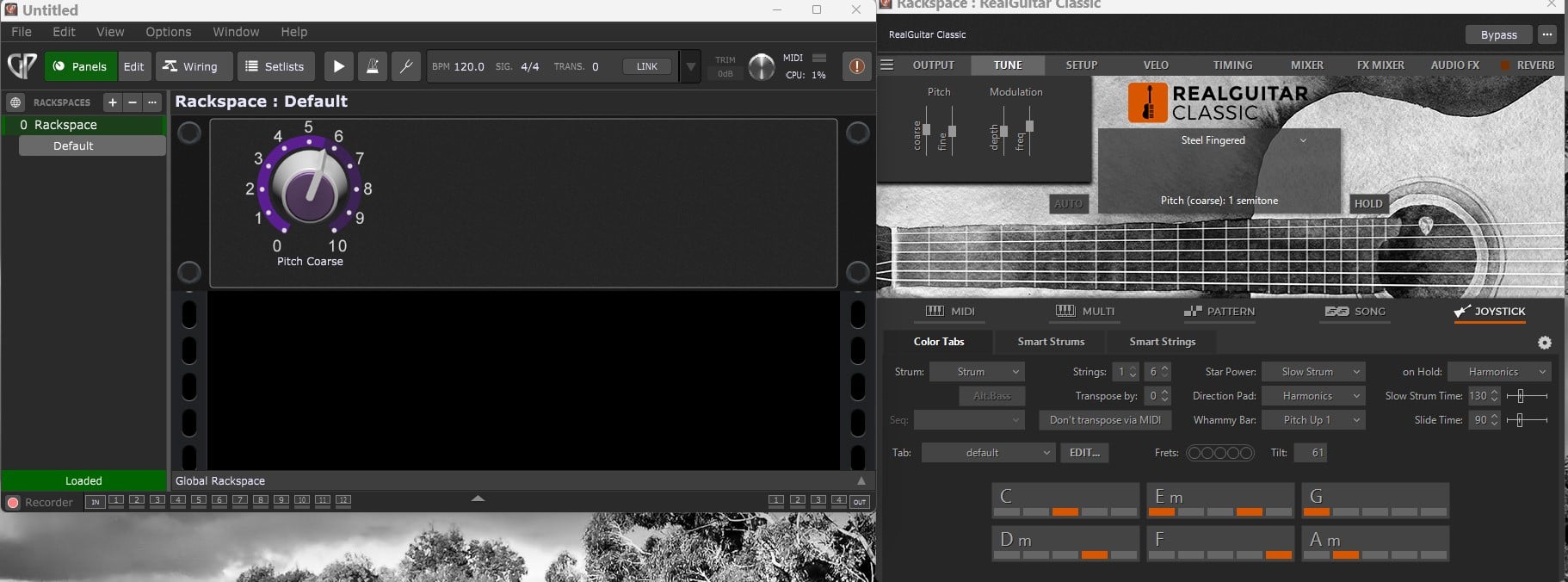
UVI Workstation vst (PC) seems to have its midi learn for pitch transpose by midi either blocked or inactive. Has anyone found a way to make the transpose work via midi?
Why are you not just transposing the MIDI in block that is presumably connected to it?
Because the Guitar Hero PS3 that I use as the main midi controller for Gig Performer, works in a different way to a keyboard when playing other vsts using midi out. I have found a way using Piz transpose which works but it is a bit unwieldy. However, it does work and is the only transpose plugin that does so out of all that I have tried. I did ask UVI whether their Workstation allows transpose via midi and they told me that it doesn’t.
Have you also tried my “Transposer” scriptlet? 
Maybe it’s exactly what you’re looking for.
Thanks Erik. I am away for the weekend coming but will try it out when I get back home.
I can confirm that the @schamass scriptlet is what you need because I now use it instead of midiTranspose 
I also made one at a time, which makes it possible to change the transpose while playing… at least it is what is written in the description 
That doesn’t explain the problem to me, at least. If you need to transpose all incoming notes up by 3 semitones (say), why can’t you do thst with a MIDI in block?
From former experiences, e.g.
But, if a transpose Scriptlet can solve this problem, that’ll be enough for me… 
I didn’t think you’d let me off lightly David! It’s all in the was the Music Lab guys program the Real Guitar software when in joystick mode. When midi monitor is turned on in GP, all the notes that are output from the PS 3 controller are way up in the top of the range e.g. C8, C# 8, D8, D# 8 etc. all in the 8’s. Too high up to work?
I still don’t understand the issue. Why can’t you transpose down as needed?
The notes just won’t play. Assuming that Real Guitar is set to joystick mode and the pS3 guitar controller is inputting the notes, then the moment that the midi input block is moved off zero transpose, the software won’t play the strums and picks as it’s supposed to. It’s just the way that the software writers created everything as an integrated unit. You may be saying by now, why bother. To me it’s well worth the effort. As a keyboard player, I could never be bothered learning to correctly play picking and strumming guitar, let alone learn the hundreds of chords involved. So for me, using Real Guitar in joystick mode allows me to play authentic sounding guitar reasonably easily.
Regarding transpose. The PS3 Guitar Hero controller only has 5 neck buttons for chord selection. These add up to a total possible chord selection of 31. So to save confusion when trying to remember all the button configurations for chords, it is easier just to transpose and keep using the same button combinations.
Let me try once more.
For each possible note coming from your controller,
- What is the note number thst it generates.
- What note number is supposed to go into UVI?
I’m away from home for the weekend and will be back home next Tuesday so I can’t send any screen shots. When I play a keyboard into GP using say a C chord, I get the notes C, E, and G. If I then play a C chord in a similar register using the PS3 controller, the midi notes show up many octaves higher (using notes based on 8 ie 8 octaves higher) even though the tones sound in the same register as the same notes from the keyboard. If I then transpose using the midi in block, the notes won’t sound at all and the joystick mode collapses and no notes will play. It must be in the way the ML guys have written the software so that all of the functions on the PS3 controller do what they are supposed to do. There is written on the RG main page for each guitar, “Do not transpose by midi.” The fact that I’ve managed to transpose at all is amazing I think. Keep in mind that they developed the joystick mode way back in 2012 and its seems to me have been an experiment that was never intended to be used in live performance but reserved for use at home for recording authentic guitar tracks. The original 5 neck button PS3 guitar controller hasn’t been manufactured for years and are to find second had these days. The replacement 6 button version doesn’t work I believe. I used to get some mild ribbing from people when I first went out playing live. “No frets! No strings! You’re a fake!” I got used to it in time and the fact is that the Real Guitars sound so darn good over a decent PA, and the joystick mode that allows strumming and picking is very real. If you had your back to me, you would guess that a real guitarist was playing.
I have worked up a version of Eidleweis (from the sound of music) using a RG nylon string. I have accentuated the string buzz sound and tweaked it a bit elsewhere and finally added heaps of reverb. In the chorus, a violin comes is. I have added tons of modulation with many of the chords having alternate bass notes all from the joystick software. It sounds just great.
On a piano keyboard, there about about 7 sets of C E G chords. This doesn’t help
WHAT ARE THE ACUAL NOTE NUMBERS BEING SENT IN AND WHAT ARE THE ACTUAL NOTE NUMBERS YOU WANT???
As I said, I am away from home visting family and won’t be home until Tuesday.
I can send details and screen shots then.
@bigalminal, I’ll try to clarify the expected answer to @dhj’s questions, which are the only ones for which we need an answer for the moment:
a) lowest note generated by the PS3 controller = . .
b) highest note generated by the PS3 controller = . .
c) lowest note that the plugin react to (lowest green note) = . .
d) highest note that the plugin react to (highest green note) = . .
We need 4 values, nothing more, nothing less…
Yeah, that assumes that the transformation is linear, well just + or - the same constant, which was one of the things I wanted to check because I don’t understand why the existing transpose mechanism doesn’t work.
Ok, I get it. Hopefully I will have the data to you next Tuesday. I am keen to know more as well.
A little late reporting back. Sorry:}
-
Here is a basic test file:
-
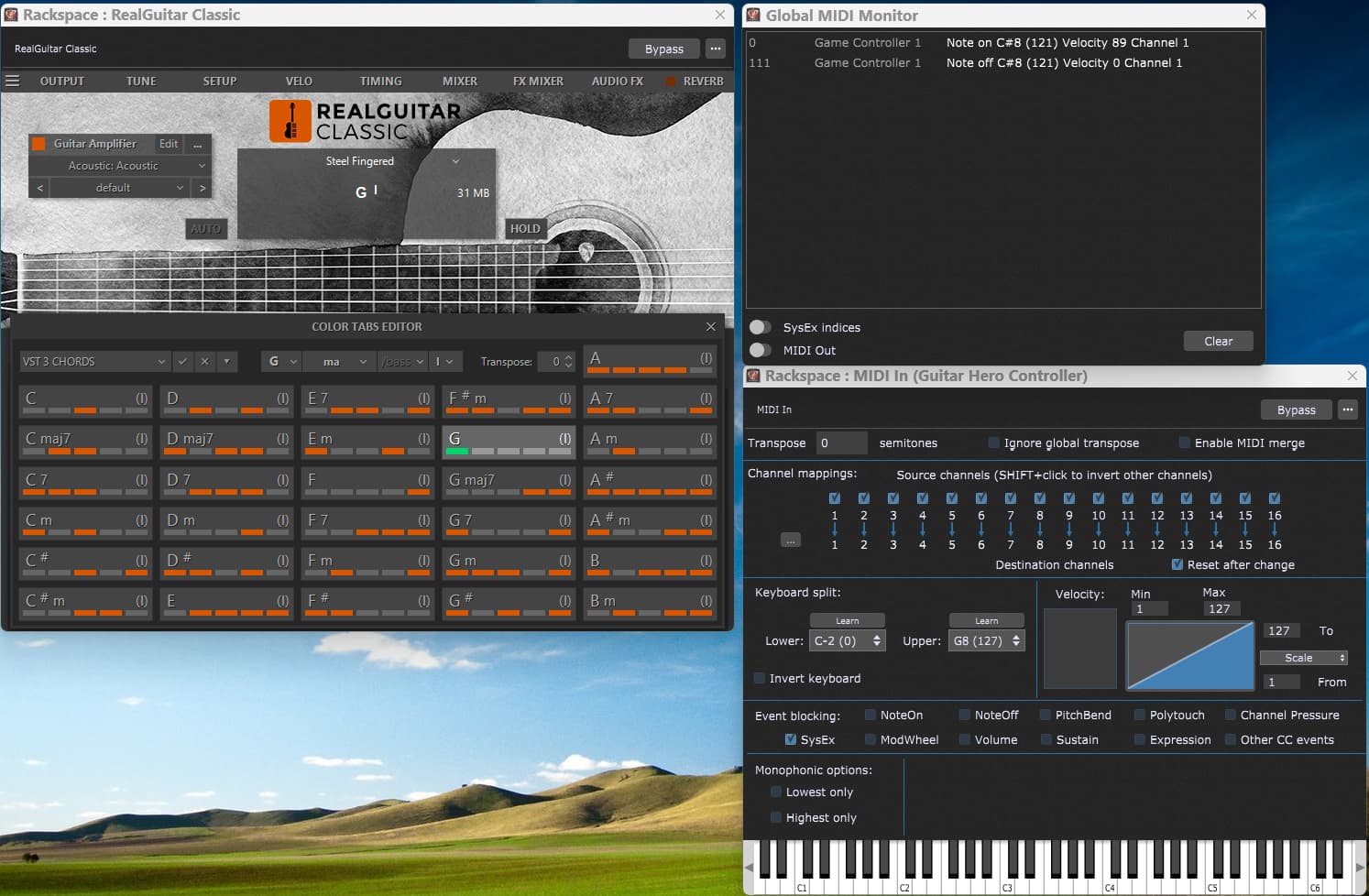
Main page (no transpose:)
I am holding button one on the neck of the PS3 guitar controller which is sounding a G chord (green showing in the G chord highlight. Note that the Midi Monitor is saying that a C#8 note has been detected when the controller was strummed. Real Guitar is sounding a G chord over the PA
-
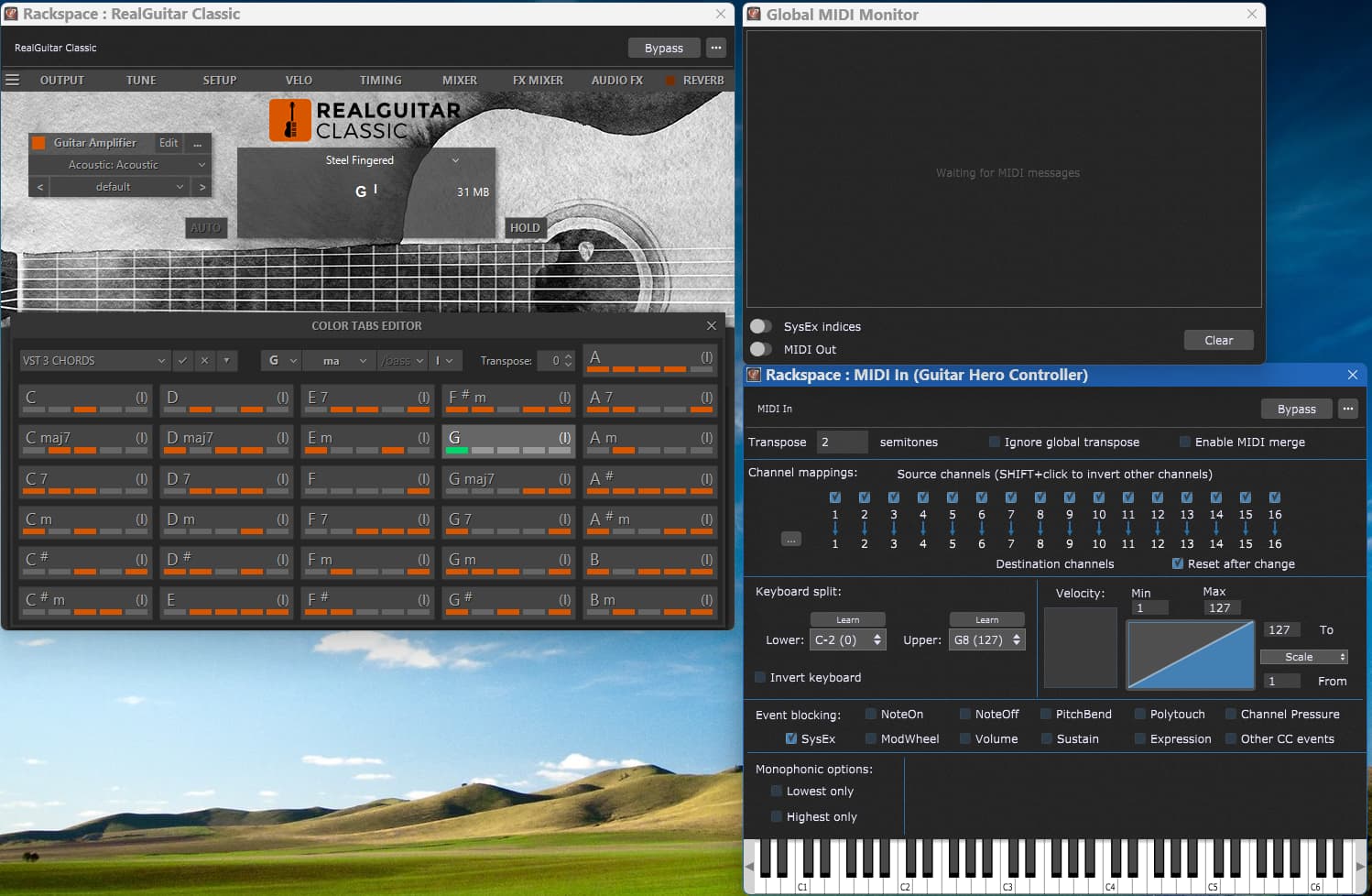
Main page (transpose +2:)
Button one on the neck held as before. Transpose set 2+, but the same C#8 note is displayed in the Midi Monitor, but this time, no sound is heard over the PA from the guitar
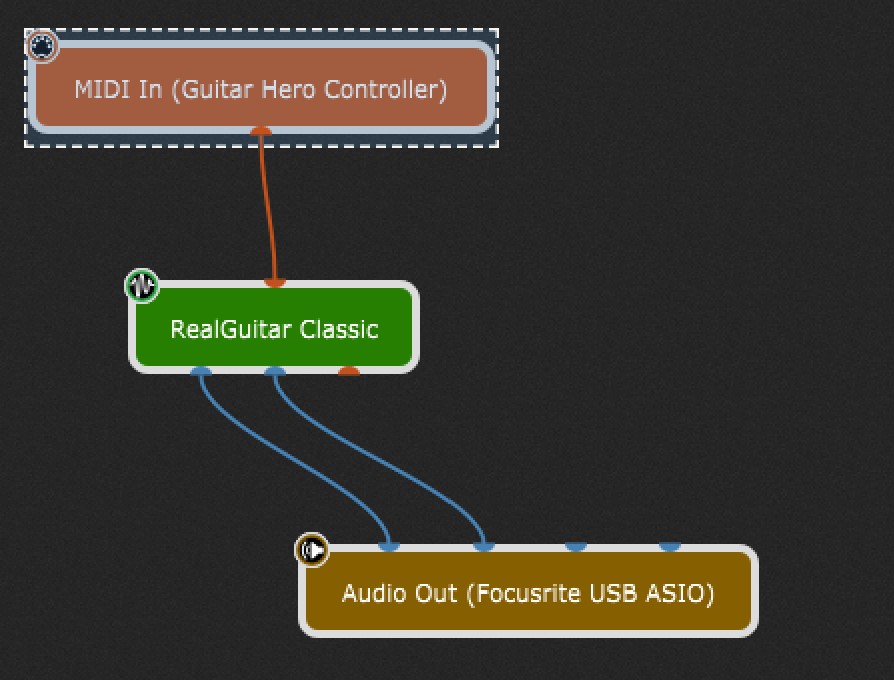
Good news!
Since last posting, I have found a workaround using Real Guitar coarse pitch mapped to a rotary knob.
Value 0 = No transpose
Value 67 = plus 1 transpose
Value 72 = plus 2 "
Value 77 = plus 3 and so on.