The reason for the errors lies in ChatGPT, which unfortunately doesn’t master GP-script. I myself can’t program yet, so it takes a bit longer to reach the goal. Thank you for your code examples. Over time, I will have to learn from scratch.
Try this. Note also that MakeMidiMessage is depreciated. Use MakeMIdiMessage3 instead.
// GigPerformer GPScript
// This script sends MIDI messages based on the value of the Switch widget's variable T1

var
    Switch : Widget // The Switch widget
    MIDI_OUT : MidiOutBlock // Linked MIDI output

// Main logic triggered when the Switch widget value (T1) changes
On WidgetValueChanged(T1: Double) from Switch

    if T1 == 1 Then // If T1 (the Switch widget value) is 1
        // Step 1: 9F 0C 7F BF 03 02
        SendNowExternal(MIDI_OUT, MakeMidiMessage3(0x9F, 0x0C, 0x7F))
        SendNowExternal(MIDI_OUT, MakeMidiMessage3(0xBF, 0x03, 0x02))

        // Step 2: BF 03 02
        SendNowExternal(MIDI_OUT, MakeMidiMessage3(0xBF, 0x03, 0x02))

        // Step 3: 90 77 15
        SendNowExternal(MIDI_OUT, MakeMidiMessage3(0x90, 0x77, 0x15))

        // Step 4: Change Pad colors (BF xx yy) - without loop
        SendNowExternal(MIDI_OUT, MakeMidiMessage3(0xBF, 0x00, 0x01)) // Color for Pad 0
        SendNowExternal(MIDI_OUT, MakeMidiMessage3(0xBF, 0x01, 0x02)) // Color for Pad 1
        SendNowExternal(MIDI_OUT, MakeMidiMessage3(0xBF, 0x02, 0x03)) // Color for Pad 2
        SendNowExternal(MIDI_OUT, MakeMidiMessage3(0xBF, 0x03, 0x04)) // Color for Pad 3
        SendNowExternal(MIDI_OUT, MakeMidiMessage3(0xBF, 0x04, 0x05)) // Color for Pad 4
        SendNowExternal(MIDI_OUT, MakeMidiMessage3(0xBF, 0x05, 0x06)) // Color for Pad 5
        SendNowExternal(MIDI_OUT, MakeMidiMessage3(0xBF, 0x06, 0x07)) // Color for Pad 6
        SendNowExternal(MIDI_OUT, MakeMidiMessage3(0xBF, 0x07, 0x08)) // Color for Pad 7
        SendNowExternal(MIDI_OUT, MakeMidiMessage3(0xBF, 0x08, 0x09)) // Color for Pad 8
        SendNowExternal(MIDI_OUT, MakeMidiMessage3(0xBF, 0x09, 0x0A)) // Color for Pad 9
        SendNowExternal(MIDI_OUT, MakeMidiMessage3(0xBF, 0x0A, 0x0B)) // Color for Pad 10
        SendNowExternal(MIDI_OUT, MakeMidiMessage3(0xBF, 0x0B, 0x0C)) // Color for Pad 11
        SendNowExternal(MIDI_OUT, MakeMidiMessage3(0xBF, 0x0C, 0x0D)) // Color for Pad 12
        SendNowExternal(MIDI_OUT, MakeMidiMessage3(0xBF, 0x0D, 0x0E)) // Color for Pad 13
        SendNowExternal(MIDI_OUT, MakeMidiMessage3(0xBF, 0x0E, 0x0F)) // Color for Pad 14
        SendNowExternal(MIDI_OUT, MakeMidiMessage3(0xBF, 0x0F, 0x10)) // Color for Pad 15
    End
End
Also you don’t need step 2 because you included it in step 1.
Notes also that since it is a MIDI Out block it should be SendNowExternal.

I put this all into a RackSpace Script and it worked perfectly for me but again, I’m on GP5 so maybe there have been some scripting changes since 4.5 (which I believe you are on).
SteveC
As was mentioned earlier:
I put this all into a RackSpace Script too but i have problems again.
i have to wait until if i buy V5
I will wait before purchasing Version 5 for PC/Mac. First, I need to learn the basics of programming. Secondly, definitely not before Christmas, as other purchases are more important
What compilation error do you get?

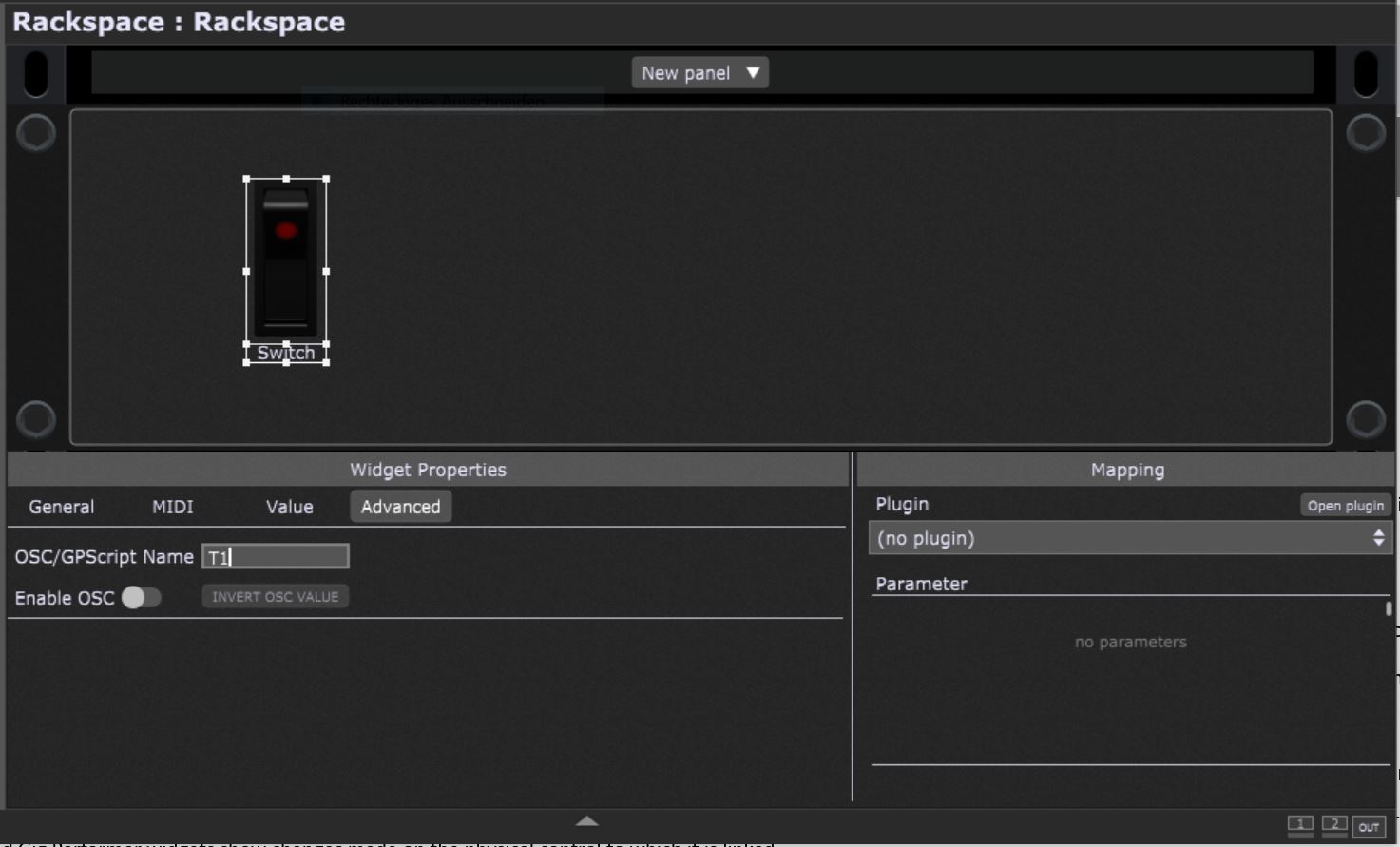
You have to include a widget named Switch
and a MIDI out plugin with gp script handle MIDI_OUT
now i have named to MIDI_OUT
And a widget with the gp script handle named Switch
Give it the gp script handle MIDI_OUT, you find the menu entry to access the gp script handle in the popup menu of the midi out plugin
i think so:
Rackspace.gig (29.2 KB)
Please post some screenshots

Please define the correct gp script handles
Advanced tab in the widget properties
Gp script handle for a plugin