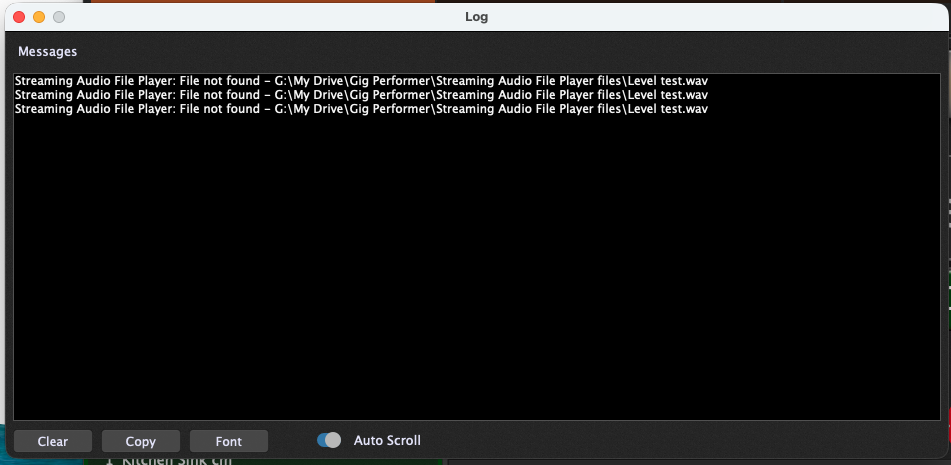
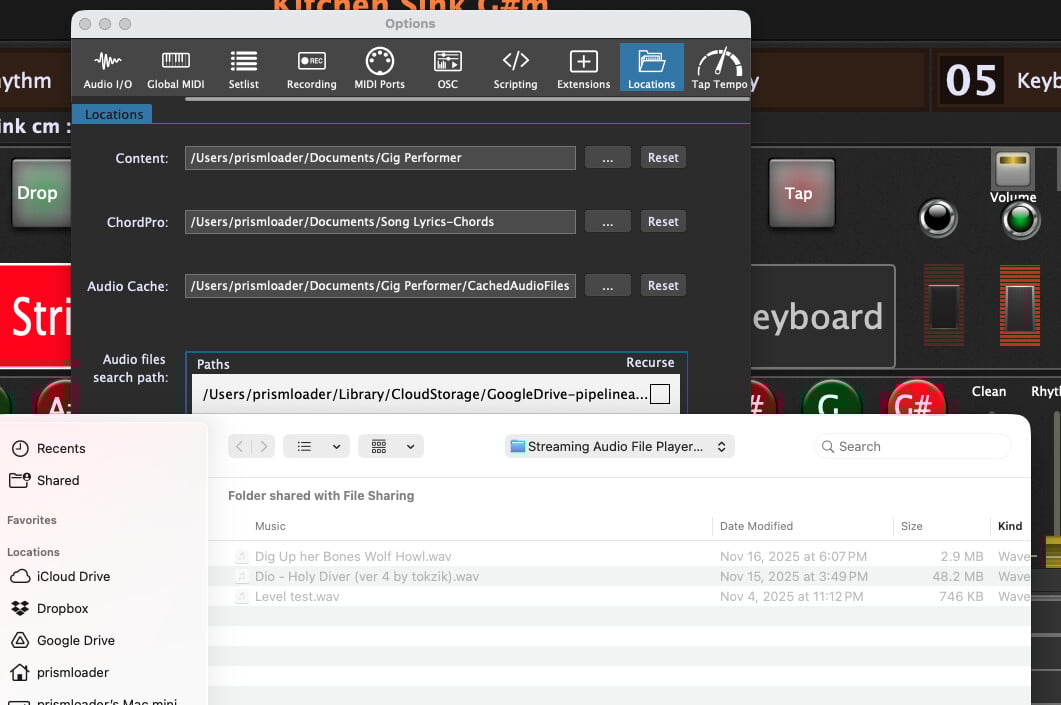
I saw some similar topics and one may have had the answer saying to just export and import rather than sharing the files.
My main problem with sharing gig files between computers has to do with files in the media players. I have everything in a google drive folder, and each computer shares that same folder, but its internal path may see it differently.
When I open a gig file on another computer, even though its in the same directory as the gig file, it cannot find the media files. On Windows, this means it takes a very long time to open the gig, but not so bad if the files are missing on Mac.
Is there some option to look in current directory, or perhaps a search option? Some DAWs have pretty extensive options for dealing with this contingency, but I figure I can’t be the first person who ran into this in Gig Performer, but forum searches have not helped me on this one.
I share gig files between two computers (my primary laptop and one I keep in my rehearsal space).
It is true that adding samples (used in the streaming audio player, etc.) requires a bit of additional work in that it has to be done separately on the two computers.
I make sure I use exactly the same file paths (so folders have be named the same, etc). But, if I do that, I do not have a problem.
But you are using Mac and PC? Maybe that makes it trickier? Maybe symbolic links would help?
Yes, but be aware – if the file is found in a location different from where it was originally specified, when you save the gigfile (or specifically a SAFP preset), the filename will be updated to use the new location. This allows the file to be found more quickly the next time you load the gig on the same computer but if you move the gigfile, then the search will start all over again.
How can I learn more about symbolic links as it applies to Gig Performer and multiple OS types? I haven’t tried the multiple paths yet, but when I only had the single path, the load time was pretty terrifying when it couldn’t find a media file.
Not at all, the updating of the filename is simply an optimization to save time if you’re loading the gigfile again on the same computer so that you don’t have to search for the file.
Google “symbolic links” - they’re not specific to Gig Performer
It shouldn’t take very long at all unless you specified the root folder and you enabled Recurse, then yeah, the computer has to search the entire file system — there’s no magic here.
I’m trying to understand why I’d use symbolic links if I can set multiple paths. This is kind of how we handle it in REAPER. You can show multiple paths and if it doesn’t quickly find them in either, or in the search project directory option it gives you a search dialog.
It looks like I can set multiple paths in this, but I haven’t tried it yet. What would the advantage of symbolic links be if I can put both exact paths in as options? Or is that not how the path setup works? Next time I have both computers together I’ll give it a try.
Because you may have samples or some other thingies while the audio paths feature works only for audio files. (and in Streaming Audio File Player only)
I am trying this now, and did enable recurse, as my gig performer folder only has two levels of folders in it for 5 folders total, and it has been spinning the ball for two minutes and then loaded. I have the audio files in three separate folders for complete songs, pedal triggered sound samples, and the third for test files. If I want to keep them in separate folders, don’t I have to chose the root that holds all three folders and check “recurse”?
For now I’m appending which of the three categories each file is to the name and its working fine between two macs! I’ll try it with a PC tomorrow if I can. Thank you guys!