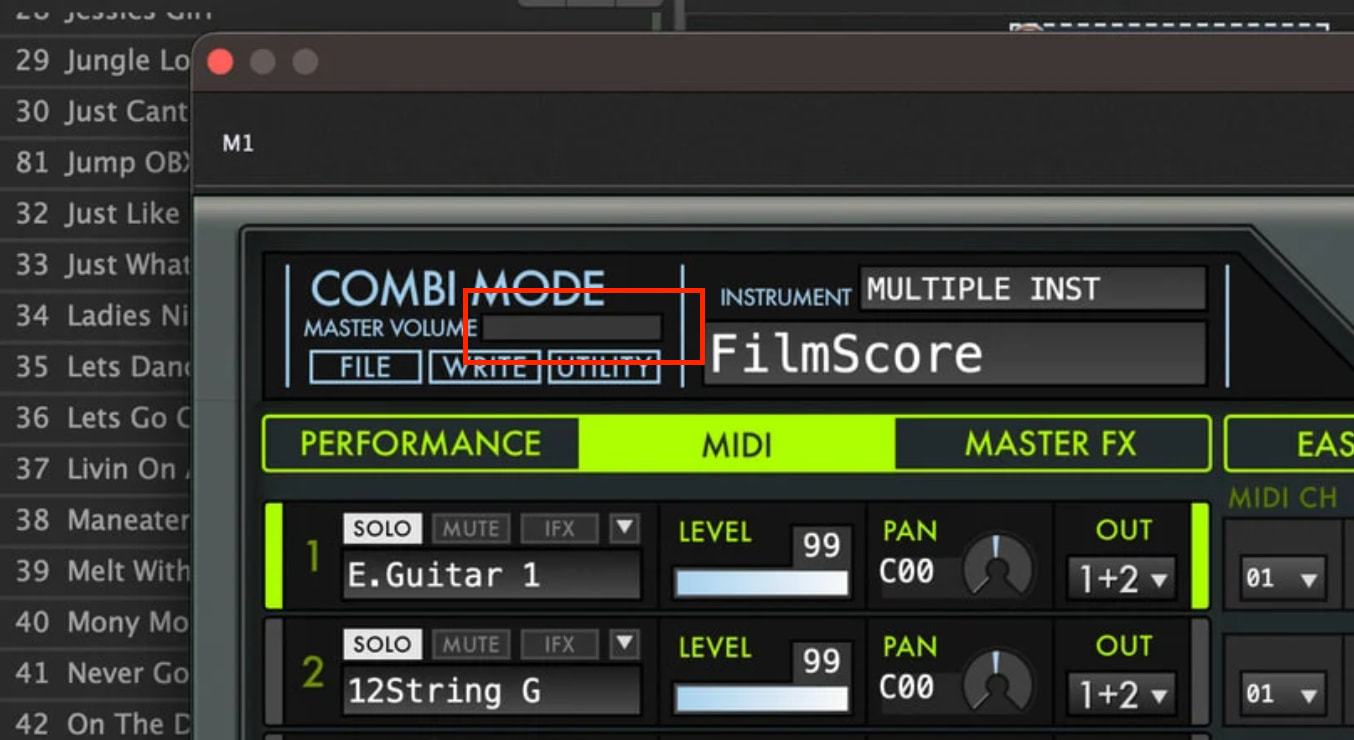
So in the pictures I can tell you that when I used the M1 from Korg previously it sounded fine when I played on the set of keys on my lower keyboard with no issue.
Time has passed and now you can see the control coming from the assigned keys but the sound won’t leave the m1 - you can also see the keys being pressed
Hm, I don’t see a pressed key on the plugin keyboard? Are you shure that the M1 plugin receives MIDI?
The M1 plugin expects MIDI in on channel 1, or better on its global channel. Check GLOBAL.
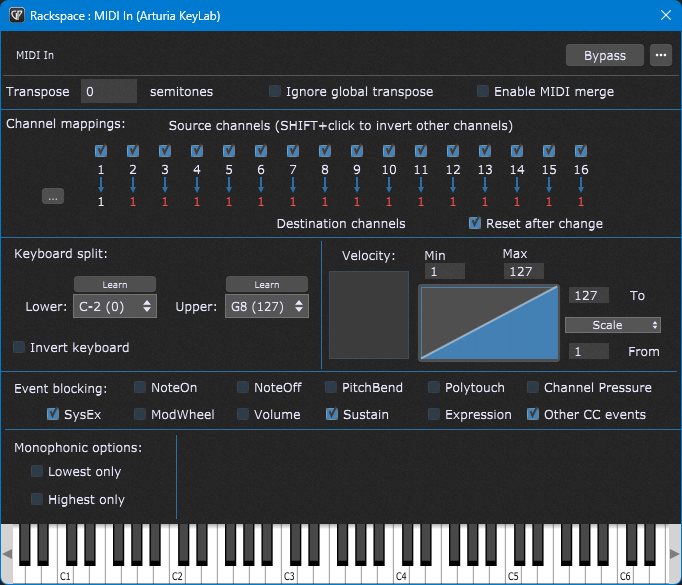
If your lower board sends on a different channel you have to match/redirect incoming MIDI to the global channel in the MIDI in block!
I had rehearsal yesterday evening. My bass player uses a P24 and was completely upset, as only the left channel on his headphone was working. He checked his bass, cabling, inputs from the mixer etc.
Finally I helped him to figure out that he accidentally turned his Main Pan control to the most left…
I guess the real question is - HOW did it suddenly go from volume to zero - as @dhj would say “something had to change!” . I do take sounds and assign the volume control to sliders. Very possible that in editing programs in my gig file at some point the sound was hit by a slider to 0 - i missed it and then saved the gig file. I come back to my main rig a week later - and we got nothing.
That’s the best thing I can think of - clearly I need to spend more time with my VSTs to learn them - at least the ones that seem to work best for my needs.
I bet that at some point one of your MIDI controllers (perhaps volume pedal) was sending CC 7 messages which were not being intercepted by widgets and so the plugin responded directly to that message
Make it resilient: block MIDI events you don’t need and anticipate possible undesirable behavior
To create a robust setup, a good practice is adding certain ‘security mechanisms’.
For example, one of our community users reported that his Korg Kronos would (for some reason) occasionally and unpredictably send out CC messages, which then affected his plugins in undesirable ways. His solution was simple: in the MIDI In block, he would simply block all CC events. Problem solved.
Indeed, Gig Performer’s MIDI In block allows for many MIDI operations. Check out this blog article to learn more.
For example, you may know that many plugins respond to MIDI channel 1. So, suppose that you accidentally switch your controller to MIDI channel 2 (or you may use a backline controller that is programmed to use MIDI channel 2), you may not hear any sounds for plugins connected to that MIDI controller. In this case, remapping all the MIDI channels to the Channel 1 up front is a solid ‘fail safe’ mechanism. The plugin will respond normally regardless of the channel that your MIDI controller sends out. However, make sure that your controller is not sending out events simultaneously on multiple channels as this will cause duplicate notes to be produced.
Another user shared with us that he uses MIDI Filter blocks and simply filters out all the messages that he doesn’t plan to use, i.e. allows only Note events, sustain and some ‘safe’ controllers. Following this practice, this user has never had any issues with plugins leaking MIDI or problematic MIDI controllers.
NB: we share many Gig Performer tips every week in our Facebook group and this was the Tip # 41.
This is good info. I had been having issue with Zenology (I know, I know) last year. Somehow knobs on my controller were changing settings in the VST, resulting in the sounds being wrong or the filter getting turned down so I couldn’t hear anything, and I had no widgets set up for that.
I now, by default turn off all CC and SysEx messages for every midi in block I use.