Take a look
I have not been more confused. 
Hopefully it will make more sense once it settles in. 
really? 
Create a widget to assign to the midi filter note off?
Very interesting solutions - but ain’t it a bit much? 
Personally I would prefer another way that won’t require yet another widget. 
But to use “another way” I should find it first. Luckily I did not get stuck notes. 
A widget is a perfect obvious solution.
@piano just to give you some more background / context to get the idea, and why this is best practice in GP
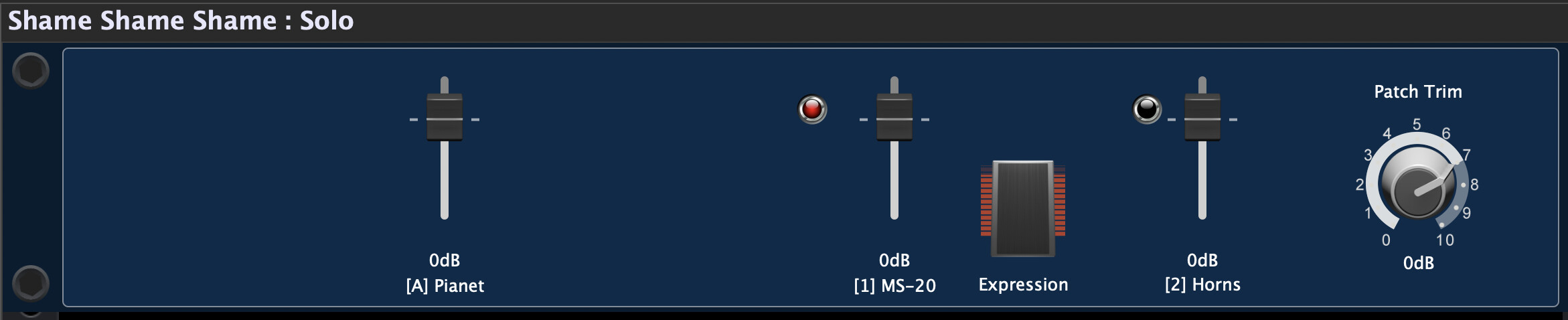
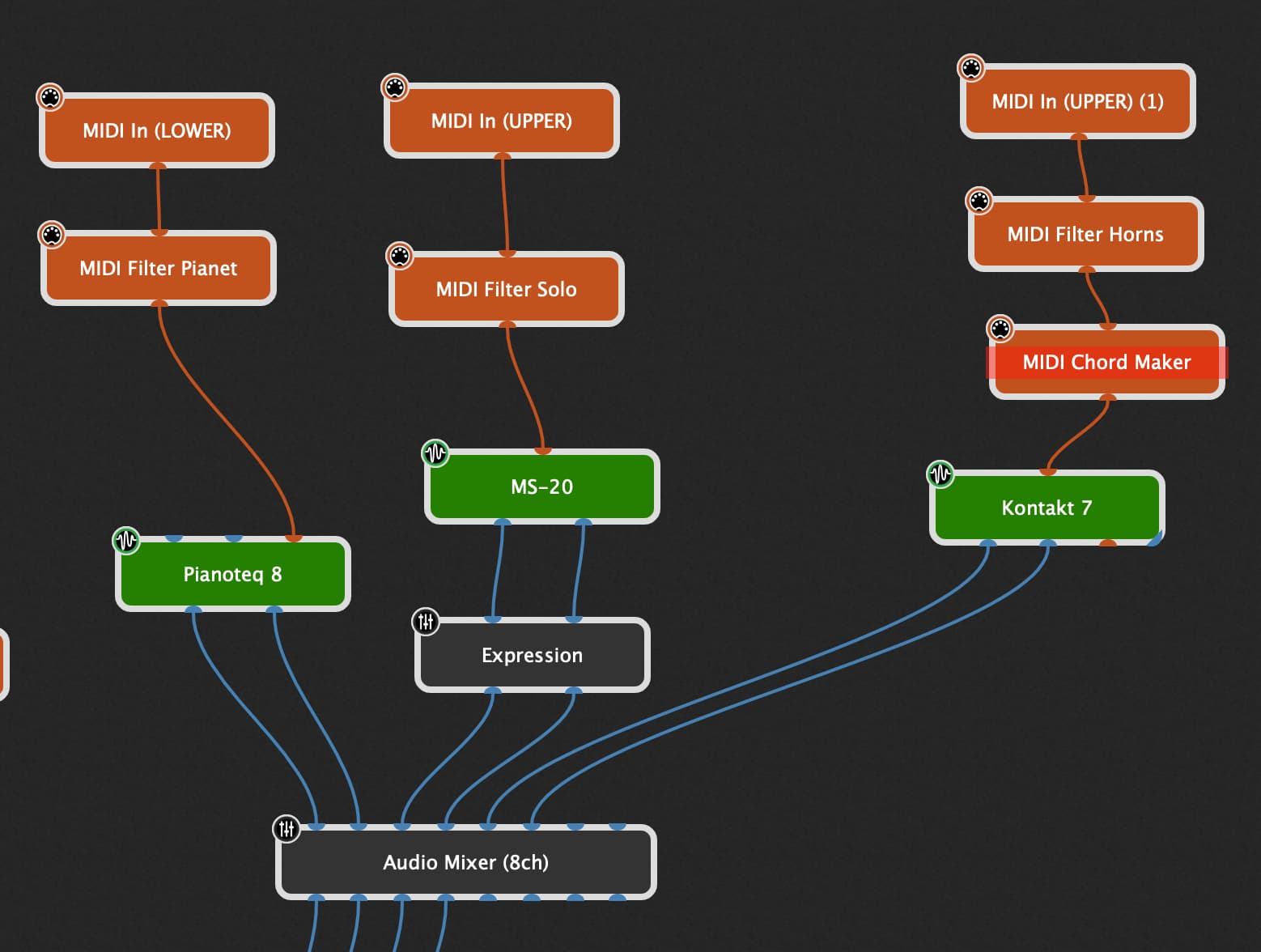
This is one of my simple rackspaces
- the left slider controls the volume of by Botton board (Piano)
- the other two slider control the volume of a lead sound and a horn section used on my upper board
The red LED widgets are mapped to two MIDI filters. So I can realize switching between two variations in one rackspace providing two sounds for my upper board AND have a visual feedback which instrument is active
When I started I tried to avoid widgets (I thought they were just for real time tweaking synth settings). But, they are essential to use variations and avoiding duplicating plugins (wasting ram).
Now, on pretty much every rackspace, I add the amazing Awaken widget panel. It will probably give you every widget you need to set volumes (see audio faders too!) and buttons to bypass whatever you want. (I do not use the rackspace, I just use the widget panel).
Jeff
I suspect that the reason you are struggling a little is because you are trying to use Gig Performer as if it worked just like other systems. The paradigm is quite different and you kinda have to forget about how other systems work. One of the reasons for the power and flexibility of GP is that we didn’t lock ourselves into the “traditional” model of a host.
While there are numerous and other important reasons for widgets, beyond the scope of this topic, consider that you could not have variations if you didn’t have widgets.
Why not? Because, if you didn’t have widgets, GP would have to remember every single parameter of every single plugin for each variation and it would have to change hundreds if not thousands of parameters every time you switched variations and you would not be able to get seamless transitions. The idea is that you use widgets to save just those parameters that you want to be able to control for a performance and nothing else needs to be remembered.
So, if you want to “remember” whether the Note On event should be blocked or not when you switch variations, you basically assign a widget to that parameter and then it will be remembered.
Aren’t there user scripts that already make this possible without a widget?
Or a widget is the recommended way anyway?
Thank you for the detail explanation mister dhj.
I guess I am very slow to get things.
Maybe I understand better after your detailed response.
I prefer widget solutions over scripting.
Widget remembers if we should filter note ons.
In other words we want to avoid hanging notes just sometimes?
Or do we want to avoid hanging notes anytime we switch variations?
I’m still lost at this one.
But I again blame my dumb slow mind.
I’m sure there is some better reasoning the idiot in me just does not get.
Much of the time it is a non-issue. For example, with a sound that releases on its own (e.g., piano) it probably would not be an issue.
If you are not holding the note as you change a variation (so a note off was received), it should be a non-issue.
So, if there is an occasional issue, this is a fix.
Jeff
Did you read the forum post I mentioned?
Are you familiar with MIDI?
Yes nice forum post. Thank you for posting mister Paul.
Do I know about midi?
I know basic things about midi
- message types
- Control changes
- System exclusive
- Program changes
I think I get what you are saying mister Jeff.
Basically use the widget to only prevent note on for the problematic sounds.
And for the non problematic sounds leave the widget in its normal non filtering state.
What I don’t get still is would it be problematic to apply the widget filter even to non problematic sounds?
Or do we have an advantage to remembering ourselves which sounds are problematic and which are not?
Ok then as long as you get note off messages there are no hanging notes
So based one that, would it be safe to say that if we use the widget method we can just set all sounds to filter note ons?
Then we know that whatever we use in the future won’t get stuck or hanging notes.
Set it once and forget it style.
Did you already build a rackspace with variations and splits and filtering note on messages?
Or are your questions only theoretical?
I use the script method which requires 0 widgets and no need to ever think about it.
This is why I am confused at the widget method for one and for two I am even more confused why would one want to sometimes filter note ons and sometimes not.
It just seemed like creating way too much trouble - more than needed.
But I admit - I am new at this - and most likely I am doing everything wrong.
Luckily it works though.
So my questions are a bit theoretical and stem from a desire to understand if there are benefits to sometimes doing things more complicated than necessary.
How looks your script?
It is not my script. It’s from the user scripts. Something about hanging notes. I forgot the name.
But that’s the truly great thing about GP. Whatever it cannot do - script comes to rescue.
One doesn’t even need to understand what the script does.