Great Job, Nemanja!
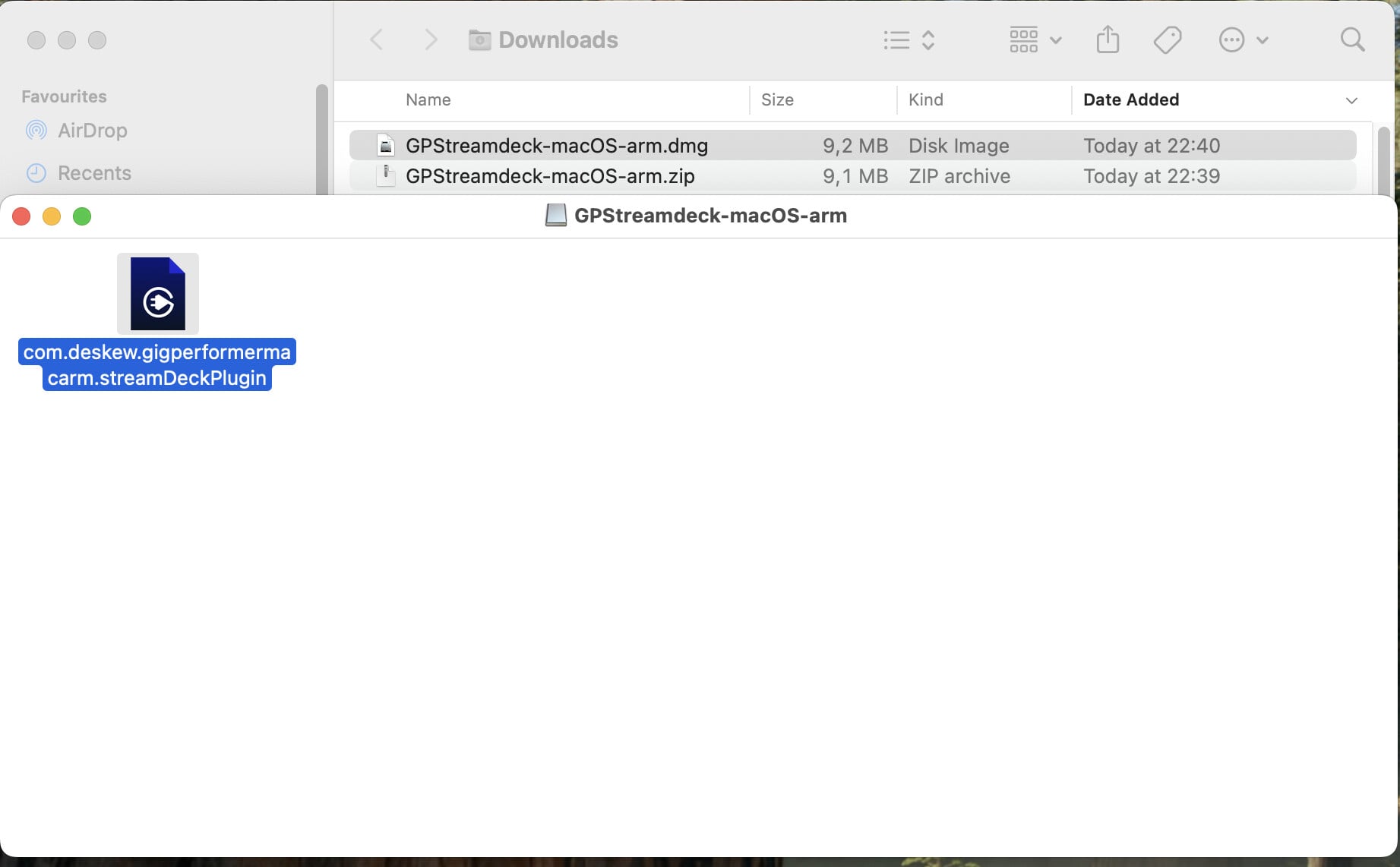
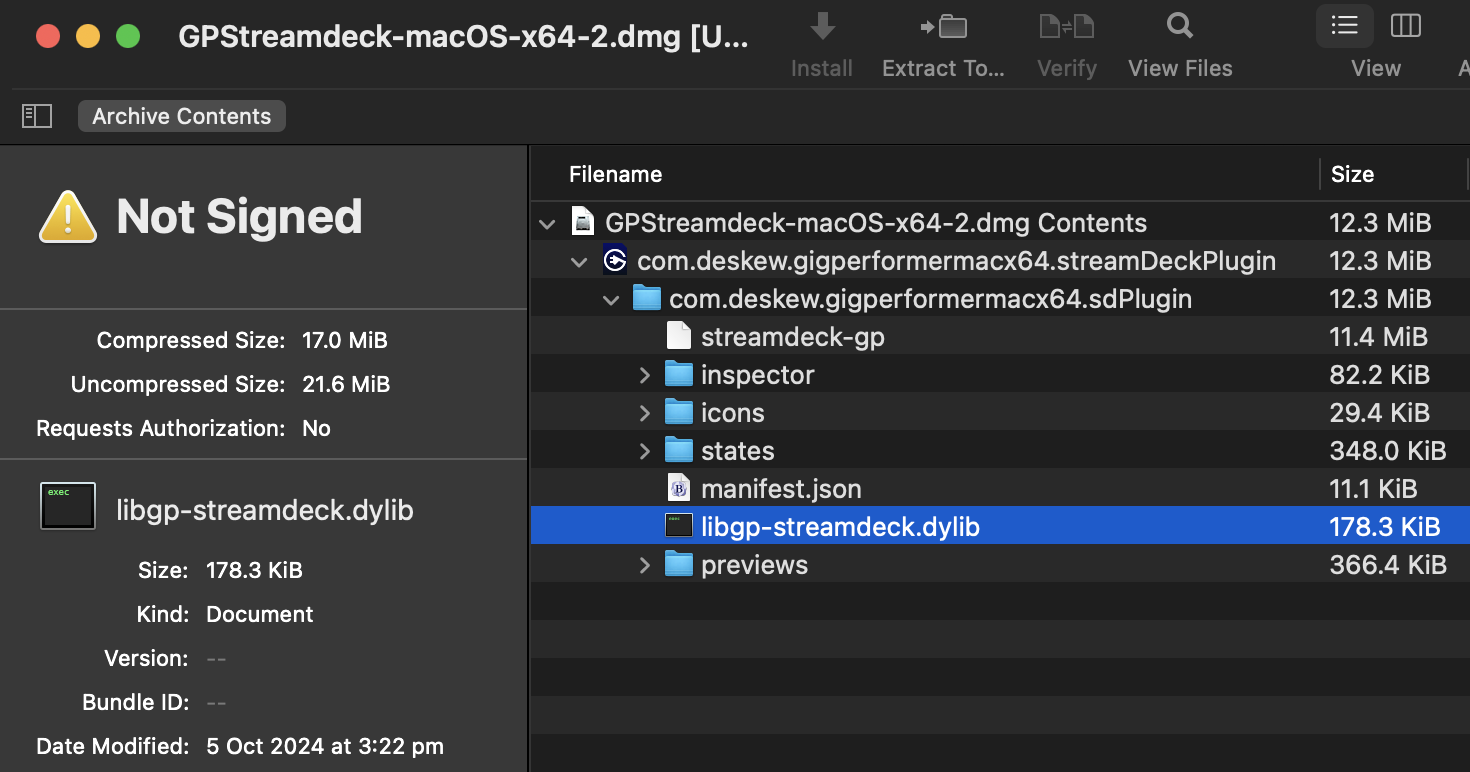
Thanks to your help I was able to manually place the .dylib file in the extensions folder.
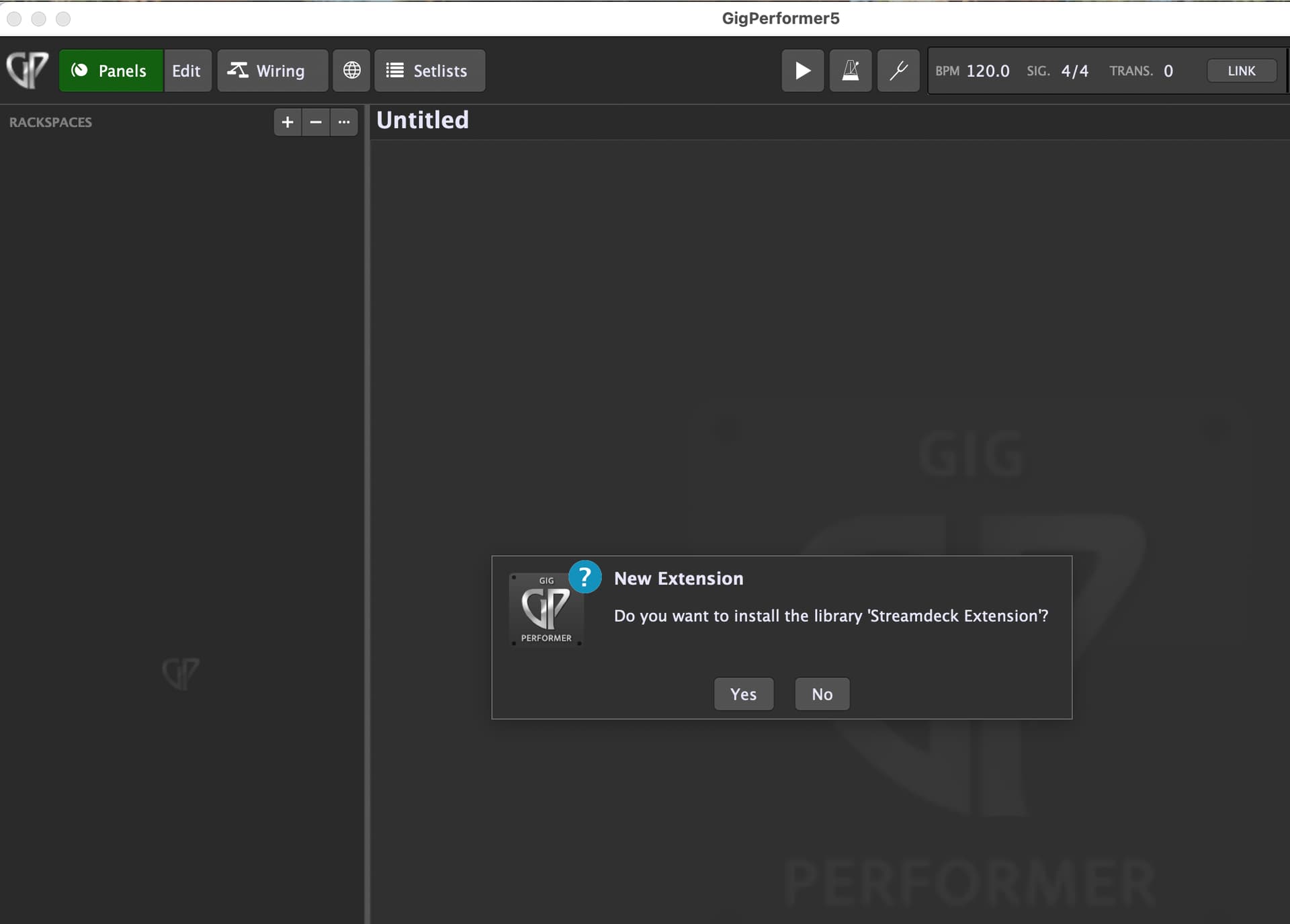
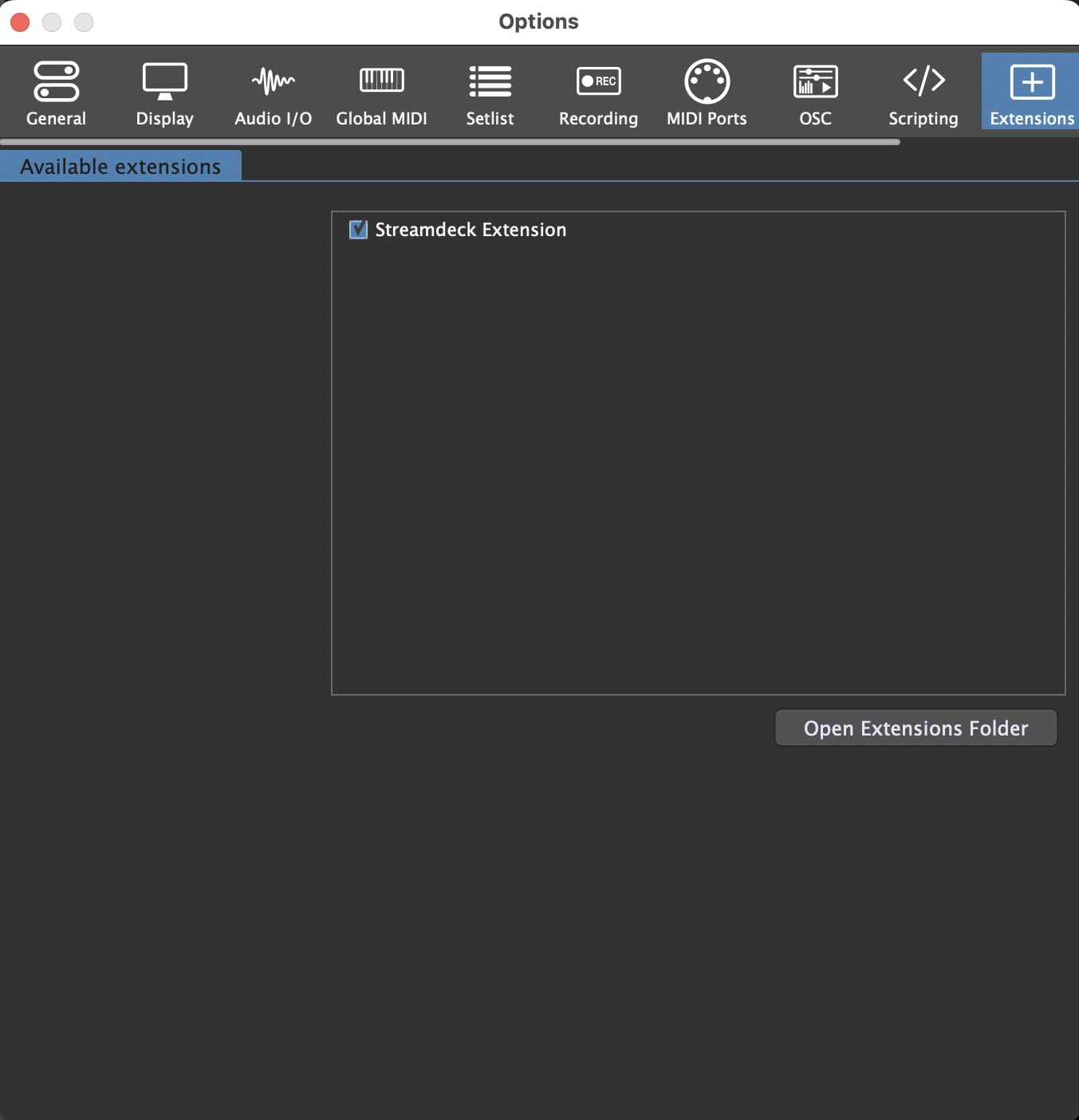
When I launched GP the extension was detected and is now active. 
Great Job, Nemanja!
Thanks to your help I was able to manually place the .dylib file in the extensions folder.
When I launched GP the extension was detected and is now active.
The best way to troubleshoot a Mac is using Windows! 

I’ll check out what happens with my Mac today.
Maybe the Mac installer has a problem. @timothyschoen
I tried the complete procedure on macOS Sequoia (Apple Silicon).
(Gig Performer was not running) - (my Stream Deck device was not connected)
–
Steps:
Voila, all is good.
–
Hmm - good to know that it does work even without a manual step!
However there is one step that I noticed you did differently than stated in the tutorial: while the tutorial asks you to have the Stream Deck device connected you unplugged it before installing the extension. This could have made a difference. 

You can always find a Mac app to help you as well 
Changing the stream deck plugin extension to .zip will also work.
That was a joke, of course 
–
I don’t think so – it should work when the device is connected (no reason why it shouldn’t).
I have tried a few different ways to get this extension installed and working including the methods shown above with no success as of yet. I cannot get the GP dialog about enabling the extension to show up and it appears that GP just isn’t seeing the extension in the extensions folder as configured in GP.
My configuration is MacBook Pro 2021 M1 Max 64GB ram 1TB drive running MacOs Ventura 13.7. running GP 5.0.9.
Steps as follows:
I’m not sure what the heck to try next, but would appreciate some guidance on this.
X
Idea 1:
See what happens with an older version of this extension.
Idea 2:
Double-check the permissions of the extension file (dylib file).
I have tried both of these ideas. In terms of an older version, I tried the previous version with the same lack of success. As far as the permissions go, I have read-write permissions on the dylib file and all other users have read access. Is there something else permission wise it should be configured for?
X
I got it running on macOS Sonoma.
Link: [blog] How to install and use the Stream Deck extension in Gig Performer - #40 by npudar
–
A user had a similar issue and this is how it turned out for him → LINK
Did you try this on a blank gig file. (I think it shouldn’t matter - it’s a long shot)
Hi - I have tried to install the Gigperformer Streamdeck plug in but I am not seeing any .dylib file automatically installed. This is on ARM64 on a Mac Mini M2 Pro running Sonoma 14.5. Everything else seems to be there. Is there a way to get the .dylib file and drop it into the Extensions folder? I have tried a blank gig file and restarted and tried several times but also get the same on my Mac Studio. Any ideas?
Oh and Admin account, don’t see any security warnings that I can authorise install etc… GigPerformer is on latest version…
You can try this.
Will do - thanks
@xpansion @Acidpreacher do you have other extensions that you’re using or have used? The next thing to try is confirm that other extensions will prompt you to install (or be blocked by the Mac security settings)
So I checked on the Mac Studio and indeed it is asking me to reboot and allow Kernel Extensions? Is that what is needed here? It is saying nothing on the Mac Mini but I guess I can make the same change…
My first post here. Just downloaded GP other day and went to install the streamdeck file and encountered all the issues mentioned in this long thread. I’m on Mac Mini M2 Pro Seqouia. GP5. Here’s what worked for me: Installed the ARM file from Elgato. Used the file in @npudar 's .zip file for the .dylib and manually moved that into Shared/GigPerformer/Extension (folder) > then opened GP and it finally prompted me to install extension file! I don’t know if it was a permissions thing or an issue with mac installer but that’s what worked for me.
That’s where I ended up too - manual copy of .dylib - so would be great if all these files were available in any future updates (unless the .dylib stays the same?) packages in case the auto install doesn’t complete. Works great - thank you everyone - now have a great setup
Of course, the new build will be improved.
Stay tuned.