Yep, that makes sense (as long as its easy to see song part changes in GP or easily switch between the extension window and GP).
Sorry, I meant song part. I had edited my comment.
I switch song parts with a foot controller (softstep 2) and there is really no good/easy way for me to tell by the controller which song part is active. For me it’s crucial to see it on the screen.
Another equally important element would be to be able to display the lyrics window occasionally. Questions is, could that be built in (to open under the current song name perhaps?) or as an overlay that could pop up or close?
That is something I could add to indicate the current song part next to the active song name.
I think that veers too far away from the core purpose of this extension. @rank13 has already created an excellent extension that can display ChordPro sheets.
In response to a couple of user requests, I have added two new features to the Advanced Song Chooser extension:
- The song list can now be scrolled by a widget
- The current song part is now indicated on the current song display area
Here’s a quick video demo of it in action:
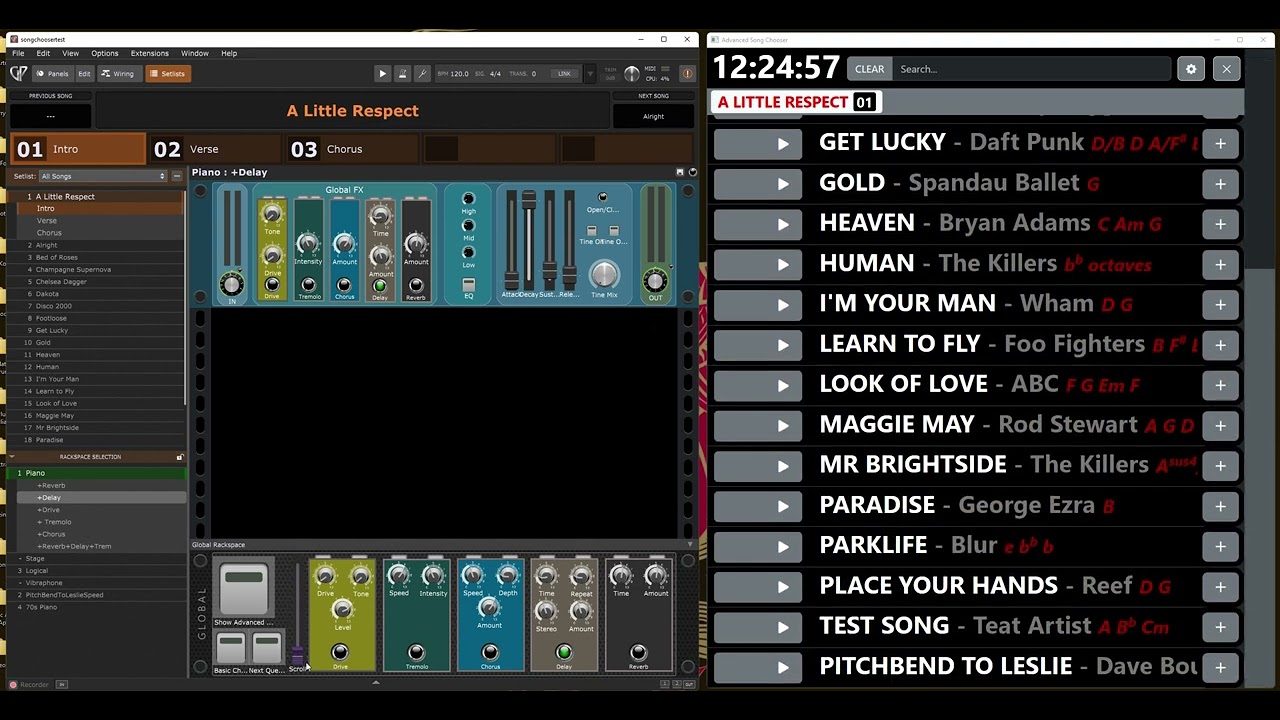
I am just running it through some final tests and, when completed, current users will be able to download the new version from their accounts on the website. A few of you purchased before I had set up automatic website account creation with purchases, so I will send out sign-up links to you to give you access to your own accounts and personal download areas.
Version 1.1 is now released. Those of you who have purchased can download it along with the updated user manual from the Downloads section of your account on the BOULDEN.digital website.
I’m getting the following error after installing 1.1.
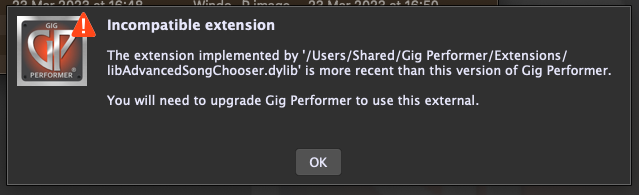
I’m on Gig Performer 4.8.2 running macOS Ventura 13.6.1
Any thoughts?
Matt
Hi,
I am still interested in your extension but I am not sure it does what I need. I don’t have a touch screen, just a Macbook. What I need is to use a Widget assigned to a button on my controller. When I press that button, it goes straight into the search field and I can start typing the song name on the laptop keyboard. It has to work also if ChordPro is open.
Now when ChordPro is open, I need to click somewhere on GP to get focus and then CMD-F to open the Find Song window then start typing. I need a simple button to do this. Can you confirm if it will work with your extension?
@MattPh, sorry for the delay, I’ve been away on a short holiday. I’ll double check the MacOS version I uploaded and get back to you as quick as I can.
@Jpharvey, I’m not sure my extension, as it is right now, will help with your situation as it is currently aimed at being an alternative way to find and select songs to the standard way within GP itself.
That said, I am wondering if a script may help you in your situation. I’ll have a look and see if a script could help.
OK, thanks. If I can open your search from a controller button I would buy it but if you think a script is sufficient I’ll check on my end also. I haven’t done scripting yet but maybe I can figure it out.
I could certainly extend the features of my extension to set focus on the search input box using a widget so that you could immediately type into the search box… but you would then need to use a mouse to select from the filtered songs if you aren’t using a touch-screen.
@MattPh I have now sorted the issue and you can download v1.1.1 from the Downloads page in your account on the https://boulden.digital website.
Yes, that version works, thanks.
Matt
Any news on Kronos type list view yet ?
I’m hoping to get it finalised and released very soon.
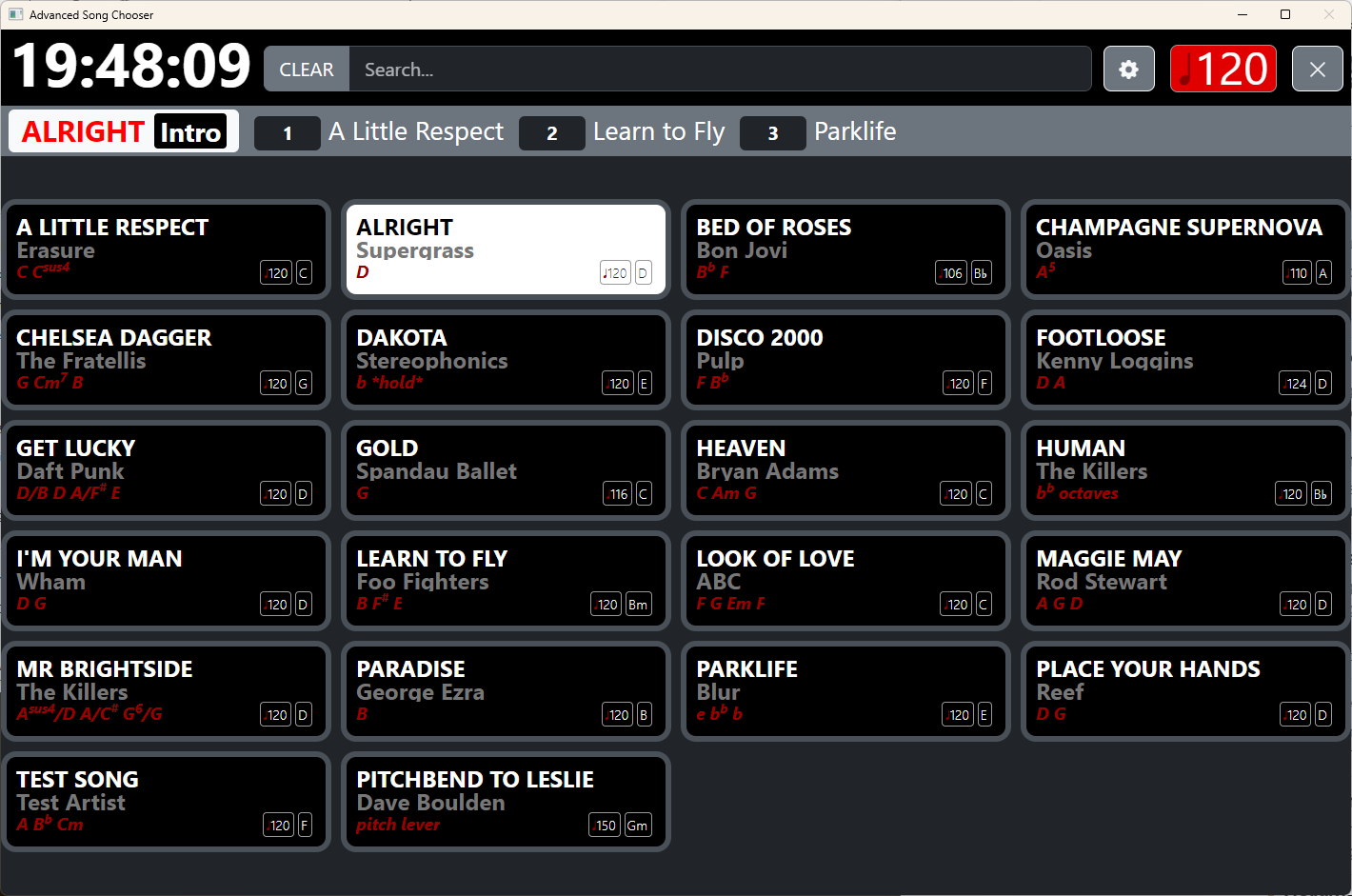
Version 1.2.0 of the Advanced song Chooser is now available for purchase. Existing owners can log in to their account on the BOULDEN.digital website and download it now, free of charge.
New features:
- Grid Mode with configurable number of columns
- Resizable text
- Song Key display
- Song BPM display
- Visual metronome
- “Long Press” alternative action to queue a song
- Configurable width of scrollbars
- Optionally update current song in ASC when changed in GP
- Enqueue and Dequeue songs via widget
Note: Advanced Song Chooser v1.2.0 is compatible with Gig Performer v5.0.9 and above.
where can I find the manual for the new update? Trying to find the script handle for queueing songs via Widget!
As mentioned in my email, I am still finishing the documentation.
For any other customers wanting to try using widgets to enqueue/dequeue songs, here’s how:
Create widget buttons (make them momentary action) and give them an OSC/GPScript Handle of:
ASCQueueSong_1
or
ASCDequeueSong_1
to enqueue and dequeque songs by widget. The number on the end of the name is the slot number in the setlist of the song you want to queue or dequeue. The first song in the list is index number 0. So, to enqueue the 3rd song in the setlist, you’d use a widget with the OSC/GPScript Handle: ASCQueueSong_2
The manual has now been updated for v1.2.0. Customers can download the updated manual from the Downloads page of their accounts on the BOULDEN.digital website.