Hi everyone,
I’ve got a tour coming up in about 6 weeks and I recently bought Gig Performer to run my entire guitar setup. Most things have been very intuitive so far, but I’m running into an issue with widget mapping and Helix Native, specifically when using variations.
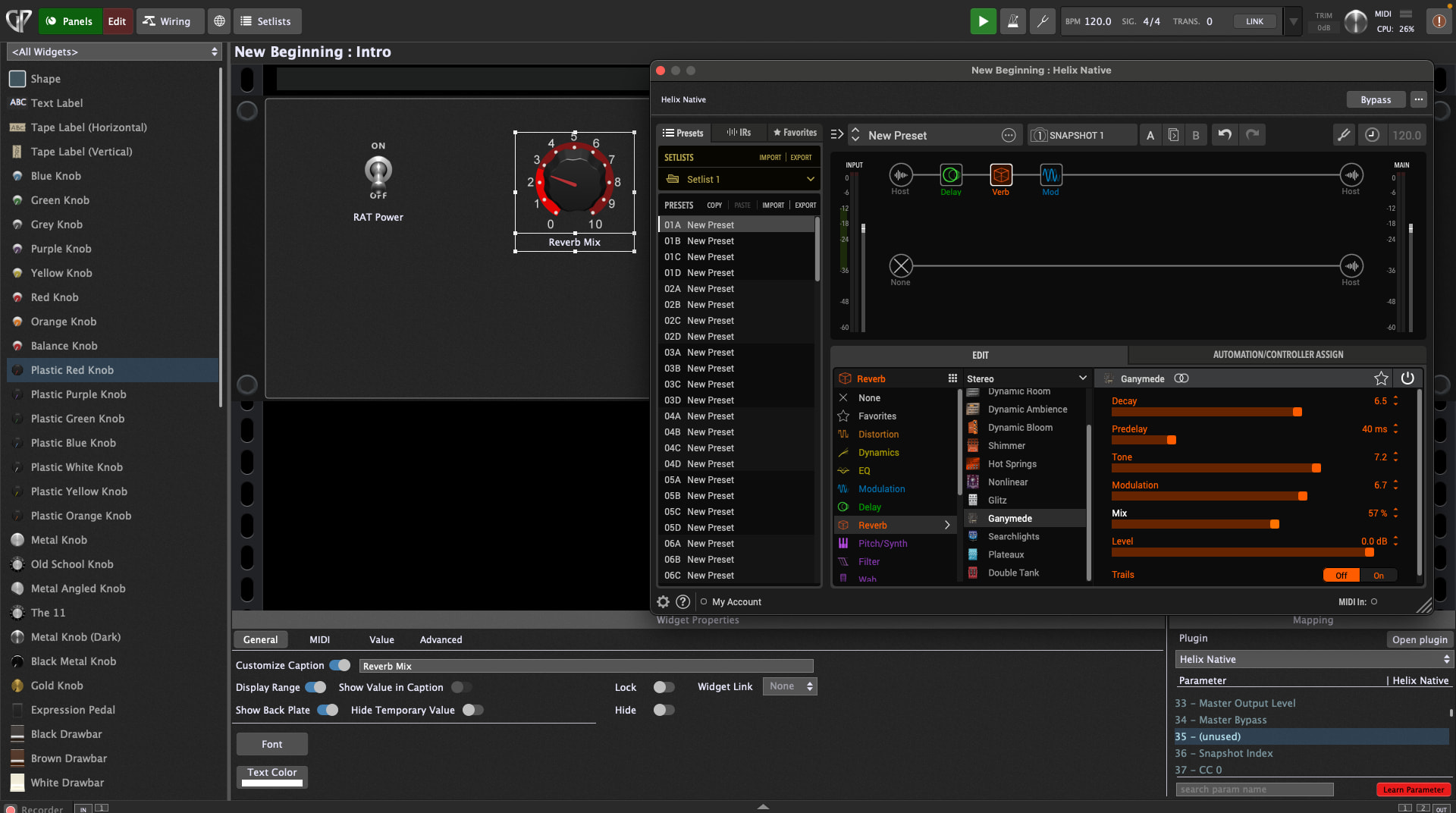
What I’m trying to do is control the Reverb Mix in Helix Native via a widget. When I go to the Mapping tab and use “Learn Parameter”, the parameter does get assigned, but the scaling seems wrong. The widget knob doesn’t reflect the actual value of the Helix control – for example, when the Reverb Mix in Helix is set to around 57, the widget only shows roughly 3/10. When turning the widget, it’s clear that the movement doesn’t translate correctly to the Helix parameter.
I’ve attached a screenshot to illustrate the issue.
Is there a proper way to map Helix Native parameters so the widget range matches the plugin control correctly? I’m assuming this should be doable without scripting, but please let me know if I’m missing something obvious.
Thanks a lot in advance,
Louis