Hi all,
I have Touch OSC sending fader messages to GP, but GP won’t send the data back to Touch OSC?
I have given the fader a Name (Handle) in GP. Where do I input that information in Touch OSC?
Hi all,
I have Touch OSC sending fader messages to GP, but GP won’t send the data back to Touch OSC?
I have given the fader a Name (Handle) in GP. Where do I input that information in Touch OSC?
GP is reacting on OSC messages sent from Touch OSC?
yes, but when I move the faders in GP that is not being sent to Touch OSC
How look your OSC settings in Touch OSC and Gig Performer?
ill try my best to explain.
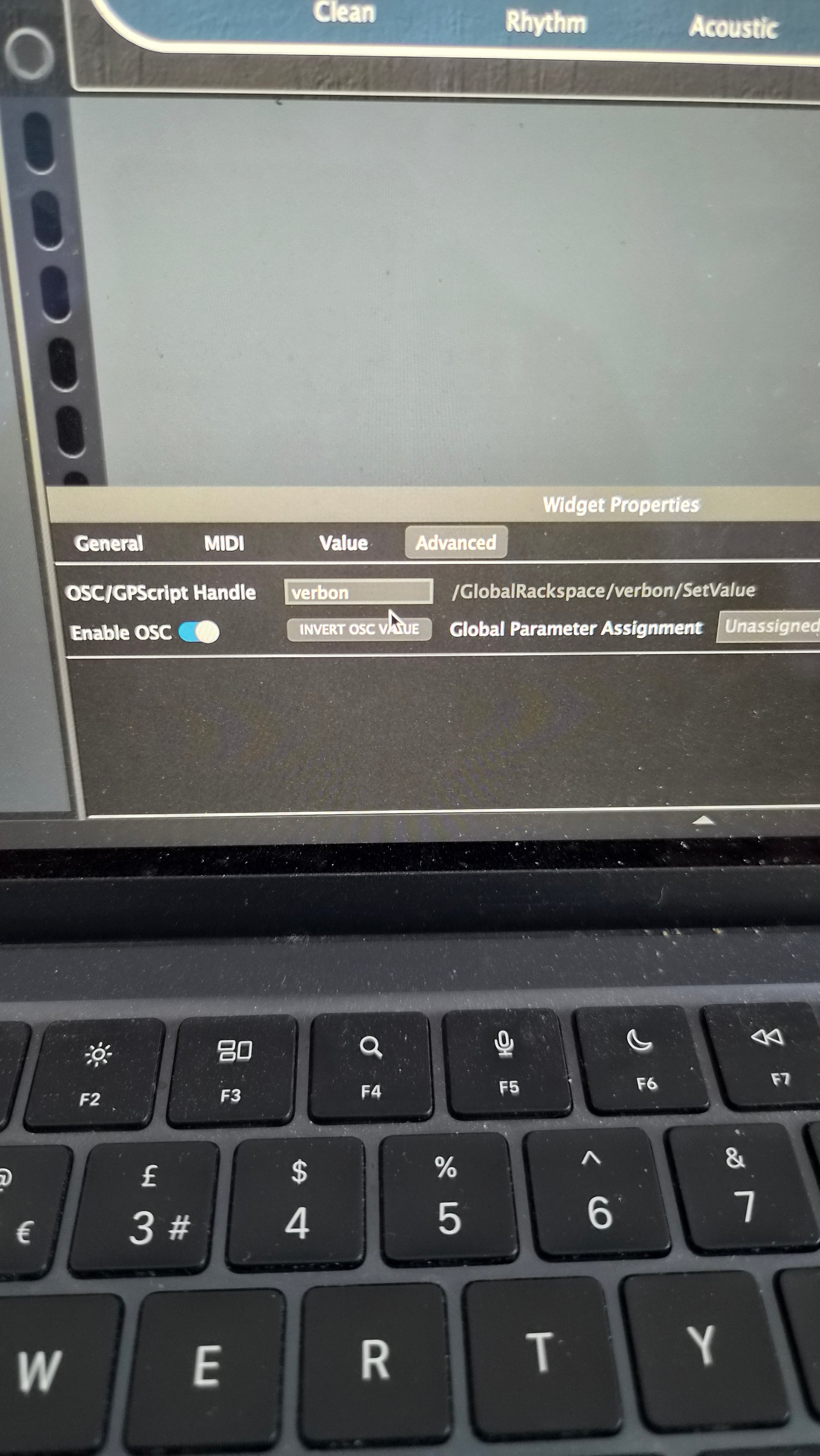
I am just experimenting with one fader and one button. I can move the fader with OSC, and GP is seeing the midi information. I have given it a handle in the OSC section in GP.
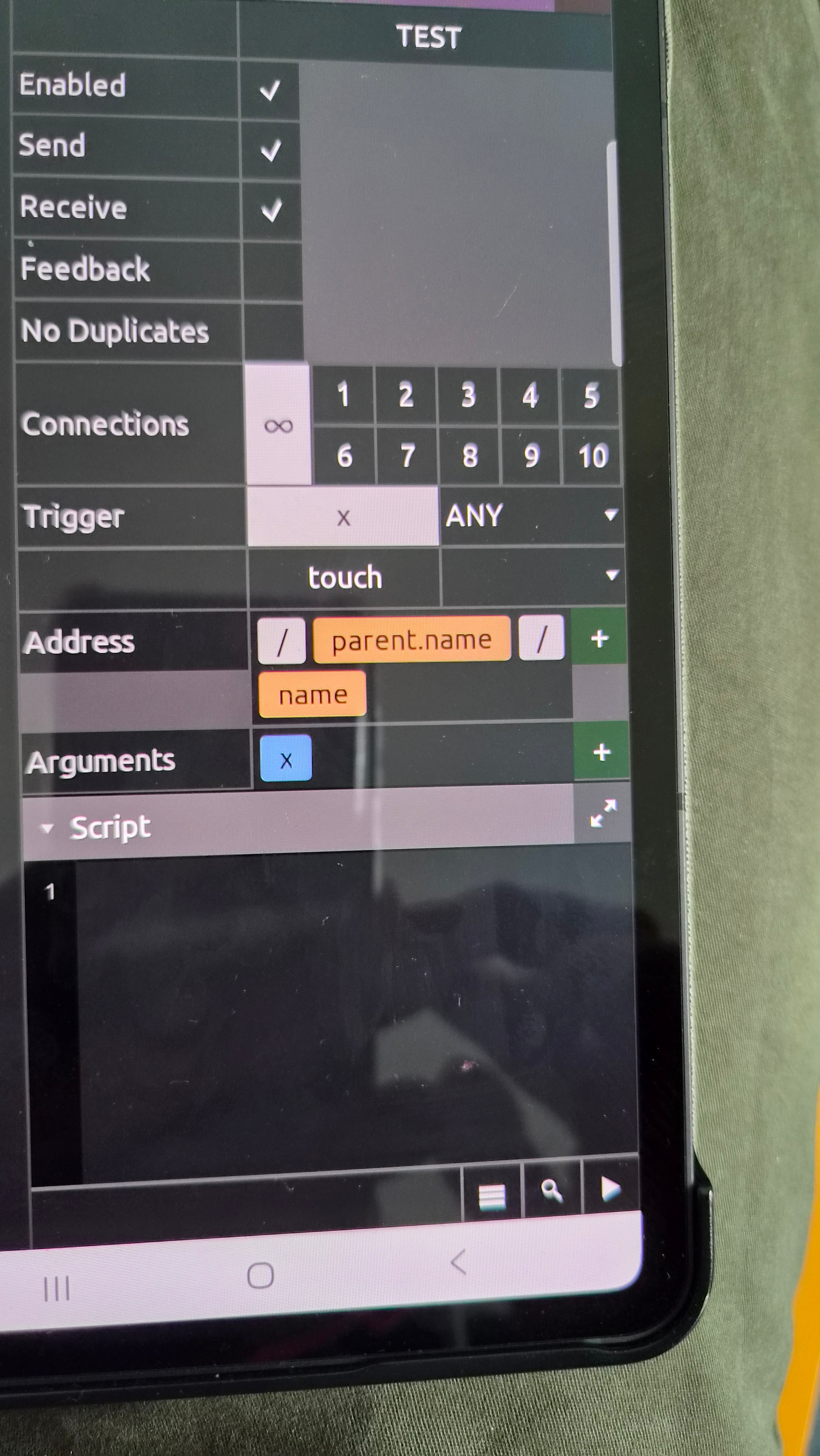
then in the Adress section in Touch OSC I have put in the same Name
but noting is happening in OSC when I move the fader in GP
Ok, you are using MIDI and not OSC, right?
Im using the Touch OSC app?
Touch OSC can send MIDI and OSC.
What are you using?
oh, I think im sending MIDI how to I send OSC
Did you read the Touch OSC user guide?
yes, But it didn’t make a lot of sense. Im also using usb via Touch OSC bridge.
Did you MIDI learn a widget to the MIDI message Touch OSC is sending?
yes I did
I’ll have to come back to this tomorrow. I need to work out how to connect the two over OSC and not midi over USB
[blog] Working with TouchOSC and Gig Performer
This may help you figure out things.
this is the one I read, honestly I can’t make head nor tail of it. I have no idea where to write the handles in Touch OSC. I have the tablet and the Mac talking to one another, so that’s progress.
There are no handles inTouchOSC…..just in GP
Just a quick tip — in Gig Performer, for a widget to work bidirectionally over OSC
Give the widget a handle – I typically use handles such as Knob1, Slider1, Button1 for the first knob widget, the first Slider widget and the first button widget respectively.
If a widget has the handle Knob1, then the OSC address for that widget to set the value of the widget will be /Knob1/SetValue
In TouchOSC (or any OSC application), when you add a knob, there will be a place where you specify its OSC address and you would use /Knob1/SetValue
Then once you have the TouchOSC device and the computer connected together with the proper IP address and ports, the widgets should synchronize.
All that said, are you aware of this post where someone created a very good TouchOSC interface to work with Gig Performer already?
So you can see i have given the button the handle “verbon”. In touch OSC i have found where to write this handle. But its not working.
I thinkit should go in adress… But i cant seen to find how to edit it properly.