Okay sorry 
LaunchkeyDAW-Mode and ColorV2.gig (90.3 KB)
Ableton Live changes the lighting on my Launchkey 37 when it starts. All pads are off except for the first pads in rows 1 and 2, which light up red. I wanted to understand how this happens, so I used loopMIDI and MIDI-OX to capture the data without touching the keyboard. According to the recording, a lot happens — really a lot. Here’s the screenshot and the MIDI-OX log file.
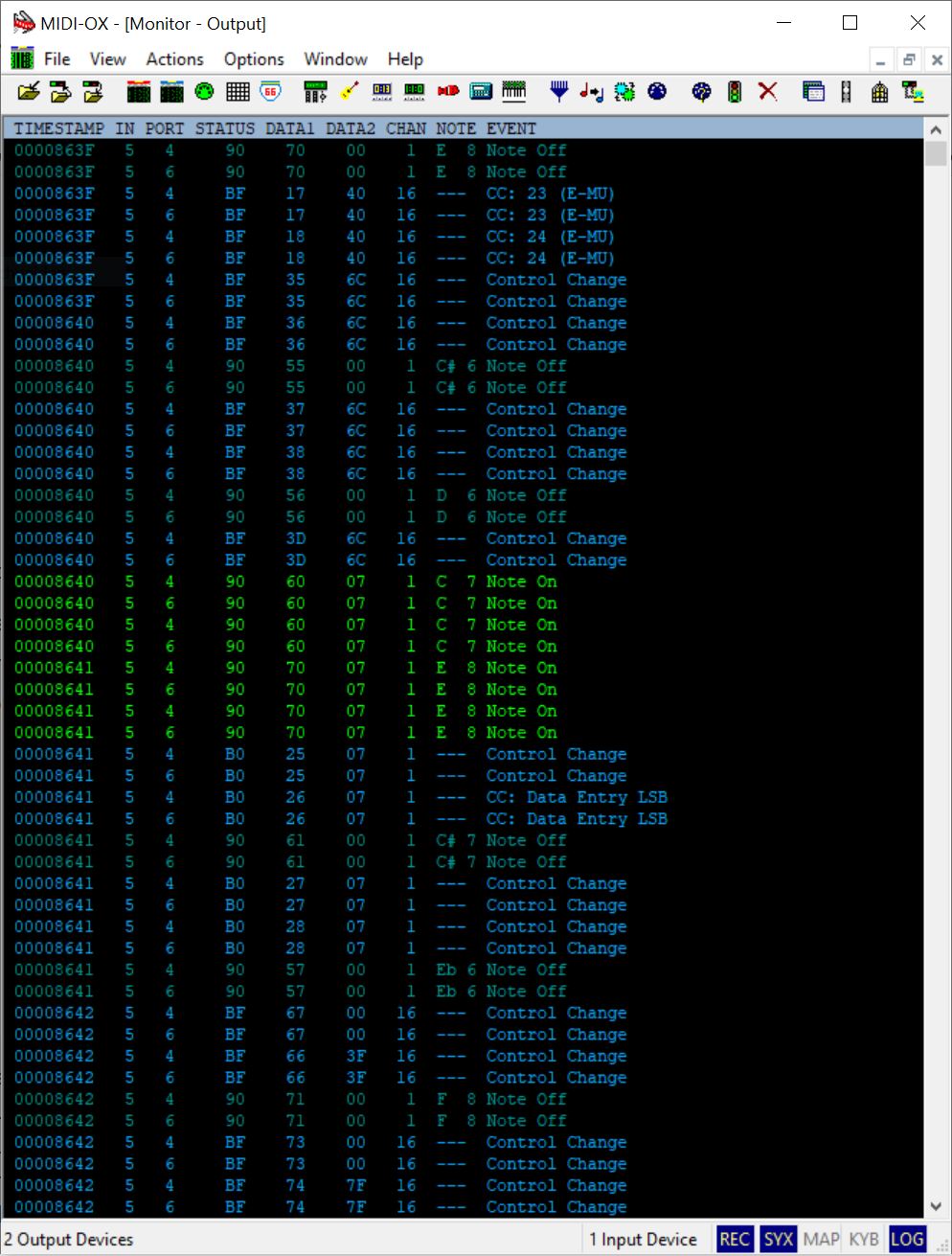
Ableton start-MIDI-OX.zip (4.2 KB)
Hi, I don’t have a Launchkey but looking at the documentation this should work.
It appears the SysEX is not needed for either changing to DAW mode or lighting the LEDs so I’m using Note Message as raw MIDI 3 byte messages.
P1 Controls the Mode and P2 controls the color (if in DAW Mode).
I commented out the stuff that you had.
Var
   P1 ("Daw Mode")  : Parameter 0..1 = 0
   P2 ("PadColorControl") : Subrange Parameter 0..1 = 0 // P2 as on/off-Parameter
   mode : MidiMessage


   /*
   // SysEx-Message for DAW-Modus und Pad-Color
   R : SysexMessage = "F0 00 20 29 02 0F 70 70 7F F7"  // red for Pad 112
   B : SysexMessage = "F0 00 20 29 02 0F 70 70 00 F7"  // blue for Pad 112
   */

   Pad : Integer = 0x70
   R : Integer = 5
   B : Integer = 0x79
   Color : Integer
   mm: MidiMessage

On ParameterValueChanged matching P2
/*
   If P2 == 1 Then
      SendSysexNow(R)  // set Pad 112 red
   Else
      SendSysexNow(B)  // set Pad 112 blue
   End
*/

    if P1 == 1 Then
       If P2 == 1 then Color = R else Color = B End
       Print("Color =" + Color)
       mm = MakeMidiMessage3(0x90, Pad, Color)
       SendNow(mm)
    End
End
LaunchkeyDAW-Mode and ColorV2-sjc.gig (91.7 KB)
SteveC
Thank you, SteveC-Bome, for the script, but unfortunately, nothing happens. 
Considering the MIDI-OX log file showing the flood of commands Ableton sends out, it’s overwhelming — almost endless. The question is: which of those commands are important, and which are just internal Ableton processes?
Hi, Are you trying to send from both Ableton Live or MIDI OX to the Launchkey simultaneously? Windows does not allow access to the same MIDI port from multiple applications. Shut down MIDI OX and Ableton Live and then try the scriptlet within Gig Performer.
If you need to send to your Launchkey from multiple applications, then you will need to create virtual ports for each application and them merge them to your LaunchKey. I typically do this with one of the Bome Tools that are at my disposal.
Bome Network with Unlimited Named MIDI Ports (if no translation is necessary) or Bome MIDI Translator Pro (if I need to translate messages).
From your posting, it is unclear whether you want to control the LED’s from Live, Gig Performer, or both. Keep in mind, you would need to know what you want to do with conflicting messages the come from Live vs Gig Performer to the LaunchKey.
With that said, there is no telling if my Scriptlet is right as I don’t have your controller so cannot test. Just going off of the documentation.
SteveC
I’m already using virtual MIDI cables with the program loopMIDI, and that’s the only way to intercept data between the Launchkey and Ableton. However, I’ll also take a look at the programs you mentioned. I’m curious if the flood of data when starting Ableton is just as massive.
Let me explain again what the basic idea is and why I’m at this point now. If you go back to the very beginning of this topic, I had a panel with 16 pads and 8 knobs. These were synchronized with the keyboard. So, when I pressed a pad on the keyboard, the corresponding pad on the panel would change its state, and its light would turn off. Unfortunately, the light on the Launchkey keyboard itself did not turn off as well.
The idea is to synchronize the lighting of the panel with the hardware.
So, I took a new approach and tried placing just one button on an empty panel to control the hardware lighting. That’s when I discovered that the keyboard needs to be put into DAW mode first, and only then is it possible to change the pad lighting. That’s why I’m now looking at how Ableton does this.
Only once the lighting issue is solved can I move forward with my original idea. Otherwise, I might have to accept that while the hardware pads function properly, the lighting doesn’t synchronize (which might actually be the best solution)
OK, well I’m the support person on the Bome Forum, so feel free to reach out to me there with any questions regarding Bome Products.
If all you want to do is Sync LED’s with Hardware on GP, then you should be able to do it with a Scriptlet. You would only need Bome Products is you are doing advanced MIDI routing or translation outside of GP.
SteveC
I don’t want to spend any money at the moment. Is it possible to collect data using the MIDI Translator Pro trial version?
The synchronization feature is not important enough for me to pay for it. As I said, I can live without it.
The trial version is free. The only limitation on PC is you have to restart after every 20 minutes. You can certainly use the logging feature
I downloaded the trial version and recorded a log file. The Launchkey sends the value F8 extremely often. But starting from line 3779, Ableton and the Launchkey begin communicating with each other.
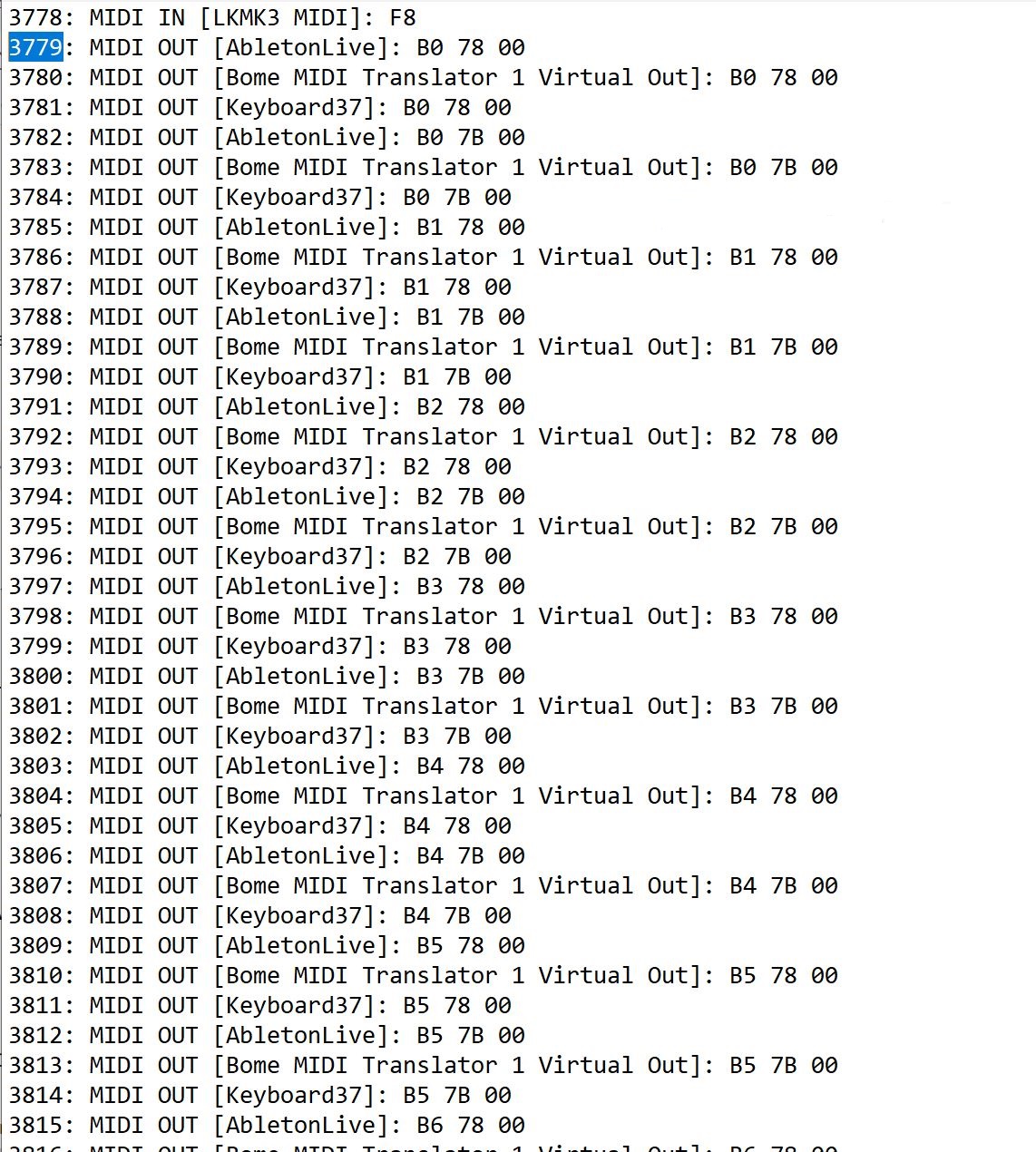
Bome-Log.txt (126.9 KB)
I made a mistake; the virtual cables Keyboard37 and AbletonLive were still from the tool loopMIDI. I deleted the cables and will start over again
I have a new log file:
Bome-Log.txt (126.3 KB)
ChatGPT was able to explain something to me as well. Apparently, Ableton is asking, “Who are you?” and the Launchkey is responding.
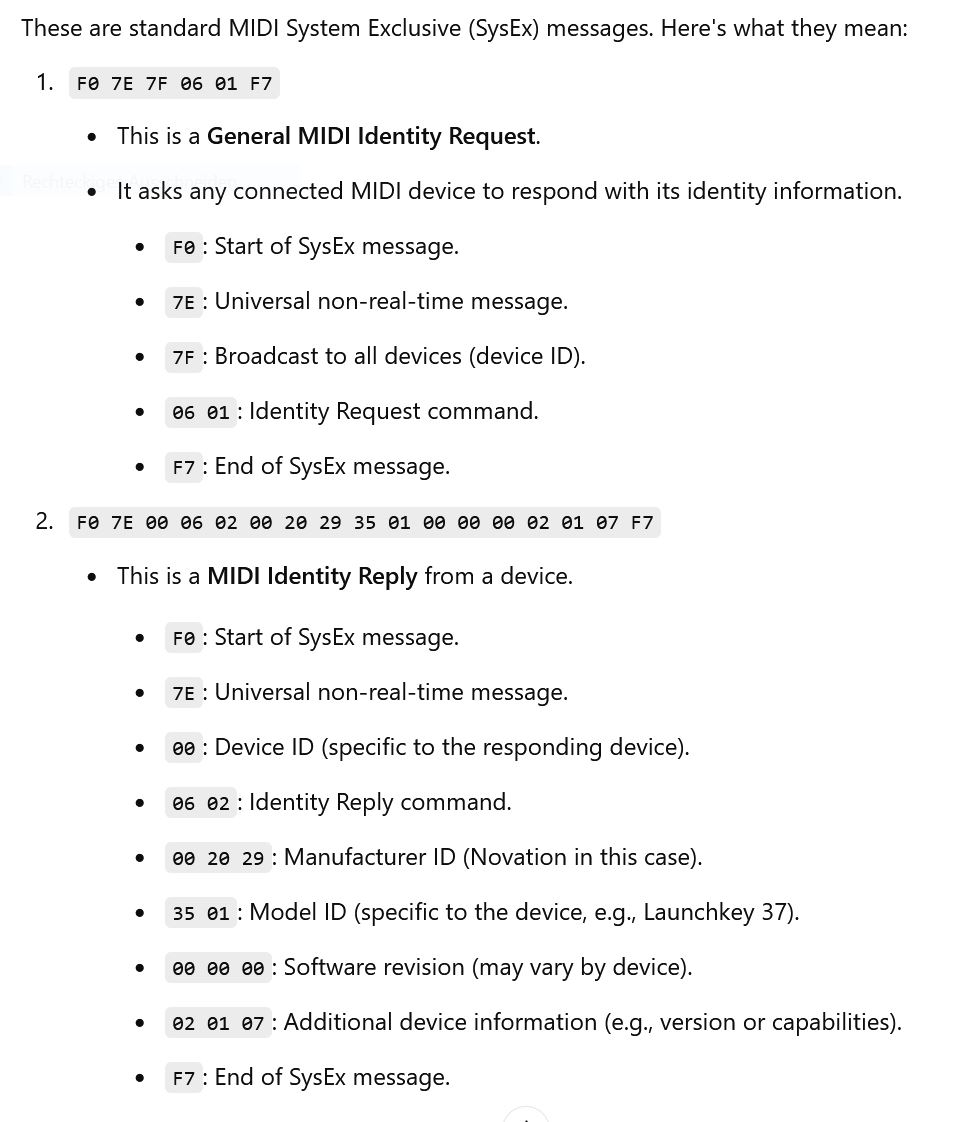
The log file contains many values with three blocks in the format XX YY ZZ that I cannot send via script. For example: “9F 0C 7F”. Error: Invalid value
Are you trying to send these three bytes with SendSysex? Then the string you try to send is invalid.
You should use MakeNoteMessageEx(number, velocity, channel) and send the result as a normal message, for example
var m : MidiMessage
m = MakeNoteMessageEx(12, 127, 16)

SendNow(midipluginblock, m)
I didn’t fully test this code so it might contain typos and/or errors.
Update: I don’t know on the top of my head whether the channel for MakeNoteMessage is zero-based (0 … 15), or one-based (1 … 16), so you have to check that
F8 is timing clock and will send 24 times per quarter note while playing a song. Bx 7B 00 turns all notes off on a given MIDI channel where MIDI Channel x =0-F for MIDI Channel 1-16.
I picked up the idea from Frank1119 and wanted to implement it using control via the “P1” button. I must admit I am an absolute beginner and don’t know how to properly name variables. Here’s the error message:
// Script Name: SendNoteOnButtonPress
// This script sends a MIDI Note On message when the P1 button is pressed

// Declare widget and MIDI block
var P1 : Widget  // Button widget
    midipluginblock : MidiInBlock // MIDI-In plugin block

// Called when the P1 button value changes
On WidgetValueChanged(newValue : double) from P1
    var m : MidiMessage

    if newValue == 1.0 then  // Button pressed
        m = MakeNoteMessageEx(12, 127, 16)  // Create Note On message
        SendNow(midipluginblock, m)         // Send Note On
    else  // Button released
        m = MakeNoteMessageEx(12, 0, 16)    // Create Note Off message
        SendNow(midipluginblock, m)         // Send Note Off
    end
End

A scriptlet does not know widgets.
You could define a Scriptlet Parameter, map this parameter to a widget and in the scriptlet you react on that parameter changes.
I think the underlying issues is that GP widget sync does not work well with note messages. Maybe convert note to CC for the widget on input and then convert CC back to note when the widget sends sync messages back. Maybe in the future, GP widget sync will be able to work better with note messages.
@dhj is this on your radar screen?
In the meantime, this could probably be done better in a rackspace script. Probably the global rackspace if you want proper interaction on keyboard LEDs across rackspaces.
Alternately this would work well for Bome MIDI Translator Pro with 2 translators. One for note to CC from the keyboard to GP and CC to note back to the Keyboard. The widget would be learned as CC so native GP widget sync should work just fine. Of course, I understand @genM doesn’t want to buy any more software.
SteveC
chatGPT has found the solution: 
Var
   P1 ("SysexLocalOnOff") : Subrange Parameter 0..1 = 0  // Subrange-Parameter für 0 oder 1
   m1  : MidiMessage

On ParameterValueChanged matching P1
   If P1 == 1 Then
      m1 = MakeNoteMessageEx(12, 127, 16)  // Note-On-Nachricht erstellen
      SendNow(m1)                  // Nachricht über externen Ausgang senden
   Else
      // Optional: Weitere Aktionen bei P1 == 0
   End
End
Now, someone might be wondering, what’s the point of sending a note with a switch?  This mini program is just meant to serve as a foundation for something bigger. As mentioned above, I recorded the startup behavior of Ableton Live with Bome. I wanted to know how Ableton manages to send my Launchkey into the DAW mode and, for example, light up the pads in different colors. Since I have many questions regarding Bome, I will create an account in the Bome forum. There, I can ask questions like how to gradually play back my recorded log file to find out step by step at which MIDI command the DAW mode is triggered, and more.
You may try this. It bypasses MIDI learn completely for buttons only.
It is a rackspace script. It should automatically put your LK into DAW mode and then the buttons should be in sync. Again, no way to try without your controller.
//$<AutoDeclare>
// DO NOT EDIT THIS SECTION MANUALLY
Var
   LKM3 : MidiInBlock
   LocalGP : MidiInBlock
   LKM3O : MidiOutBlock
   C1ON : Widget
   C2ON : Widget
   C3ON : Widget
   C4ON : Widget
   C5ON : Widget
   C6ON : Widget
   C7ON : Widget
   C8ON : Widget
   C1OFF : Widget
   C2OFF : Widget
   C3OFF : Widget
   C4OFF : Widget
   C5OFF : Widget
   C6OFF : Widget
   C7OFF : Widget
   C8OFF : Widget
   P1 : Widget
   P2 : Widget
   P3 : Widget
   P4 : Widget
   P5 : Widget
   P6 : Widget
   P7 : Widget
   P8 : Widget
   Buttons : Widget Array = [C1ON,C2ON,C3ON,C4ON,C1OFF,C2OFF,C3OFF,C4OFF,C5ON,C6ON,C7ON,C8ON,C5OFF,C6OFF,C7OFF,C8OFF]
   Values : Integer Array = [0,0,0,0,0,0,0,0,0,0,0,0,0,0,0,0]
//$</AutoDeclare>

 nn : MidiMessage
 m : MidiMessage
 nn1 : Integer
 noteValue : Integer = 0
 mode :MidiMessage


initialization
 mode =  MakeMidiMessage3(0x9F,0x0c,0x7f)
 Print("Daw Mode On")
 SendNowExternal(LKM3O,mode)
End

On NoteOnEvent(m: NoteMessage) Matching[36..51] From LKM3// Called whenever a Note On message is received
   // Print("Incoming " + GetNoteNumber(m))
    nn1=GetNoteNumber(m)-36
    Values[nn1] =  Values[nn1] Xor 1
    SetWidgetValue(Buttons[nn1],Values[nn1])
End

On WidgetValueChanged(w: Widget, index: Integer, value: Double) from C1ON,C2ON,C3ON,C4ON,C5ON,C6ON,C7ON,C8ON,C1OFF,C2OFF,C3OFF,C4OFF,C5OFF,C6OFF,C7OFF,C8OFF
    if value == 1 then value=5 Else value = 3 End
    //Print("Value =" + Round(value))
    nn = MakeMidiMessage3(0x9F,index, value)
    SendNowExternal(LKM3O,nn)
End
Novation-Launchkey-PADS-V2-sjc.gig (322.6 KB)