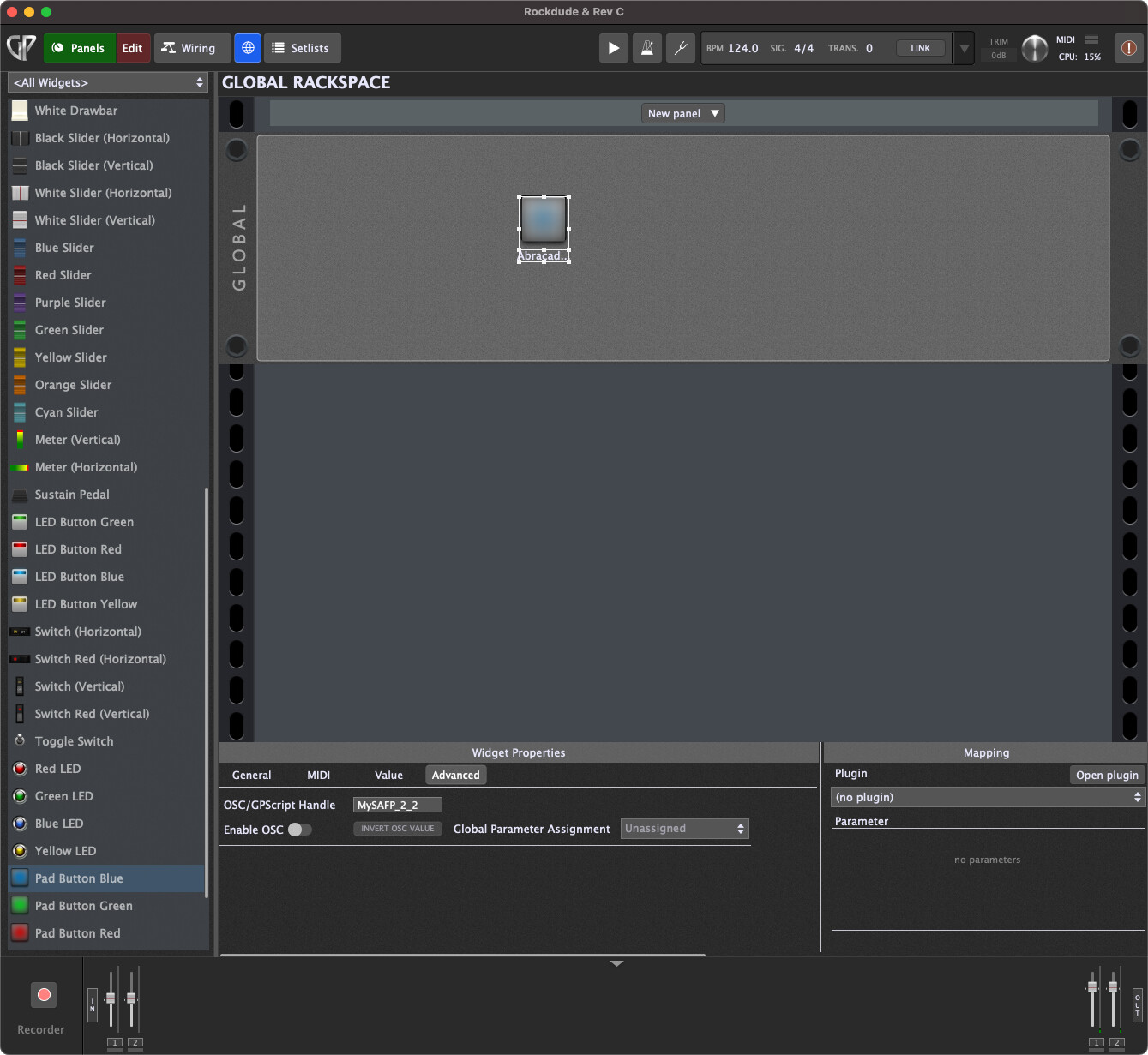
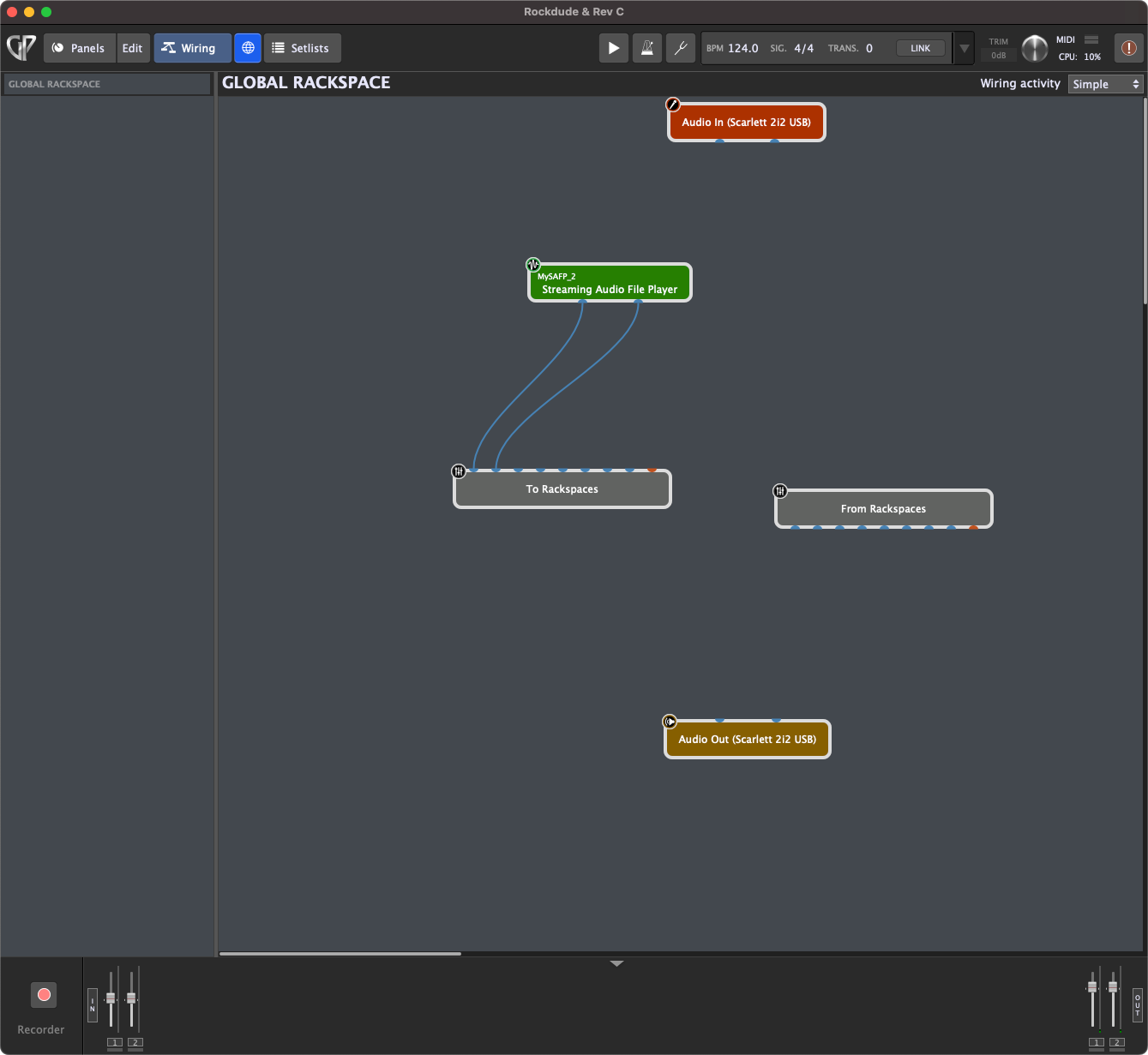
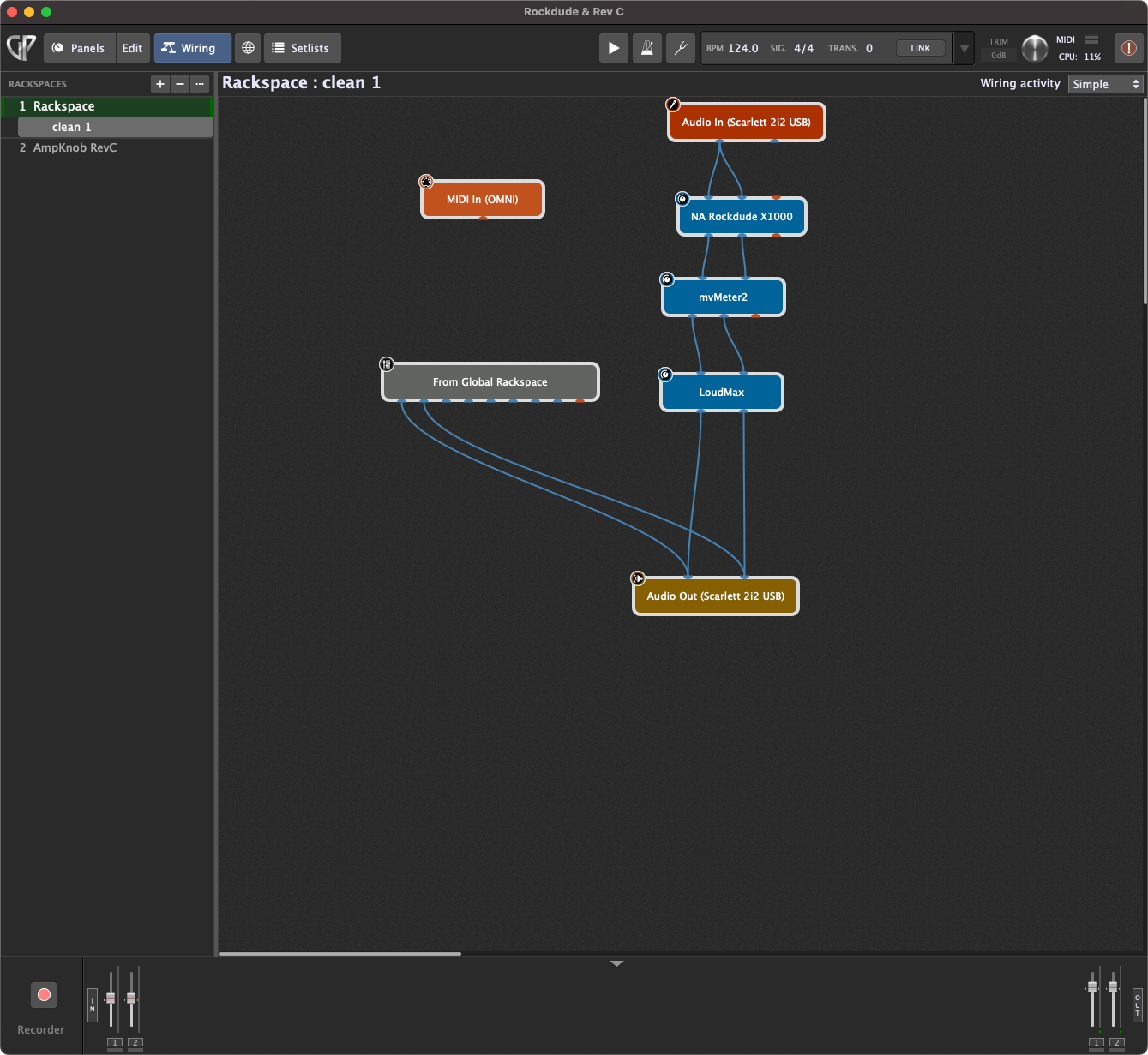
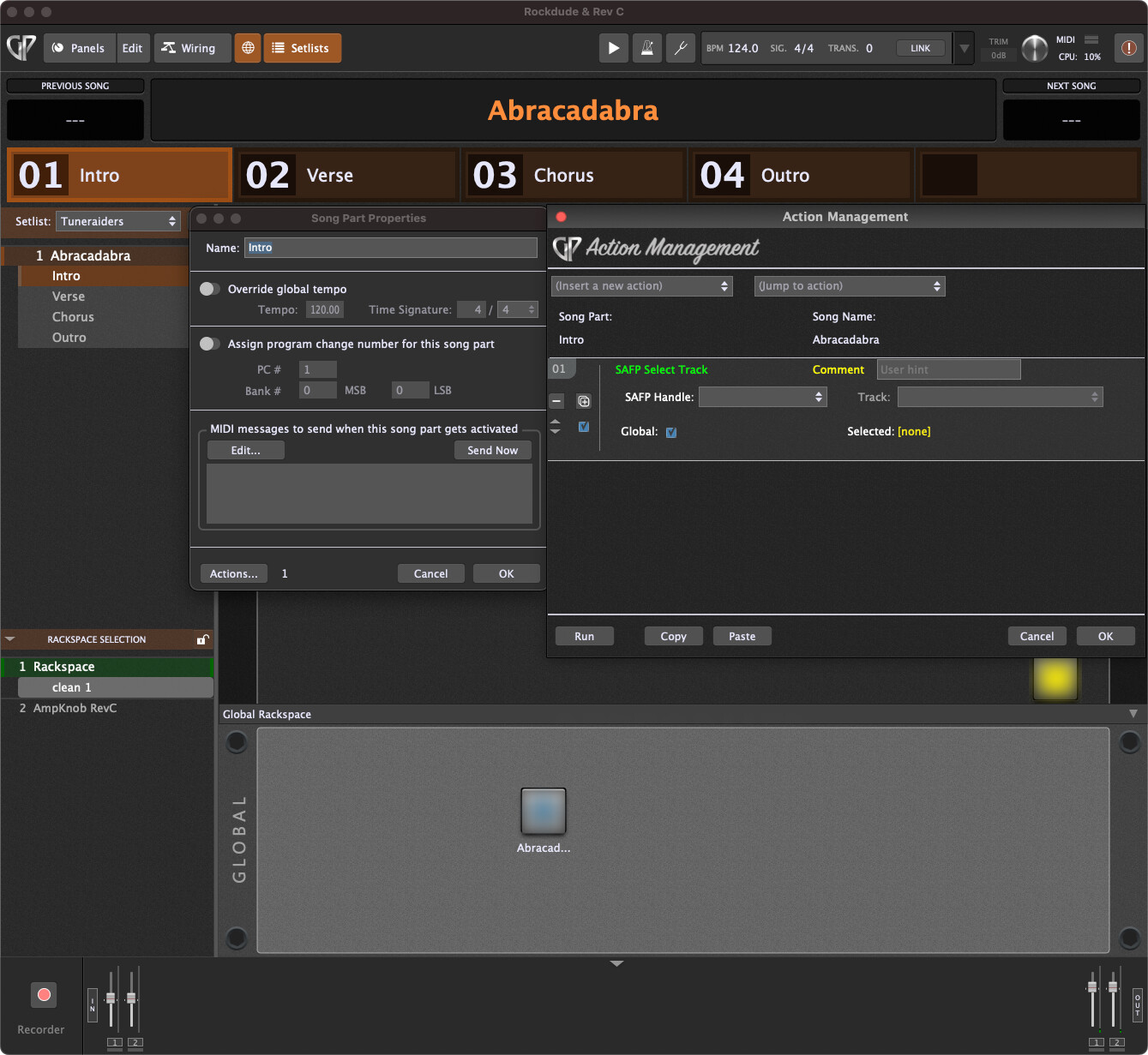
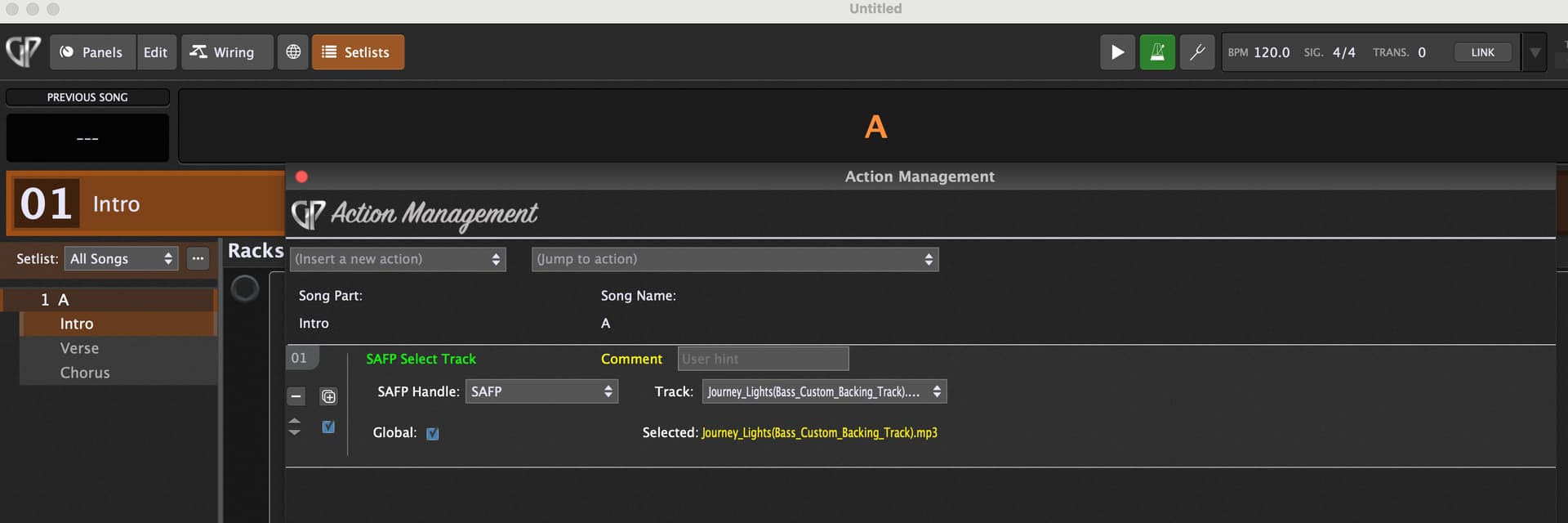
Can you please show screenshots of what you have actually done. There is probably something trivial being missed.
What specifically doesn’t work? Does the handle show up in the action drop down box? Does track selection work or not?
Can you please show screenshots of what you have actually done. There is probably something trivial being missed.
What specifically doesn’t work? Does the handle show up in the action drop down box? Does track selection work or not?
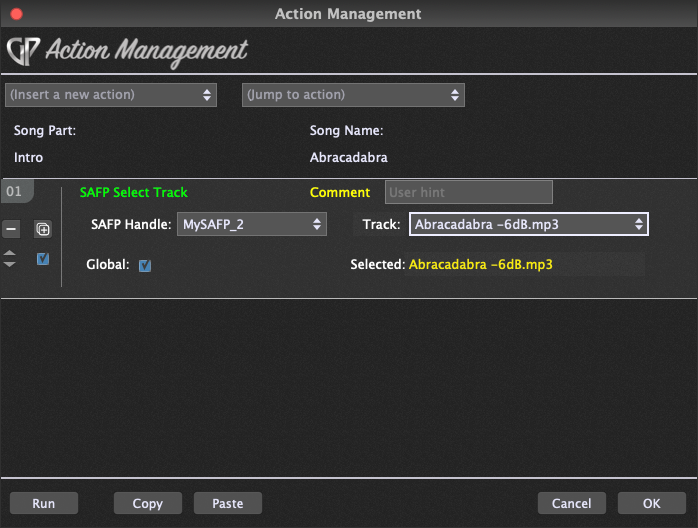
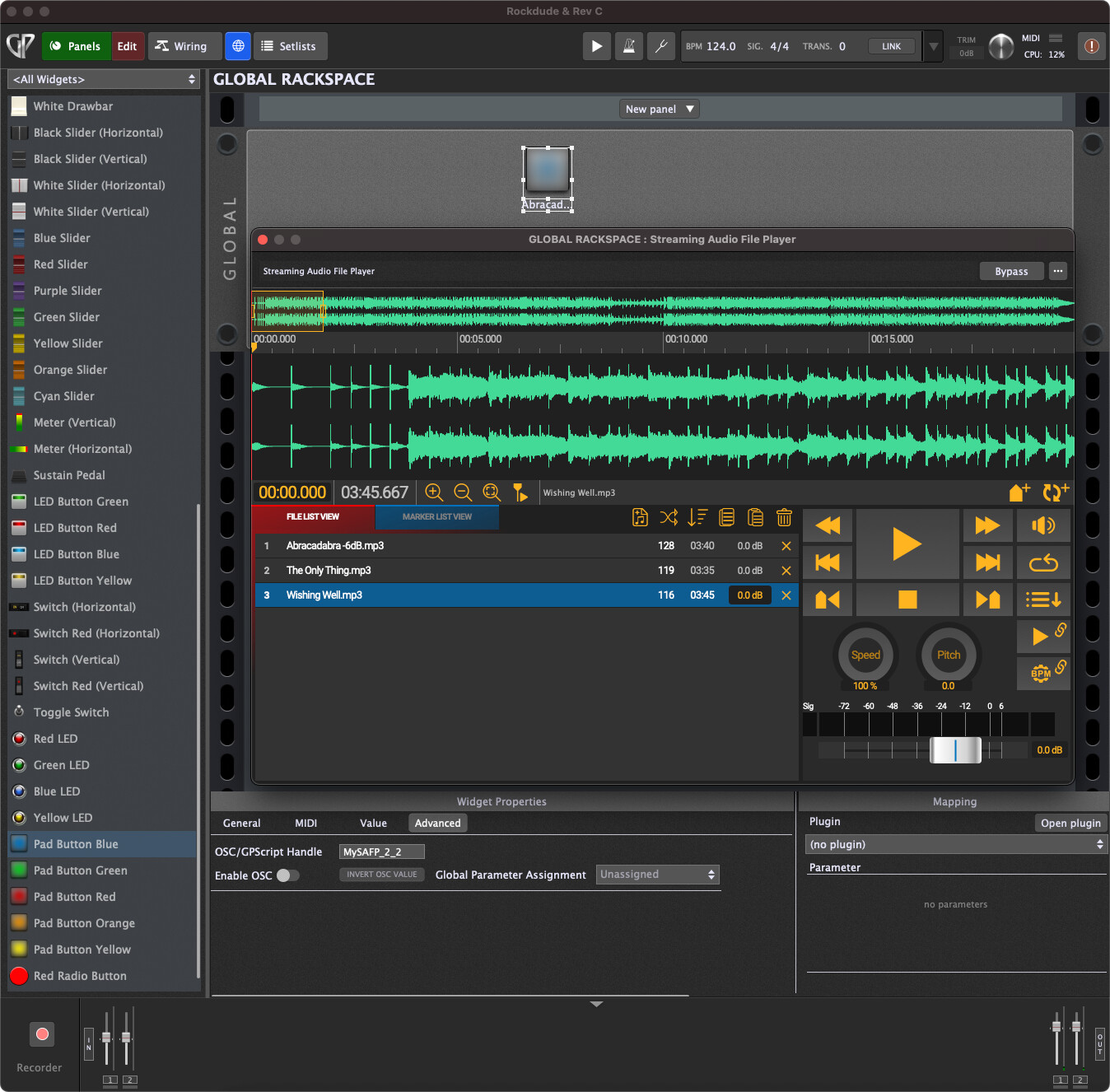
No it doesn’t select the track at all. I ahave 3 tracks in SAFP and when I click the global widget nothing happens even when a select a different track, I assume the highlighted track would deselect and the select(Abracadabra) is this example. For some reason the handle keeps re-iterating itself like _1 _ 2 etc. Please see below. Thanks for checking this.
You’re missing the point of using Actions in song parts.
You don’t use a widget to change tracks in the SAFP. You would use song parts that have actions which select the track in the SAFP. That way, when you change song parts, the appropriate track is automatically loaded.
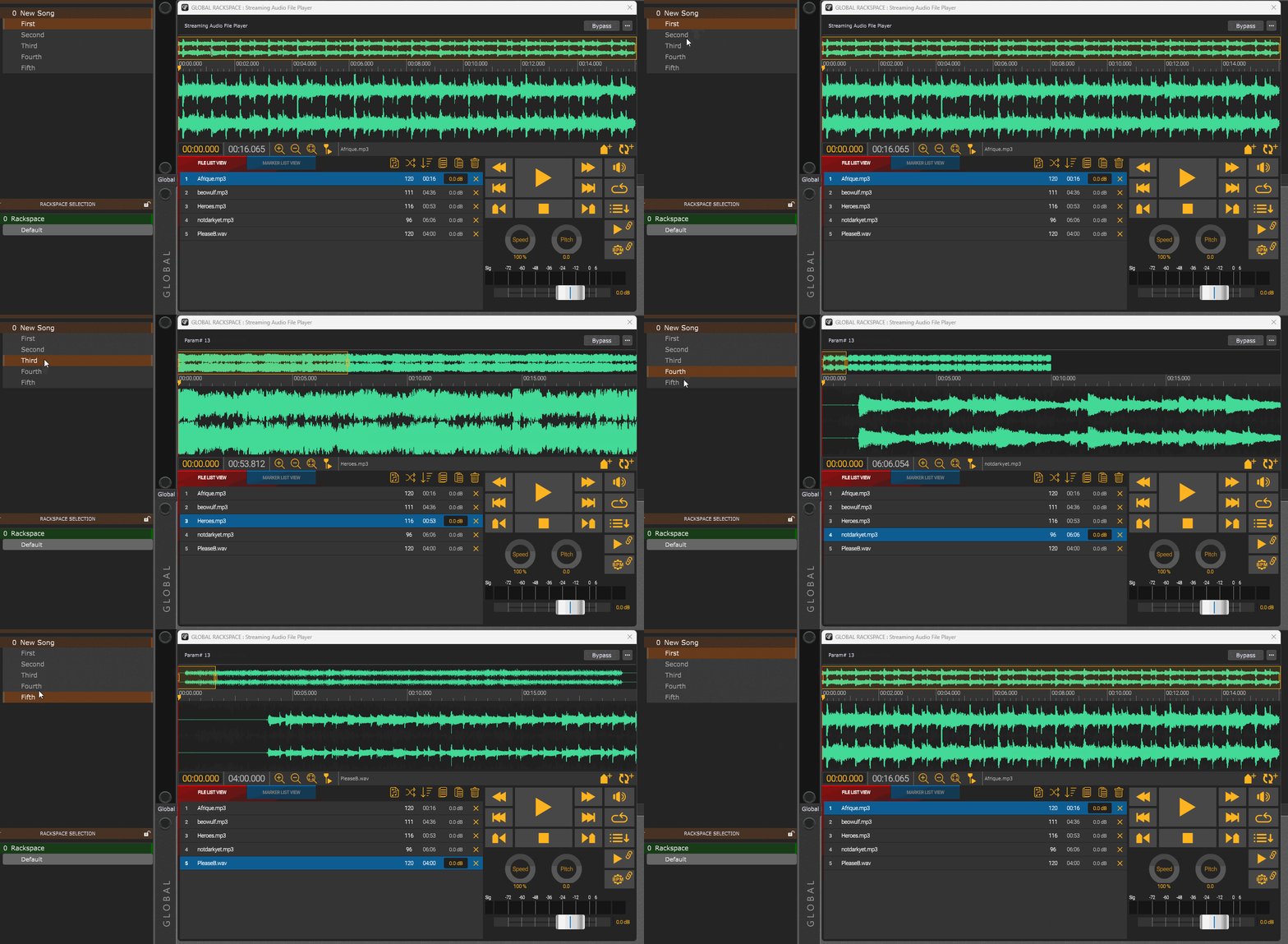
In this example, I have 5 tracks in the SAFP, and 5 song parts. Each song part has an action that loads a different track in the SAFP. When I switch song parts, the track changes appropriately.
Excellent, I did say I didn’t understand it 
All I have to do now is set my ipad up to remotely select the song, play it and stop the playing song via stage traxx 3. I wasjust assuming I had to set up a widget.
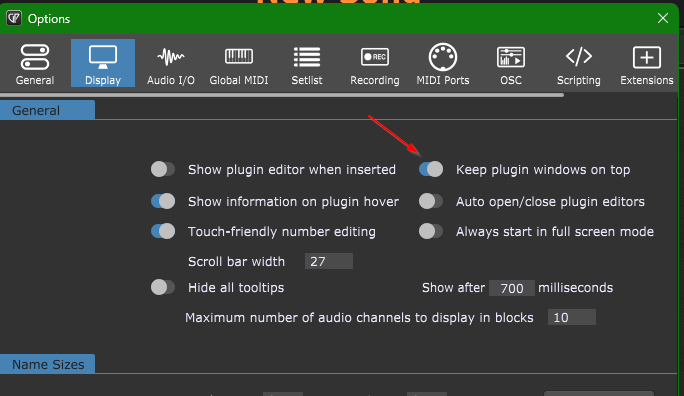
How did you get the SAFP window to stay on top when you switch tracks?
Thanks
Thanks for everyones input. I have a new question on the same subject:
I have set up midi commands on my ipad to send load, play and stop to a song. How do I get SAFP to respond to them commands? Do I have to set up a handle in Track Operations to do this? I’m not sure how or where to do this for each track in SAFP, I presume it may be done in the song part properties.
Stage Traxx sends out these commands.
[midi: pc127@16] - to load/select
[midi@play: pc127@16] - to play
[midi@stop: pc126@16] - to stop
Any advice is warmly appreciated 
What MIDI messages are you sending?
PC messages are not a good idea, better use CC messages.
Thanks for the advice on PC. I get to choose any type of message to send out from Stage Traxx as it is embedded in the lyics as a midi message. Yes I can use CCs instead. I’m trying to get the midi messages to select the track, start, and stop the SAFP songs.
OK, my misunderstanding.
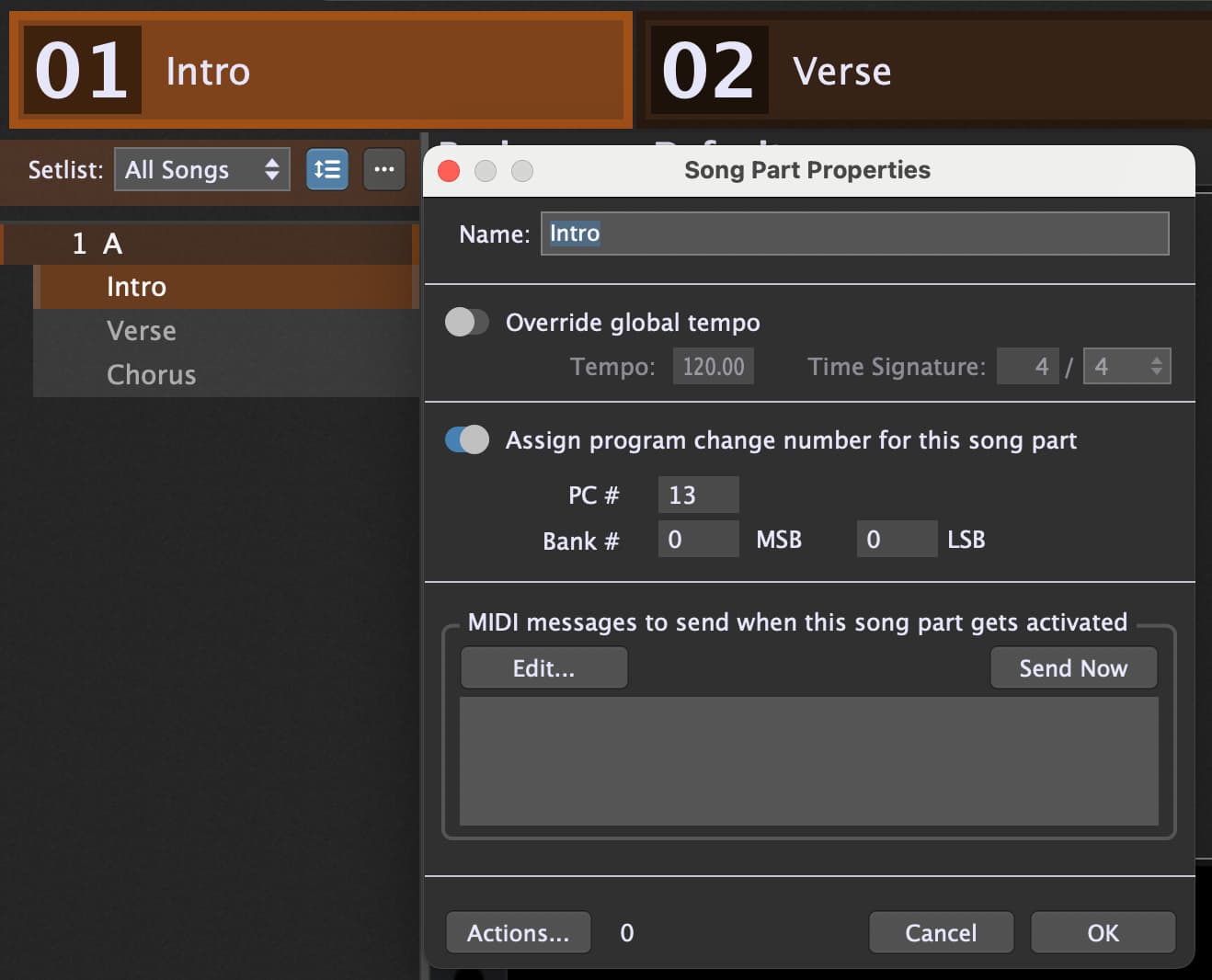
When you use Set List Mode then for each song part you can define a PC message the song part is selected.
Then in the Song part Actions you can select a track.
In this case the SAFP is located in the global Rackspace, therefor the Global option is checked.
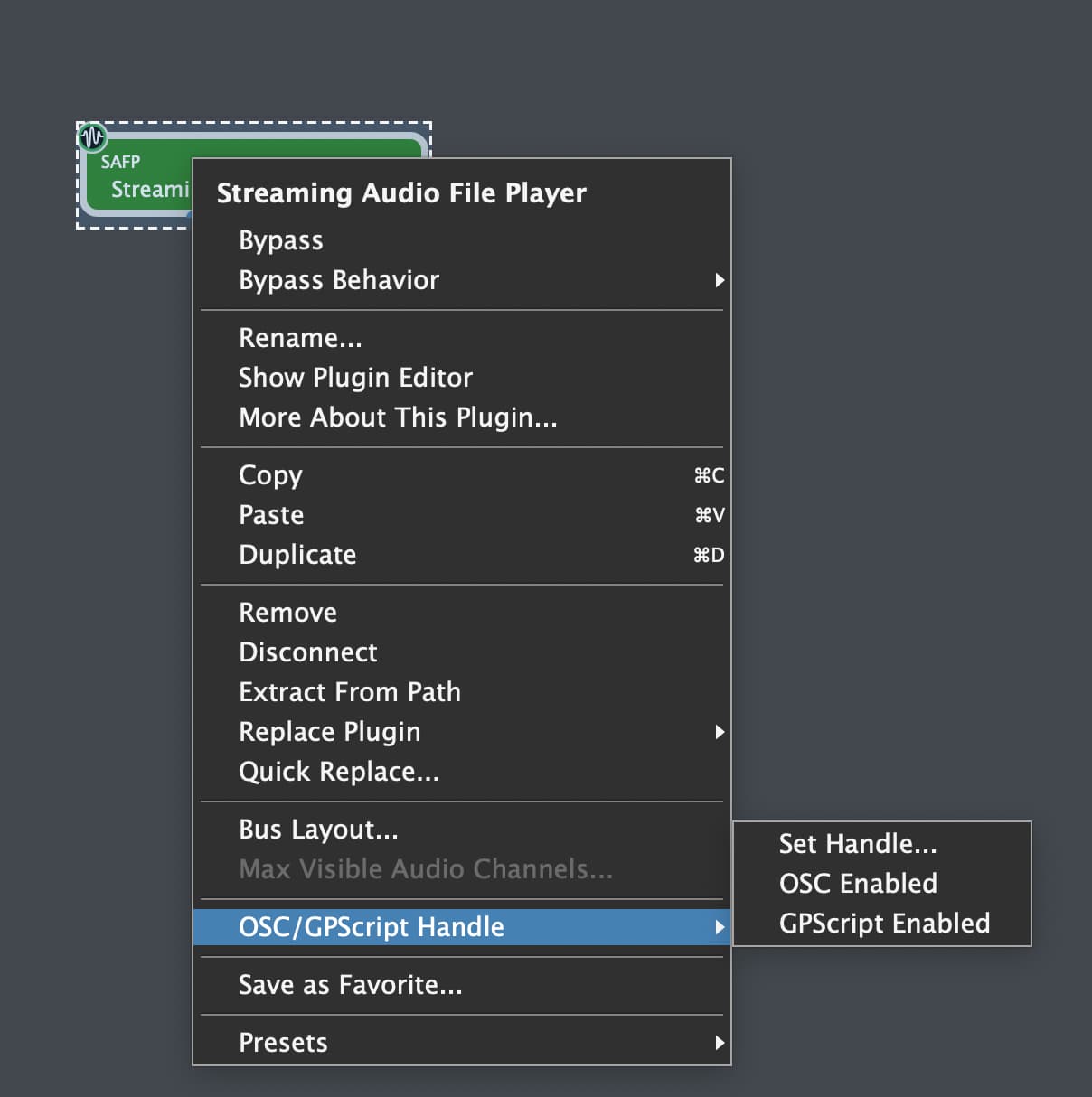
For the SAFP you have do define a Handle with the menu option “Set Handle”
In this case I gave the name “SAFP”.
This way when you select a Song Part via a MIDI PC message the action is triggered and the desired Track is selected.
Exactly that was already posted by @edm.
So what is the issue you have?
As @pianopaul stated, you should use CC message for the play/stop controller functions.
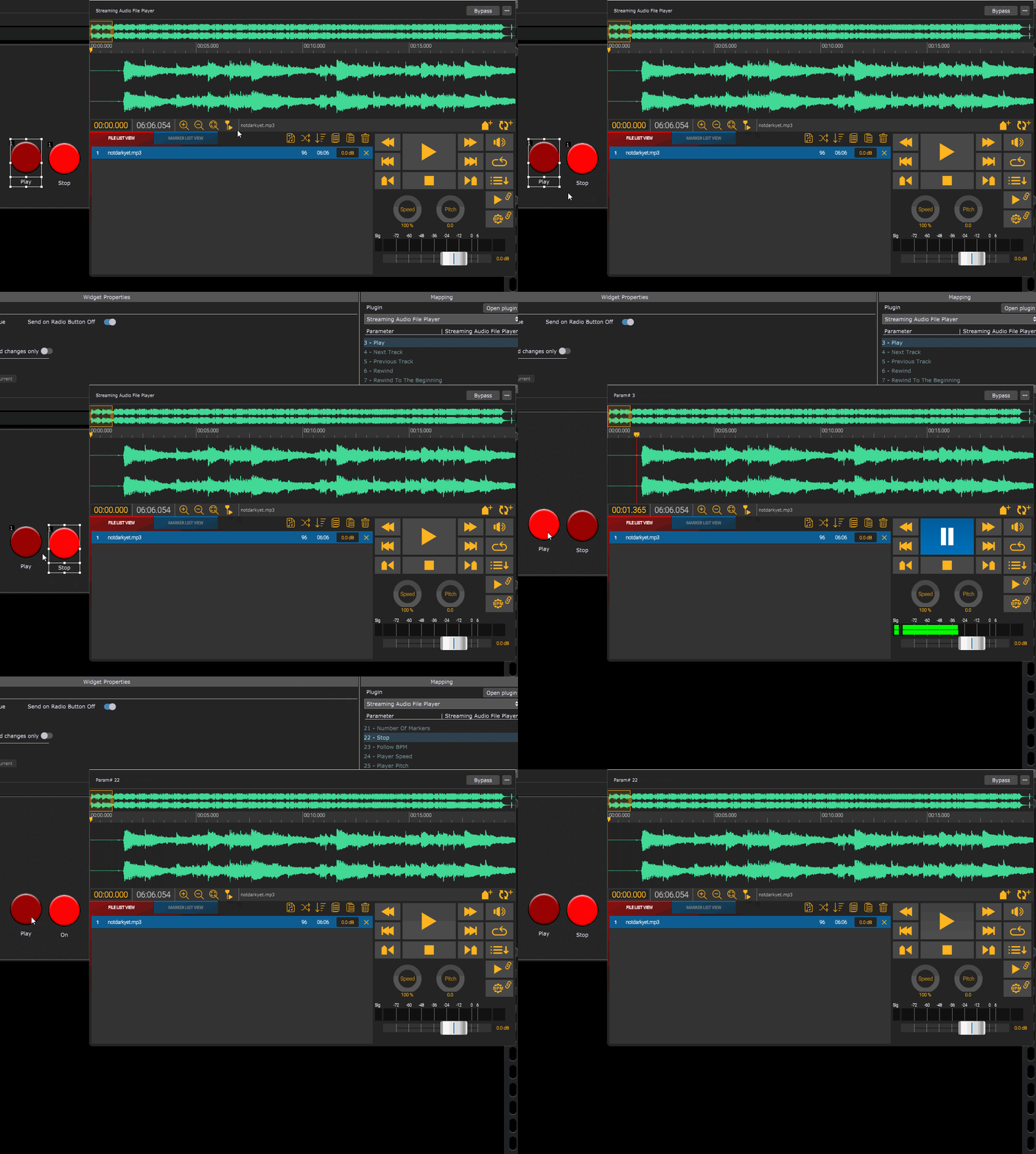
For play/stop of the SAFP, I would add two radio button widgets to the Global rackspace and assign them to the same radio group. Then you can map one to the Play parameter(3) of the SAFP and the other to the Stop parameter(22). Then learn each button from the respective message sent from Stage Traxx.
I’m a singer guitarist, I have stage traxx on my ipad attached to my mic stand. Stage traxx shows the lyrics when i play a song which I sometimes need. Each song has its own midi code embedded in stage traxx. My Macbook is behind me connected to my ipad via bluetooth midi. the messages are getting seen by GP5. I have identical mp3’s in my SAFP.
I have got the selection within GP5 sorted in Setlist thanks to edm11, but I now need to get the midi code from my ipad to trigger each identical song in SAFP.
I think edm11 has again adviced me well, just after your post. Thanks
Thanks for this, I will try this out tomorrow.
Much appreciated
I can now get my ipad to start and stop a song but I cannot get it to select a song from my iPad, I can only seem to do that from within GP5 Setlist.
Any tips on how to set up a PC or CC midi command to select the song from my iPad to SAFP, is appreciated. Stage Traxx allows me to send midi on loading a song, so I have to somehow get that to see and translate in SAFP to select the appropriate song.
Thanks for all your help, I do appreciate it as a novice user to GP.
That’s correct - while it can be done with a certain amount of complexity, that’s not the GP paradigm. You should use actions to select songs. Your iPad should be selecting a song (technically a song part) which will then trigger an action that selects a track in the SAFP. Why can you not do this?
In general, you should not be using MIDI to control plugins directly at all. You should always use host automation.
Why can you not do this?
Because I don’t know how, I am new to GP5 and just assumed it would be easier to do.
Thanks for your reply.
Each Song Part can be switched in an incoming PC message.
And in the song part actions you can select a track in the SAFP.
So what is the issue now?
Thanks, I’ll try this tomorrow and report back. Will I have to set up an action in this box?
The user manual, blog articles, videos and this community are how you can learn the GP way.
It sounds like you just “jumped in” without taking a bit of time to first understand the paradigm.
Songs are collections of parts, each part of which maps to a rackspace (actually a variation of a rackspace) and song parts control other aspects of GP such as what ChordPro document should be used, what track should be selected in an SAFP, and numerous other things such as automatically sending the correct MIDI messages to external hardware.
You’re not meant to use these things in isolation.
Your iPad should just select a song (technically a song part, usually the first) and then the song parts control other things. Trying to bypass that paradigm is just making things harder for yourself.
By the way, this can much more sophisticated as you get experience. For a simple example, I use MobileSheets which is a sheet music manager that also sends and receives MIDI messages. As you go from one song part to another, you can use actions to make the pages of your sheet music change automatically.
Yes you are right, I just jumped in, I did use GP4 too but when Marty Wade did a video on SAFP I wanted to try it out. On Stage Traxx I have years of time-coding the lyrics with their syntax. I presume MobileSheets could work, I’ll look into that too.
Thanks.