I am able to map midi commands from my iPad to buttons in the panels titled with the track names in Streaming Audio File Player (SAFP) but I cannot seem to map the buttons to select the song.
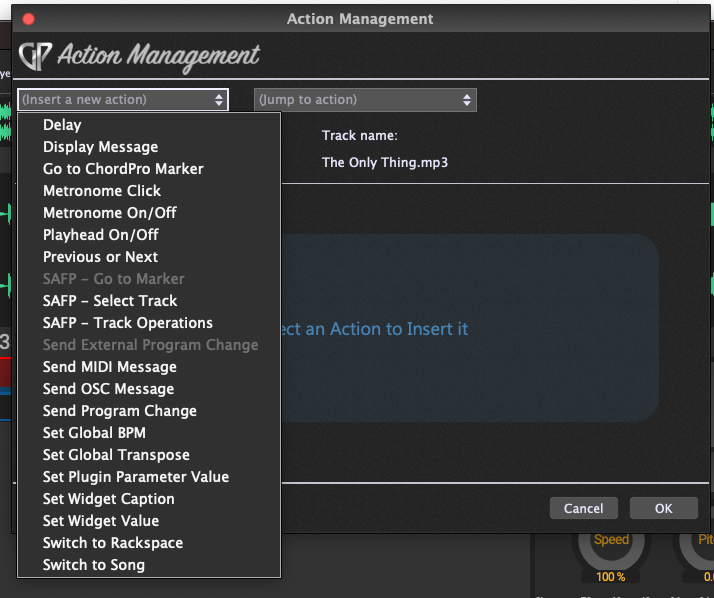
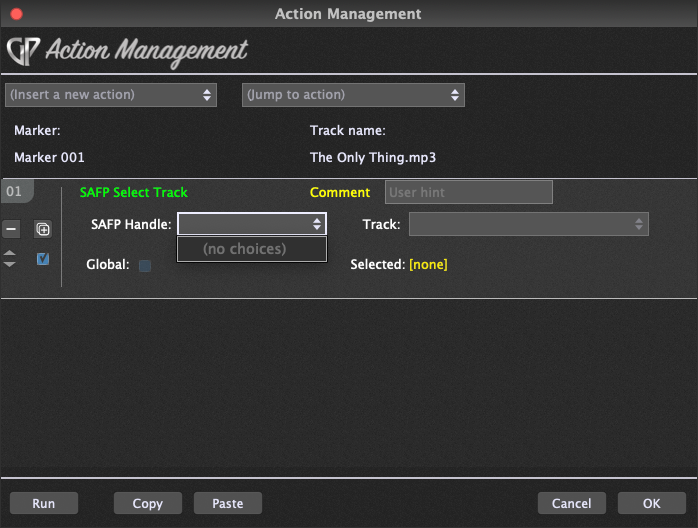
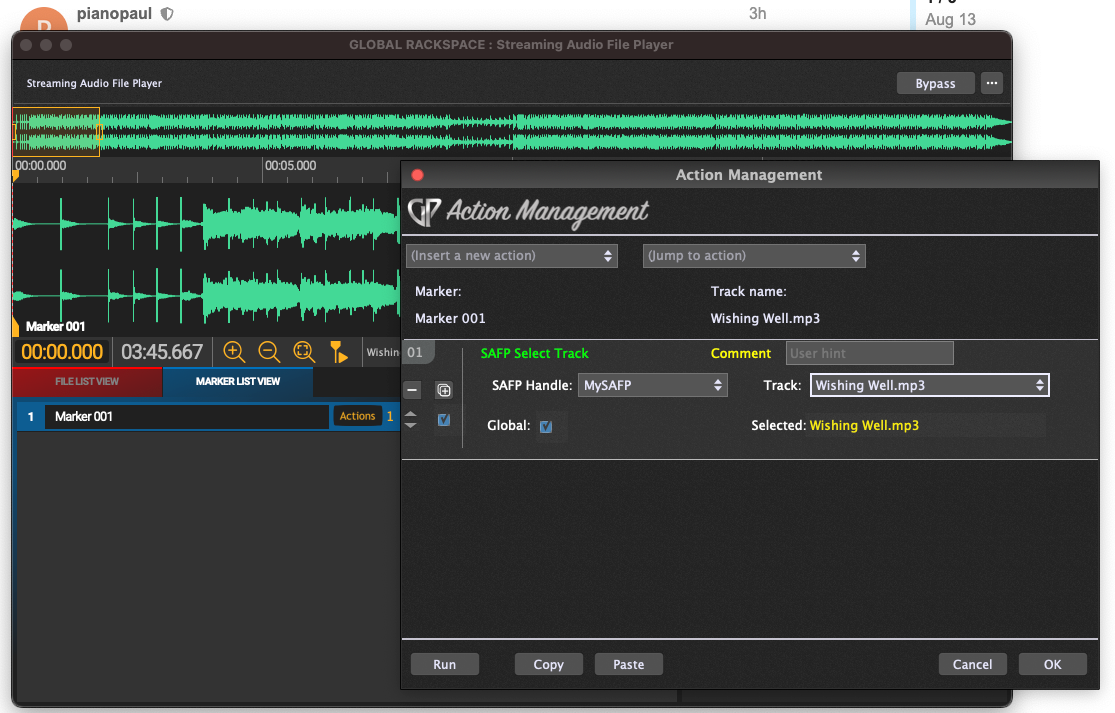
I have tried putting in markers at the beginning of each track to try to assign an action but no choices appear. Do I have to insert SAFP into Global Rackspaces? I have tried that but couldn’t get it to work or play sound from the track.
This is what I’m trying to achieve:
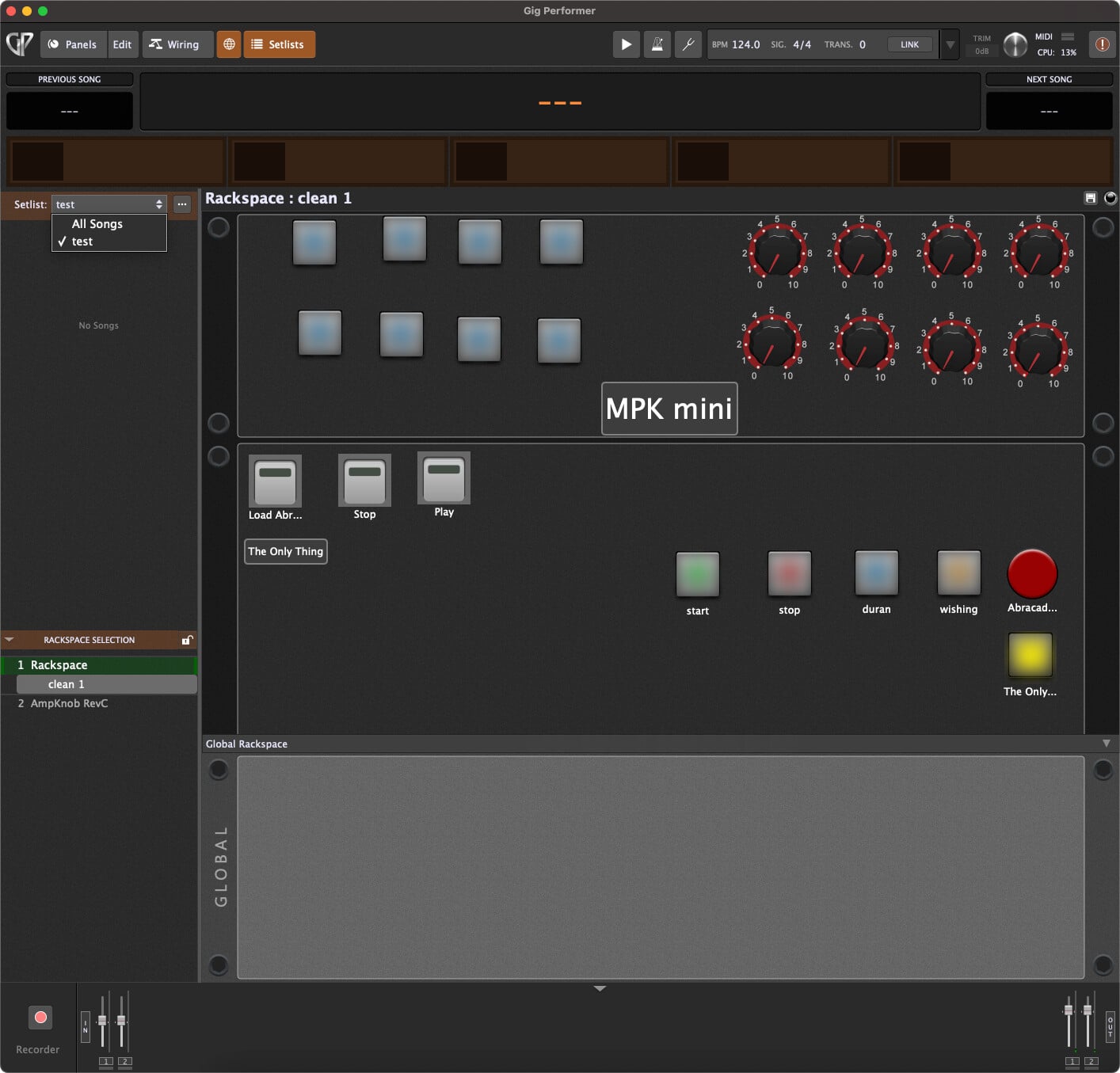
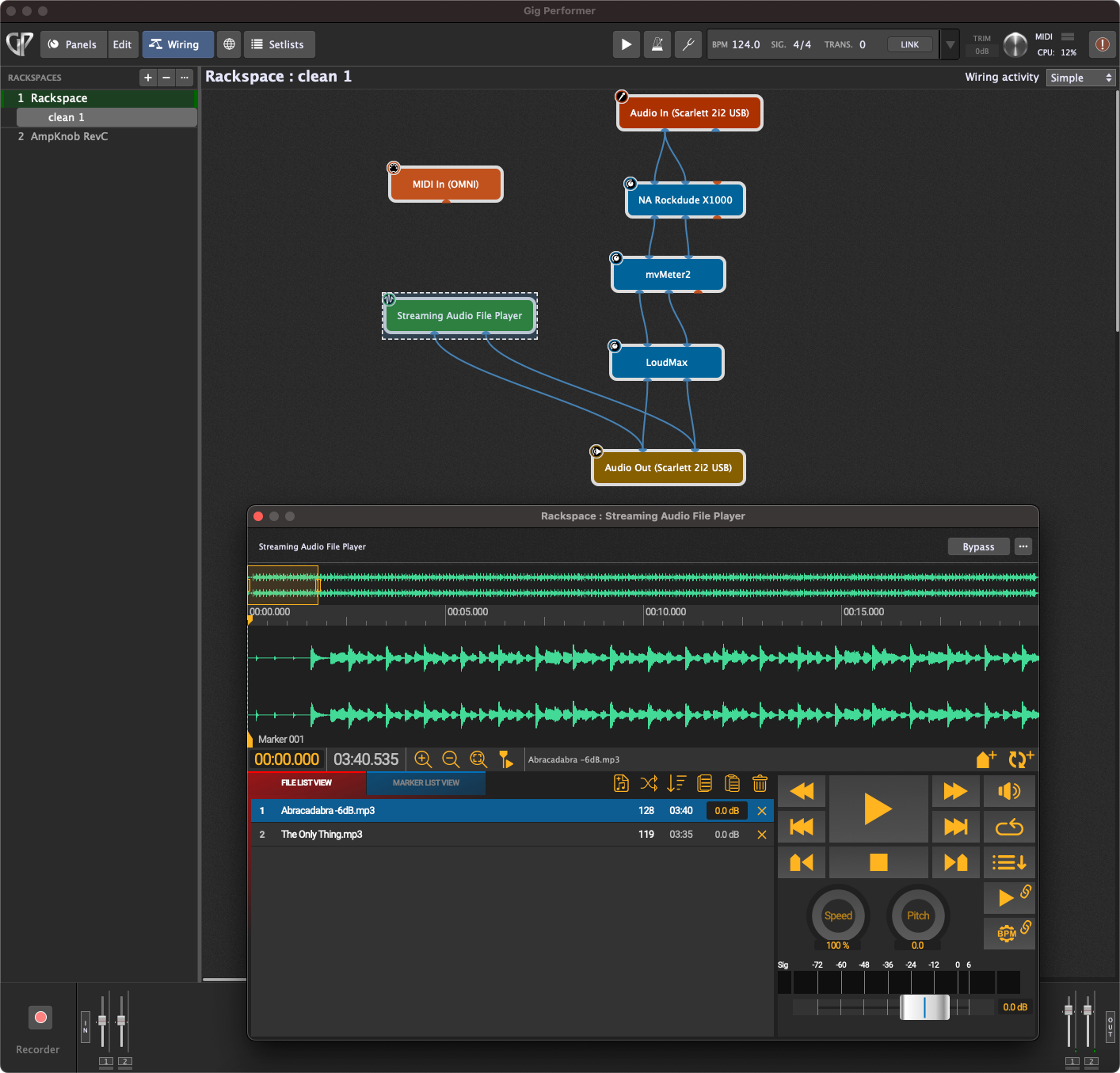
I have an iPad on my mic stand running Stage Traxx 3 (ST3) .mp3 backing tracks I have the same songs loaded into SAFP on my MacBook behind me. This way I can just use the iPad to select, start and stop songs. I can read the lyrics from ST3. Please see the images below.
Not really, no. I have a playlist of over 120 songs. I was looking for a way to just choose a song from my iPad play list. I was thinking like giving the songs their own Channel and Program Change. The MIDI messages are embedded in the songs lyrics in ST3, something like this:-
[midi@00:00.00: PC048@16] where I get 128 PCs for each channel, 16 in this example. ST3 sends this out and I can see MIDI activity in GP5.
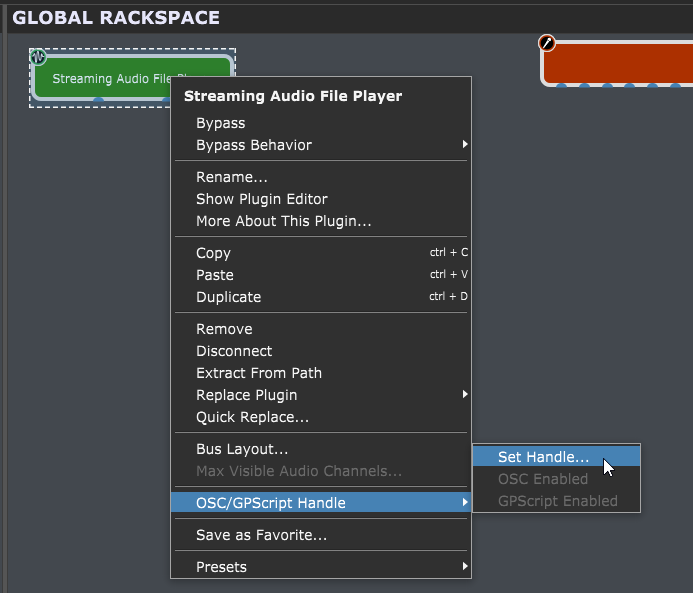
I want to assign any one of them PCs to a song in SAPF. But for the life of me I don’t know how. I have put SAPF into global and created a handle in Action Management. I put a marker at the beginning of every song so I can set an action.
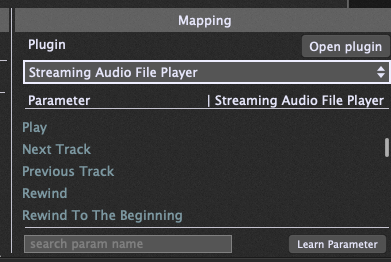
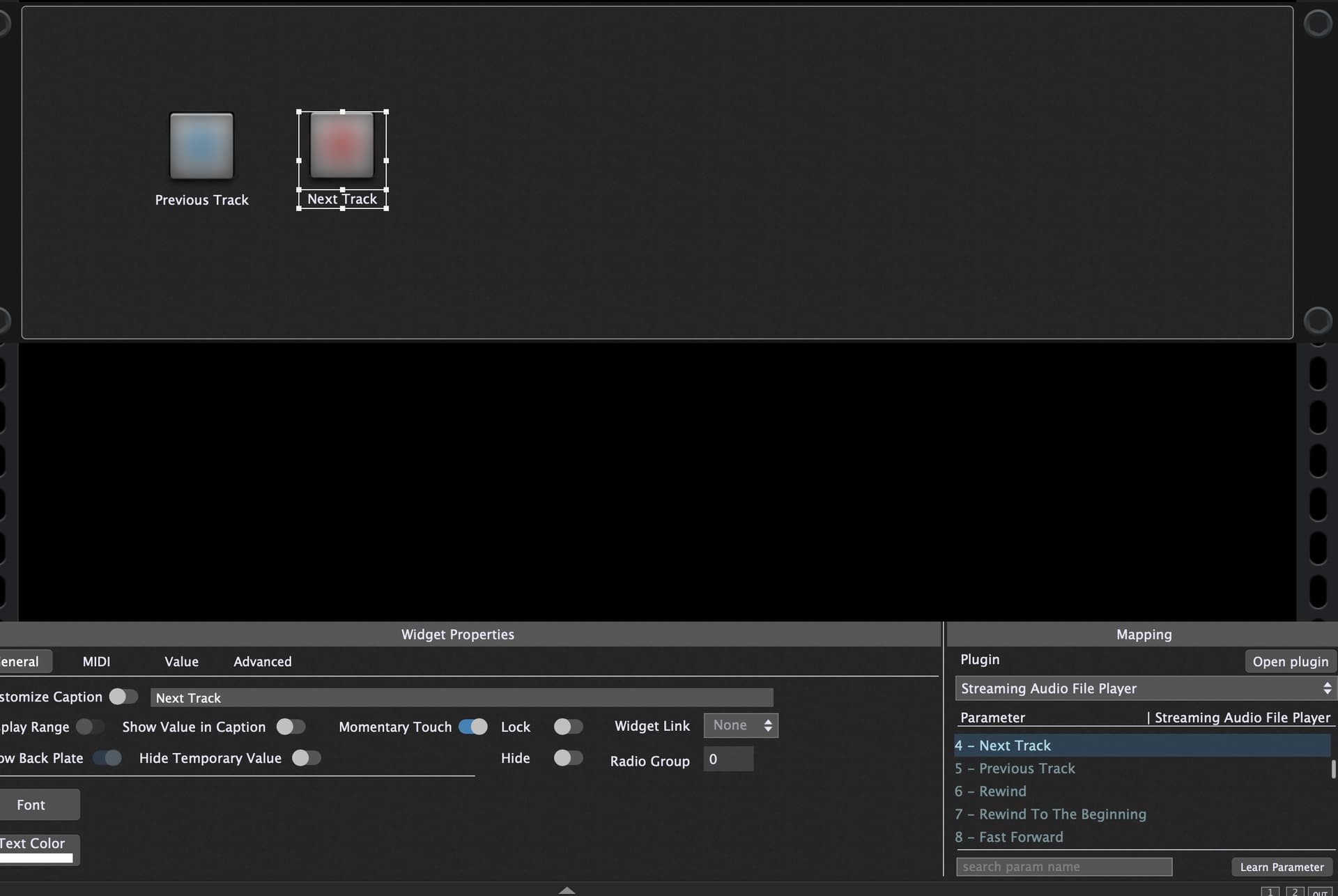
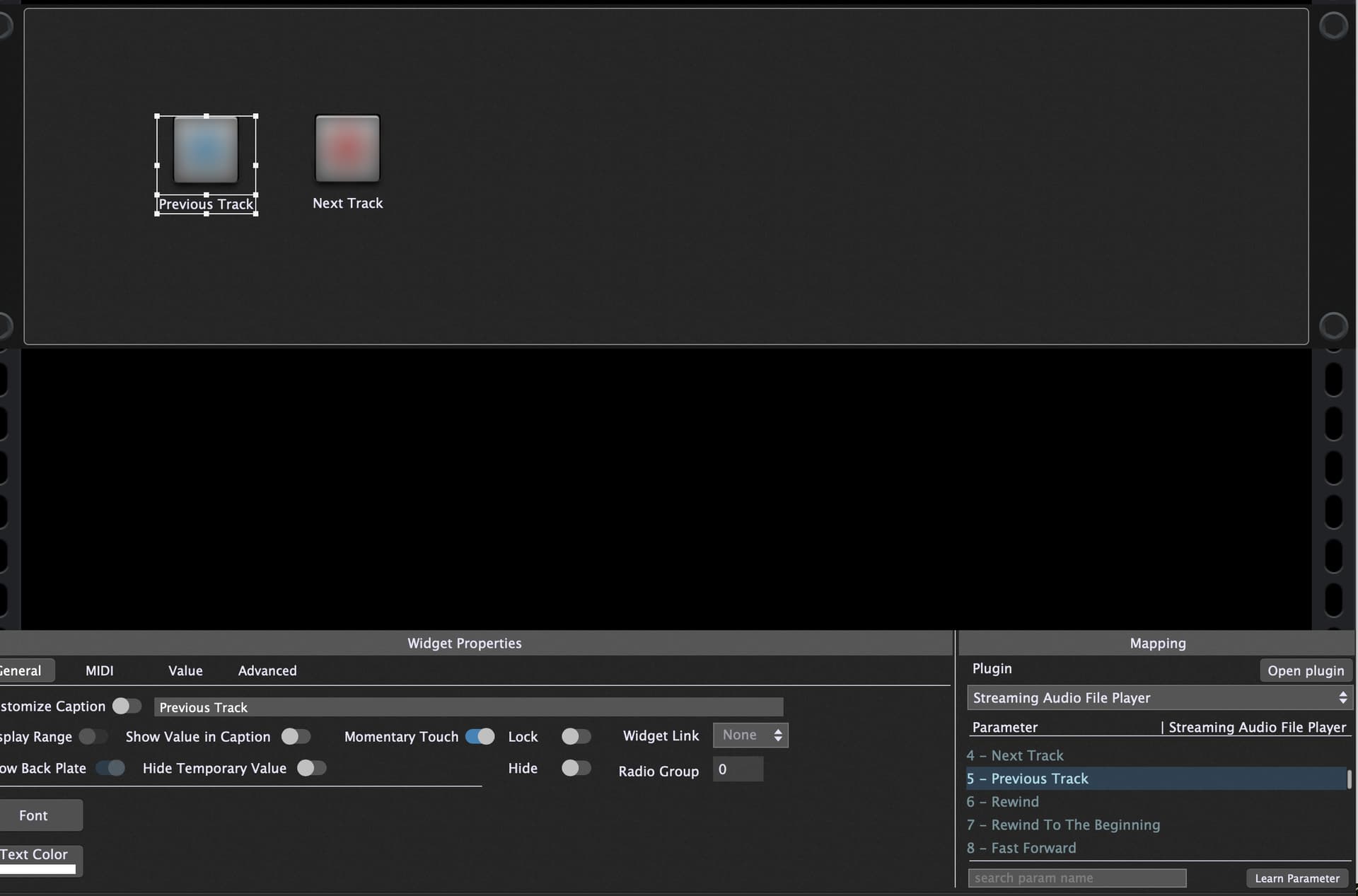
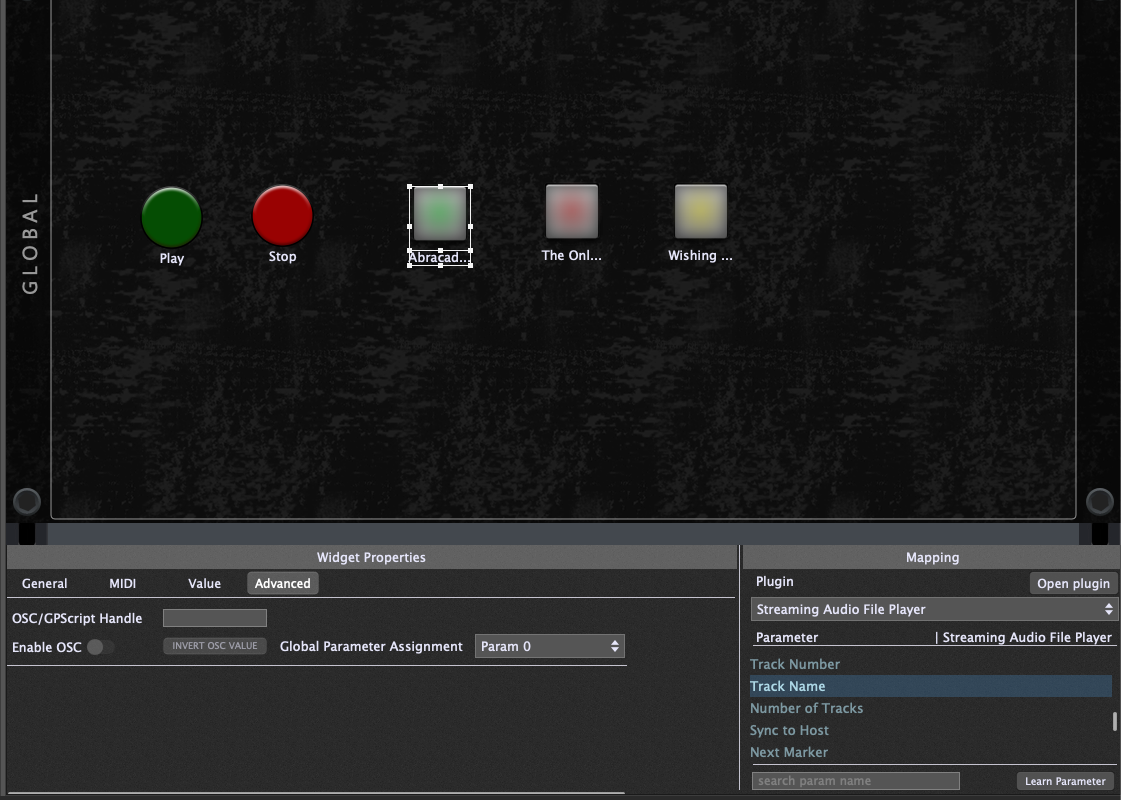
I have also set global parameter assignments for each individual button in the global panel, param 0,1 & 2 one perameter per song button. In this test I have 3 songs.
Abracadabra
The Only Thing
Wishing Well
It seems the only problem I have is assigning a song select from the global buttons to select a song in the SAFP player.
Any advice is warmly welcome. Thanks for your reply.
Are you using Setlists and Songs?
If you create a Setlist, you can easily map a midi message to change the song in the playlist in Global Midi Options.
Then you can change the track in SAFP according to the song seleccted in the playlist.
Right now there is not a straightforward way to map a song in the setlist to a track in SAFP. You can map a song part to a song using Actions. But as long as you go back to that part during the song song is re-played again. For example, a song can start with a verse, then there is a bridge and the chorus and go back to the verse. So mapping song parts to tracks is not working on most cases.
What I am doing is using this code to select the track based on the song selected in the setlist.
var Player : StreamingFilePlayerBlock On Song(oldSongIndex : integer, newSongIndex : integer) EnablePlayhead(false) AudioStreamer_SwitchToTrack (Player, newSongIndex) End
The problem with this approach is that tracks need to be in same order as the songs in the playlist.
It would be a very nice addition to GP to be able to map a SAFP track to a Song like it’s done with Song Part
I purchased GP5 thinking it could do what I wanted it to do as discribed in the initial thread, if it can see a PC change coming in why can I not set it to point at a SAFP song to play/stop? I have not used setlist yet, I don’t fully understand what it is about. I assume it’s for automation of some kind to point at a certain rackspace at a particular time in the song? I understand that you may be trying to do the same as me. If you’re using On Song, I’m using Stage Traxx 3. Which is sending MIDI data to GP5.
I’ve spent two weeks on trying to do this and now I have given up and just use my iPad now wired to the desk instead of it trying to trigger the song in GP5 (SAFP). I believe GP5 isn’t able to do what I want at the moment
Then you should learn about set list mode. In a set list where you have songs and song parts, the latter of which can be selected via incoming PC message, song parts allow you to define actions, one of which lets you select a track in the streaming file player which you can then start or stop.
in other words, this lets you accomplish exactly what you’re wanting to do.
Thanks for your reply but I cannot get the songs in SAFP to appear in Setlist. This is probably why I have never used setlist, as there is something I am missing.
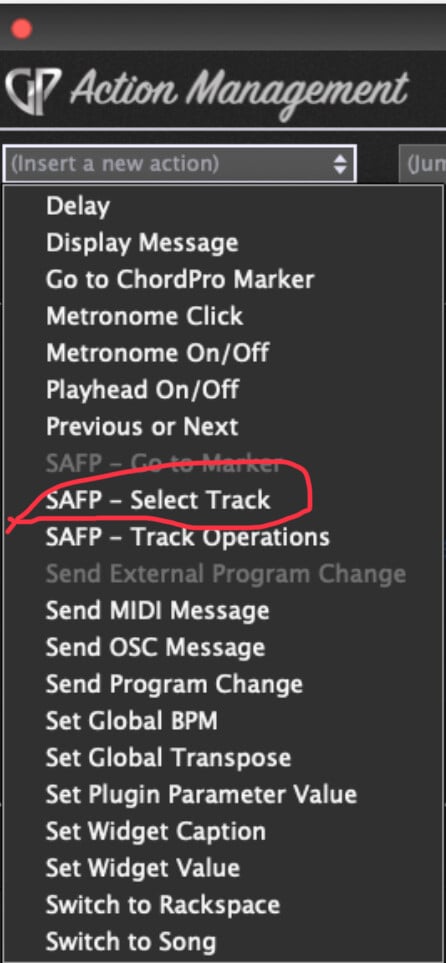
In your very first post, you had a picture of the actions and one of them (circled in red below) is exactly what you need.
Put an SAFP in your global rackspace, load all your songs into it, give it a handle and then in your song part, use that action to select the desired track
Note also that the next action (track operations) can be used to start and stop the SAFP
I have spent over two weeks trying to work this out. It doesn’t work for me, too many variations of what can go wrong. We need a tutorial on this it just is not simple or easy to understand where things aren’t linked. I’m very disappointed as I’m following all the instructions to no avail.




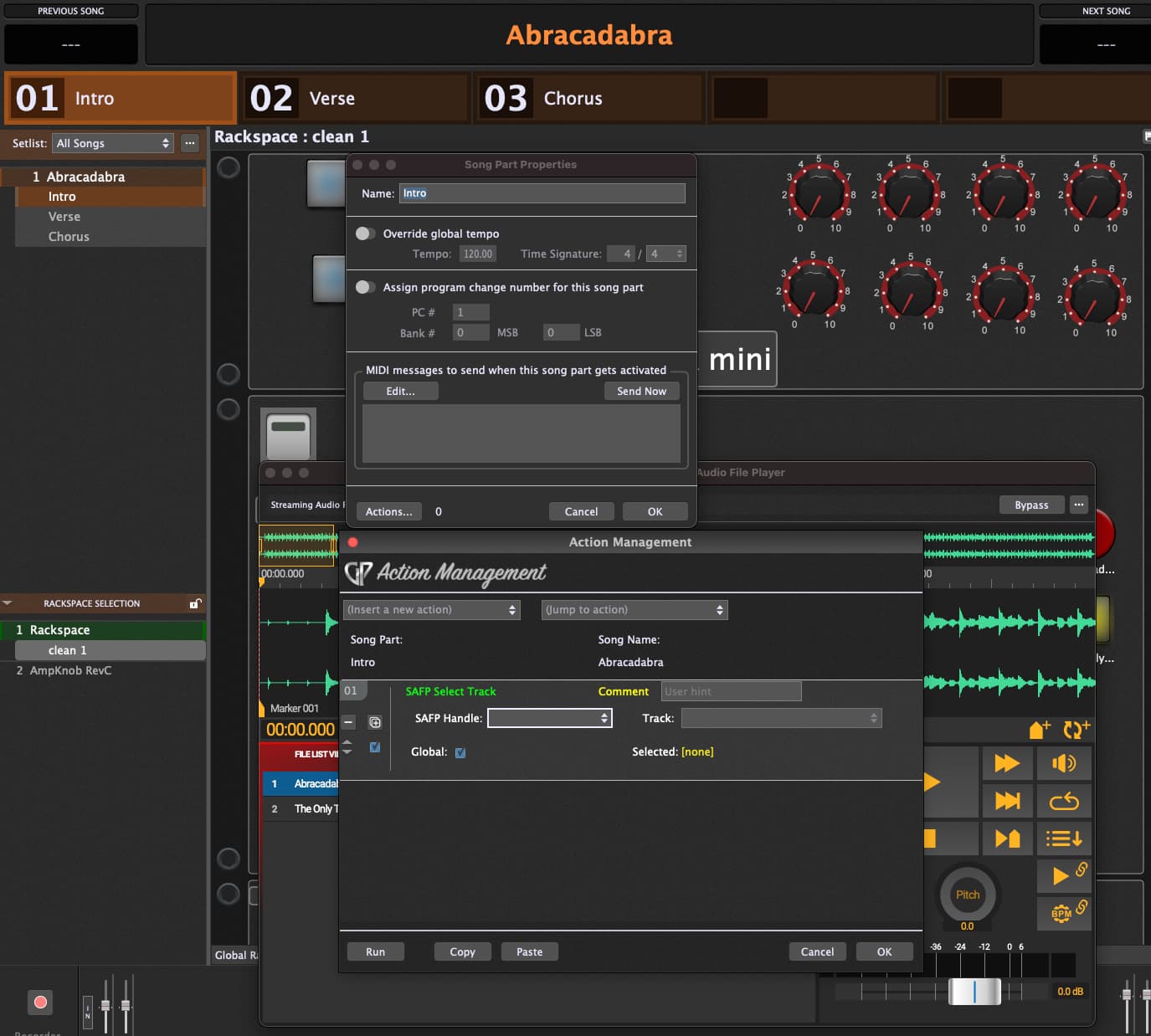
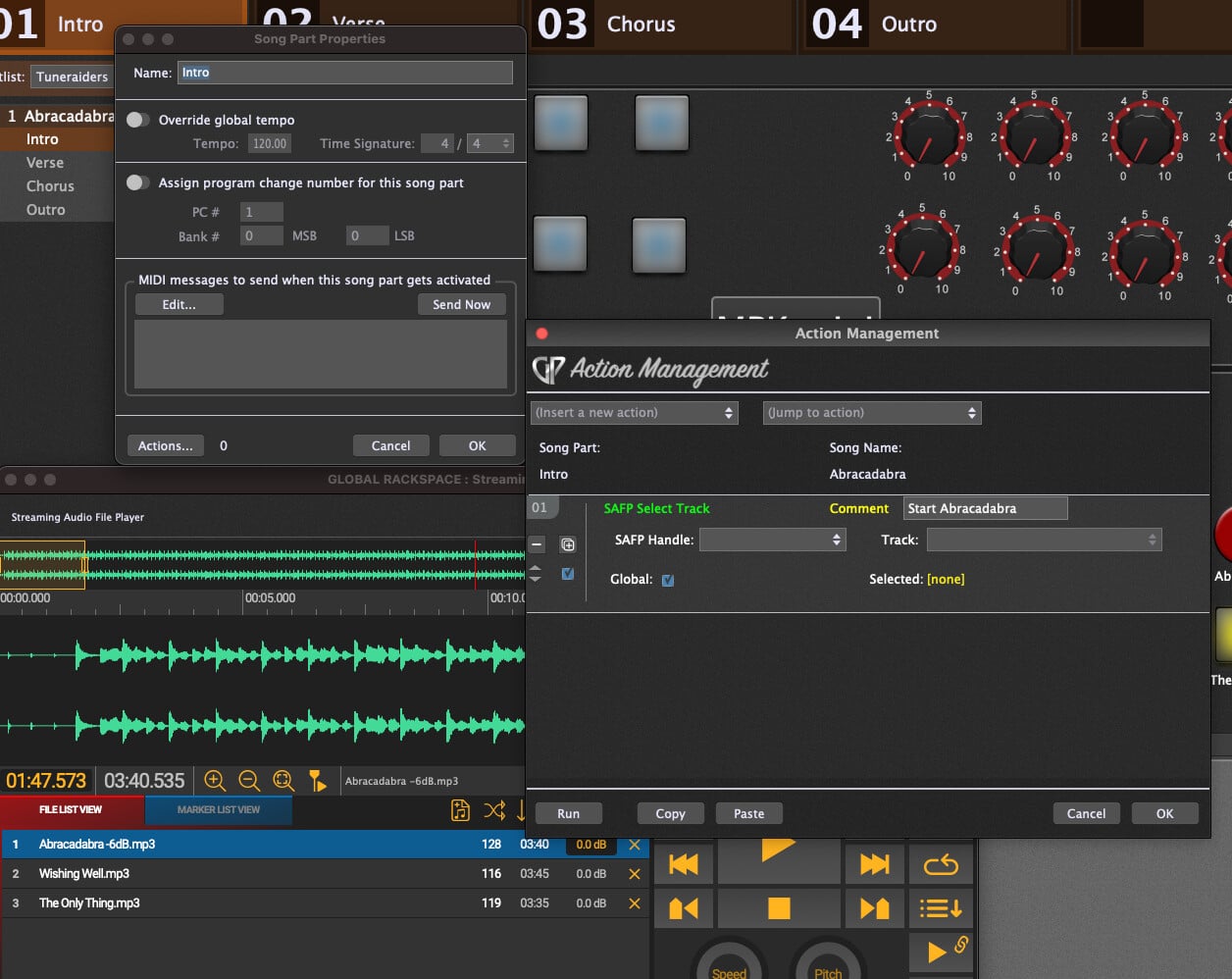
 ) in the section called Action Management