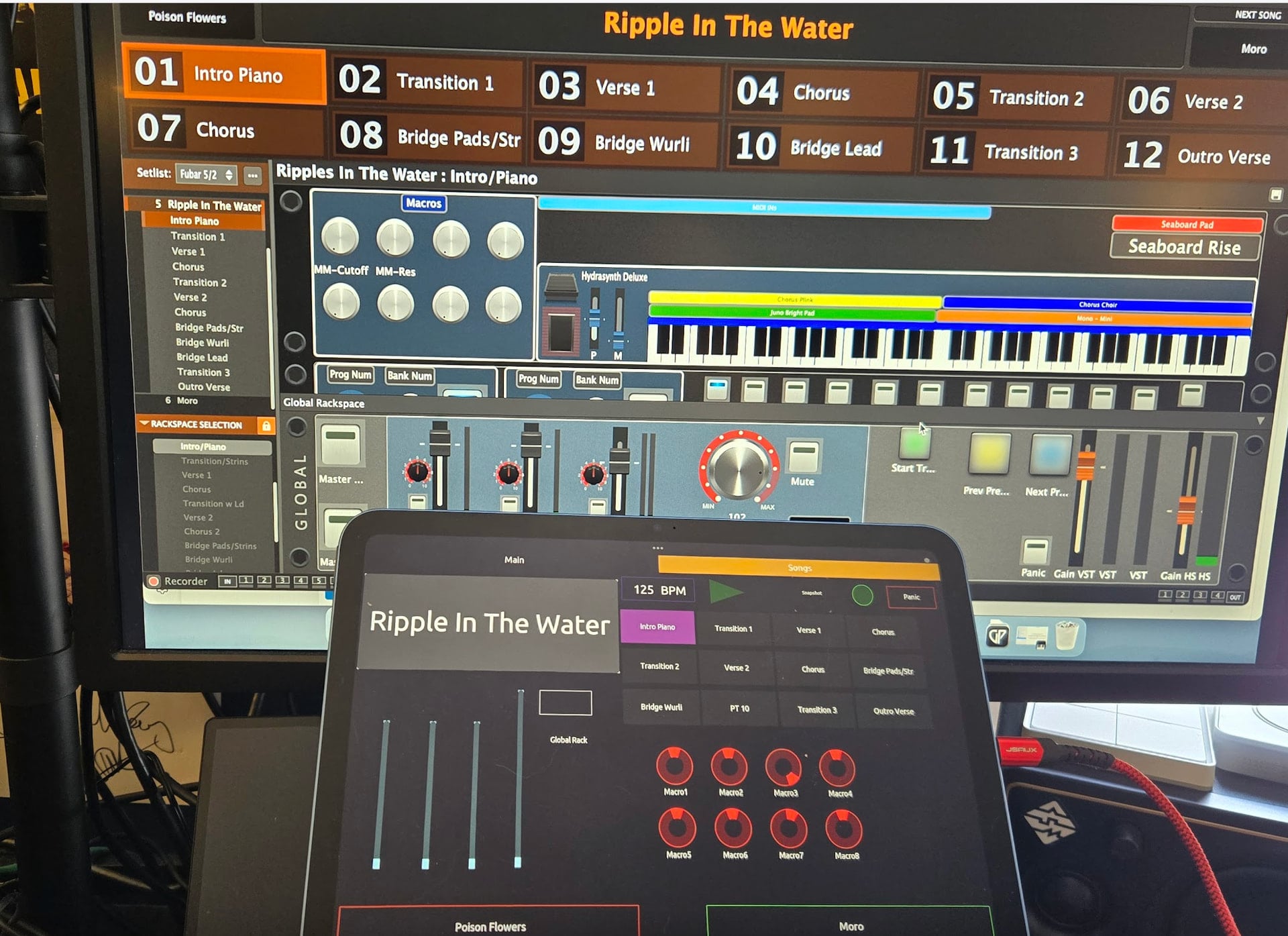
Hello. I have been trying to learn TouchOsc to build an external interface on my iPad. The resources here have been amazing. The one thing I hadn’t been able to figure out from all of the posts was to how to get OSC to work without needing the iPad to be connected to Wifi. I managed to figure out this method and I figured I would share. It’s super simple and it’s something that I haven’t seen in any other posts (apologies if it has). It still seems to require a network connection on the Mac itself, but I’m working on a way to do it without. My goal is to be 100% non-reliant on a network connection.
-
Plug in your iPad via USB and turn off Wifi.
-
On your Mac, go into Settings and search for Internet Connection Sharing. Hit the enable toggle for your iPad (or iPads). Enable Internet Connection sharing.
-
Go on your iPad and get the connected IP address. It’s likely in the 192.168.2.x subnet by default. If you want a quick way to get it, I just use an app called Net Analyzer.
-
In Gig Performer, go to the OSC settings. Set the target with the iPad IP and proper ports
-
Launch TouchOsc on your iPad. Go into the OSC connection settings. Set the connection to the Mac (the IP is also the the default gateway inside your Net Analyzer.
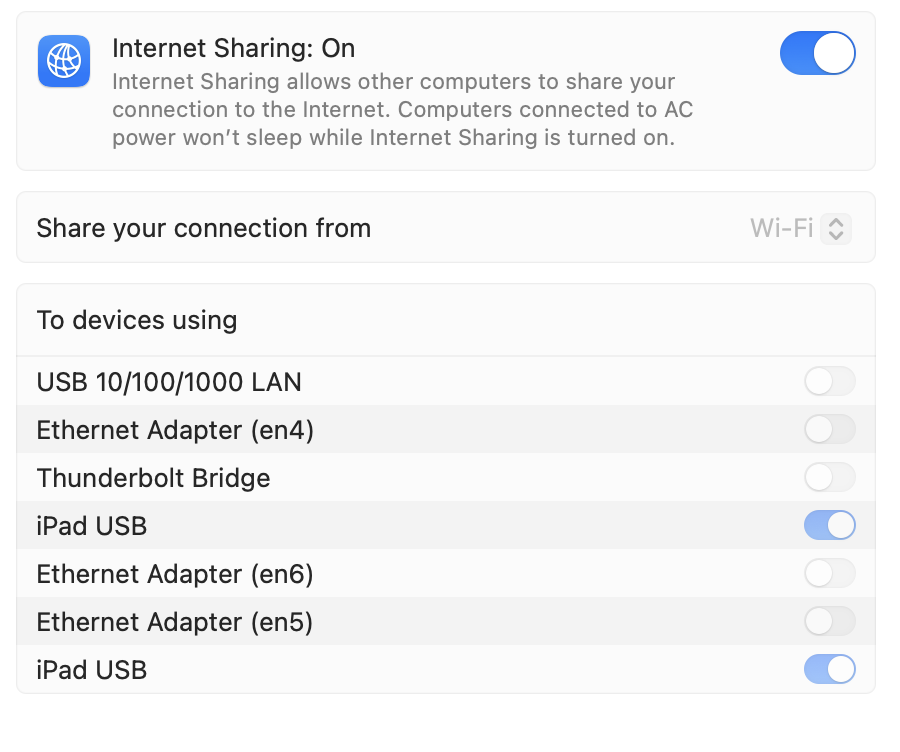
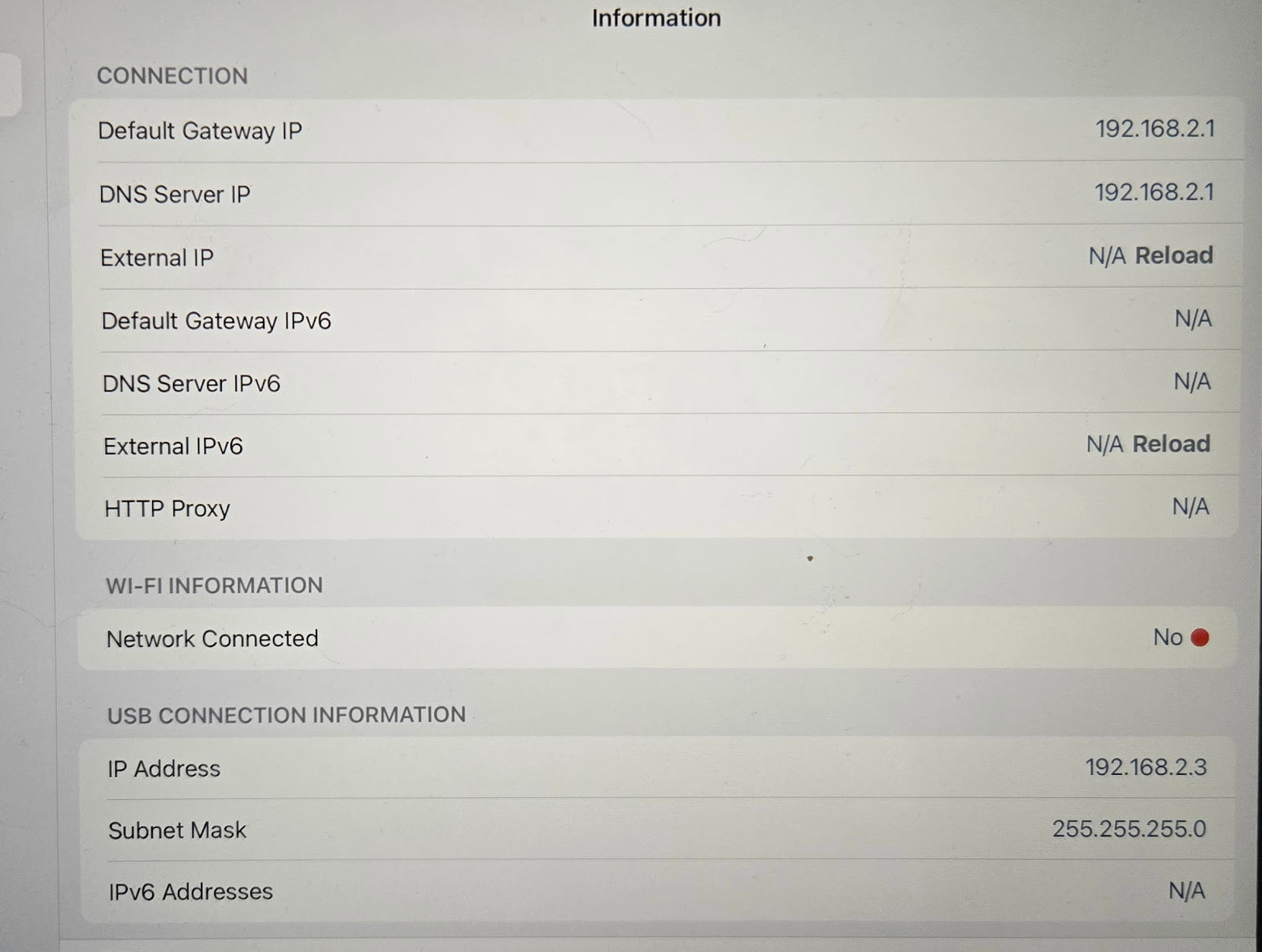
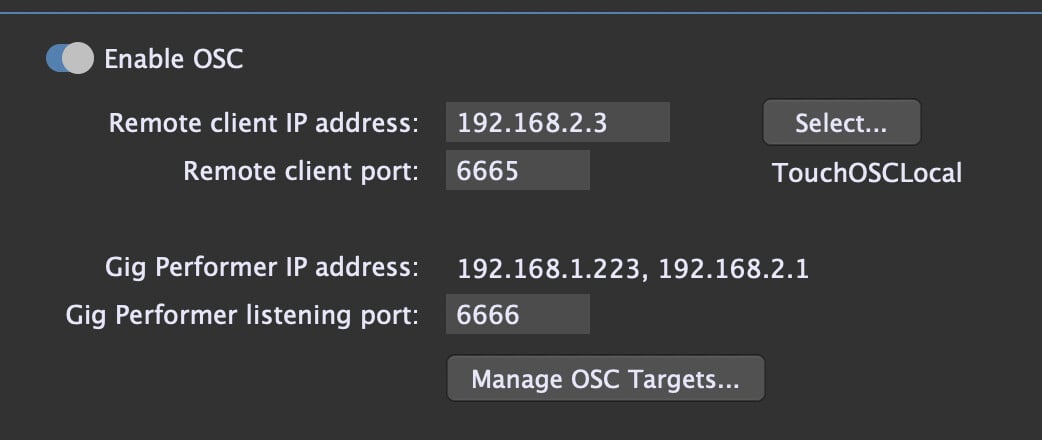
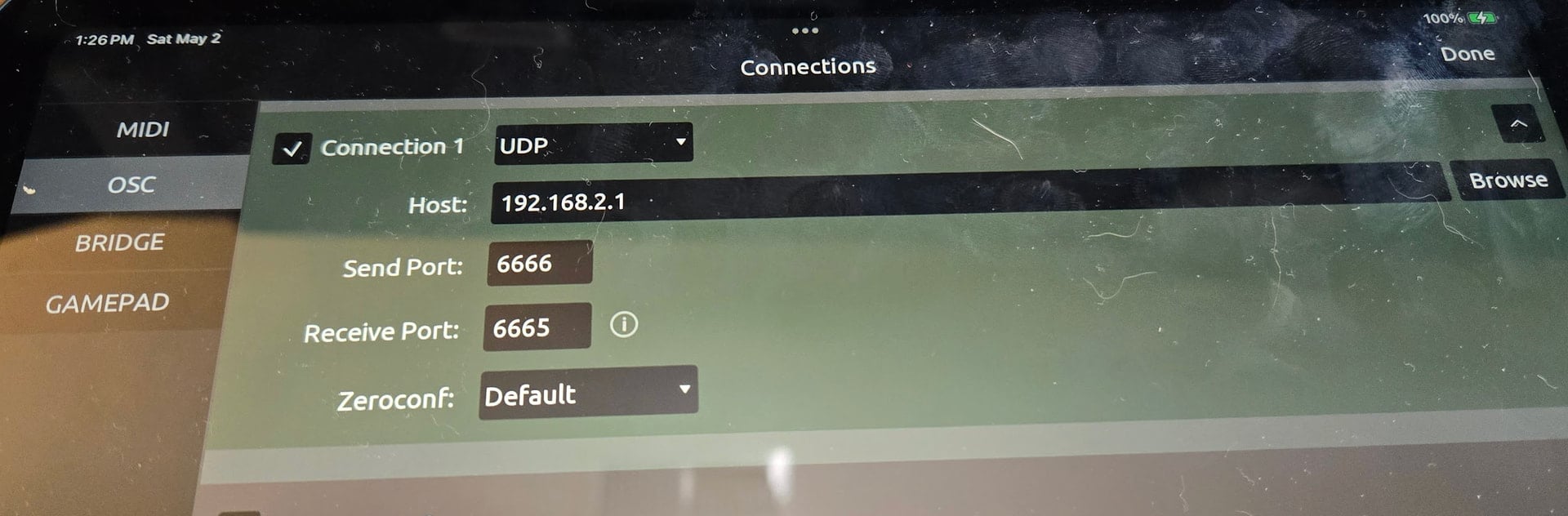
It should be that simple. No extra apps. I haven’t tested it outside of my house yet (have a gig tonight), but I’m pretty sure I shouldn’t need to change any of the IP information for the iPad. If the venue doesn’t have wifi, I’ll probably just tether from my phone for the Mac connection until I can figure out a way to spoof and active network connection. I tried using Internet Connection sharing with other interfaces (Thunderbolt Bridge, various enX interfaces) and the local gateway on the Mac never activated. So this is the best I have so far.
Now to just finish figuring out TouchOsc