I just gave GP a demo spin and I’m amazed. It’s really intuitive and easy to get into some pretty complex configs. I’ll be buying it.
I’m a guitar player and am setting up my Uber Rig in GP. I previously had it all dialed in as inserts in Studio One, where I record “wet” so there’s no way to twiddle after recording, just like the old days.
My questions anre around best practices or at least others’ experience.
For most pedal-style effects, do you Bypass the plugin, or use the plugin’s on/off (stomp) switch? Does it depend on the implementation of the pedal if there’s a difference?
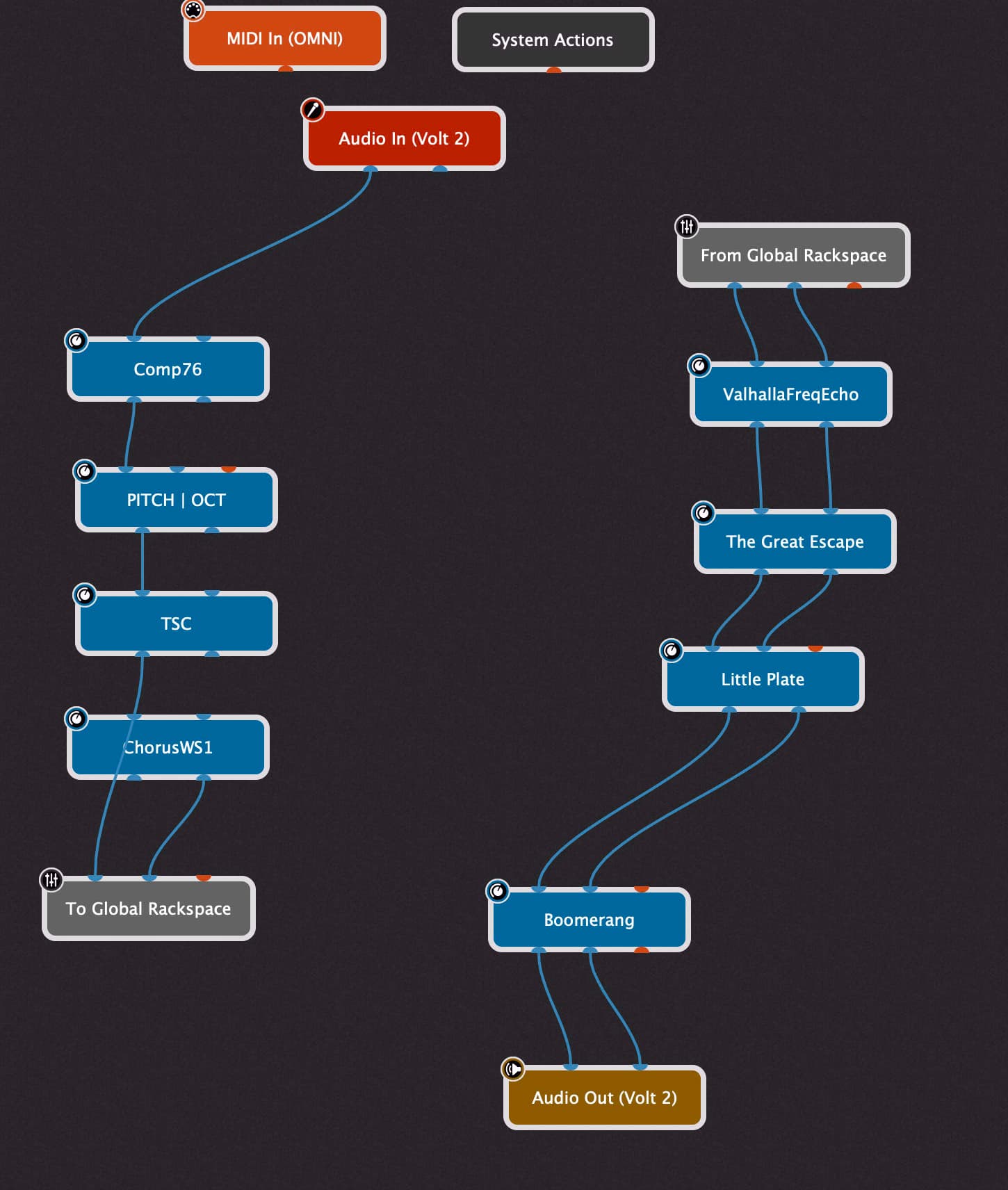
I have several amp sims, and use only one at a time. My design right now is putting the amp sims in a Global Rackspace, feeding my PRE pedals into it (drive, pitch, etc), and from there into my POST effects like delay and reverb.
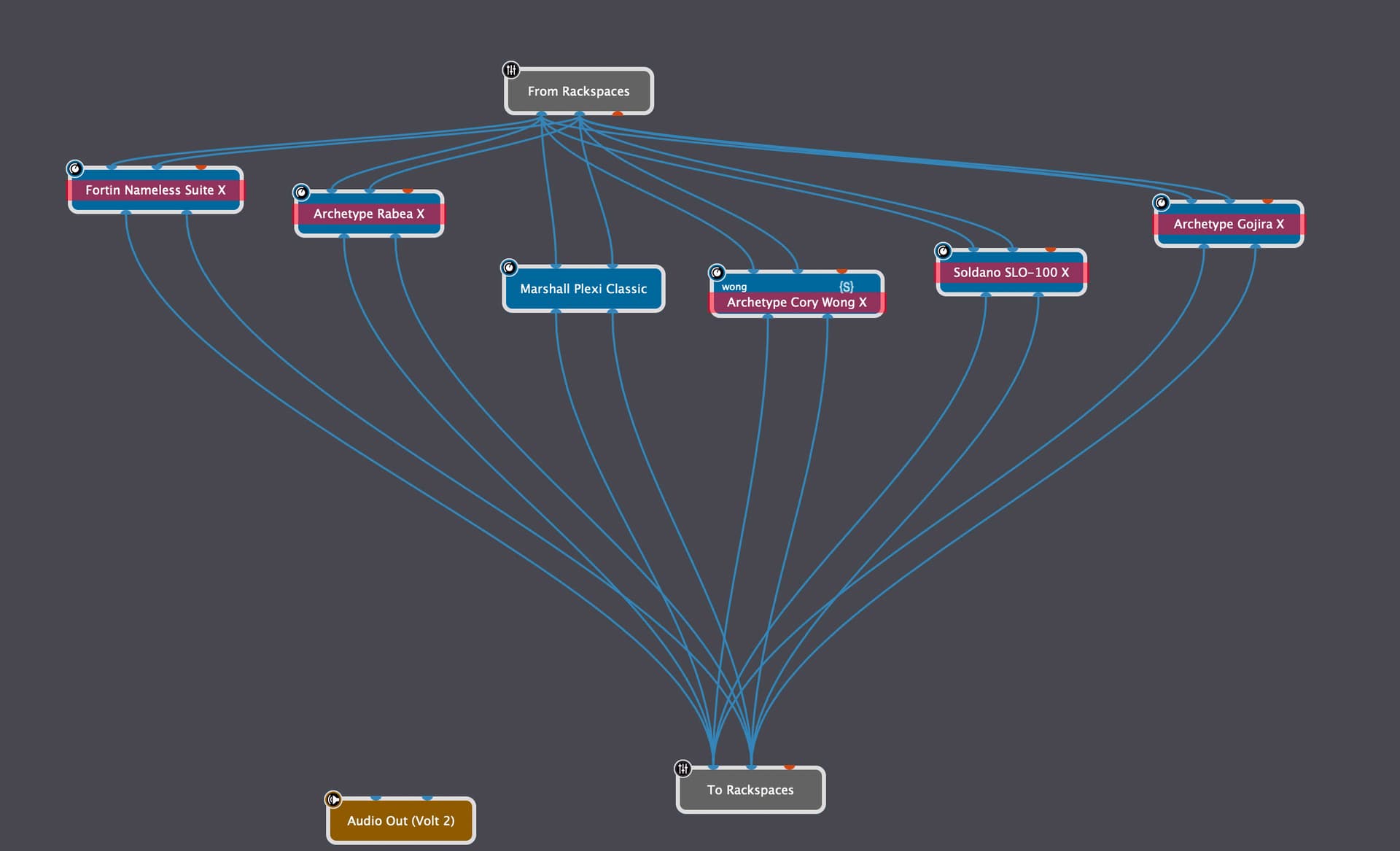
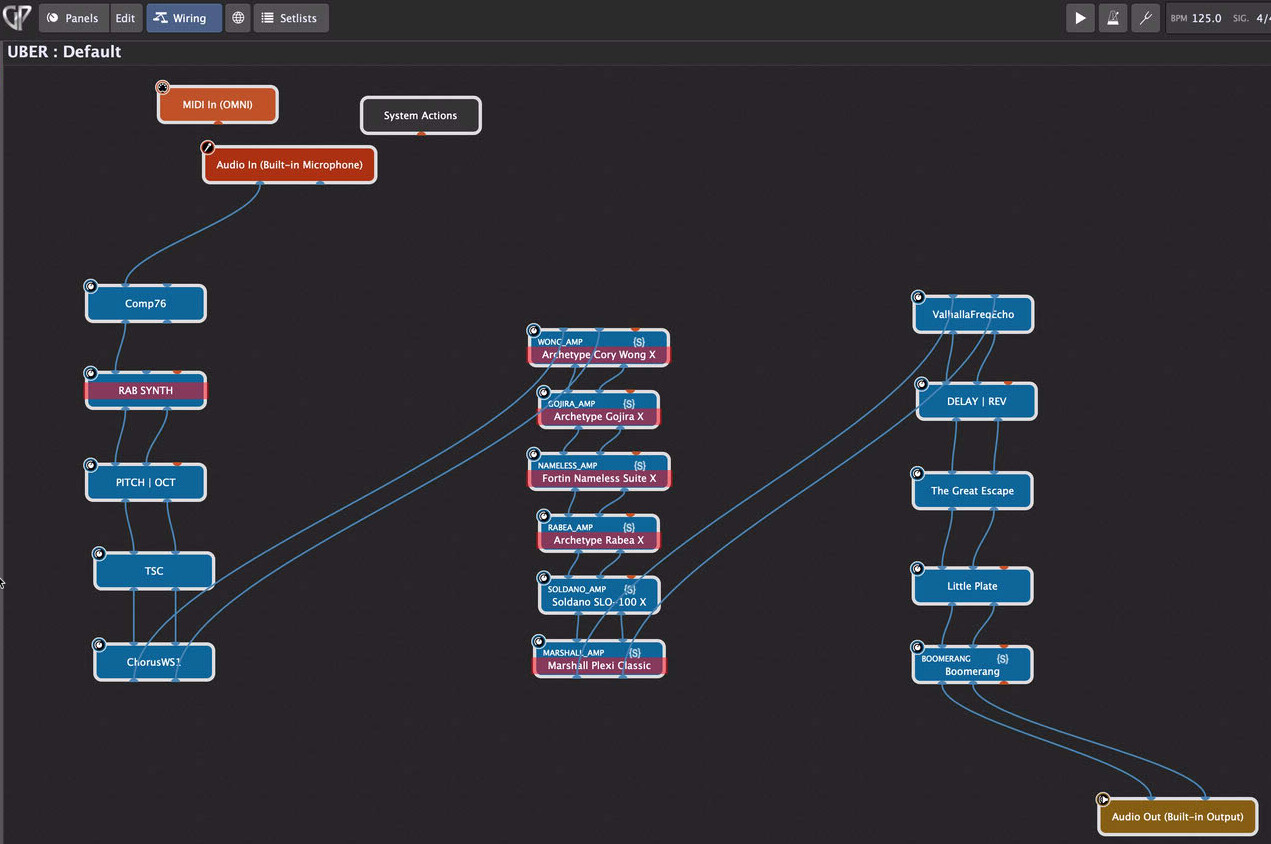
I have the From Rackspaces block split out to each amp sim in parallel. I have the bypass of each sim mapped its own panel button, all of which are in a Radio Group. So they are mutually exclusive.
Does parallel wiring like this make sense? Should they all just go in series, since only one is active anyway?
Putting each sim in its own rackspace is what makes the most sense. Then the variations within each rackspace are for adjustments within that sim itself. E.g. changes in delay, reverb, activating pedals etc.
The GP model is specifically built so that you don’t have to put everything in one rackspace.
Welcome to the GP community @uberRigGuy! One of my favorite things about GigPerformer is that it’s fairly flexible and gives you a handful of ways to approach different problems; I think you will enjoy moving your rig setup into it and hopefully will come to find that GigPerformer becomes part of your instrument.
For pedal style effects I have, just about all of the plugins map that off/on switch in their UI as their plugin bypass and it toggles the same thing that GP does. You can validate that by dropping a toggle switch into the GP rackpanel and selecting the ‘Bypass plugin’ row for that VST (should be the first row) and seeing what happens inside the VST when you bypass it from GP. Only a few don’t and I use the GP bypass because I’ve never had issues with popping / clipping bypassing plugins using the GP bypass.
For your amp sims, we are approaching that somewhat similarly. I experimented with a bunch different ways to organize VSTs and what ultimately worked best for me trying to model a physical guitar amp setup with pedals before the amp, in the effect loop and multiple amps (sims) was using the individual rackspaces to focus more on the part of the signal path that changed the most (for me pedals in front of the amps). From there I use the global rackspace to keep VSTs that don’t change from patch to patch at all. For example, I use a wireless pack and keep a noise gate as my very first VST to make sure that white noise doesn’t make it into the signal chain at all unless I’m playing for all of my patches.
If your amp sims are pretty stable and you have just a few amps that you really like, the global rackspace is a good place for these. If you are experimenting with different sims often, or have a lot of different amps, putting them into the rackspaces as part of preset and using the variations might give you better combinations of sounds and presets.
If you’re only ever using one amp sim, it doesn’t really matter; whichever is easier for you work with. Parallel wiring makes total sense if you ever decide that you want to use one or more amp sims at a time.
thanks for the quick replies! I’m building a live jamming rig, and i’m not too into presets - more like having a relatively solid set of options to turn on/off at any given moment, without any planning. Still, i need to be able to twiddle knobs occasionally, and a few well-designed presets will be useful too.
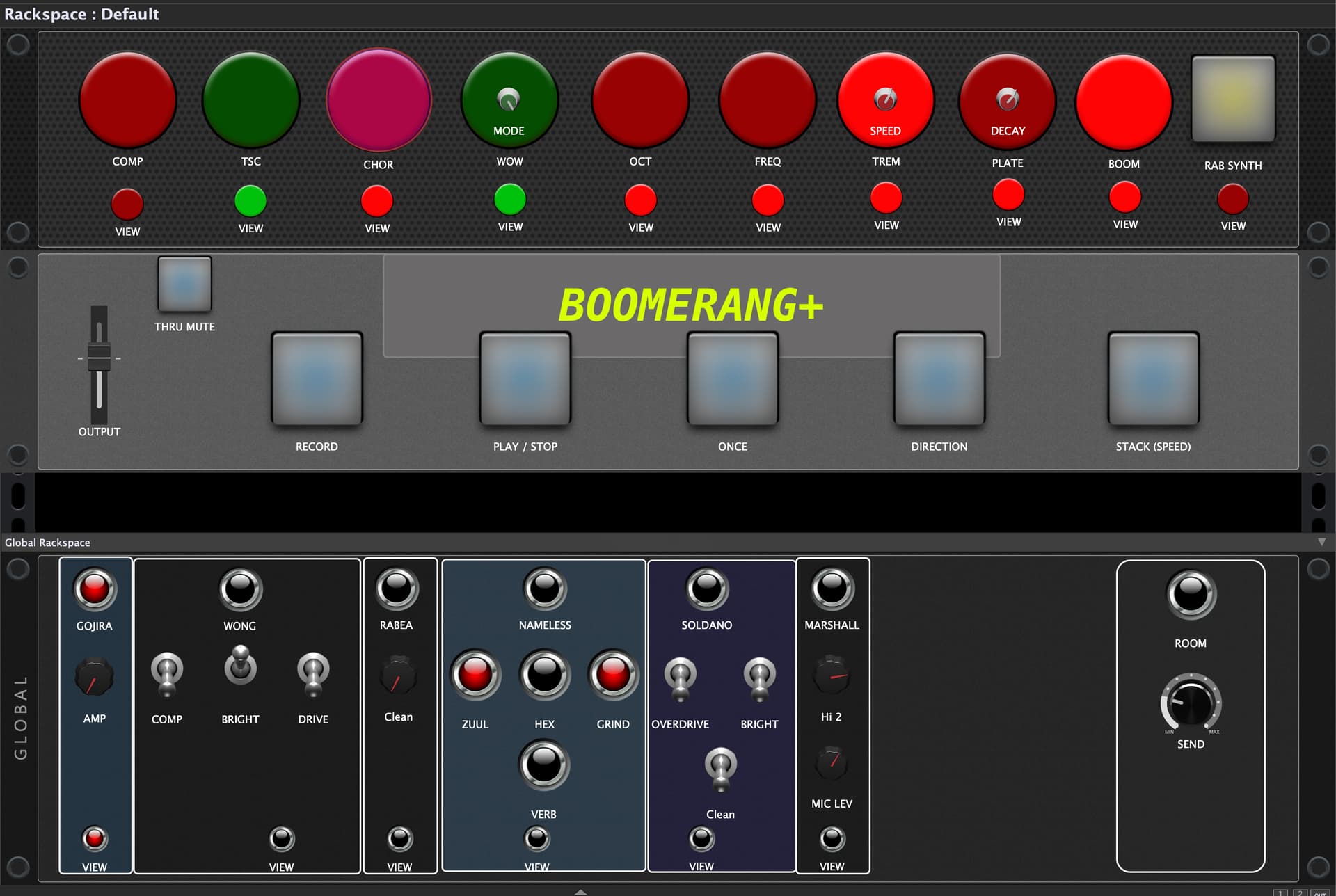
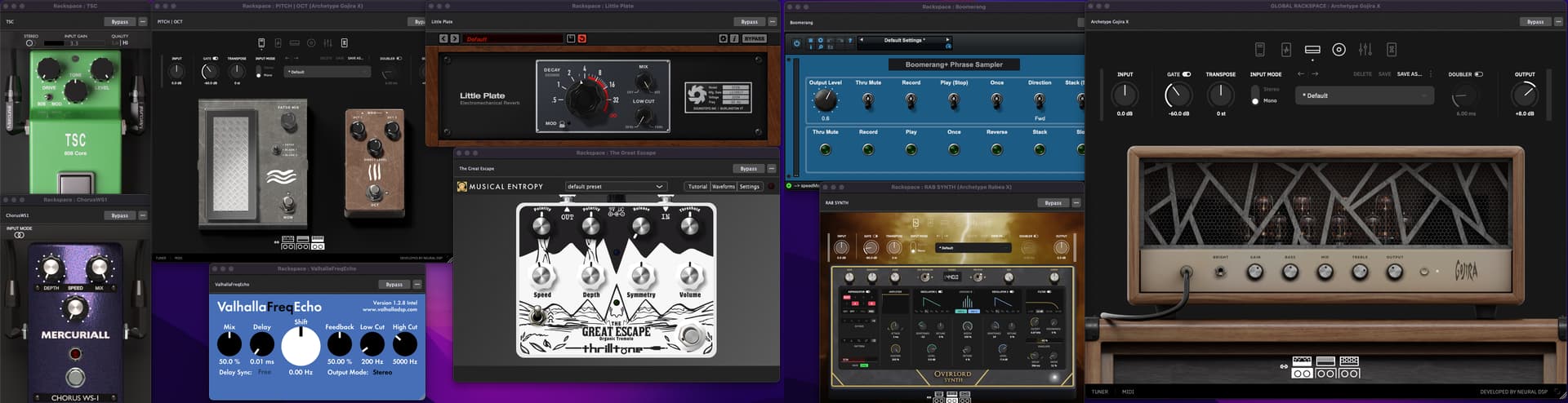
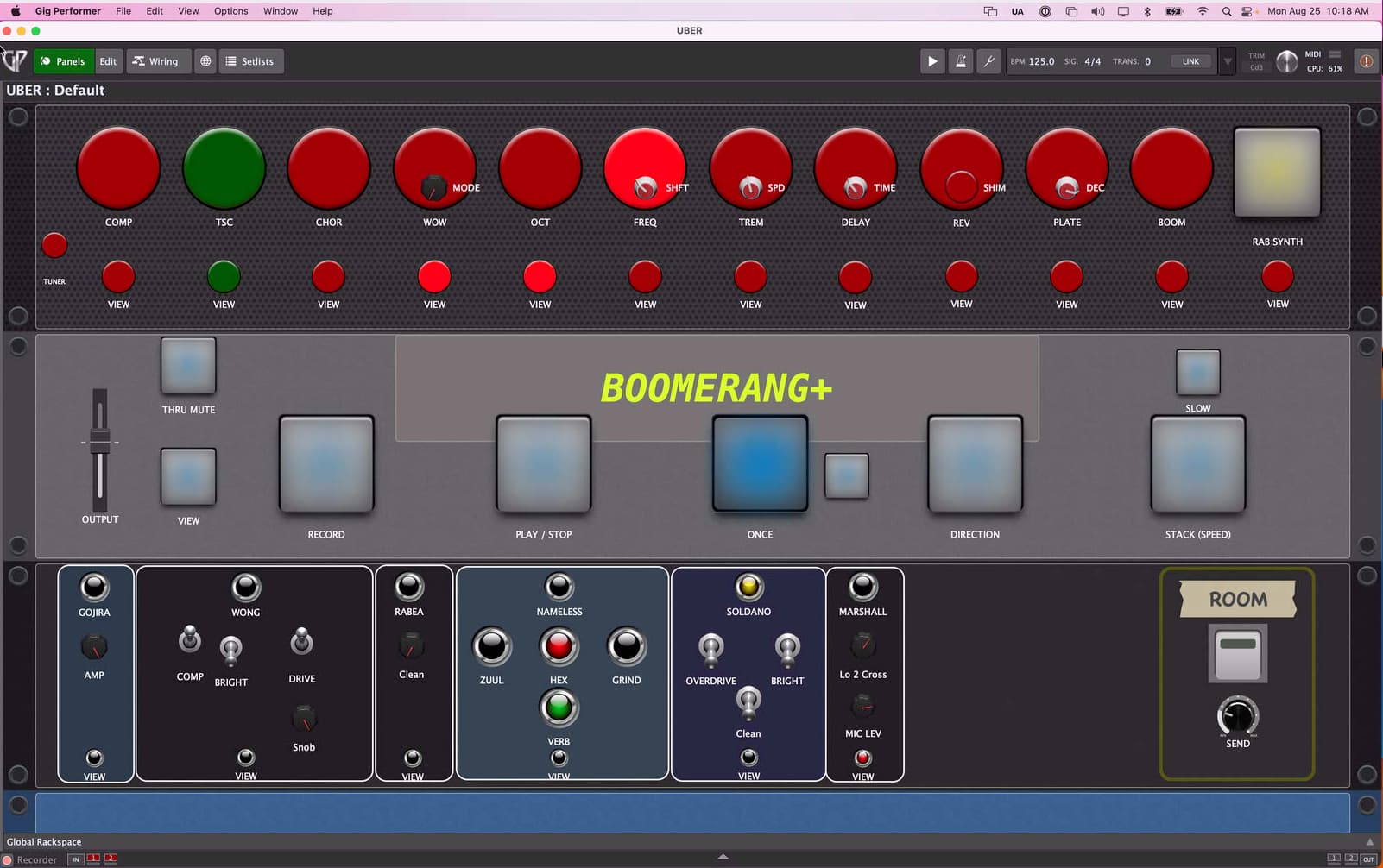
I’ve added screenshots of the setup. It’s messy and not done. This was done pretty quickly, it really is a pretty intuitive UX!
If you’re new to GP, I would consider that pretty clean and also great see that you’re learning the GP environment and tools very quickly - that’s awesome!
I was also, and to some extent still am somewhat resistant to the preset approach because I really value flexibility and choosing different lead sounds at random. I came from having a stereo or wet/dry/wet setup with a handful of versatile pedals that created really interesting combinations on the fly; also in some regards - a jam rig.
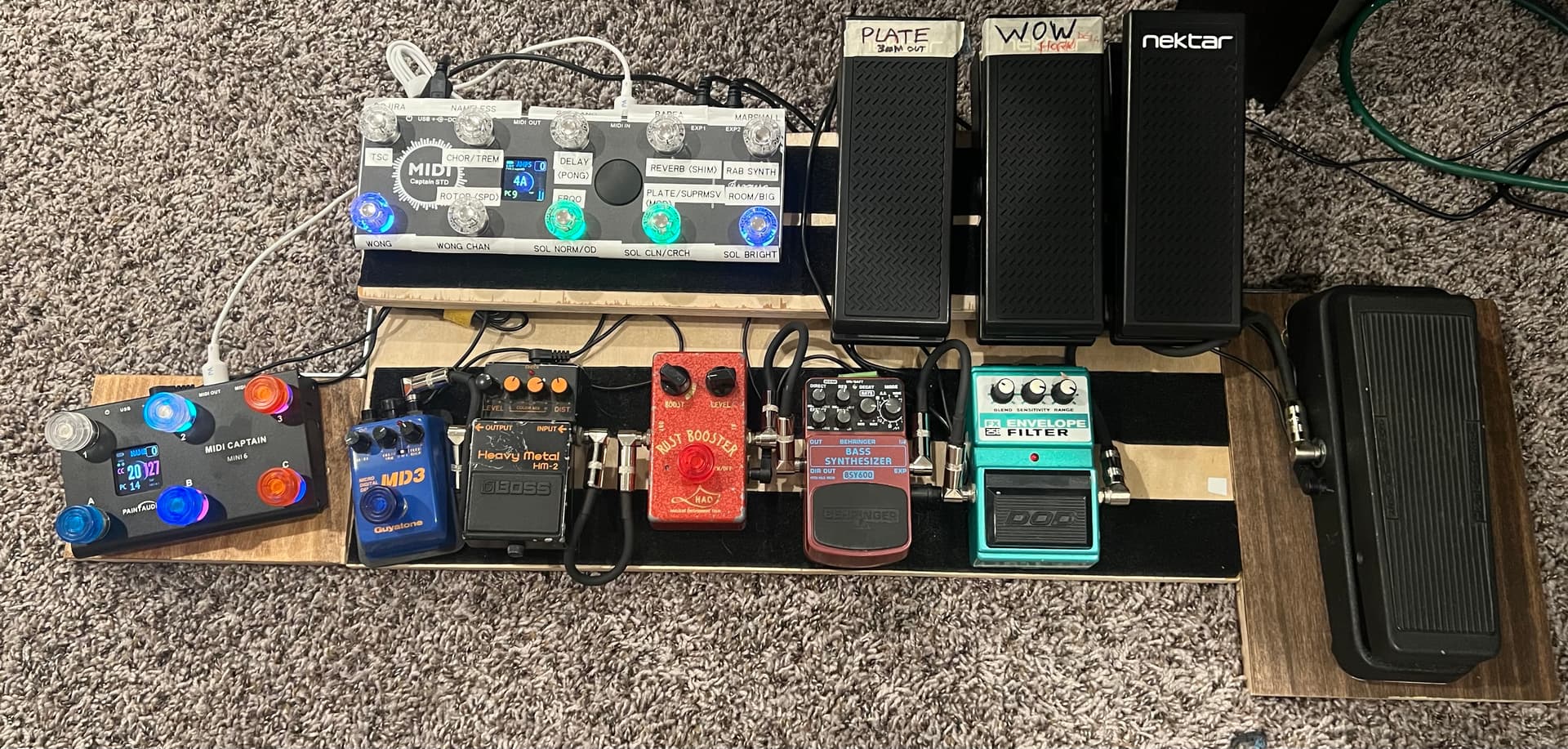
Right now, I am still using a physical pedal board for one of my gigs because there are a handful of pedals that I really just love and haven’t found VSTs that adequately replace them, but most of that of is personal preference, not because it can’t be done.
For the other gigs where I don’t use a traditional pedalboard as part of the setup, having a good midi controller is really beneficial to a digital setup. I have something simple that meets most of my needs, and also rely on having my Arturia Keylab to use expression pedals for volume and a second expression control for whatever that patch is. I’m looking at getting a Morningstar or something similar for switching guitar effects on and off using my feet instead of my hands, and moving entirely to a digital setup. If you like expression pedals, Morningstar are a great choice. If you value something with knobs and sliders, there are a lot of things others in this forum can recommend too. I’m also looking at a Novation Launch Control XL 3 for having controls for other parts of the setup (I play 4 role different roles in a cover band and cover a lot of ground).
There have been a lot of inspiration for me in the hardware and GP in action categories in this forum.
Programming midi stuff is one of my bags, baby! I’m actually the creator ofr/paintaudiomidicaptain on Reddit: I have two midi captains, a 10-switch and a 6, an Asmuse EMK-25B keyboard/surface, and an old Casio MIDI keyboard. I also created the Boomerang plugin in my screenshot.
From what I can see, you’re multiplying the audio signal in your parallel layout. When you bypass a plug-in, the original signal still goes through. Aren’t you hearing a mix of dry (or whatever is coming out of “from rackspaces”) and your active amp sim? You need a mixer and mute the bypassed signals or put them in series since you only use one at a time. The later makes more sense. Actually, putting each sim into it’s own rackspace probably makes the most sense. My setup is the exact opposite of yours. I put my pre and post effects into the global and have my amp and cabs in the local rackspaces.
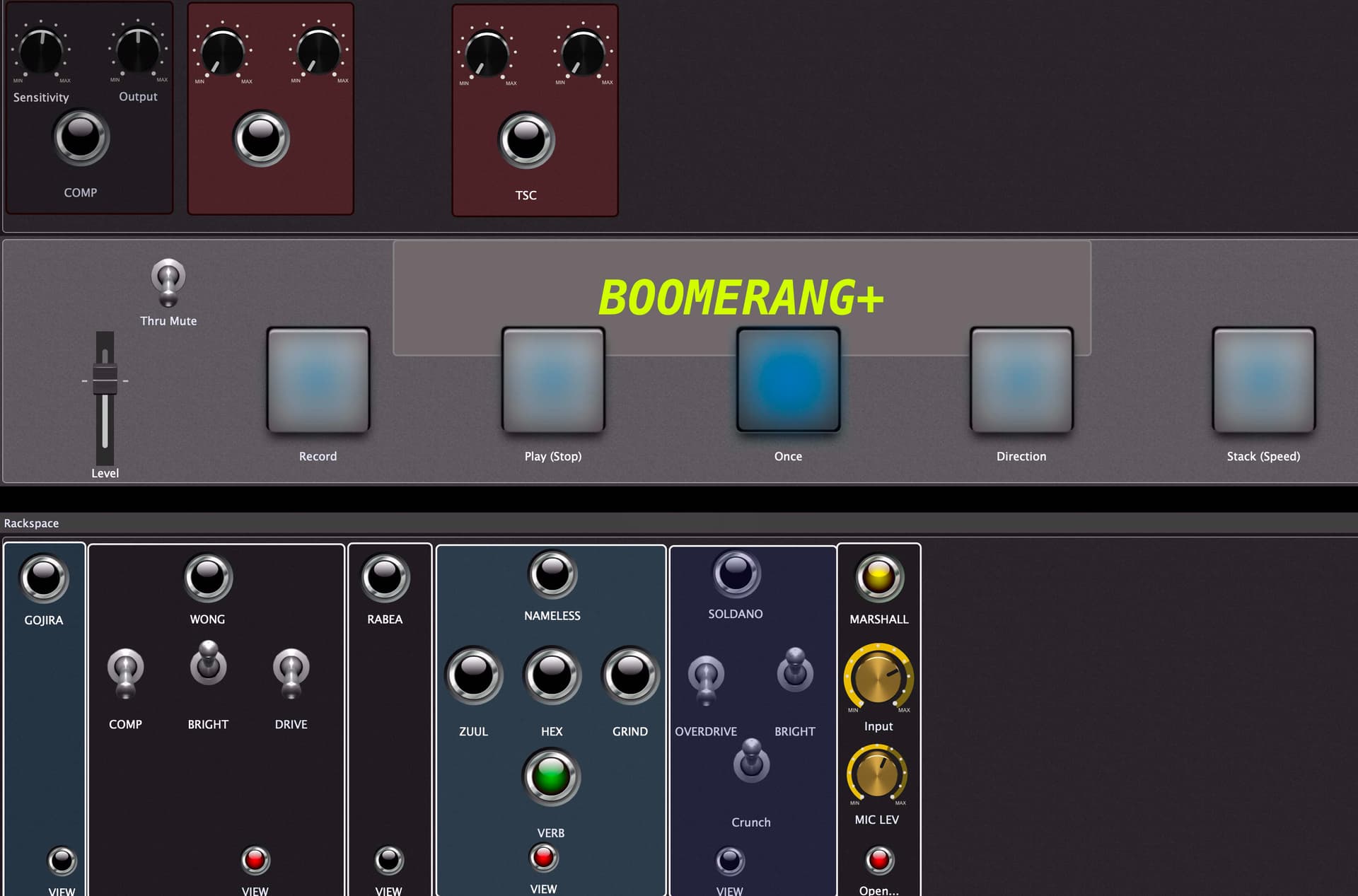
Everything I need at a glance. If I need to drill into details, every plugin has a “view” button that opens the plugin editor.
The bottom panel is the amp selector. The top row leds disable bypass of the selected sim, and they’re in a Radio group so only one is engaged at a time.
Most of the amp sims are NeuralDSP products, which also have a lot of great-sounding effects that i’ve come to rely on regardless of which amp I’m using at the moment. So I have separate instances of the sim for those, and only engage them when i’m using them. All the other parts of the sim are disabled in those cases.
I’d like to be able to make them even smaller. I suppose I could make the widgets smaller, but I’d still like the ability to create very small panels; it would add a lot of flexibility.
Link widgets to multiple parameters
If you want to control multiple params with one widget, you need to create a widget for each one and link them together, often hiding all but one. It’d be nice to be able select multiple parameters at once for one widget.
This is possible with scripting, so I get why it’s not a priority. It would also probably be a hefty internal code change.
Save Plugin Editor layouts
I like setting up the plugin editor panes in a nice display on my multiple monitors. If I unplug them though, to just work on the laptop for example, the layout gets messed up. I’d LOVE to be able to save the editor layout in dedicated presets!
My day job is a software guy, so the scripting and coding in this whole domain comes to me pretty easily. The PNS framework is pretty nice once you wrap your head around it. What I can’t figure out for the life of me is the skinning framework - but with GP wrapping the plugin in a panel, it’s basically not needed!
Thinking more about this (all the time), my CPU usage is pretty high, at around 75% at best. I’m on a 2015 Intel MacBook Pro, so I’m working with what I have.
The more I read about rackspaces and variations, I think I can further optimize the setup.
I’m thinking new variations for each amp. It would mean setting EVERY OTHER widget to “ignore variations”, though. It also wouldn’t get the benefit of unloading the disabled/bypassed amp sims.
So then, each amp in it own rackspace. But I still need all my effects. So they’d go in the global rackspace, with PRE and POST sections.
That would get each amp in its own rackspace, fed by the “from global” block (the PRE effects), and out to the “to global” block for the POST.
There’s more to think about and experiment with, so I’ll give it a try and report back.
This does not make sense to me. Do you mean each amp would get its own rackspace?
Or do you mean you would have multiple amps in the rackspace and bypass all the ones that are not used in a particular variation?
(Of course, you also have the issue of using the same amp, but with different settings. You could use widgets/variations (using the same rackspace with the amp) to control the different amp settings.
yeah this was kind of a stream-of-consciousness type post, where i typed out my thought process in real-time. Variations for each amp on/off wouldn’t help too much because they’d all still be loaded in the rackspace, AND i’d need to disable widget changes on variation change for EVERY widget; and then i’d lose the ability to actually create variations for those widgets as presets. So i moved on to the idea of each amp sim in its own rackspace, with the other effects in the Global 'space. 'Course then i lose the Variations options again…