Hey everyone,
First of all sorry that I am posting quite a bit atm (am new to GP).
I am using Essentials and when I move a fader on my MIDI keyboard, the Widgit (that is correclt programmed within GP) screen does not update / move the fader in real time. The only way I can get the screen to ‘redraw’ is to switch to a different area (such as the wiring area), and then back to Panels and the faders will be where they are on my MIDI keyboard (and ‘should’? have moved to in real time when I was moving the fader).
I also use the pads on my keyboard to bypass certain plagings, and these do not light up and since the pads on the screen do not change (for the same above reason as the faders not moving), I can’t tell whether they are enabled or not - not what one wants (or needs) when in a live envirnoment!
Anyone else had this issue? Please let me know how you fixed it.
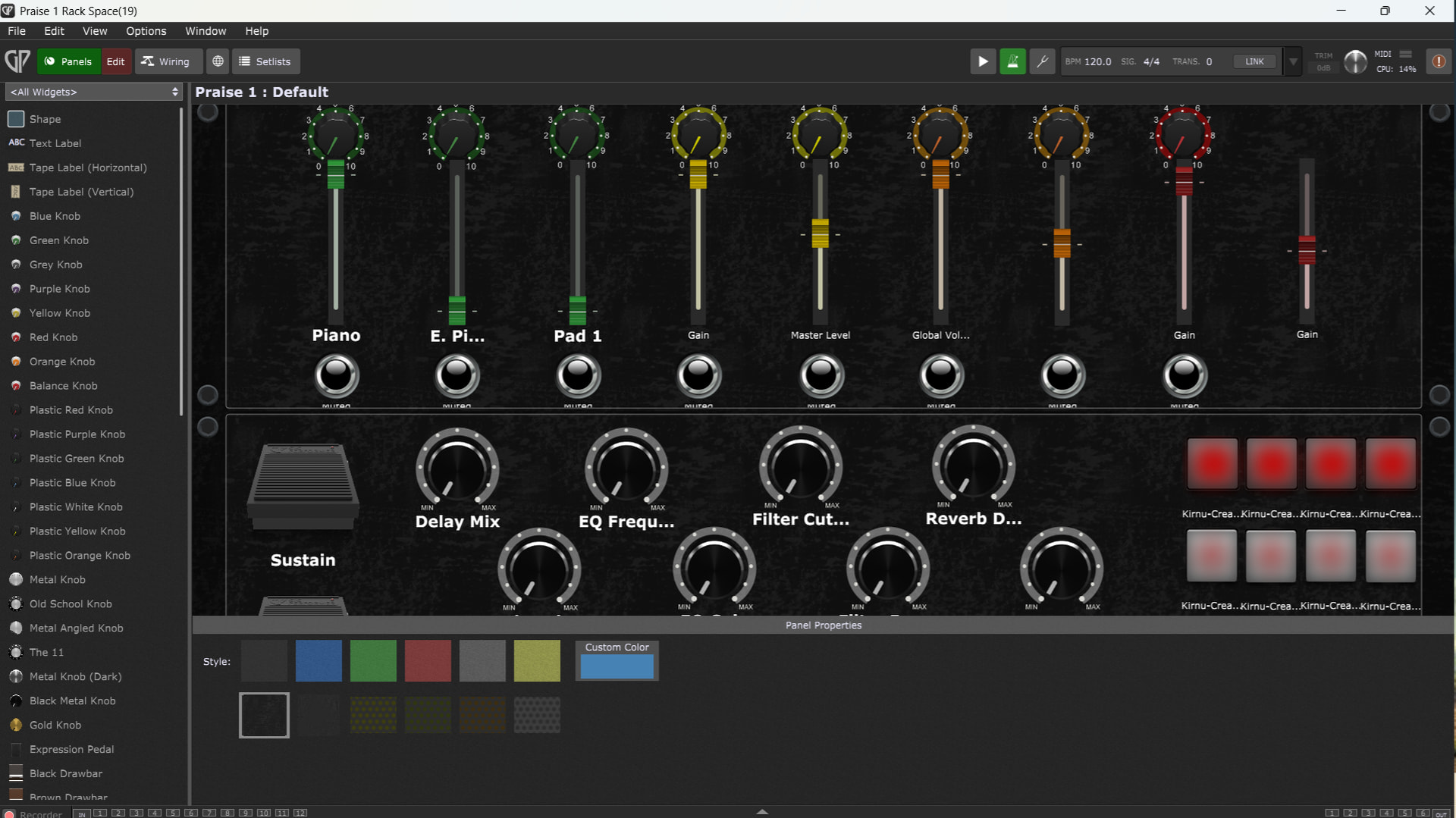
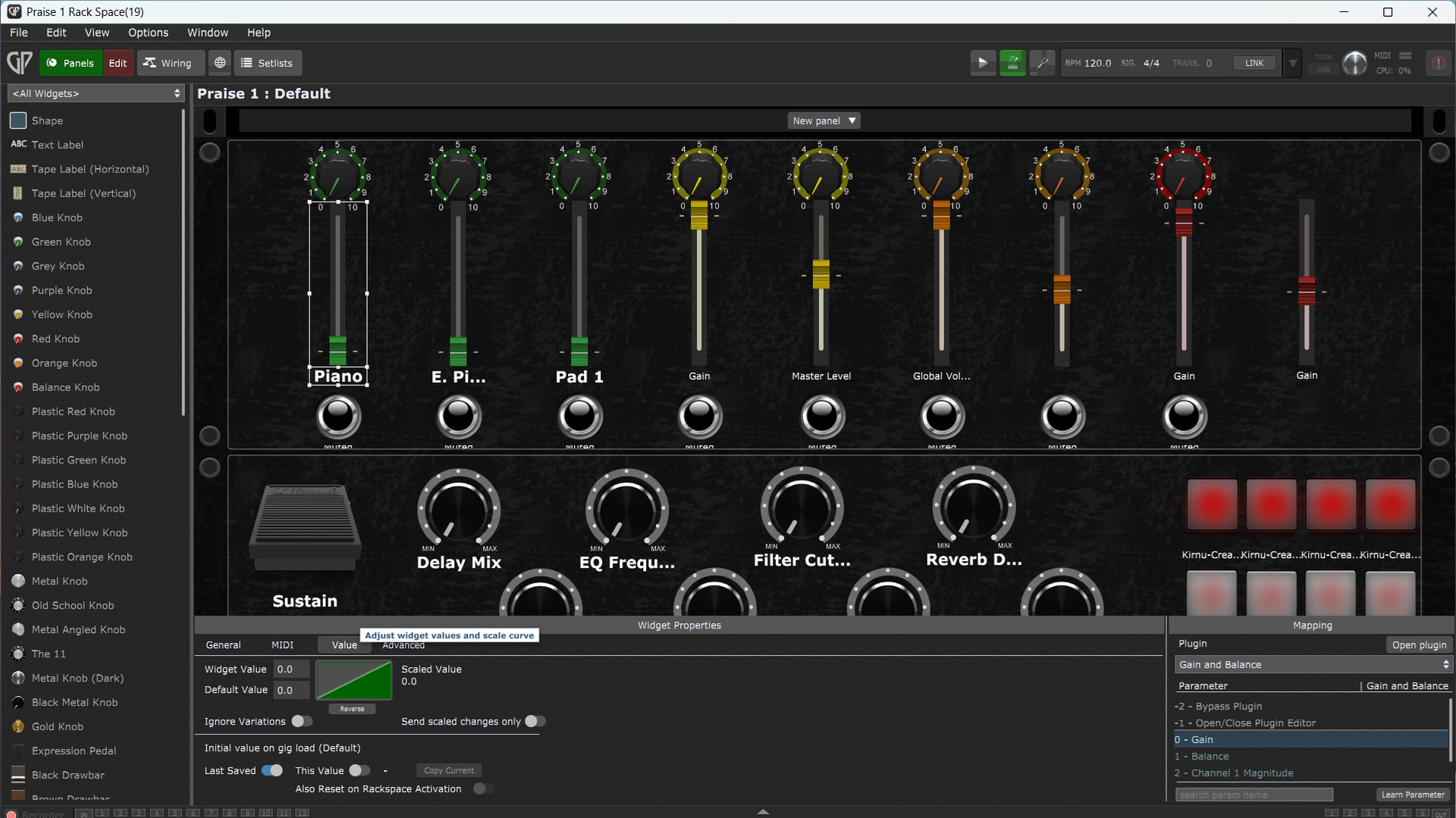
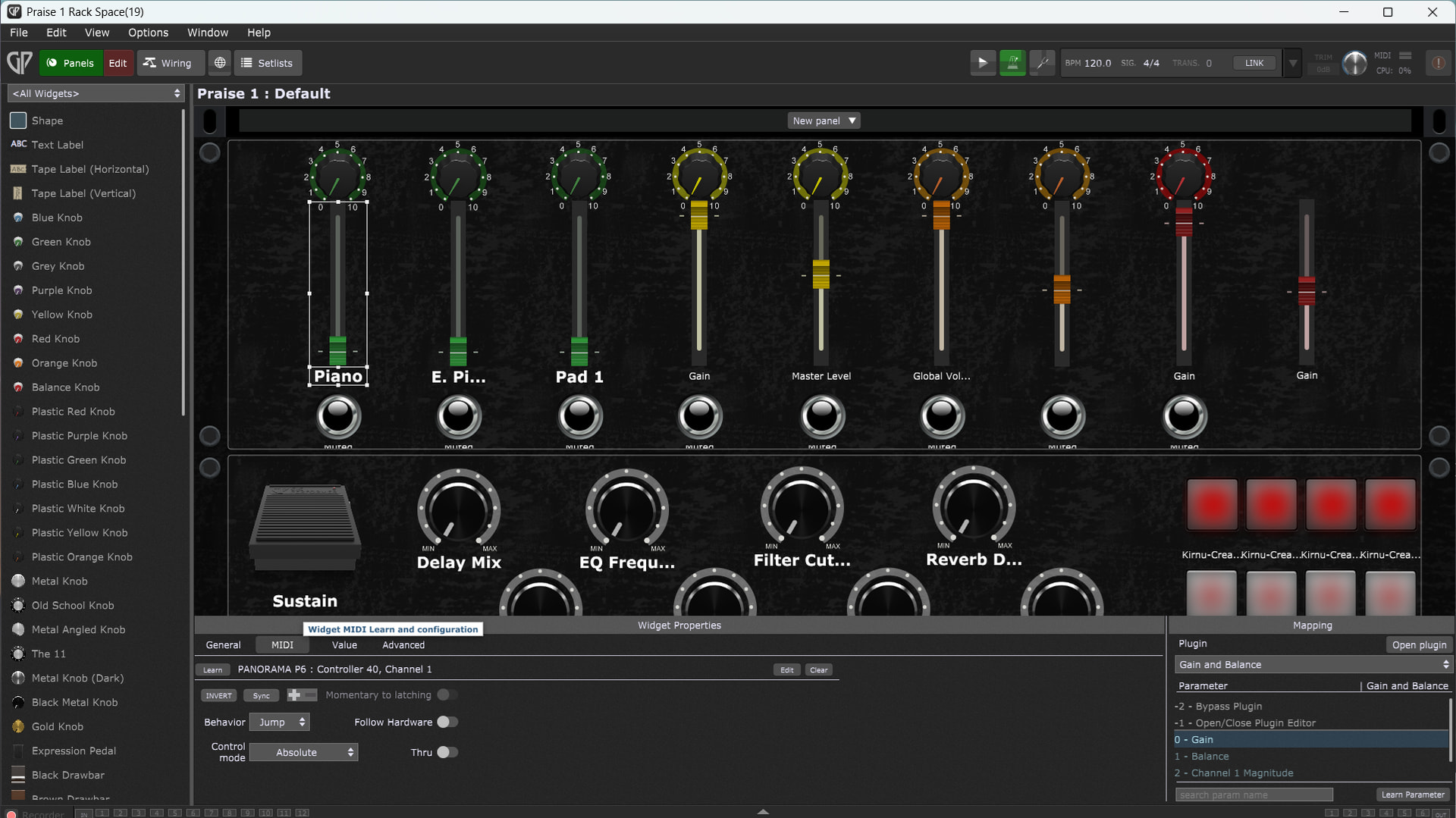
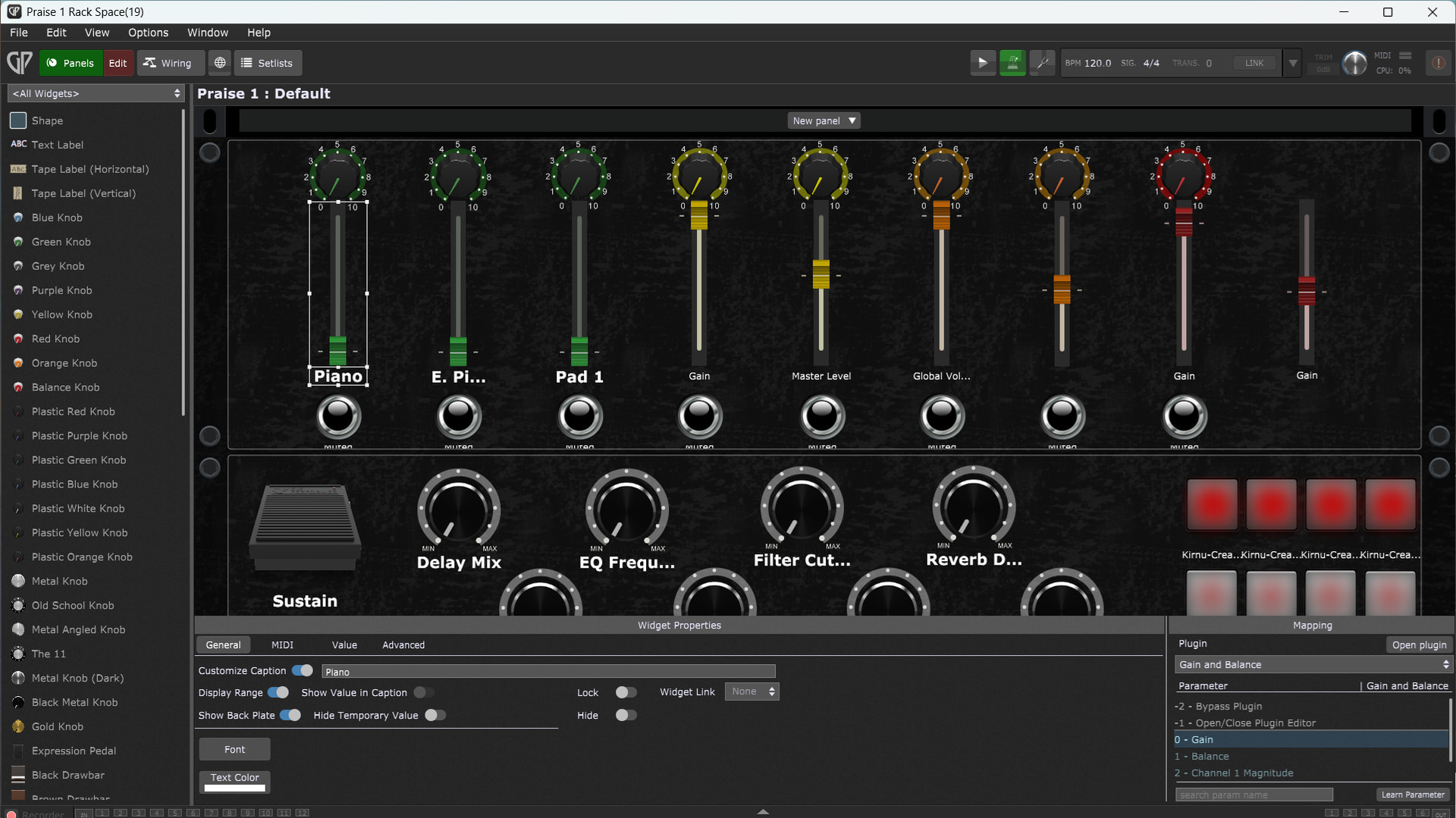
@pianopaul wants to see the properties if a widget that is not syncing, so you need to select a widget that’s on your rackspace. For example the Pad 1 fader. Then the properties get visible at the bottom of the window. It has multiple tabs so you need multiple screenshots
Hi everyone,
Things are not good: I loaded a rackspace that I had been working on (no faders or knobs moving in realtime). I decided to start a completely new rackspace and found that, even doing so, the previously loaded rackspace did not disappear, but remained behind the new rackspace. It wasn’t until I clicked ‘Panels’ (I had been on ‘Panels - Edit’), that the screen 'refreshed’ (see first video).
Once I had done this, I added three widgets to the new rackspace (no plugins or anything else) and then assigned the fader to one of my MIDI keyboard faders using ‘Learn’. Even here, the screen does not update, but again I had to go from ‘Panels - Edit’, to ‘Panels’ to get GP to refresh the screen (see second video).
This just can be right! Indeed, when I first started using GP (I have the Essentials version), it was moving all asigned widgets in realtime, now, it doesn’t move anything!
Should I try to uninstall & reinstall GP do you think? What else can I try?
Hi again,
Well, it is already set to Software Render. All of my drivers are up-to-date (using IOBit Drive Booster & also Snappy Driver Installer).
Interestingly enough, when I install an earlier version of my rackspace (that is less complex with less plugins), the faders and knobs do move in real time (though the pads do not update (this is actually the most important bit as with the faders, I can see them physically on the keyboard & the mute buttons light up in red when muted)).
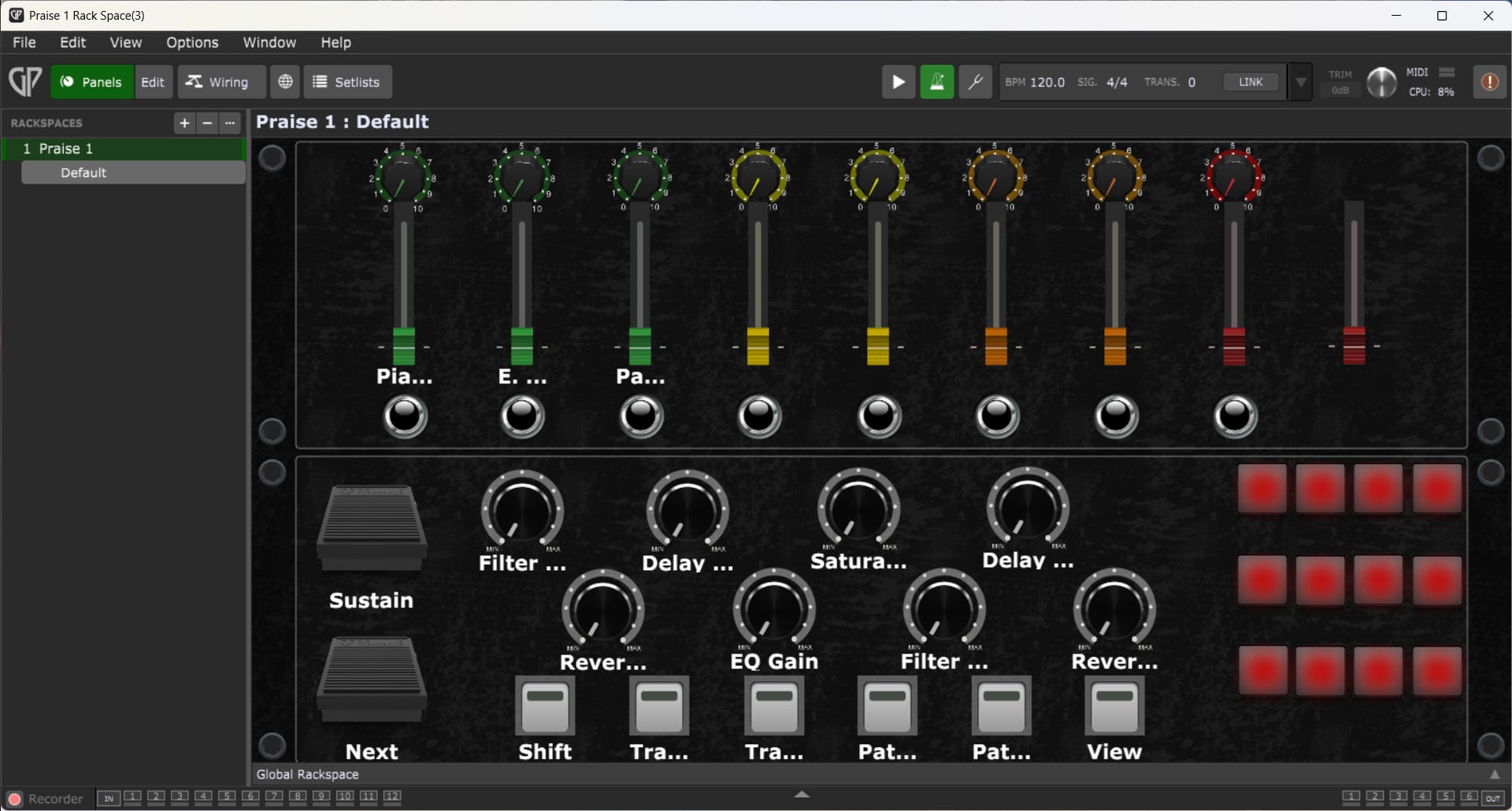
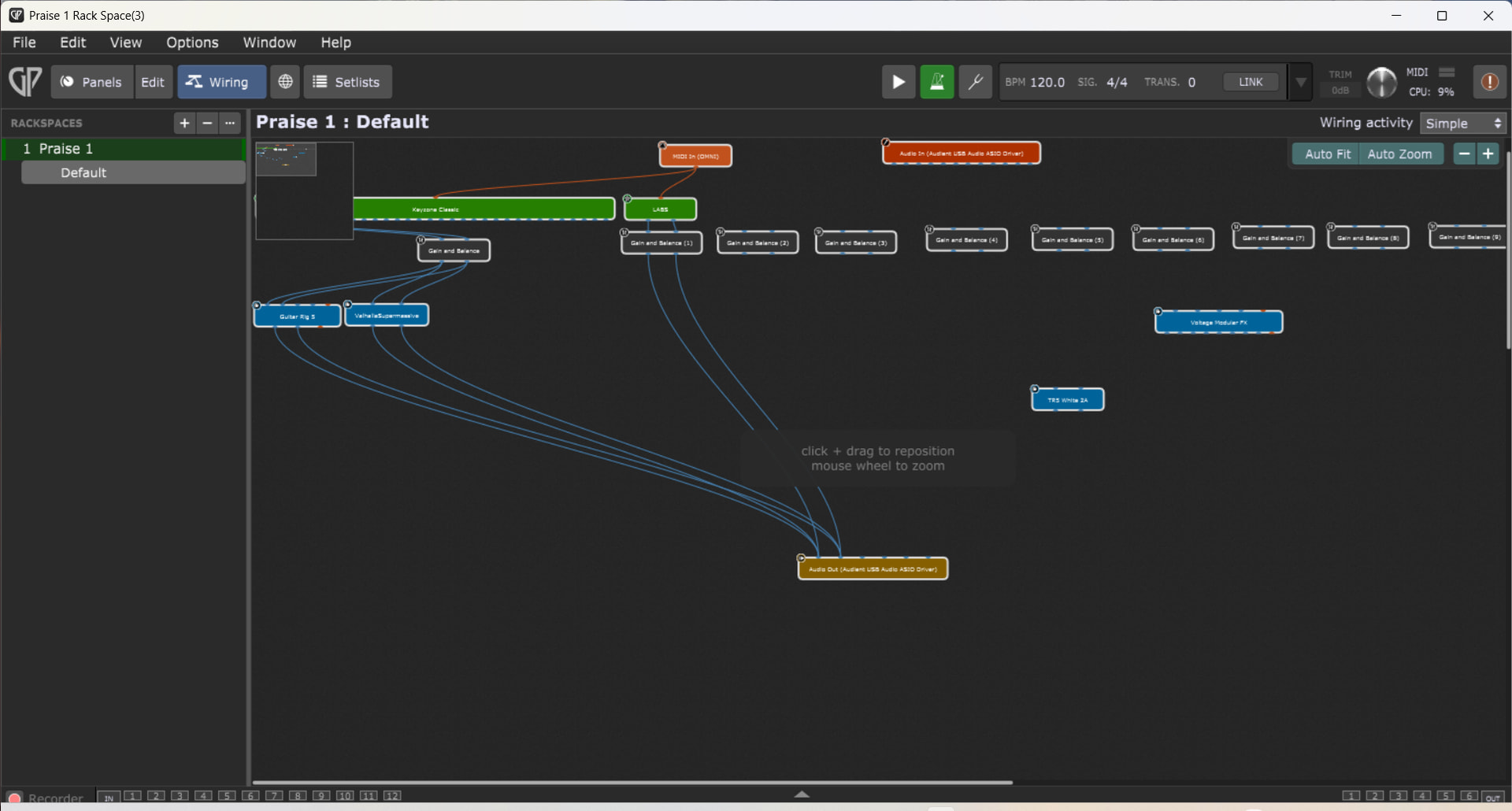
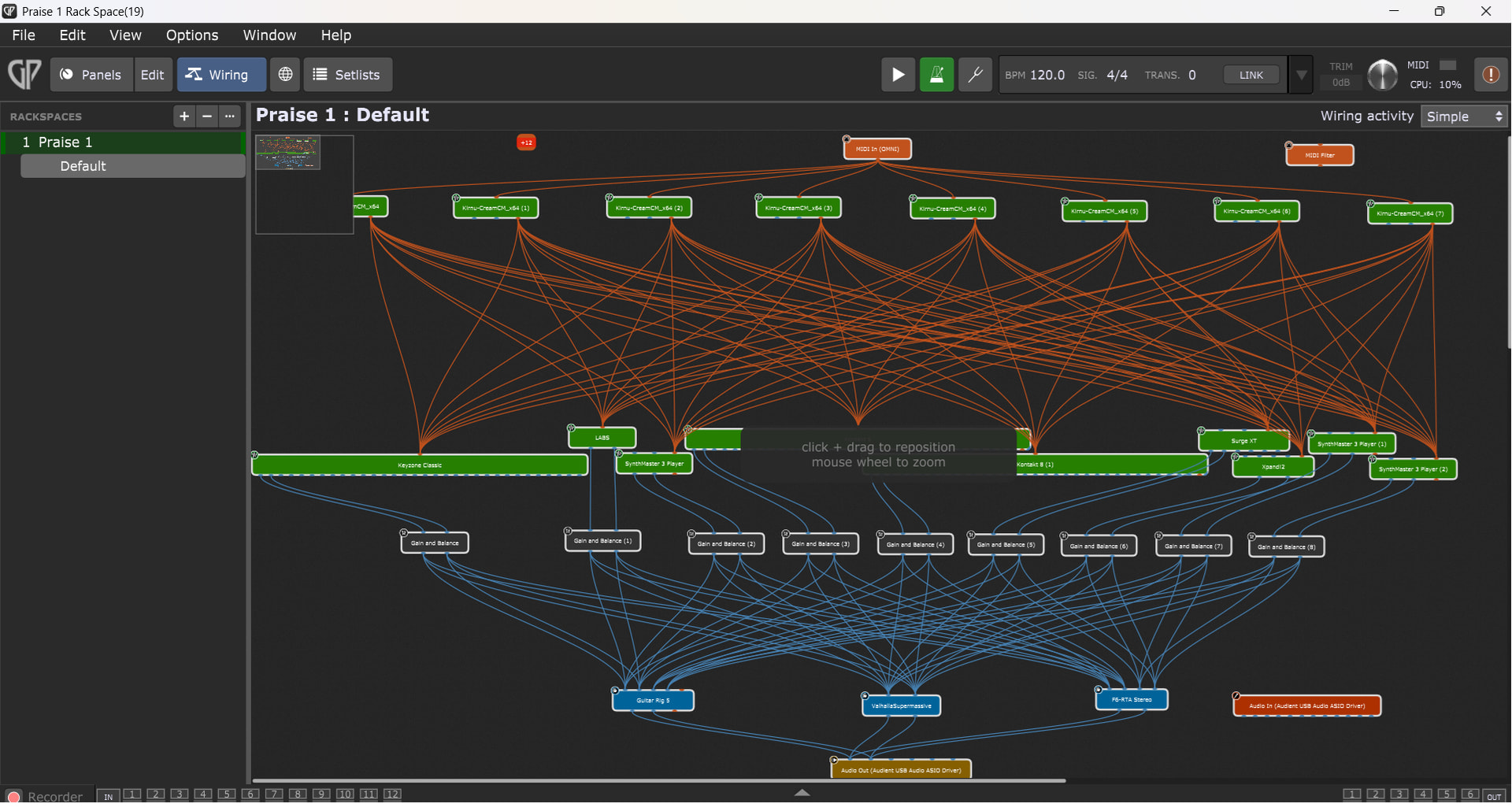
Below is the Panels view followed by the wiring view first of the earlier (less complex) version, then the later version.
Finally, here is a short video of what happens when I first go into GP. The screen only ‘rewrites’ when I hover the mouse over that section and even then, not completely - this is only done when I maximise GP on the screen.
Hey Npudar,
In Windows Device Manager when I select to update driver says I have the latest one and Samsung Device Care says that there are no drivers to be updated.
This is weird: when I swapped to OpenGL renderer, thee FIRST time ieverything worked as it should! However, the second and third times (when I came out of GP & just went back in again), the knobs & buttons work (as in move on fht escreen at the same time as the MIDI keyboard), but the faders do not! How can GP do different things when nothing else has changed & I simply close & reopen it!
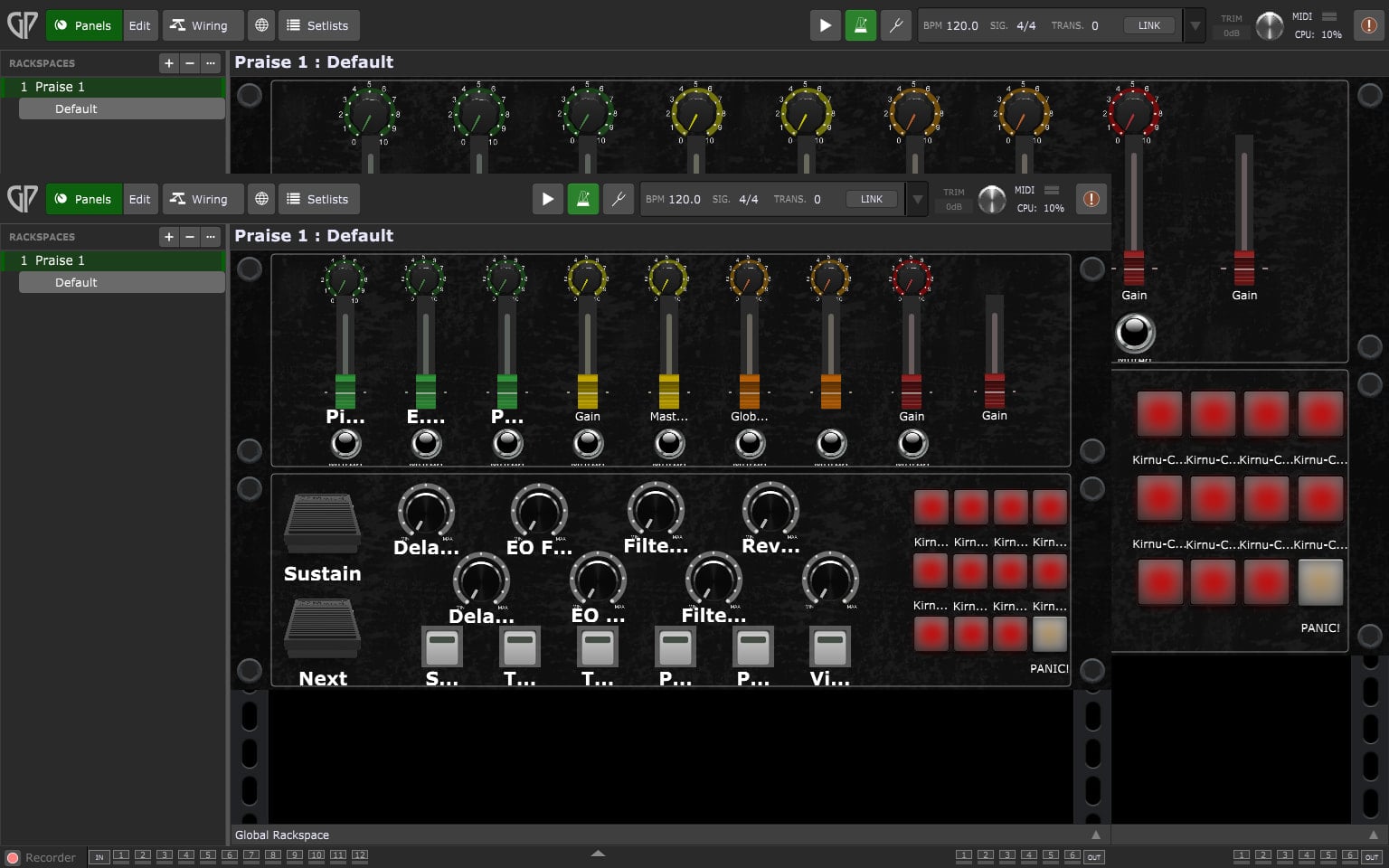
Interestingly, the last time that I closed & reopened it (5 or so mins ago) and then clicked on the ‘x’ in the hint / tip box at in the bottom left of the app when it starts up, it then displayed a smaller GP screen inside the larger one (see screen shot below).
I hesitate to post, but I read somewhere where a pretty advanced DAW user had a problem caused by a powerful NVidia graphics card. In that case I think he was able to disable the GPU card (so graphics would just utilize main cpu,). In his case, I think it worked.
No need to respond, just figured I’d throw it out there in the (unlikely) event it’s helpful.
Step 1: if you’r’e running on battery, then plug it in!
Windows will switch to different power management profiles when you run on battery, which can include changes to your system graphics e.g. switching from a dedicated GPU to a low power integrated GPU.
Just for diagnosing: you could disable the intel graphics card driver in device manager. Then you’d fallback to the basic Microsoft driver. That does nothing fancy.
Btw: is it possible that your gpu is overclocked or otherwise tweaked?





 However, the second and third times (when I came out of GP & just went back in again), the knobs & buttons work (as in move on fht escreen at the same time as the MIDI keyboard), but the faders do not! How can GP do different things when nothing else has changed & I simply close & reopen it!