Hi. Im thinking of getting a Roland Juno DS, and I understand that with a DAW you can send the onboard audio into the DAW using a usb lead. Can you do the same with GP? Will the keyboard sounds be transmitted along the USB lead and appear as a block within GP, so that i would be able to use VST instruments alongside sounds from the Juno.
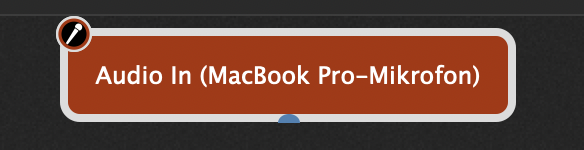
In addition - if you want to use other USB audio equipment in parallel:
If you want to combine the USB audio outputs from a Juno DS and any other soundcard inputs or USB audio supporting instruments you have to create a virtual device collecting all these inputs.
On macOS this is called an “aggregate device” in the system audio - MIDI - setup
Thank you. That was the piece of info i was missing.
Im on Windows, and i cant find what youre saying. Maybe someone on windows can help.
Take a look at this: VB-Audio Matrix
Ok. I found an article. Seems i have to use asio4all.
That looks like an elegant solution. Thanks
On macOS this is called an “aggregate device” in the system audio - MIDI - setup
Ive installed asio4all. But although i have midi from the juno showing in the wiring window and i have my vsts routed to asio4all, and it works, i dont understand how i connect my juno ds into the whole thing. Im on Windows.
As a Windows user and use Voicemeeter Potato. If I need more than 8 audio streams, I use VB-Matrix. Voicmeeter Potato in summary is like an Audio Mixer for your Windows sound system. VB-Matrix is less “mixer type” and more “audio routing” type.
SteveC
Hi,
Is there any settings that need to be configured on ROLAND JUNO DS when connecting it to GP?
GP does not detect My juno using in-out midi cable or the USB A-B. Thanks on advance.
This is not a GP issue - this is a computer/OS issue.
I’m also assuming that you have MIDI output enabled on your JUNO
Now, assuming the above:
Computers generally don’t have MIDI DIN connections — so how exactly are you connecting your JUNO to the computer when you’re not using USB? By any chance is it your audio interface that has a MIDI DIN (5-pin) connection?
If you’re using a USB connection, then if the device that is being connected is not class compliant, then you will need to install a device driver from the manufacturer on your computer so that the computer can “see” the device.
Caveat - be very careful here — frankly some manufacturers don’t do a great job with device drivers and a device driver that is not high quality CAN bring your computer to a quick halt. I would generally avoid such drivers if possible and just use a MIDI to USB cable that is class compliant in such cases.
Thank you heaps for the advise, yes I made it work.
I am new to midi so I am still navigating how this works and how do I integrate my Juno ds sound to GP.
Please tell us your solution so that others can benefit
I tried it a while ago, but I had some doubts about the latency it introduced. Are you happy with it? Have you had any problems?
I just went to Roland website and look for the USB driver that matches my MAC OS, Installed the Driver.
With my Juno DS, I went to the MIDI setting and select VENDOR, then write. At first it didn’t work but It works after I restarted my Juno, then GP automatically detected JUNO Ds.
I’m still new to Midi, but the latency is okay with me,I’m using MAC M4. still trying how to integrate GP VST and Roland hardware viceversa.
OK - hopefully Roland’s drivers are better than they used to be — poor drivers can crash your computer – make sure you do a lot of testing