Honestly, I don’t know and nobody on our team has tested this. A mixed configuration is not something for which we can provide any support. If we see a crash report or a performance issue with such a configuration we are basically just going to ignore it. That’s just a rabbit hole.
I’ve now installed PlugInfo and deleted all the Intel-only plugins. Unfortunately, there’s one plugin (Halls of Fames 3 by Bestservice) that won’t update. I’ve already submitted a support request. If there’s no other way, I’ll have to use a different reverb effect.
Some of the plugins were outdated; newer versions were already installed on my computer.
Some of the instruments were included in both VST3 and Apple Audio, but VST was an Intel-only version.
So my system is getting cleaner all the time.
Here’s an update on my current system (M3, 32GB RAM).
I’m adding new songs to my gig file one after the other. Always mindful of memory optimization, I purge all Kontakt 7 samples. After adding about 110 songs to a single gig file, I started encountering these familiar messages:
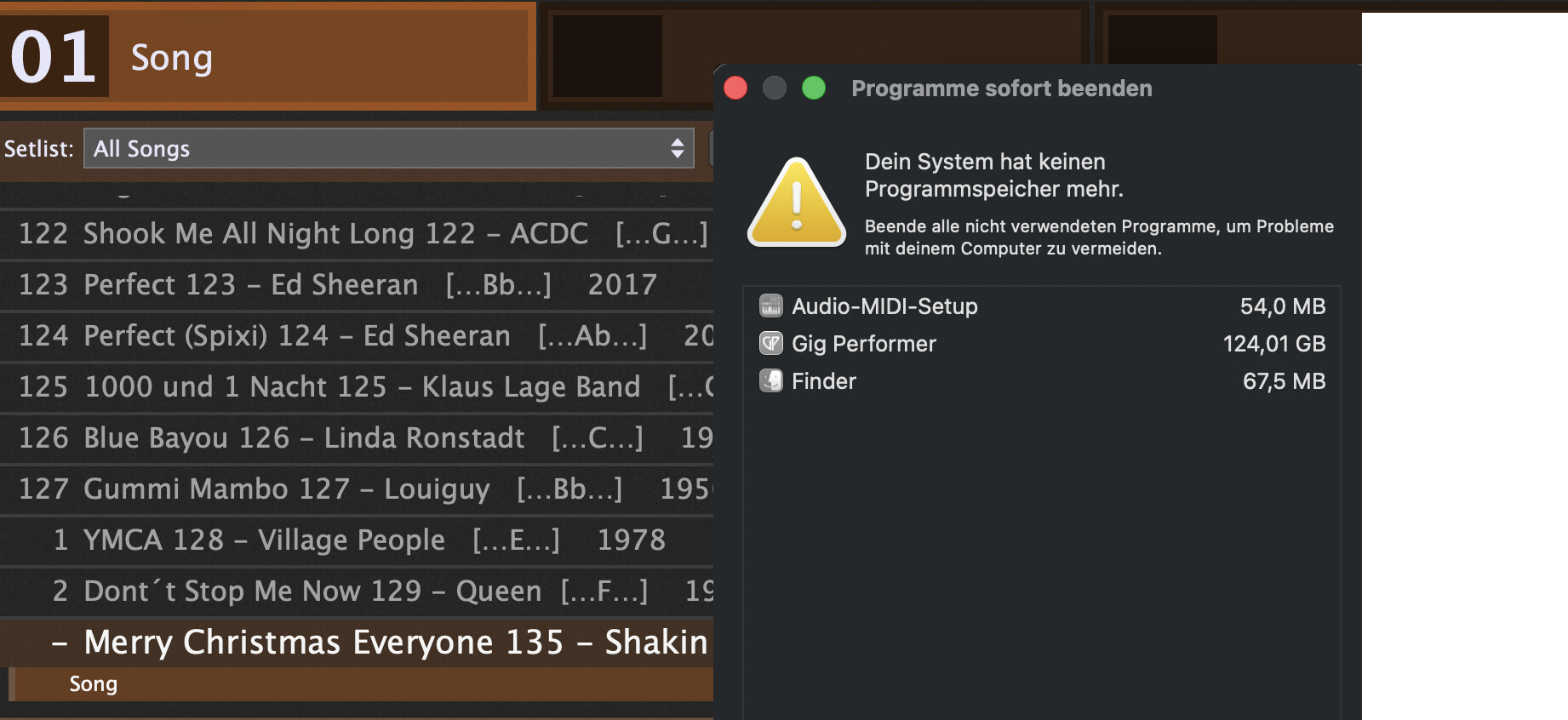
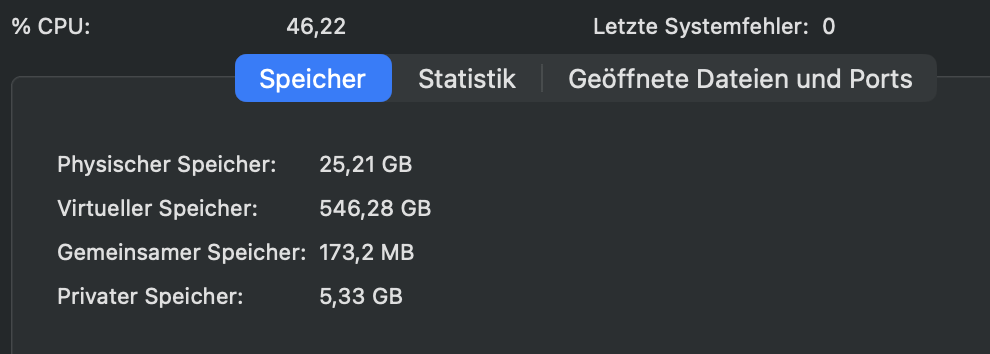
Despite optimizing the many samples I have using the purge function.
My new computer, an M5 with 127GB RAM, is arriving soon. I’ll keep you posted on how it handles my sample overload
Did you update sample pool at the end after purging samples and playing necessary notes?
And then save the gig file?
I think you do not all necessary steps in Kontakt.
Yes, I’m doing all those steps. When I restart the computer and check the contact blocks, only the samples I previously played and saved are loaded.
I think I’m really one of those stubborn keyboard players who fills everything with samples.
Like I said, my new machine is coming, and I’ll report back on the difference.
By the way: do you guys ever sleep? You’re practically here in the community 24/7!!
You guys are awesome!
Sleep is overrated! 
We do tricks with summer and winter time …
Yes - we have an advantage in the EU area there.
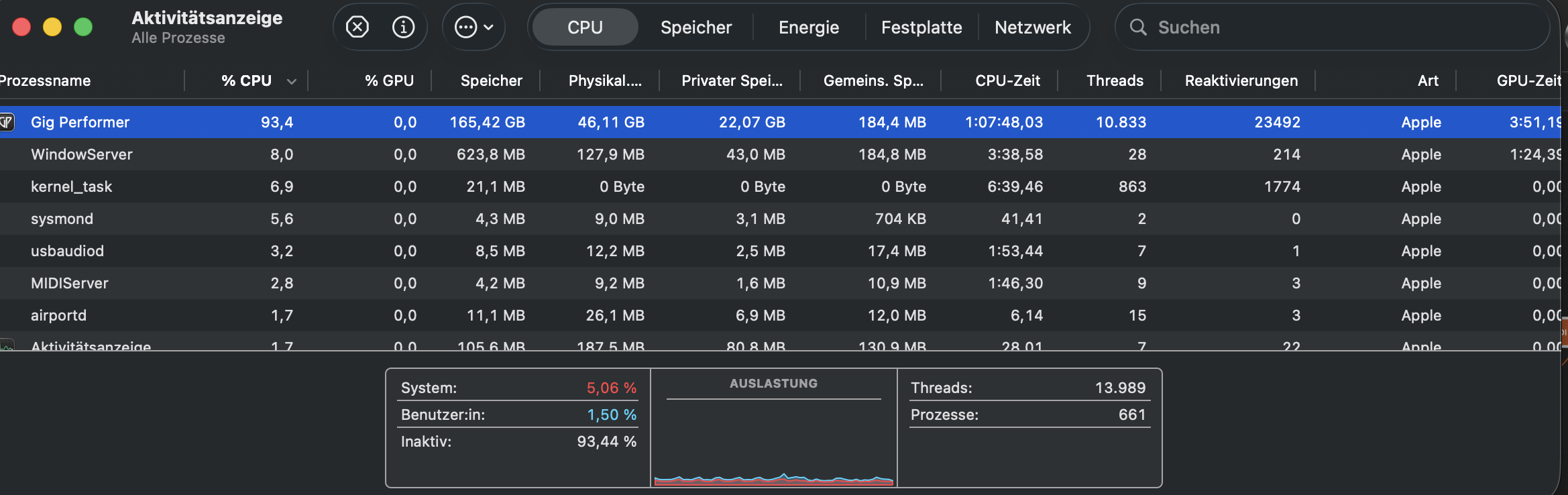
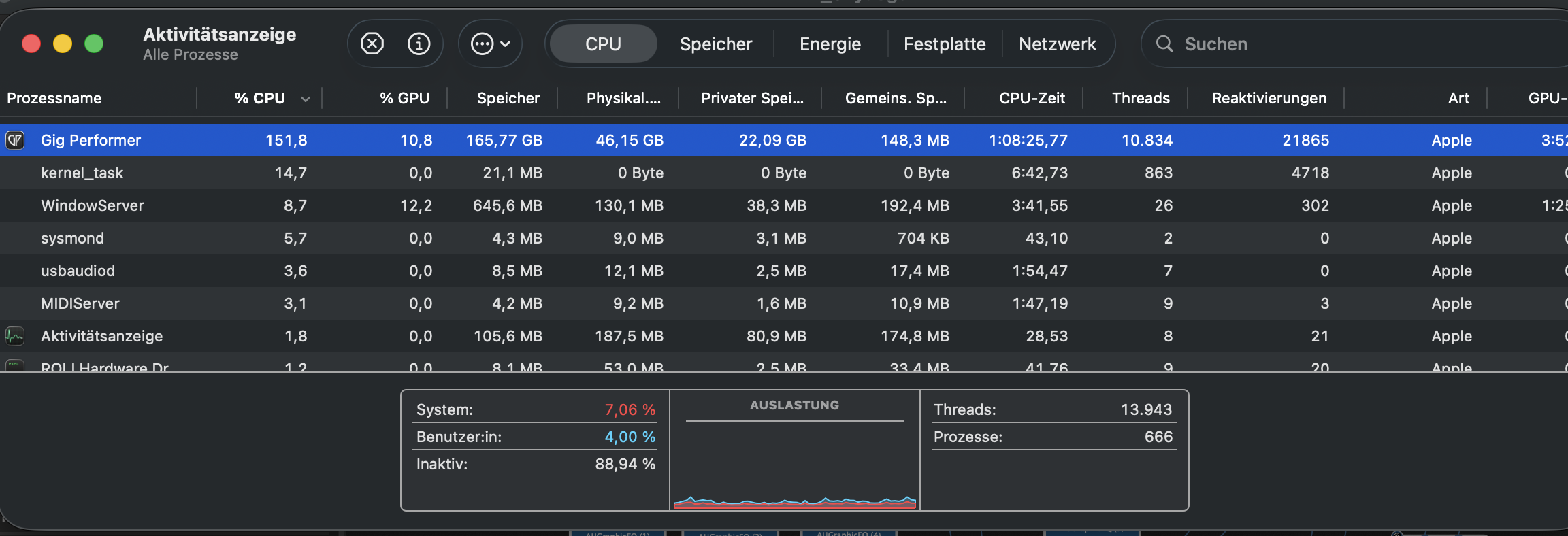
I’m still testing my M5 127GB RAM computer. I’ve noticed that some songs have crackling sounds. This is probably because my new system is already reaching its limits. I was so optimistic! Does anyone know what’s wrong based on the photos? In the first photo, GP is in standby. In the second photo, I’m playing something on the keyboard. While playing, the CPU usage goes over 150%. That’s probably causing the crackling. The memory usage remains the same.
What are the risks during a live performance? What could happen? Is there any way to avoid this?
Standby:
Playing:
What are you doing to use this huge amount of RAM?
How looks the activity monitor when you click on the tab Speicher?
Did you really purge sample pool in Kontakt?
160 Songs in a Gigfile. 
Songs do not matter.
How many rackspaces?
That makes no difference. I’ve already made that information visible in the CPU tab.
Yes. Everything’s purged.
By songs I meant Rackspaces
And after purge you played notes and updated sample pool?
What Kontakt version are you using?
Which Kontakt libraries are you using?
How looks the RAM usage in Kontakt?
What other samplers are you using?
I don’t understand the activity monitor: CPU usage is at 150%. But at the bottom of the screen, it shows almost 90% when idle, and when under load, the graph is practically at rock bottom. That’s contradictory.
And yes, the RAM is also full – I don’t understand why either. During the fresh installation (where all Rackspaces were already in the gig file), I only saw usage of less than 60 GB.
Yes - Kontakt always refills the played notes after purging. Then GP is saved. So I have the current status of the played notes. You’ve already explained this to me before.
7
Komplete 14 ULTIMATE Collectors Edition
They all range between 1MB and 200MB:
86kB:
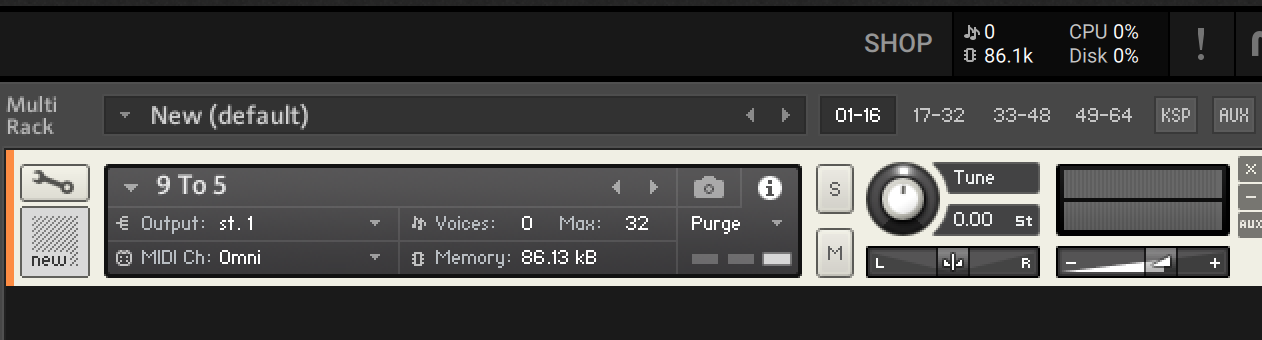
100MB:
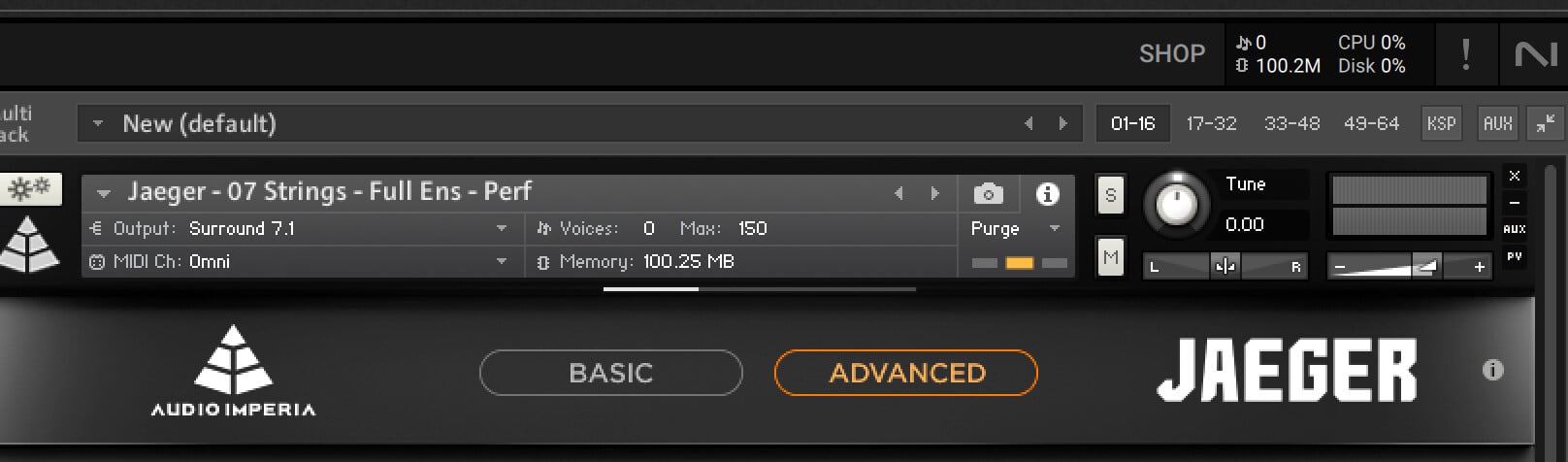
None - I built all the songs with Kontakt.
How many instances of Kontakt are you using?