Oops. I should have figured that out myself…
I’ll take a look at it tomorrow. It’s bedtime now.
Thanks.
Oops. I should have figured that out myself…
I’ll take a look at it tomorrow. It’s bedtime now.
Thanks.
That’s a question for Native Instruments
The whole reason for techniques like DFD is to bypass RAM when huge amounts of data are needed.
, DFD doesn’t have to be faster, it just has to be fast enough, which it most certainly would be
Most machines these days use SSDs and in case, DFD has been around for use with hard drives for decades, it’s not a new technique. Your hard drives are always spinning, it’s not like they’re going to start spinning faster than usual.
I have now read through the link suggested by Jeffn1
One problematic plugin was the Youlean loudness meter. It accumulates huge amounts of history data and stores it in the gig file.
It just leaves one wondering….
Sorry – the story isn’t over yet.
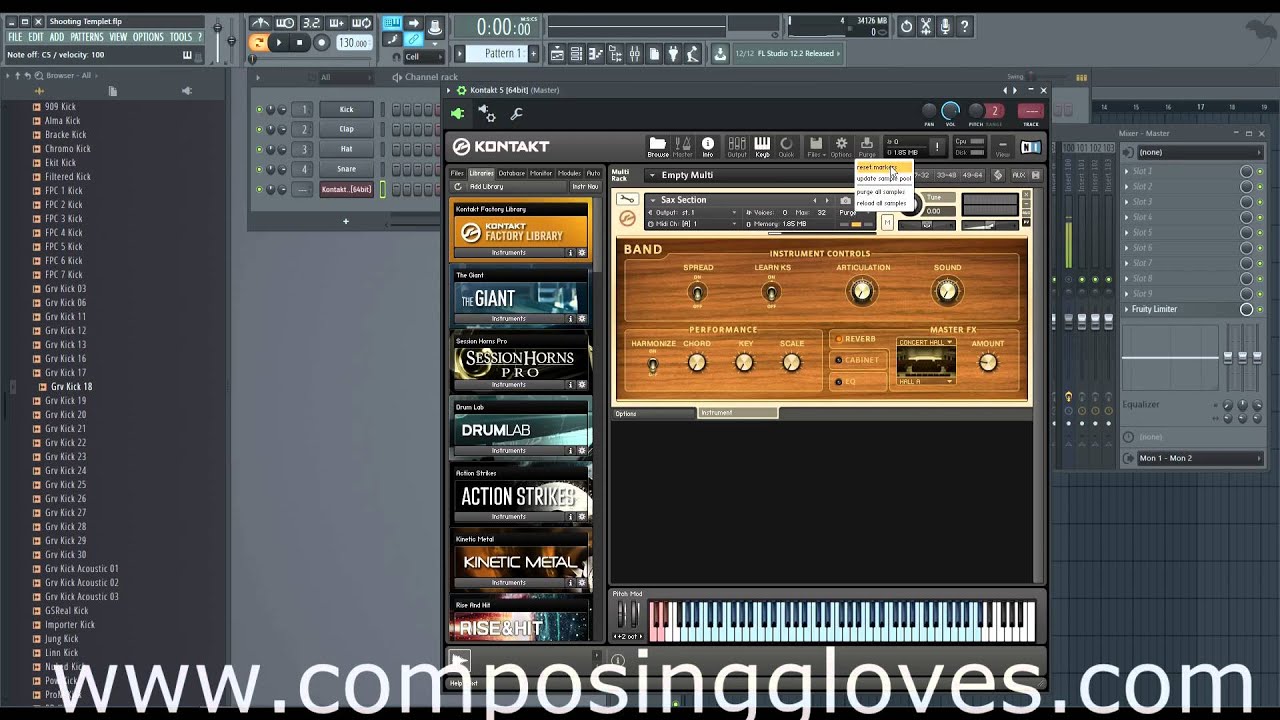
As described in this thread, I’ve been using the purge function on all Kontakt plugins to save RAM.
I always prepare a few songs in a separate, smaller gig file because it performs better. When I have about 10 songs, I import them into the larger gig file I’ll use for live performances. Now, Gigfile crashes when I import these songs. I think it’s finally hitting the limits of my computer.
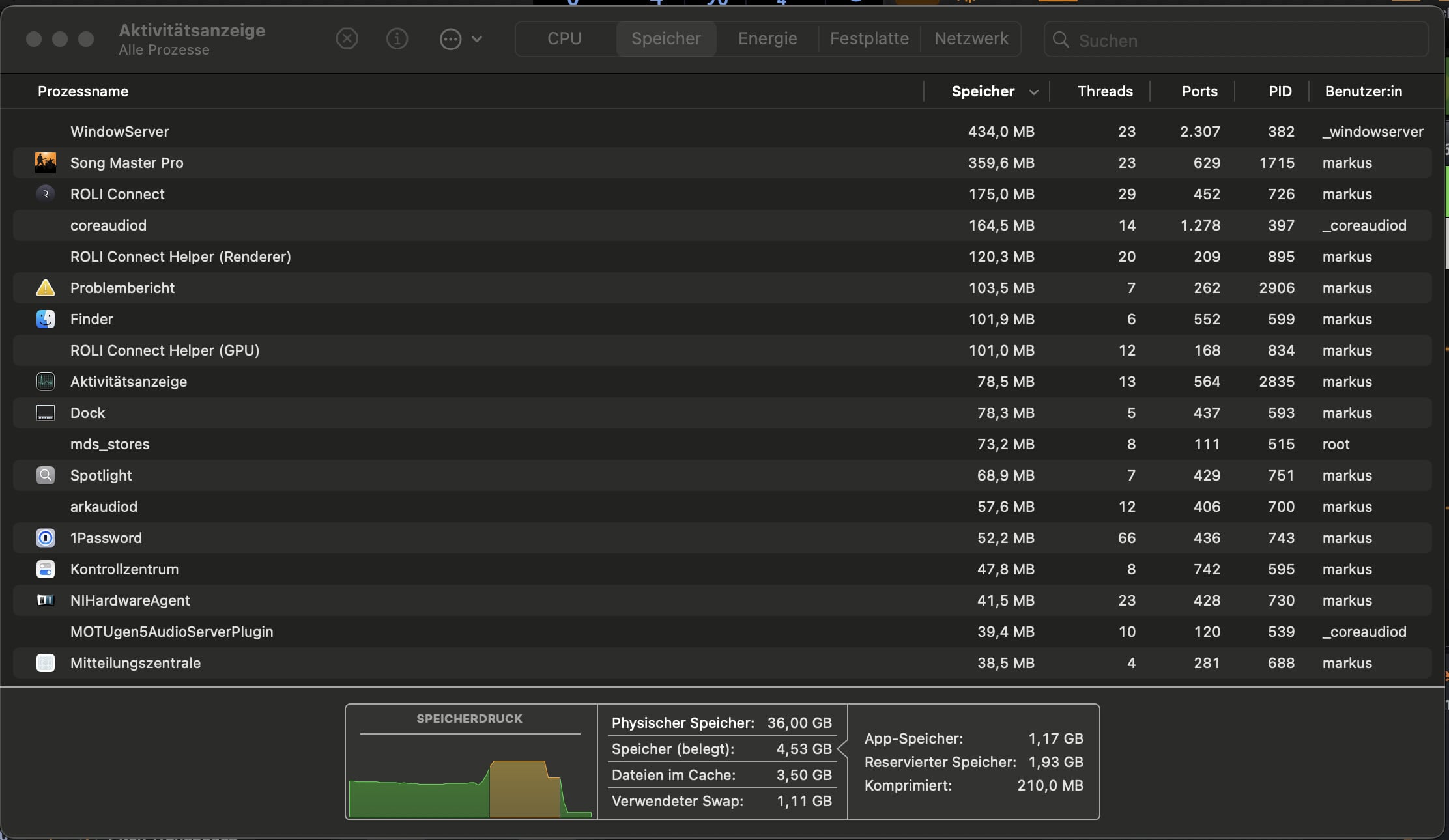
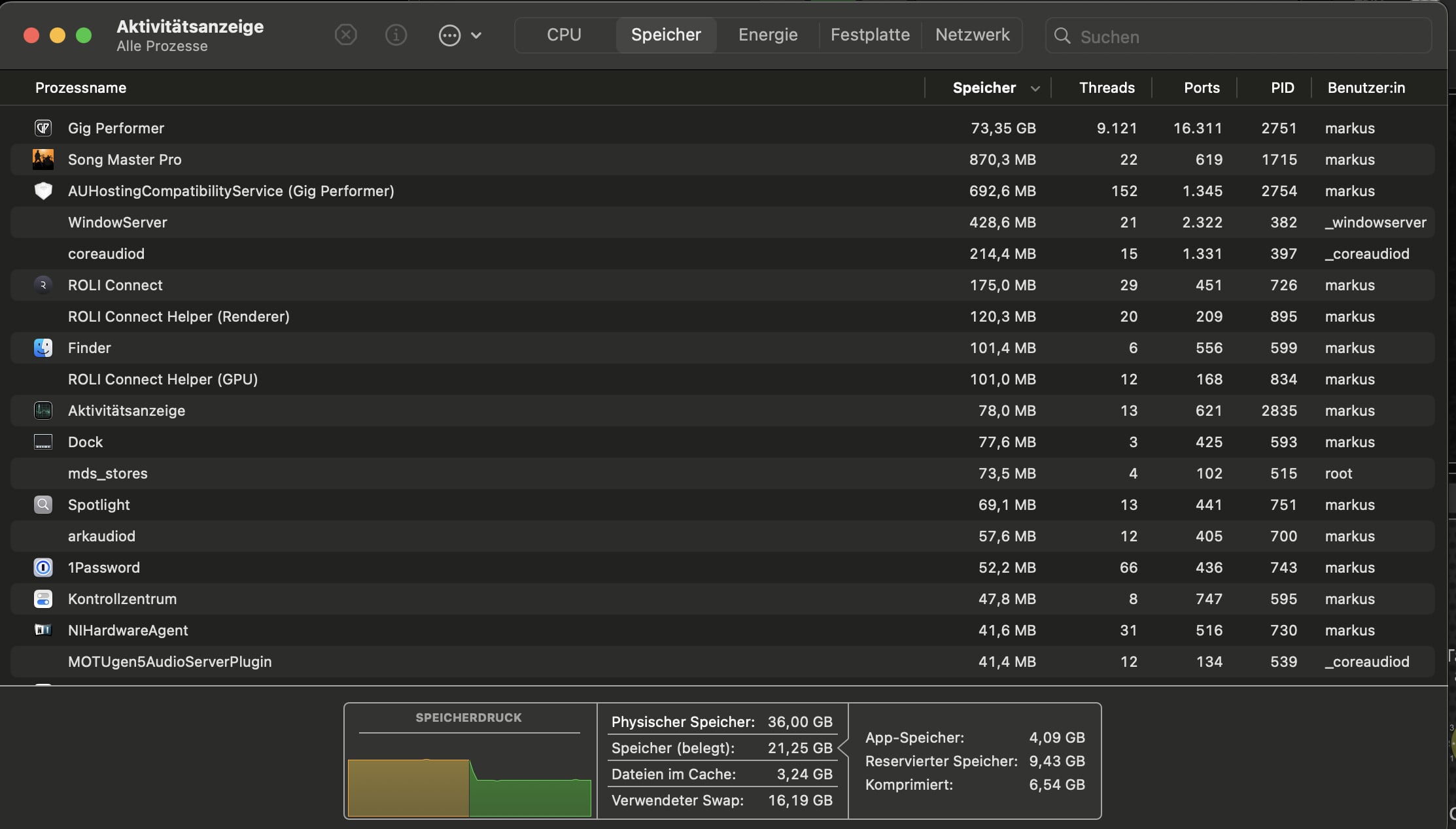
I’ve now discovered Activity Monitor and noticed that my 36GB of RAM is pretty much maxed out. After a minute, the RAM usage drops to 21GB. The second screenshot is from after the crash.
It seems the purge function isn’t having the desired effect. And there are only half the songs in Gigfile.
Now the search for a solution continues…
Did you turn on DFD?
I didn’t look into it further because Purge seemed promising.
I have Kontakt 7, and it seems DFD runs automatically. I can’t find any settings for it. Or does it refer to KMS (Kontakt Memory Server)?
I can enable that option.
I’ve now enabled KMS and restarted GP. The activity meter remains high.
GP still crashes when importing a song.
Bedtime again.
Either I get this problem solved, or I need more RAM. Or three computers on stage…
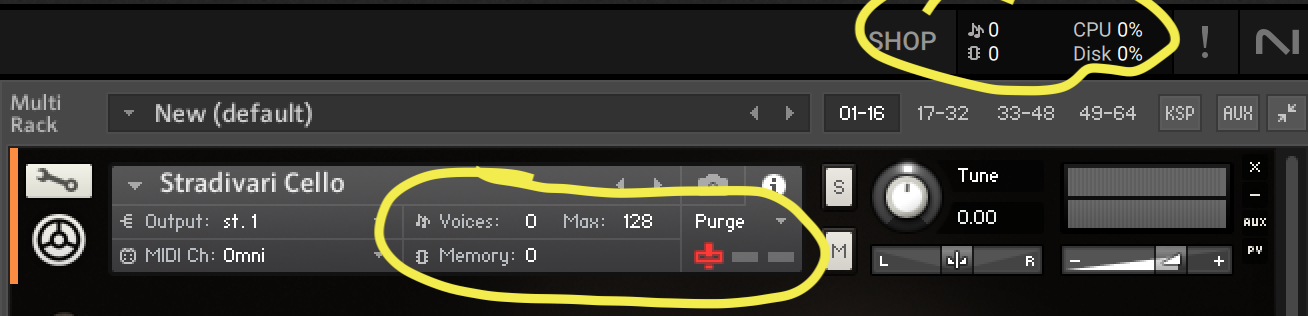
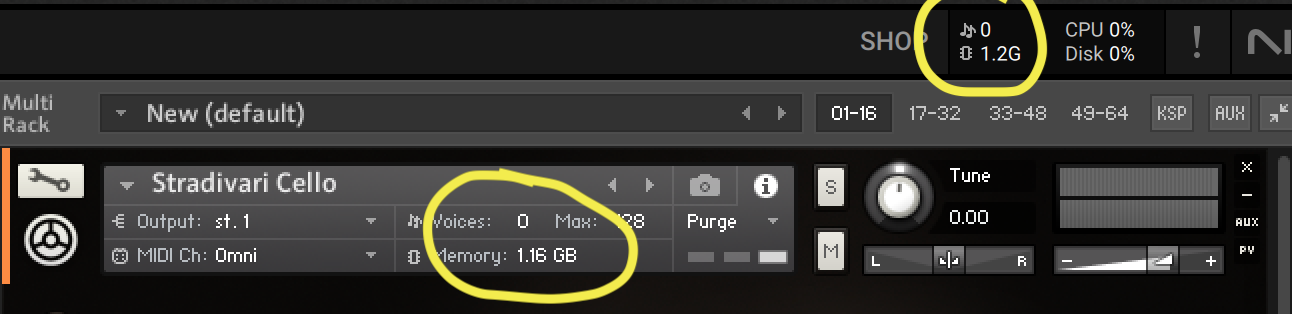
What ram usage is shown in the Kontakt plugins?
After purge all samples you should play your desired notes and then update sample pool.
And then you save that Kontakt patch under a custom name and save the gig.
This way you make sure that Kontakt is loading only the needed samples when the gig file is loaded.
I had simply purged everything and then saved the gig file. I didn’t play any music and didn’t save the Kontakt plugin (with a new name).
I thought that by purging alone, the RAM would be completely reset to 0 and only filled during the live performance.
If I understand correctly, the RAM is indeed at 0, but only on the display. In reality, everything is still in the computer’s RAM?
I’ll try this with the full gig file and report back on whether it makes a difference.
The video I posted should walk through it. You have to save the updated sample pool within Kontakt
I had already watched the video back then. But he didn’t mention anything about saving it separately like Pianopaul.
now you know 
And this should be documented in the Kontakt documentation
I just discovered another source of RAM usage: I saved the audio files for each song as MP3s in the player. That’s a total of 1.2 GB for all the songs. Are these also loaded into RAM? Or do they only contain a reference to the folder where they’re actually located?
What player, AFP or SAFP?
AFP is loading in memory, SAFP is streaming from disk.