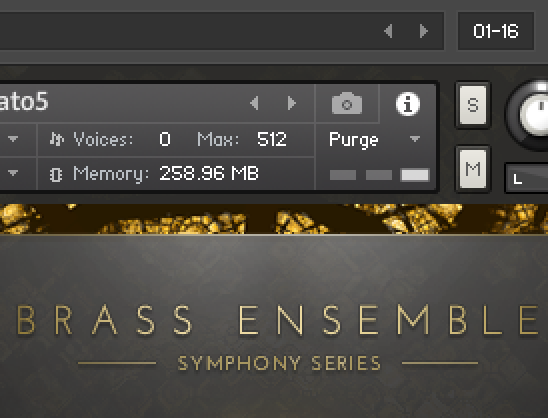
You should purge and then save in Kontakt and save in GP.
But, I take your point. If you play that plugin and you use samples beyond the sample pool, will GP then preserve the “saved state” including the additional samples?
I wondered about that at some point.
[But, if you are only always playing that part in the plugin, it should not load in a lot of new samples].
GP does not save samples unless the plugin includes samples as part of its saved state, something it should not do. There was some plugin that did that for a while a few years ago and it turned 70Mb gig files into 10Gb files.
The plugin’s internal state (which GP knows nothing about, it’s just an opaque block of data that GP saves and then sends back to the plugin) should generally just contain references to where the samples are stored, etc
I understand the samples are not saved in the Gig File
But, if you had used the Kontakt purge function, but then played a lot of other notes (forcing Kontakt to stream them on the fly) and then saved the Gig file, would the “saved state” include those additional samples (or would Kontakt tell it to just save the purged state (before the additional notes were played).
I have no idea – that’s a question to ask Native Instruments, it’s 100% a function of the plugin and its state. I suppose you could save the gig file and load it again and what happens.
Yes, only if the gig file is saved afterward without the plugin being purged again.
In the programming phase I’m currently in, it’s dangerous that I might overlook this and run out of RAM again.
It’s also dangerous if I play all the songs, then make a change to one song and save the gig file. Then the played samples are also saved for all the other songs.
On the other hand, if you are always playing the same part, there shouldn’t be much added to sample pool (and, to the extent samples are added, they are samples that you want included.)
So, I guess one approach is to only play the specific musical part (don’t improvise or “noodle”) for that song where you’ve used the Kontakt purge tool (?). (Maybe easier said than done?)
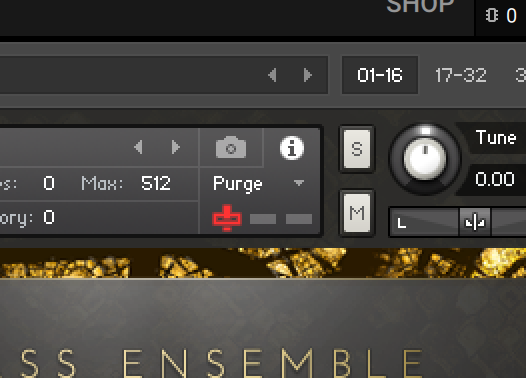
When I purge a plugin, I have 0MB of memory (Image 1).
If I save GP like this, the plugin will be purged again the next time I open it. That’s how it should be.
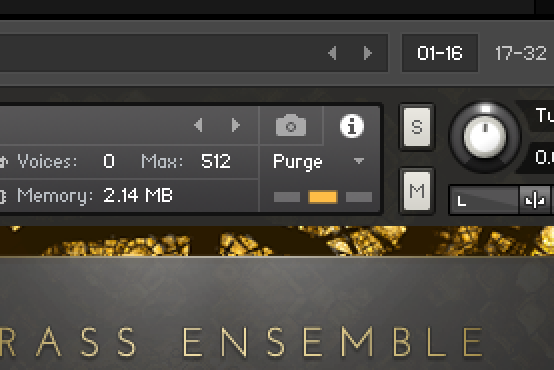
If I purge a plugin and play a few notes, I have the memory size of the played notes (Image 2).
If I save GP like this, the plugin will be filled with exactly those samples the next time I open it. So it won’t be empty.
The plugin will only be cleared again if I DON’T save this state.
Therefore, all the plugins I play during a session will be filled and will remain filled if I save GP at the end of a session. That’s why I have to be careful not to save. If there’s something to change that needs to be saved, I have to close GP so that all the plugin files are purged again. Then I can open the song in question, make changes, and save.
The plugin will only be cleared again if I DON’T save this state.
As I’m writing this, it occurs to me: During a session, all plugins are filled with notes. If my RAM is already critically low, it’s possible that GP might suddenly stop working during the session due to insufficient memory. Oops. Of course, I can only test this if I’ve programmed all the songs and played them all through in one go.
Ah yes – that’s right. I don’t know how to get Kontakt to activate this DFD mode. But would it be advantageous to access the hard drive instead of RAM?
I think RAM is faster – even when I have many samples simultaneously. It would also reduce the load on the hard drive.
If my RAM is sufficient, I would prefer RAM access.
IMHO, Kontakt DFD is essential. I remember when Gigastudio and then Kontakt really revolutionized sample-based instruments in DAWs, allowing large realistic sample libraries.
Without streaming from disk, you’ll quickly eat up all your ram.
It works very well, especially with Solid State Drives.