@Frank1119 one other thing…I noticed your round trip latency number on the Focusrite panel was much lower than what I see here: 26.9ms round trip (1186 samples).
That’s right: I’m using 64 samples @ 48Khz. So I know that the 4i4 is more than capable to do rather low latency audio.
Altogether, your cpu looks fast enough. The latency in latencymon looks fine (although the testing time was rather short). The interface can do the job, unless it’s faulty anyway (but you probably should hear that as well during playback of a mp3 or a mp4 video using a media player). Your storage should be fast enough.
The last things I can come up is bad USB cable, bad USB port, something like that. Btw: did you disable the interface for Windows itself? It should not be a problem (apart from windows sounds playing during a performance  ), but better safe than sorry.
Things to try:
- use a different usb port
- use a powered usb hub
- use different usb cables
- diagnostic: play an audio file using a ‘normal’ media player
You’ve seen these posts about the Roland Cloud.
I’d like to know how things run with other plugins to determine whether this is really a Zenology issue.
I’ve been able to replicate beyond Zenology (D-50, Pianoteq), but Zenology is where the crackling/breakup is worst. My logic is get that one working and the rest will follow.
You need a way to narrow down the problem.
- Start with an empty new gig file.
- Rule out an interface problem: Insert the streaming audio file player, add an audio file and see if that plays normal. You should be able to do 128 samples @ 48khz without a problem, I should think.
- Rule out disk and network problems: Use a plugin not from Roland and one not using samples. I suggest to use the lostinthe70s plugin
- Rule out a load problem: Insert a heavy effect chain. You could try the Guitar Rig 7 player. It’s free and I expect it to have a few cleanish but heavyweight presets, with reverbs. See if that plays without unexpected crackles. Check if it really creates some load. If necessary use more than one instance.
Personally, I would try it with a fast (full) USB C cables using USB C ports on both ends. Figure can’t hurt to try it.
@Frank1119 Really good stuff thank you! I’ll try anything.
I just tested usb c off my iPad Pro right into the Focusrite. Clean. Ran music off my iPhone into the Focusrite analog ins, super clean.
I’ve been swapping USB cables for a few days including different ports+ with/without a sturdy Anker powered hub. I’ll try again, but cables and ports didn’t seem to help or hurt.
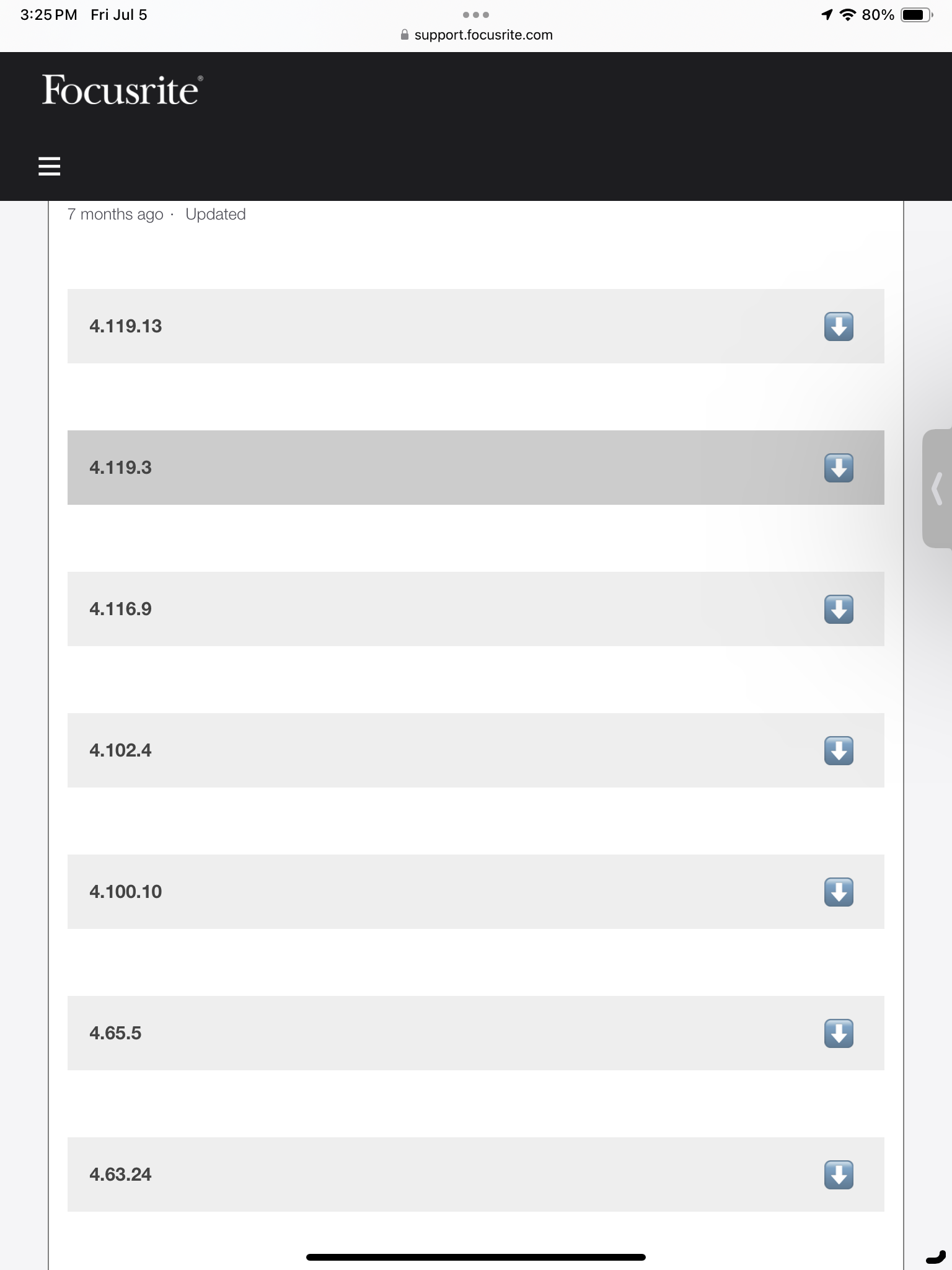
I’m wondering about the Focusrite driver. I’ve read a couple of bits where folks rolled them back and eliminated the crackling. I found legacy drivers on Focusrite’s site, but didn’t see a way to download any but the newest. I’ll keep pulling on that one, since I’ve proven the interface is ok with sources other than my PC.
This is quite a bunny hole I’ve gotten myself into. lol.
Trying a different port is a good idea anyway.
Will do!
I can send you the driver I use in a pm.
1 Like
BIG update and breakthrough!
I know I’ve been pretty chirpy lately. Sorry and thanks all for your patience - especially @Frank1119
BREAKTHROUGH!
I really don’t know if rolling back the drivers had anything to do with this or not, but the whole game changed tonight - in my favor.
I installed rolled back Focusrite Control and drivers (thanks @Frank1119 ). Then, I wiped my whole “testing” rack and started with a brand new gig. First thing I did was open the GP audio player and played a crystal clear MP3 file in GP. First at 256, then 128, then 64. Rock solid.
Next, I loaded the stock GP VSTs and fussed around. Then Arturia DX7, then Sq80, Pianoteq, Gospel Musicians … all played perfectly at 64/44.1 or 228/44.1. Zero noise from any of them - at extremely low latency.
The only things left to try were Zenology Pro and D-50. D-50 did ok, but Zen broke up same as always. Next, I discovered (big!) that with Zen in the rack, I could also get breakup from other plugins. Taking Zen off the rack, all were totally solid.
This is something to do with the Roland plugins, full stop. I know they break up in demo mode, but I’ve bought these 2, registered them. The apps show “authorized”, but yet Cloud Manager says I don’t own any VSTs. Something is jacked up with Roland and that’s where I’m headed next. Everything is good at 64 or 128 latency as long as Roland stuff isn’t in the rack space.
Massive leap forward! I went and bought ice cream for my wife and I to celebrate. Will start to dig into Roland issues tomorrow. For the first time tonight, I actually played some beautiful stuff on my new keyboard rig and just enjoyed the music and keybed. I can see the finish line from here - time to rock!
Thanks so much.
7 Likes
This is what it’s all about!! 
3 Likes
Glad you made so much progress. Great news!
Re: Zenology.
Do you have the computer connected to the internet? Maybe Zenology needs to “phone home” to authorize use? Maybe it is trying to do that (there was another post with, I believe, that fact pattern).
Fantastic… that’s great news. Superb advice from everyone on here on how troubleshoot problems like these (as usual, problem is outside of GP)
Great that it’s been narrowed down to Zenology and it’s authorisation, now you have found the culprit it should be much easier sailing.
Personally I wouldn’t use any plugin for live use that mandates frequent phoning home, but that seems to be direction we’re heading in for some companies these days. Voting with our wallet is the only defence we have…
1 Like
 Glad you finally made progress. It’s so frustrating when you hit a brick wall…
Irony: Yesterday, I had to install the newer focusrite drivers , because combined with vb-matrix 64, I got a bsod in the focusrite driver. Today, I’m going to check whether my setup (luckily a test setup) is crackling. 
1 Like
Great question, but I don’t think that’s it. 1. My PC is WiFi connected. 2. I bought the plugins just 10 days ago and the phoning home is every 30 days and “should” be transparent.
My hunch this is to do with a failed authorization and I have now reached out to Roland for help. When the apps say they’re authorized but play like demo mode and Roland Cloud says I don’t own any instruments…that’s the issue, methinks. Will keep this thread updated with the resolution.
Thanks for ALL of your help, Frank! Without this community, my forehead would be bleeding badly by now from hitting the wall. Lol. Hoping things are ok with your rig. I’ve now got a support request into Roland and will report back here with the resolution.
1 Like
Thank you and thanks for your help as well!
My free 30 day Roland Cloud trial subscription ends tomorrow and I cancelled it a few days ago. really only ever wanted the two apps I bought. I’m not a fan of the whole phoning home either, but it was a known tradeoff I was ok with to “own” these apps - especially the D-50.
I have a support request into Roland and will report back here with the resolution.