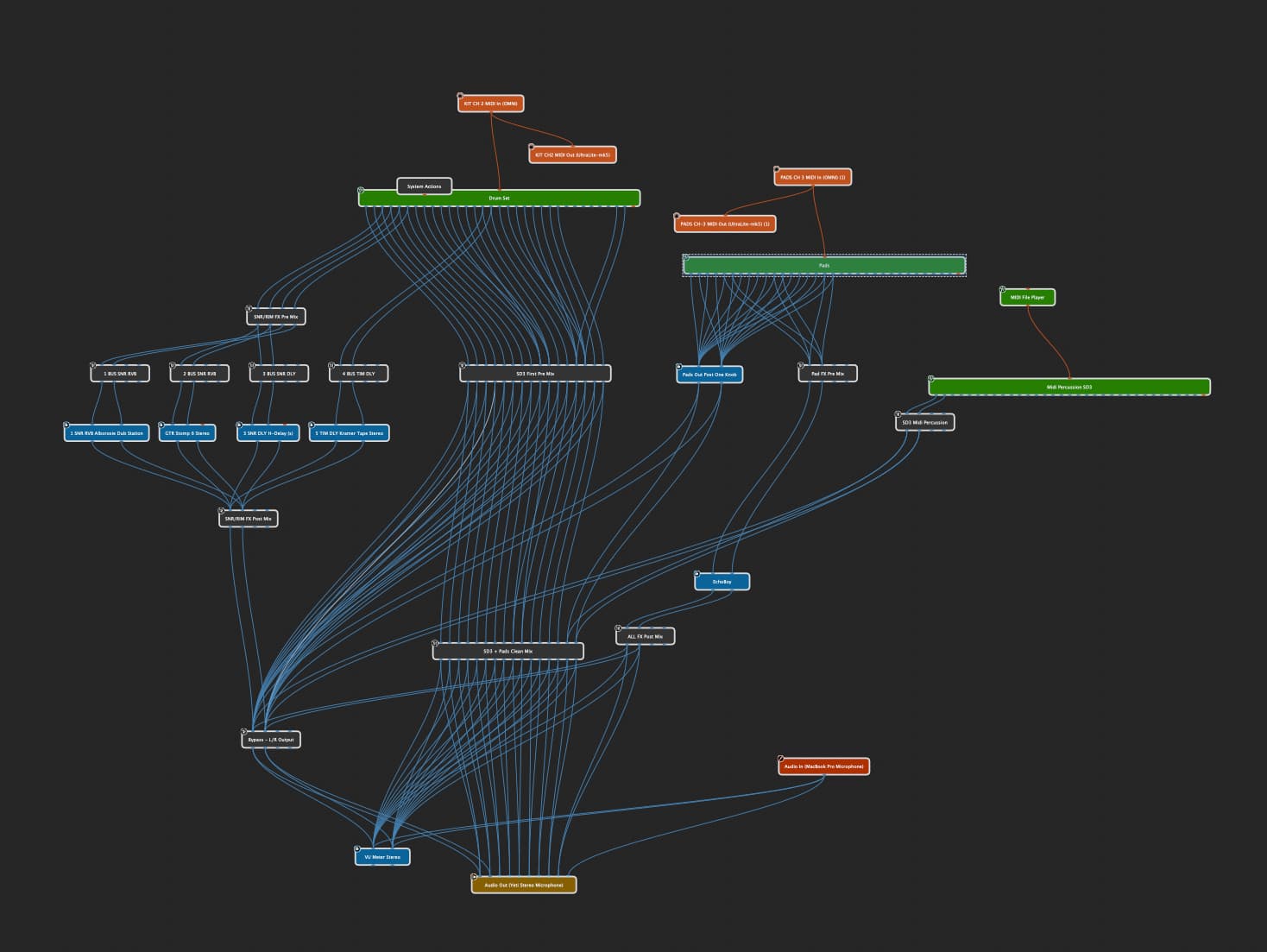
My question is regarding triggering a midi loop in time with the gig performer click, where the midi is half time tempo of the gig performer tempo.
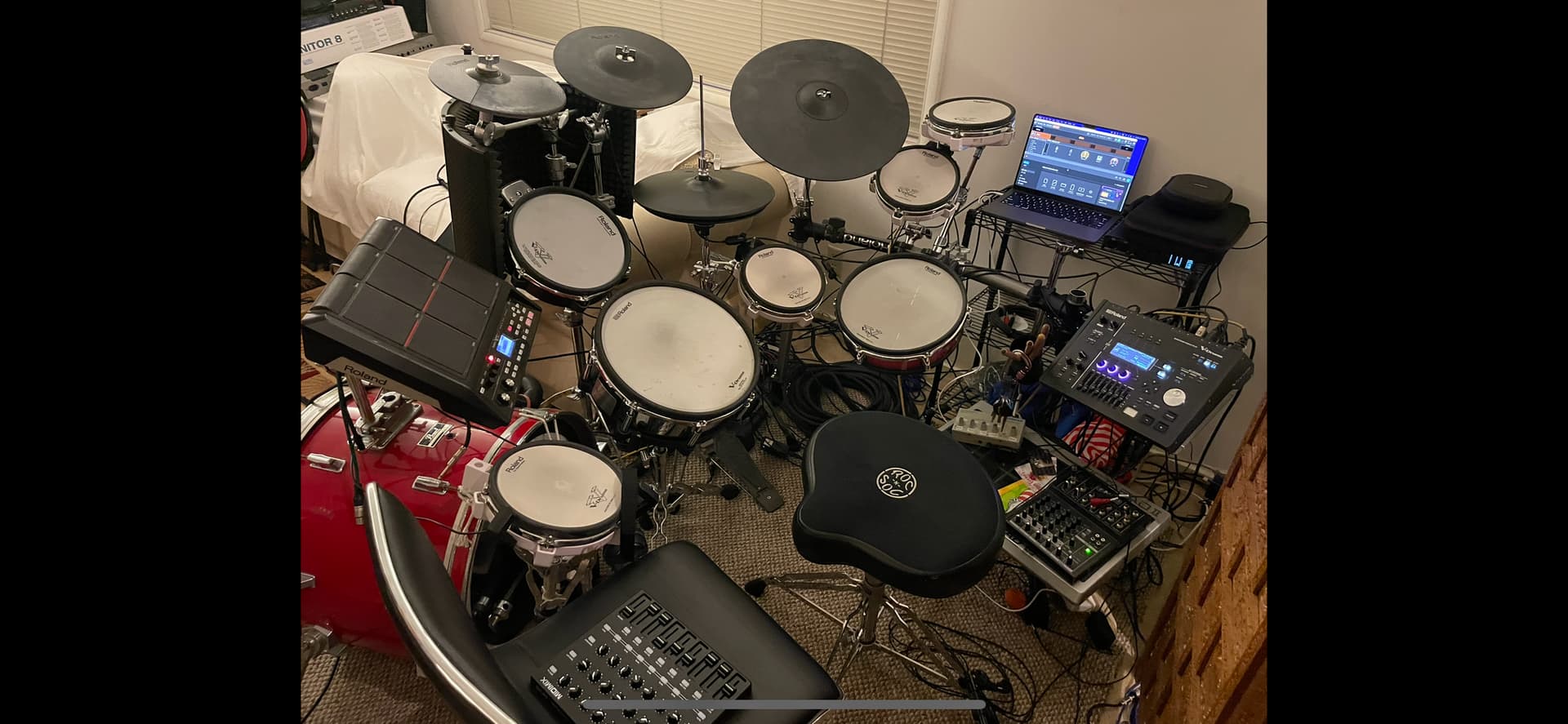
So I use gig performer 4 on a Macbookpro M1 Mac Monterey. In there I have three instances of Superior Drummer (SD3) running. Two instances are for my kit drum set that I play live. I also have a Akai Midimix controller and a Roland SPDsx that I use to introduce effects live or control gig performer.
Now the other instance of SD3 is intended to run backing percussion tracks (for now let’s call it Tamborine) that are essentially 4 or 8 bar loops. The midi for these is in the superior drummer plugin and also exported as I tried to use it externally to trigger SD3 .
The biggest thing to note here is that these loops are at half time of the gig performer tempo since I like to double the tempo in gig performer to hear more beats. If I need to change that I can but this is very useful to keep time.
So I dont know the best strategy in order to be able to start a loop on the right beat at a certain point in the song. Example, when I get to a song part, for example the bridge, I’d like a tamborine to start on the first beat of the bridge. Because of how we play I need to trigger the start of this.
So far I’ve tried setting superior drummer to “follow host” and then programmed a button that mutes SD3. This allows it to always play in time and then a hit on a pad simply mutes or unmutes the always playing sound. But for loops where the midi needs to start on the 1, sometimes when I introduce the loop it can be off by 1,2 or 3 bars. Also SD3 doesnt necessarily start at the begining of the loop if i start and stop the click mid song (for example we get out of time and I need to start the click again)
Then I tried exporting the midi and setting it up in a midi player at half tempo of the gig performer song. Then I set a button to “play” the midi loop but there is a delay between when i hit the button and when the midi loop starts, so there is the potential of triggering the loop too early or too late. I have pretty good timing and its hard to nail.
What are some other routes to try? Theres got to be a way to trigger the start of a midi loop to coincide exactly with the next bar coming up?
Thanks to anyone who read all of this!
There are options using scripting to ensure changes occur exactly on the beat.
I used this approach for the Quantized Song Part Changes template. You could then have widgets to activate/play the loop in the song part/variation. This way it will start exactly on the 1.
I know @ztones has adapted the Quantized Song Part Changes template to trigger different midi files via the GP Midi File Player, so they always start in time at the start of the bar.
Yes, the quantized song parts script by @rank13 works great! You just trigger sometime before the 1 in the previous bar and it will wait and start exactly on the next 1. If you’re playing half tempo files, it’ll probably mean you’ll have to trigger somewhere in the last two beats instead of four.
Ok this potential is exciting. I opened up the .gig file you provided set up a few rackspaces that had a midi player feeding my drum plugin and then got these song part changes totally work. SOOO DOPE!
I’m having problems integrating this into my current file though and I had a couple questions.
Do I load the panel into my local rackspaces and global rackspace?
When I load the p[anel in the local rackspace only, it doesnt perform like it does in your .gig file so I’m thinking I need to implement your script (scripts?) but how do I do that? When I review the .gig file you provided there doesnt seem to be a script plugin that I can see in the wiring pane.
In my .gig , “file/Open script from file…” is greyed out so I couldnt play around with loading it there. I did find a scriptlit plugin, but when I load your script in there I don’t really know what to do next and when I compile (which I’m not sure is the right thing to do) I get a
"Scriptlet (Scriptlet) - Semantic error in “Main”: Line 5, Col 4: Allowed in gig script only. " So I’m thinking I need to load this elsewhere, but since the option in file is greyed out I’m not sure where.
I’ve tried searching for how to execute scripts but I really only find tutorials on writing scripts. Sorry to bombard you with these questions, if you can point me in the right direction I’ll go down all the rabbit holes.
If you’re trying to incorporate into your existing file, it’s designed to work as a global script/panel:
Add the panel to the global rackspace
Open the main script file in the global rackspace script editor (Window menu). The script editor window has an ‘open file’ icon. After it’s opened you can click the compile button at the bottom of the script editor
Open the second script file in the Gig script editor. Same process as for the global rackspace script
Ok roger that and that worked got positive confirmation in the script windows thanks!
Once I did all that, I now have the panel only in the global rackspace and not in either of my local rackspaces. So when I’m in setlist view it doesnt appear and I can’t seem to control it. Is this meant to be controlled via widgets and you don’t see it in the local rackspaces? When I add it to my local rackspaces the buttons respond, but it doesnt switch. I stripped my project down to just the midi player and SD3 and attached it. IF its possible to take a look, but if not appreciate everything so far man. GP Loop(3).gig (2.4 MB)
You can display Global panels at any time by clicking the small bar at the bottom of the panels, that says Global Rackspace. It will then pop up the global panels.
In your gig file, you have two rackspaces with SD3. Do you have different sounds/setups in these two SD3 instances, or do you only need to change the midi file being played?
Hi there. First of all thanks a million to Rank13 for the quantized song part change stuff. I almost have it down but am having some issues trying to assign the prev part and next part buttons to my midi controller. When I edit, then select the button, then learn it to my midi controller, it maps but its not performing as expected.
When i use the button on my midi controller, it does trigger the the prev part button on the panel, but then it stays on. When I try and edit it, It won’t let me choose momentary to latching(this may not even be the option I need to choose). I made a video and in it you cant see my using the midi controller, but you can see the buttons go one and stay on. Can anyone help me out with this? What setting am I missing here or would this be something I need to explore inside the midi controller(thats what my gut is telling me)
Yep, see if your controller can send momentary messages. The Global Midi Monitor is always the key window to show when troubleshooting these sorts of things.
Got it. I did some research and still having some problems. I see how tyo add a midi monitor in the global panel but don’t know how to feed it. When I open it, it doesnt seem to get triggered by my controller.
As far as the signals go, I found that my Midi Mix can either send note or CC messages. I made a video showing what happens when I map the song part button to both types of buttons on my controller.
When in the editing mode, the CC mapped button appears to work like its supposed to. When i touch the button on the controller the button lights up on the panel and then goes away.
When in editing mode, the note mapped button triggers the song part button and then that button stays on.
However, when I leave the editing mode, the both buttons no longer reposnd in the panel view. When I goto setlist view, only the note mapped button triger the song part button. Any thoughts on that?
Sorry, the “in the setlist” portion is confusing, but essentially, the CC message doesnt trigger the button while the note trigers the button and it stays on. I was doing a combination of using the controller and also using my mouse to click the button. But not sure what to do here and its killing me cause I’m so close!!
That documentation that says the note will send a value of 127 when released doesn’t make sense to me. The ‘Global Midi Monitor’ is accessed via the ‘Window’ menu bar item. You could do a recording of a single press/release of the note button, and then a single press/release of the cc button.
Also, it’s usually best for the widget to only learn the note ‘on’ message, not the ‘off’ message. This might need you to manually edit it, or deslect the Learn button before you release the controller’s button.
YO! That was it, I had the widget just learn the on, then stopped learning, then let go of the button and now I’m off to take this to the dojo! Thanks so much man, really appreciate your help, this is amazing!!