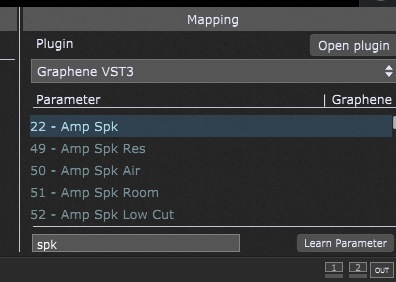
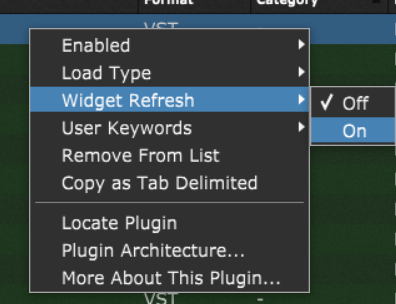
Hi reaching out for some help regarding a plug in. Polychrome DSP plugin Graphene. I’ve run into a issue where GP is not updating changes happening in the amp when the change comes from a preset. Specifically the VST3 version. I’ve attached a short video showing what is happening. In short, when using the VST3 version of the DSP Graphene, the speaker in use does not update in GP. But when using the VST2 version. The speaker in use does update. I also have another DSP, Lumos of theirs for comparison, in the VST3 version, the speaker in use is updating in GP and appears to be working correctly.
The video goes over in detail what is happening. I’ve also attached a copy of the GP save file. In this file I have it absolutely basicly configured. This was to rule out anything else was the cause. So please do not consider this save file as “it would never work” to start with. I’m aware of that, this was to focus on the issue of the speaker not updating. I am looking for advice specifically on why the VST3 version of Graphene does not update the speaker in use when changed via a preset.
I reached out to Polychrome directly, and they looked into it, and got back to me indicating that the VST3 version is outputting the raw speaker change, but GP is not responding to it. However, in Ableton, the VST3 version, the speaker changes are reported back and update when changed via a plugin. The issue seems to happen only in GP.
Please let me know if there is any more testing or information you would like to in order to pin down what is happening. Or if there is something I can pass back to Polychrome on what the issue is, that would be helpful as well, as I have a direct line of communication with the developer.
I’ve been reading several of these post as well. I can understand the amount of compatibility that goes into all of these is likely very challenging. Since I had reached out directly to Polychrome’s dev and spoke with them about the issue, after they investigated, they indicated the issue was GP not responding to the correct raw data change. So I figured I’d reach out to GP. I might open a ticket, but I figured I’d start in the forums incase there was a work around for this issue. I can of course just use the VST2 version. But it seemed weird to have to do that when their other DSP VST3 do work correctly.
I have a feeling it has to do with how amp families are handled. But I personally don’t have the skills needed to see exactly where the miscommunication between the two happens. I really enjoy GP and would like it to be the best it can be. Seeing so many other people having similar issues in other plugins is both eye opening but also disheartening.
Thanks for confirming that. Do you have another DAW you would be willing to test in to see if the speakers update there? I was able to check in Ableton and confirm the speakers do update there.