Fortunately I’d saved my changes. Gig file attached.
GORDON + SETLISTS.gig (8.1 MB)
Fortunately I’d saved my changes. Gig file attached.
GORDON + SETLISTS.gig (8.1 MB)
The gig file doesn’t help us - we need to see the crash report please
Right. There are a few.
CrashRpt-Log-20260321-155652-{833512b2-db07-4177-b1a4-bd2ee81d6f22}.txt (15.0 KB)
CrashRpt-Log-20260329-111112-{a4df4c12-e5b7-458f-a144-33592a1294b0}.txt (15.0 KB)
CrashRpt-Log-20260405-094820-{1ab34cfb-09e1-43fa-b5a4-c720a6d78caf}.txt (42.1 KB)
CrashRpt-Log-20260414-100530-{4eb6eebe-9619-4b72-968f-63167537ebb9}.txt (11.9 KB)
CrashRpt-Log-20260415-133432-{097f27f0-b148-43ee-9851-ca756dcdc448}.txt (23.9 KB)
CrashRpt-Log-20260415-143934-{6ac302d5-e66f-43af-916c-fe38926aadf3}.txt (25.0 KB)
CrashRpt-Log-20260416-175400-{84ea06f0-a4f8-4026-b20c-cf4b2e38fe9c}.txt (28.2 KB)
CrashRpt-Log-20260418-143603-{bbd1e608-f9fd-4613-a202-c45109a70025}.txt (15.1 KB)
CrashRpt-Log-20260419-114944-{9a6ca58d-5fe3-4245-bf38-31929a07412c}.txt (15.8 KB)
CrashRpt-Log-20260419-151116-{77ed69bc-6e0a-43f6-b6ea-fe9e584eacdc}.txt (23.9 KB)
These are not crash reports.
Please see
for information on how to get a full crash report
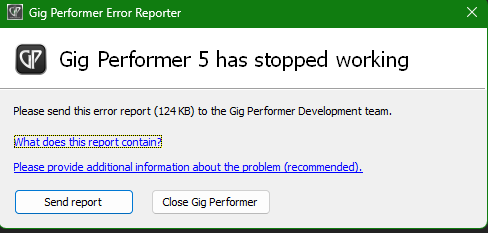
These instructions are not right. When the crash report dialog comes up, I click “Send Report”, and the report is supposedly sent to you over HTTP (if that’s what I saw, it went by so quickly). The dialog closes right after that and never gives me a chance to export or save anything.
like I said, I don’t get this screen at all.
Got it, that’s the part I missed. Thank you!
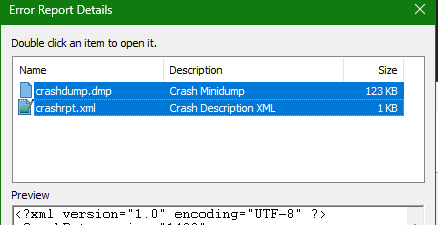
Apologies, here’s the crash report.
fb59b286-4d25-4b5c-bbea-f80ee3607c53.zip (82.5 KB)
I would like to try and reproduce the crash using your gig file, can you please describe the reproduction steps?
What does the “send report” button do?
Sends the report but anonymously.
It’s always better to post it here.
There are no particular steps, just play around in the gig file for a few minutes, especially going from the song “Love Beach” to and from other songs in the setlist, and leave some windows open, like the log window, the rackspace script, the global rackspace script, when you quit GP. Remember that this is on Windows 11, which I only use for testing. I don’t know if you need to have any of the plugins that Love Beach uses. I’m suspicious of BlueArp b/c it’s the only non-NI, non-Arturia plugin I’ve used lately. BlueArp is free, and if you have it installed, then activate one of the sequences in the song Love Beach, by playing the Bb3 or G3 key (the ones above middle C).
@Dadi (4/20 11:33 am EDT)
a18d7745-1876-4701-a50e-ed5b76ec2a93.zip (82.4 KB)
I just got GP to crash when I exited from this gig file with none of the child windows open – attaching the new crash reports.
if you close out all the other GP windows (log window, scripts, etc) before exiting GP, do you still have the issue? (I have always been a bit confused that some of these “sub windows”” (made up term) stayed open when I quit GP. I “think” I’ve had freezing issues in some cases too).
(I’m also a bit nuts about waiting until any process is done before doing the next one. For example, I wait until I am sure the gig file is done saving before I close out GP).
I’m pretty sure that the crash has happened even when the child windows were all closed.
@jeffn1 UPDATE: I tried it again and it crashed, see above.
Hopefully someone who knows more than me (everyone else who as posted) can check out your crash report and tell you what is going on.
Just for grins, duplicate that gig file and remove all scripting. Does GP crash on close then?
.
I suspect that it is GPScript related.
Good call, thanks for suggesting that! So after multiple tests, with some or all scripts removed, I’ve narrowed it down to a single function in the “Love Beach” rackspace script, its four rackspace-level vars, and the two On NoteOffEvent callbacks that call the function:
var SeqG3, SeqAsharp3 : MidiInBlock
    BlueArpG3, BlueArpAsharp3 : PluginBlock

Function HandleSequencerBypass(note : string, m : NoteOffMessage)
  var i : int = 0
      bypass : Boolean

  If InSetlistView() Then
    i = GetCurrentSongPartIndex()
  Elsif InWiringView() or InPanelView() Then
    i = GetCurrentVariation()
  End

  If i == 0 Then bypass = False Else bypass = True End
  BlueArpG3.SetPluginBypassed (bypass)
  BlueArpAsharp3.SetPluginBypassed (bypass)

  If i == 0 Then
    If note == "G3" Then
      SendNowRespectingParameters (SeqG3, m)
    Elsif note == "A#3" Then
      SendNowRespectingParameters (SeqAsharp3, m)
    End
  End
End

On NoteOffEvent(m : NoteOffMessage) From SeqG3
  HandleSequencerBypass("G3", m)
End

On NoteOffEvent(m : NoteOffMessage) From SeqAsharp3
  HandleSequencerBypass("A#3", m)
End
Without this code, GP does not crash. But with the code in the rackspace script, GP predictably crashes 45 seconds after exiting. At the moment this is not a problem – I always save before exiting, and the crash does not affect the save. Still, I do need the above code, and it would be good to know why it’s causing the crash. Also this is all on Windows 11, which I’m using for the creation and testing of my virtual-only setup, and I don’t yet know if it will happen on the MacBook.
Once I have a full working setlist of songs, I will migrate the gig file over to my MacBook, which is what we use on stage. At home I use my Windows PC for almost everything, but for real-time performance I have much more confidence in the MacBook. GigPerformer on the MacBook has been working great for us on stage, for several years. I would not use Windows for our live shows.