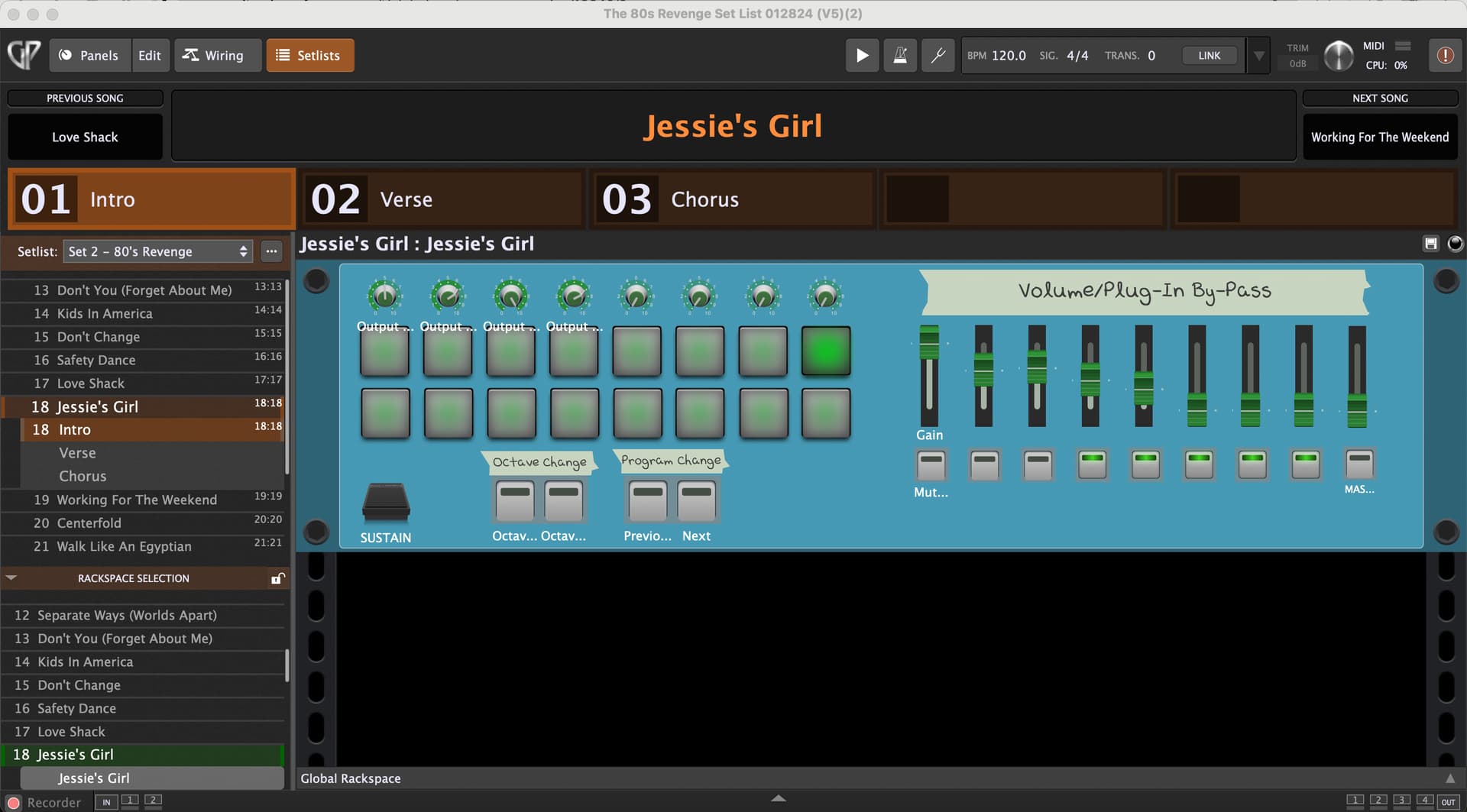
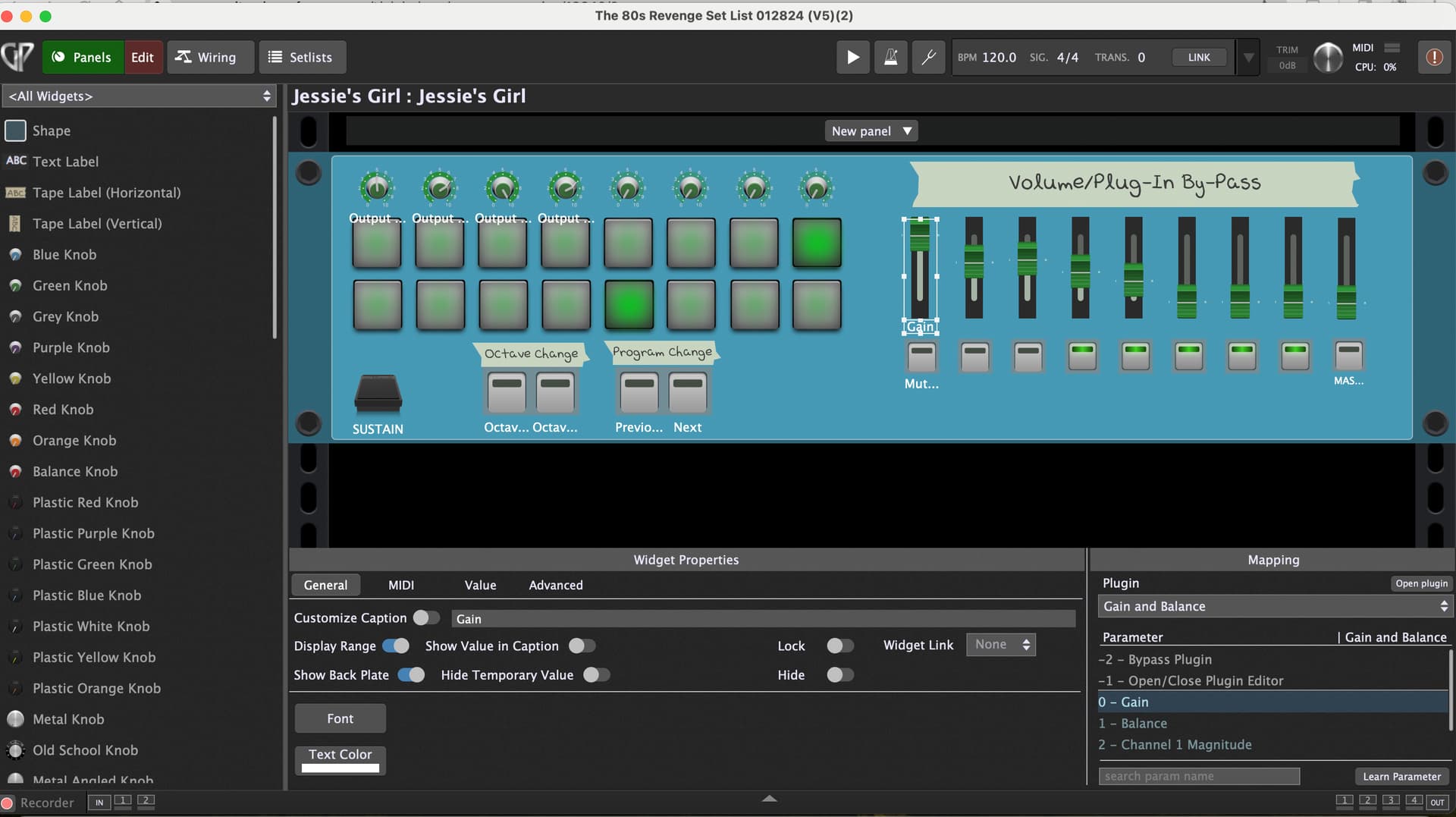
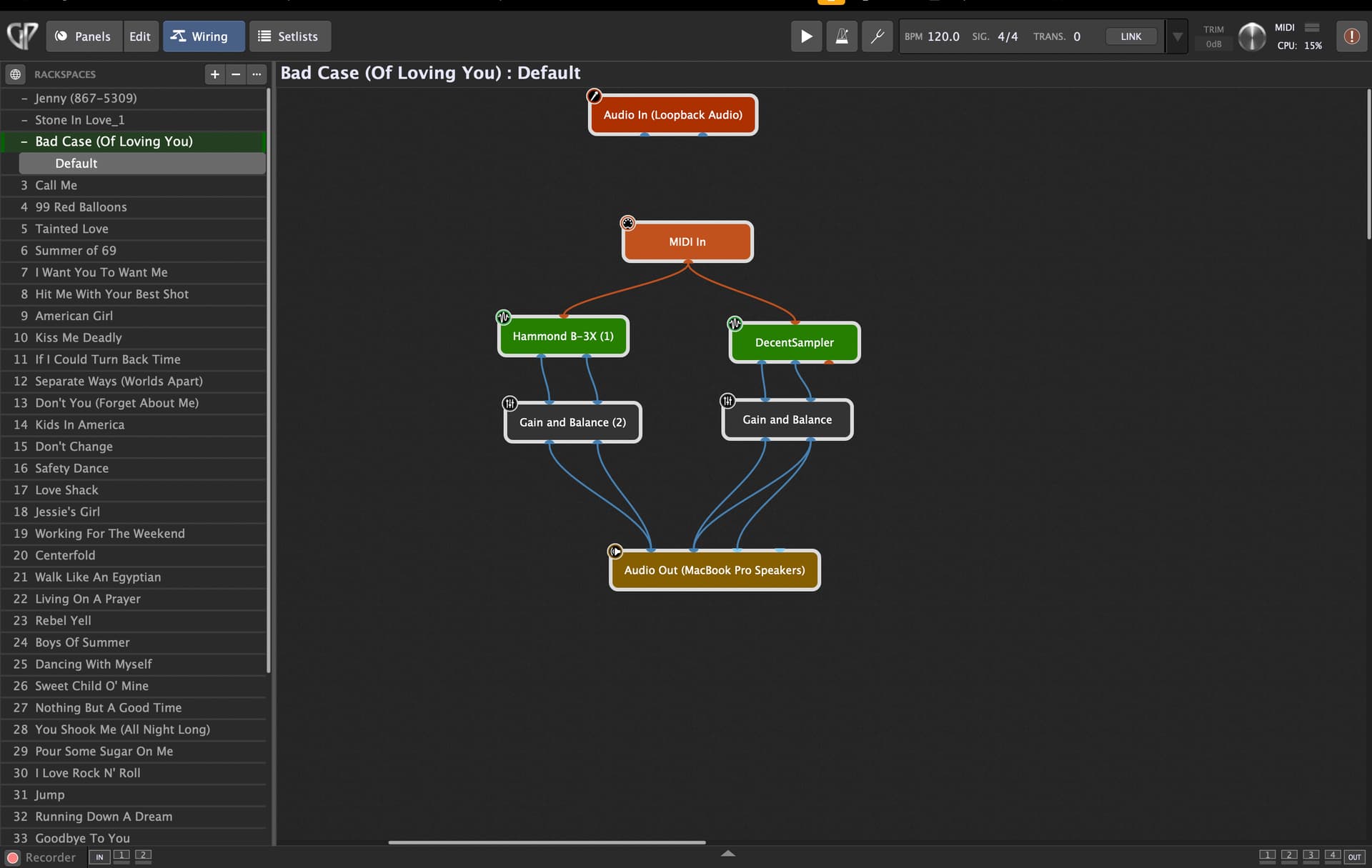
Currently, in each song, I use the following set up: Launchkey 88 controller → Plugins → gain block → audio interface (Personus). I have then gone to the edit screen and have been manually mapping each slider and button to a corresponding gain and mute for each gain block. I also have rotary knobs on the controller that I manually map to the gain for each of the 4 outputs on the personus. This allows me individually control the volume of each plugin in the song and then the overall gain per channel.
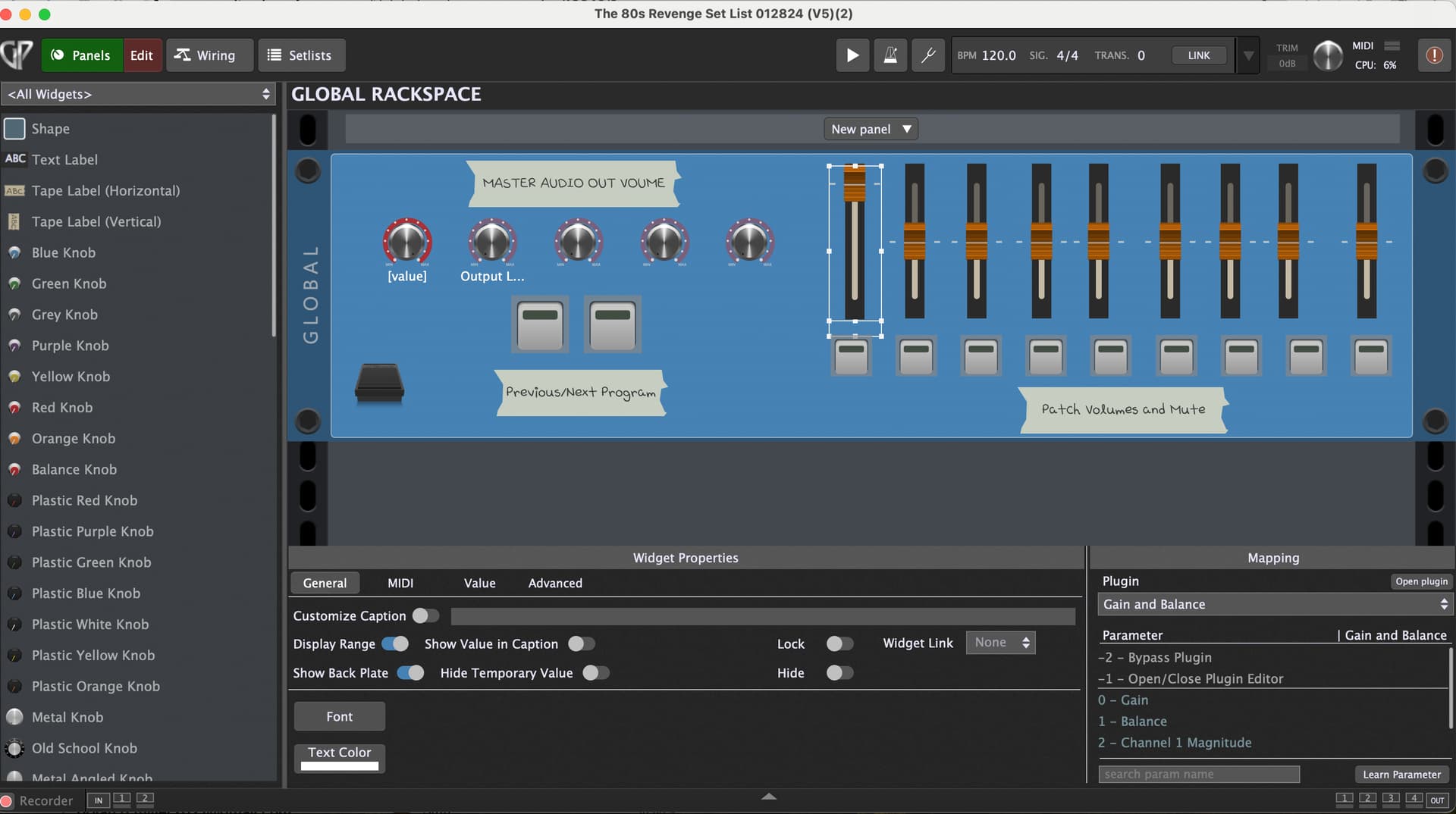
This is very tedious having to repeat for each song so I thought I would create a global rack space where this is already mapped and route each plugin to the global rack space. The problem I’m having is when I go to the global rack space, highlight a widget (say a knob or slider), choose the appropriate item from the drop down (say a gain block), hit learn, and then go to move the slider or knob, the parameter jumps to Open/Close Plugin Editor. I’m not sure why this is happening our how to fix it so looking for help.
Also, if there is a more efficient way to accomplishing my goal, please let me know as I’m still learning GP. TIA for any help on this.
Thanks Jeff. I’ll try to post some screen shots but will probably need to be after I get home from work. Also, just to clarify, I don’t think what I’m trying to do is send local midi data to a global rack space. Everything I want to control via the launchkey 88 is in the global rack space (i.e, audio interface, gain blocks, etc.) Being new to GP, I might be wrong about that but I suppose the screen shots will tell the story.
Yes, I’m a keyboard player and I’m playing through a Launchkey 88 Controller as you mentioned. What I want to do is instead of having to recreate the same gain blocks and map control back to the launchkey for each song, I want to send the audio from the plugins to a global rack space where I have the gain blocks and mapping along with the mapping of the presonus audio interface to the controller already set up and only have to do this once instead of for each song.
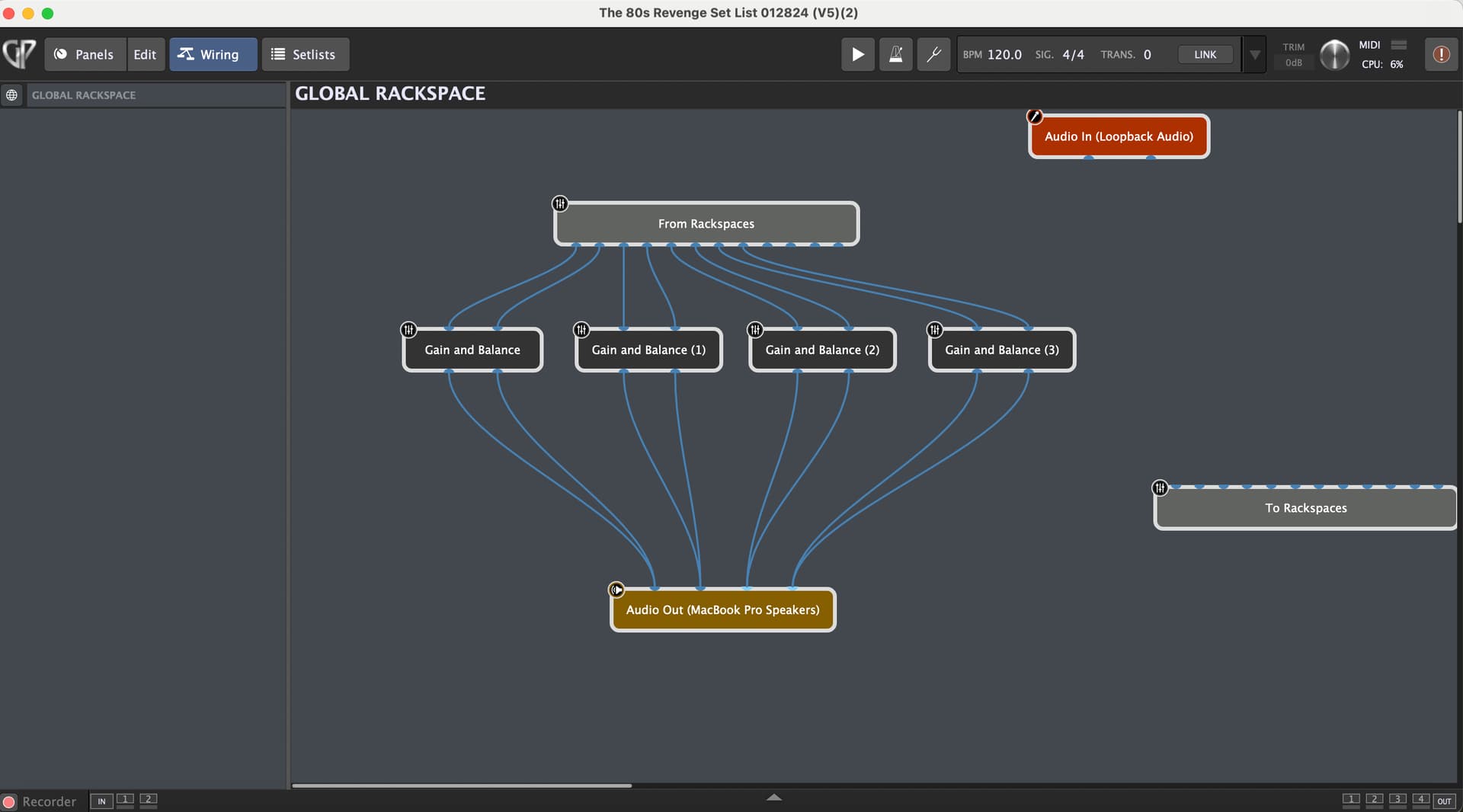
I’ve attached the screen shot of the local rackspace for one of the songs in the set list. All are set up the same way (note that right now I don’t have the presonus audio interface turned on so the audio out is the macbook but normally the audio out block would be the presonus)
So, you need to send the audio to the Global Rackpsace. (And then either out to you audio interface from the Global Rackpsace or back to the Local Rackspace and then out to your audio interface).
Hi Jeff - thanks for the link. I think I’m pretty clear on that. The original issue I was having though was that when I am in the global rack space and trying to map a controller dial to the presonus it won’t let me choose it. Instead, when I am in global rack space, hit edit, highlight the knob on the the rackspace and then go to the drop down to choose “Presonus” and then try to choose “gain” and “learn” it jumps to “open/close plugin” and won’t actually learn the mapping.
You want the Gain and Balance plugins in the Global Rackspace, right?
So, put them there.
Then connect audio out to the your Audio Interface (Personus) in the Global Rackspace. (Unless you want to route it back to the Local Rackspace and sent it to your audio interface there).
Yes, that’s correct and they are already there. Let’s start over:
I have a global rack space set up - see the image I sent earlier
On the global rack, I want to MIDI map the physical dials on my controller to the ones I set up in the global rack space. These will allow me to control the volume for channels 1-4 on my presonus audio interface
The problem: I can’t get the knobs in the global rack space to map to the corresponding ones I set up in my global rack space. I choose “edit” in the global rack space, highlight the knob I want to map, choose the presonus audio interface in the drop down menu on the bottom right and then choose (for exmaple) Gain 1 (or volume 1, can’t recall what it says but doesn’t matter). I then hit learn, start turning the physical dial on the controller but nothing happens. This is what I’m trying to fix. It works when I go to the rack space, click on a song and do it within the wiring for a single song but not for the global rackspace.
I think you should put a mixer in the Global Rackspace and and control the volume in the mixer, not your audio interface. Then your controller should learn the controls in the mixer.
By the way, if you want to control the widgets in your local rackspace, there are some addition steps to link widgets from the Global Rackspace to the Local Rackspace. (There are posts on this).
Thanks Jeff, really appreciate your time and help on this. I think I will just do what I was doing before which was adding gain blocks to the local rackspace and mapping them for each song individually. It’s tedious but seems like the way to go.
For all your plugins?
If they are all too low, then they are probably not too low, you probably need to boost the signal out of your audio interface. If some of them are too low, then lower the ones and then boost the signal at your interface (or FOH)
I think I figured out the problem. When I deleted the panel associated with the rack space and only have a panel for the global rackspace, everything works as intended. Problem solved. Apparently having a local rack space conflicts with the global one.