There seems to be another process connected to the same port, the receive port (client port). Are you using the Protokol software connected to OSC? Are you using another instance of TouchOSC/GiG in another device connected to the network?
In the image you posted earlier, I saw two endpoints (Gig listening port) 192.168.1.209 / 10.0.1.6
Are there still two endpoints in the log? If so, can you try to use a single Ethernet configuration to have only one IP address configured in the host?
Thank you for trying to help. Today I can’t seem to get it to connect. I am not sure how I got it to connect yesterday in one direction. I am going to give up for now. I have been trying for over a year, from time to time, to make this work. Maybe I will give a try again later. I love the idea of using TouchOSC, but it seems beyond my technical ability.
Hey codevyper,
thank you so much for this wonderful template! Makes it easy for us who are just starting out.
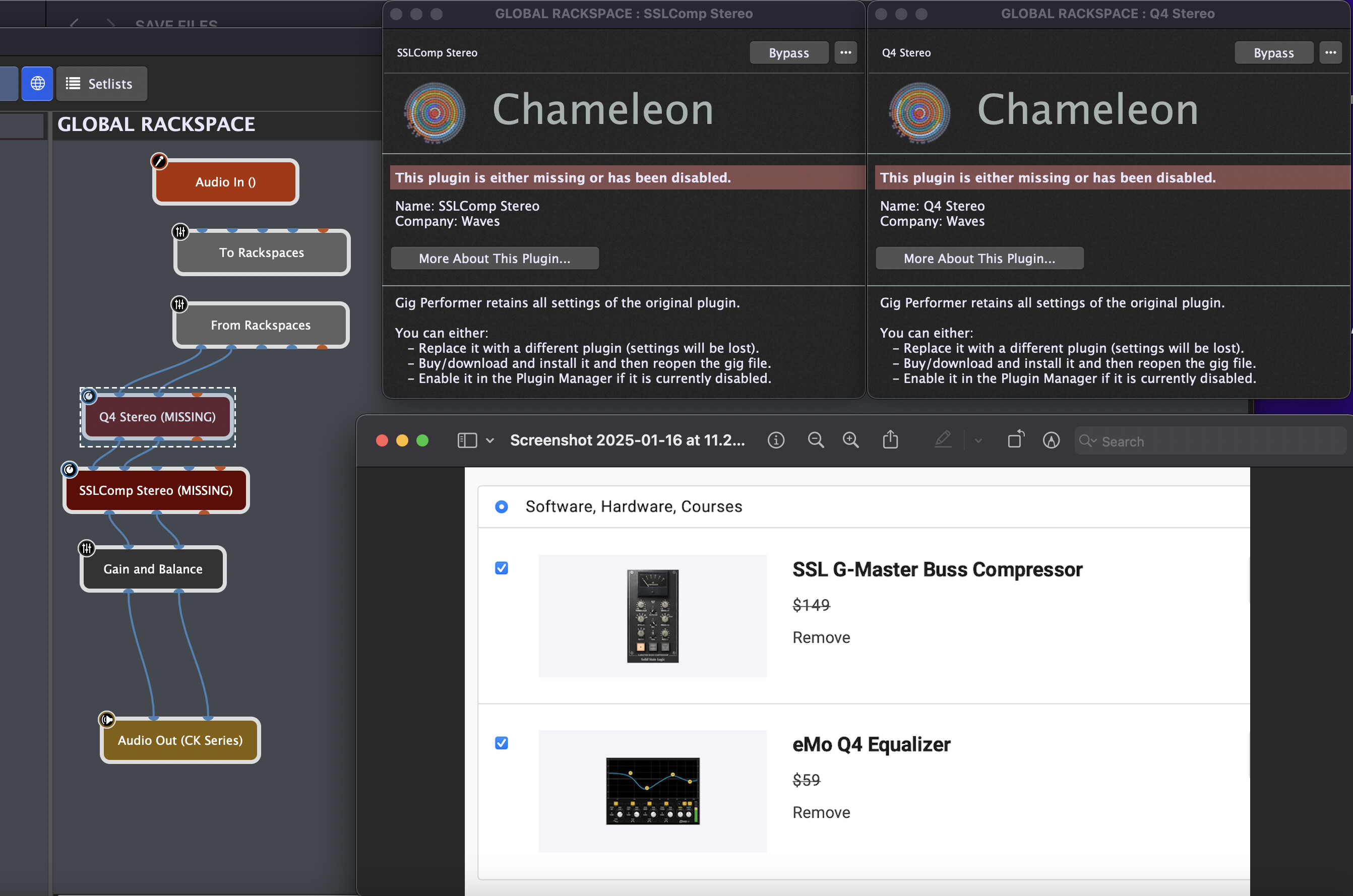
could you confirm the plugins you used in the global rack (Comp/EQ)? Link just sends me to the home page.
Also are you using a keyboard for this setup (GP/TouchOSC) in your live performances?
Thanks again,
screen shot
Hey John,
Yes. I’m using the Waves SSL Compressor plugin for the compressor/limiter and the Waves Q4 for the EQ. You can use any plugin you want though. The Chameleon is just a placeholder plugin built into Gig Performer as a place holder. You’ll simply need to map the knobs in the Global Rackspace in Gig Performer to the appropriate controls on your plugin(s) of choice. In Gig Performer, as long as the OSC name is the same as it is in the Test Rackspace, the TouchOSC template will map it out and show it in the TouchOSC interface.
For live performance, I am currently using an Arturia Keylab 88MK2 and an Arturia Keylab Essential 88 for my two controllers. I’ve mapped my knobs on my Keylab Essentials 88 (top keyboard) to the knbos in the TouchOSC interface so most of the time I use TouchOSC as a visual reference much like you would a screen on a workstation type keyboard, but sometimes I do use the buttons/faders/knobs directly on my iPad to make changes.
Hope that helps.
Jim
Thanks Jim. Yes I am aware I can use any plugin. Ive transitioned from Ableton live to GP and was using the built in compressor, eq, etc in Ableton and it’s unfortunate I can’t bring in the built plugins in Ableton to GP. I know there is a way to use the GP relayer but id like to keep it simple with just GP looking forward and was looking for some good audio plugins in the market.
I really like your keyboard setup with the touchOSC. Im thinking of setting it up like that in the future after I get the hang of it all. GP and TouchOSC seems like a very powerful combo for future gigs and is the way to go. Im grateful we have fellow musicians like yourself in the community that give templates and tips for these powerful software. What a time to be a keyboardist/musician.
Thanks again,
John
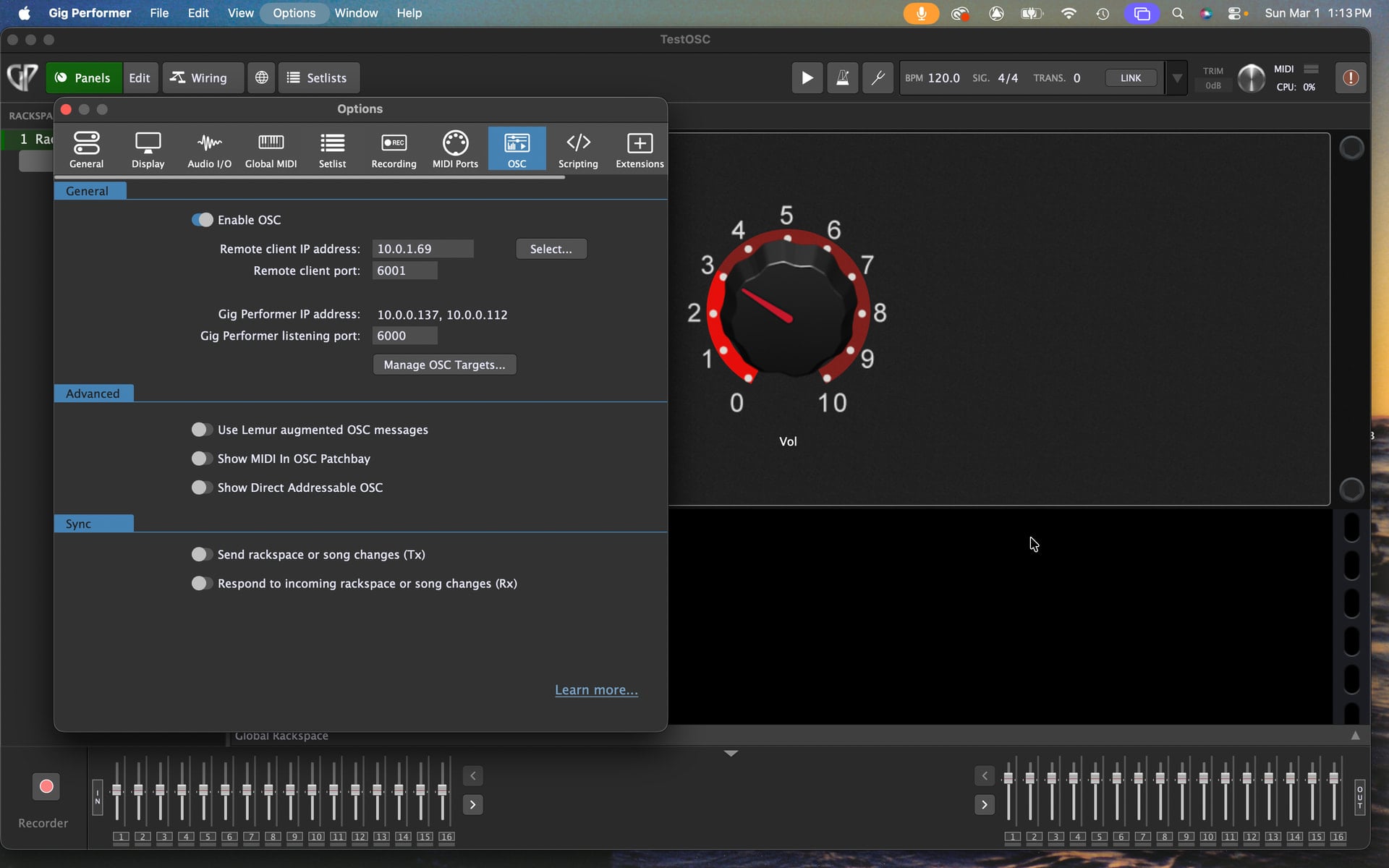
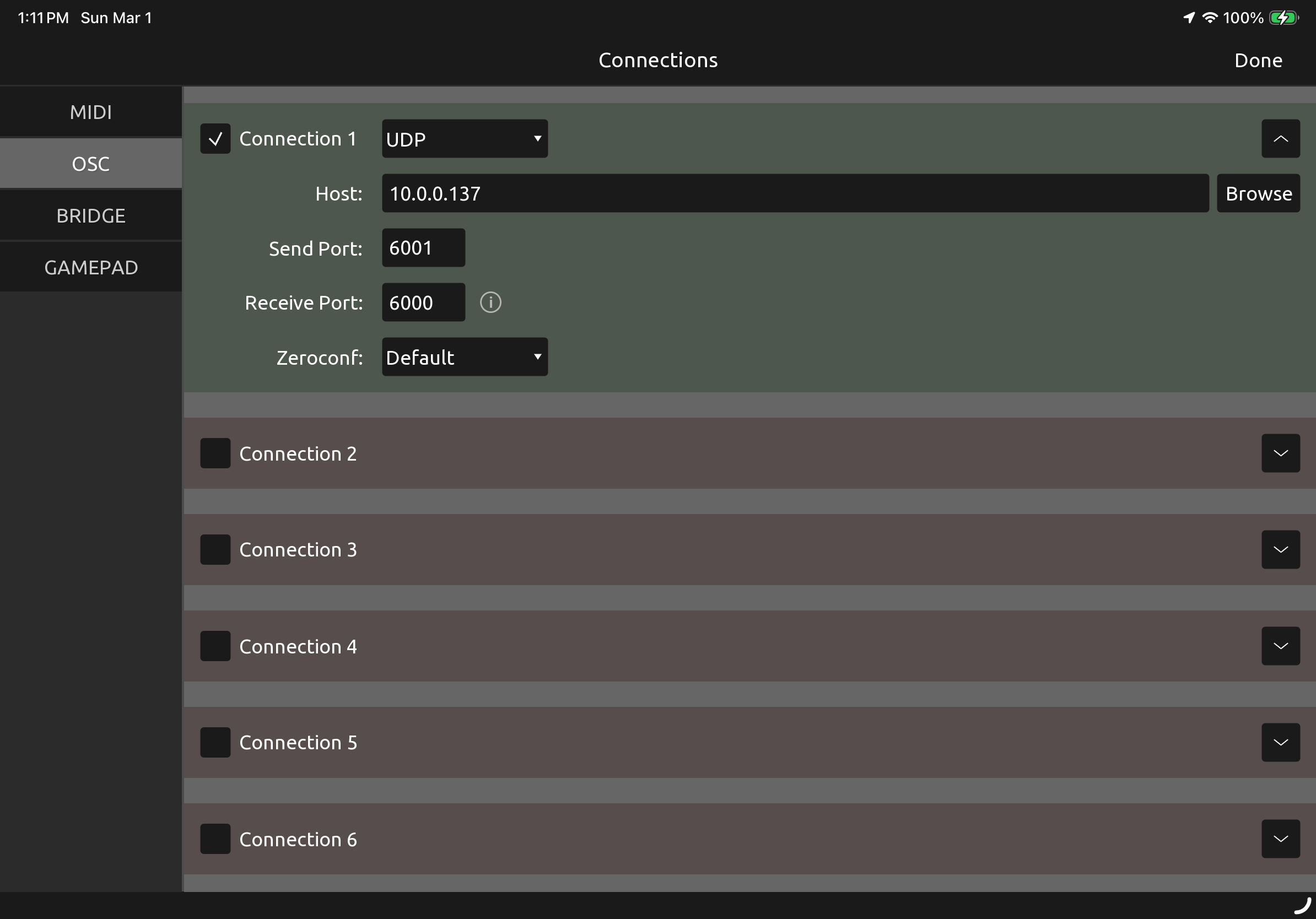
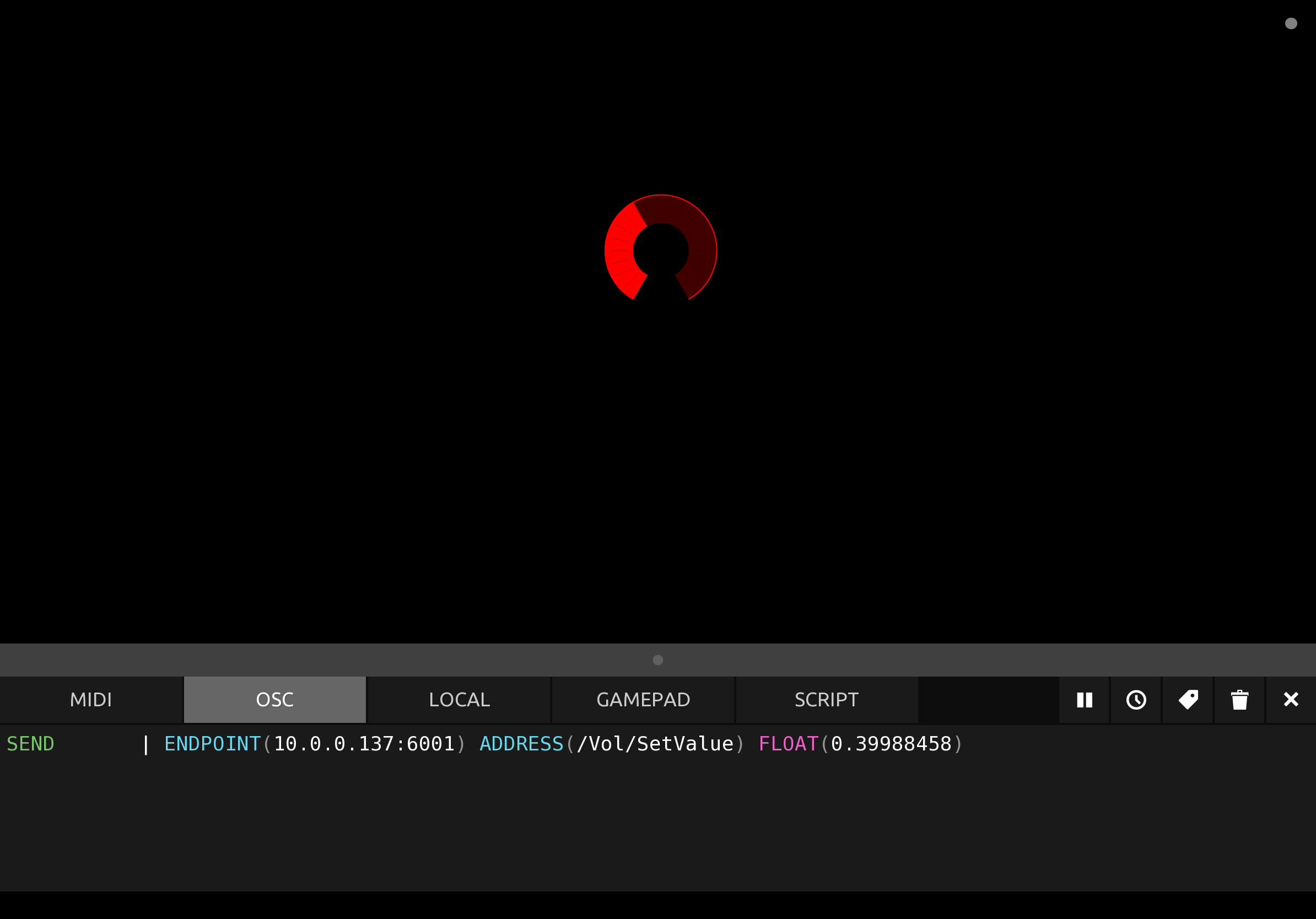
I’ve been having connection problems with Touch OSC that I don’t have in Lemur. Downloaded your file to do some testing. On the same device using the loopback IP address and your port numbers, I was able to get bi-directional communication between tosc and GP. So far, so good. However, once I moved the tosc file to the remote device and adjusted settings, the same problem manifests itself. Protokol on the same device as GP receives the info from the remote device just fine, but GP does not, nor does the remote device respond to GP. It’s rather maddening as Lemur works just fine. Attached are some screenshots showing what’s happening. Any clues to what I’m missing?
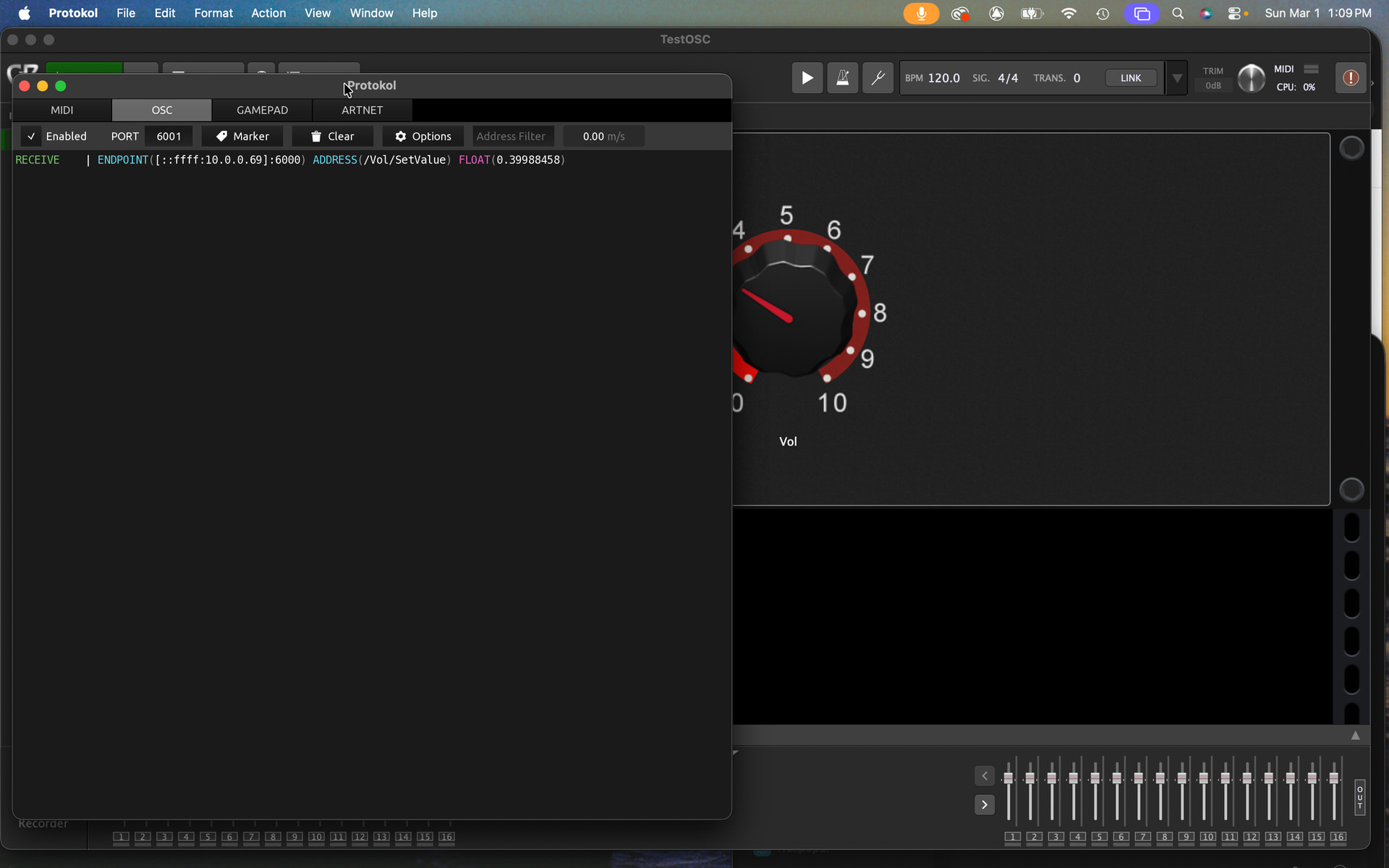
Is the client’s IP address 10.0.0.69?
The host is 10.0.0.137
The client’s IP field in GP is 10.0.1.69
You probably meant to write 10.0.0.69.
Can you try that?
You are able to receive in your host but GP can’t reach the client IP
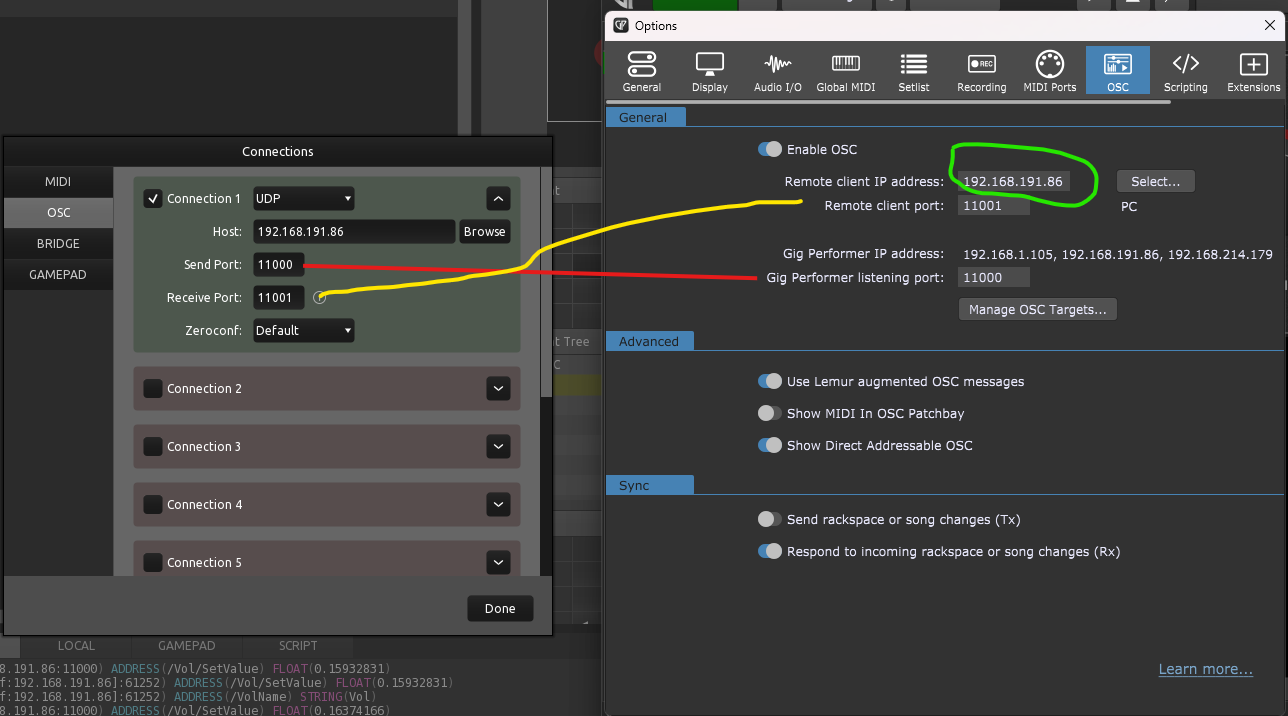
Another problem is the ports
Touch OSC Send port 6001 —> Gig performer listening port 6000 ( WRONG)
Touch OSC Receive port 6000 —> Gig performer Remote client port 6001 (WRONG)
You need to reverse the ports on one side (TouchOSC or GP)
Touch OSC Send port 6001 >> Gig perfomer listening port 6001 (OK)
Touch OSC Receive port 6000 << Gig perfomer Remote client port 6000
In my case, for example, I am running Touch and GP on the same host, so the remote client matches the host.
1 Like
You’re correct on all counts. My home wifi IP addresses are 10.0.0.x, while my private wifi that handles OSC connections are 10.0.1.x. When I matched the correct IP addresses and port assignments on the home wifi, your test GP and TOSC files had bi-directional communication. Moving it over to the private wifi and adjusting the IP addresses also worked as advertised. Loading the original 1.7 interface file had mixed results. The next and previous rack file buttons worked fine, but the mute button and volume fader did not. However, this is a huge step forward in getting TOSC and GP working together. Thank you so much for getting me pointed in the right direction!
2 Likes
And a further update. Once I reloaded the TOSC template file into the iPad, the tabs at the top were again visible and once tabbed to the right pages, it appears all controls are working fine in both directions. Now the maddening WTF phase ends and the conversion grunt work begins.
1 Like
I’ve been playing with this interface for a month now and will echo the proclamation of @dhj Goodbye Lemur! I did have a small issue yesterday when I created multiple setlists in a gig file, where the interface did not display any setlist except All Songs, though the set list view did update to reflect the setlist chosen on the laptop. Today I noticed the issue resolved and all the setlists are now displayed in the drop down menu. The only thing I felt attachment to in Lemur was the Songnotes OSC object. Is there an equivalent to it in TOSC? I used it mostly to remind me how any particular pad on my Softstep foot controller would affect the rackspace, i.e. more bow sound on a string patch or mute the piano. I also recognize that screen real estate is limited with this interface so I don’t know where such a display might live.Guess I’ll just learn to keep the songnotes in my brain along with chord progressions, lyrics, etc. Bravo @codevyper for this awesome tool!
1 Like
I’m not familiar with Lemur, and therefore the ‘Songnotes’ object, but if you have a better understanding of how objects work in TouchOSC, I think you’ll be able to find the method you need.
I recommend checking out these examples; you might find one that interests you.
1 Like
There is nothing special about Songnotes. When I created the original Lemur scripts (TouchOSC didn’t have scripting back then so it wasn’t an option) I just added a text field near the bottom and gave it the OSC address “Songnotes”
Hence, if you have a text widget in your rackspace with the same OSC address, it will be displayed on the iPad. It’s rather useful for advice notes
1 Like