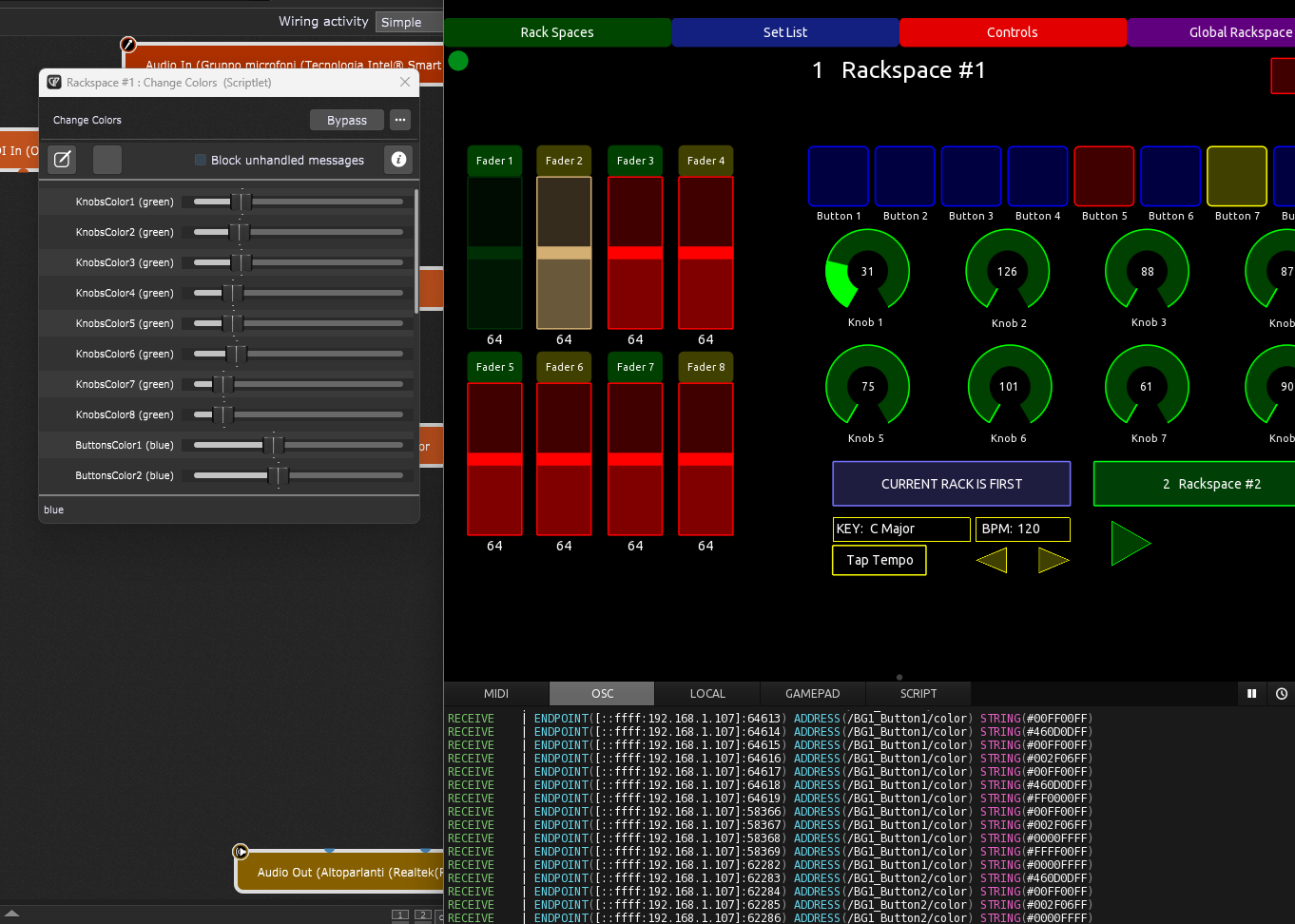
The layout I came up with was based on a few things. First, it was loosely based on examples Rank13 had posted in an earlier thread. From there, I modified it so I had 8 each of the knobs, buttons and faders that I could assign as needed in my GP rackspaces. I also discovered early in my testing of this that if I’m on a rent-a-stage and things are bouncing around a bit, my tablet, which was at the top of my keyboard stand would move around more than I liked and so I needed bigger targets on the screen to tap.
All the build out of the interface is open to view and edit as you see fit, so it can be modified for use on a phone if you like. You can keep all the scripting as is and just modify the control layout to suit your particular needs. As long as the control names stay the same and are located on the same tabs, the scripts should continue to work.
Two things I was going to add to this that I have in my Lemur version (but I have to understand your design better first ) and maybe you might want to do this for general release
A tap tempo button so that you just tap to set the tempo
A refresh button that will just tell GP to resend a bunch of useful info - this can be handy if there is a wifi network glitch
Yeah there’s definitely room for improvment and I’m already working on a couple of them. On the Rackspace and Set List view there is a “Get Racks” and “Get Setlists” button to re-request them from GP, but it would be nice to have on the controls screen as well. Also, I need to add a global volume to the control screen as well so I don’t have to hop back to the other view if I need to adjust volume. I do plan to keep working on this and improving it, so input is definitely welcome.
This is indeed the one you need with Lua scripting. I hate this scripting langage (from a developer point of view), but it make the new version of TouchOSC quite powerful.
Heads up… I’ve been working on thin in my spare time and I’ve added the Tap Tempo to the Controls panel, a drop down to select Set Lists on the Set List tab and fixed a few bugs. I should have the new version uploaded here mid week next week.
Here is the latest version of the TouchOSC interface. It contains a number of bug fixes and feature adds, Including, Tap Tempo button in the Controls page, a new Global Rackspace view that also includes rank13’s amazing Song Part Quantizer functionality and a setlist picker dropdown menu in the Set List View. Please see the change log and user guide for more information.
Good job! I wrote a scriptlet to change the colors of each control. In this case I do not use the rackspace script. For me now it is easier to change the settings without changing the code, each parameter has the color name, you can choose the color you prefer
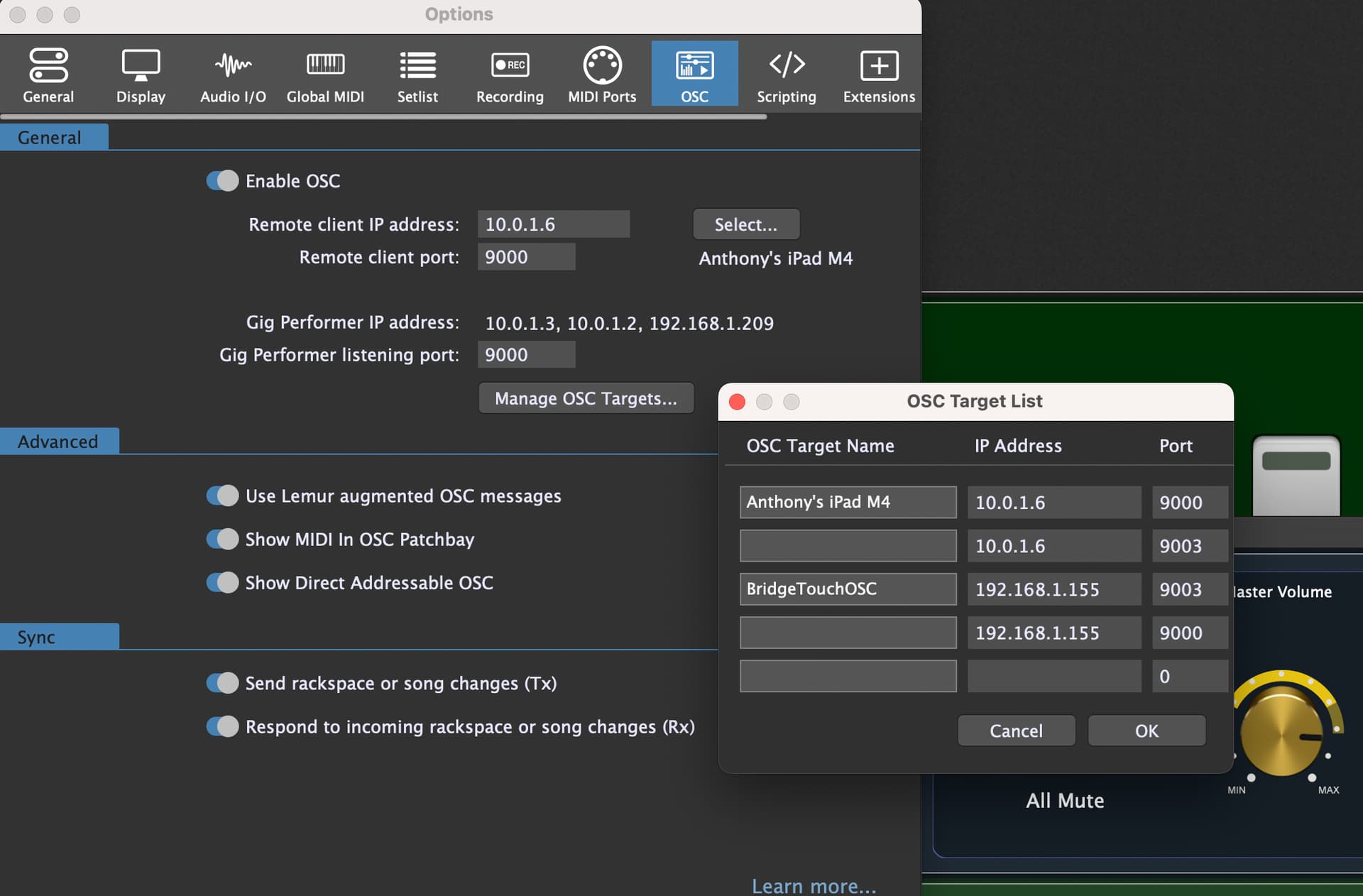
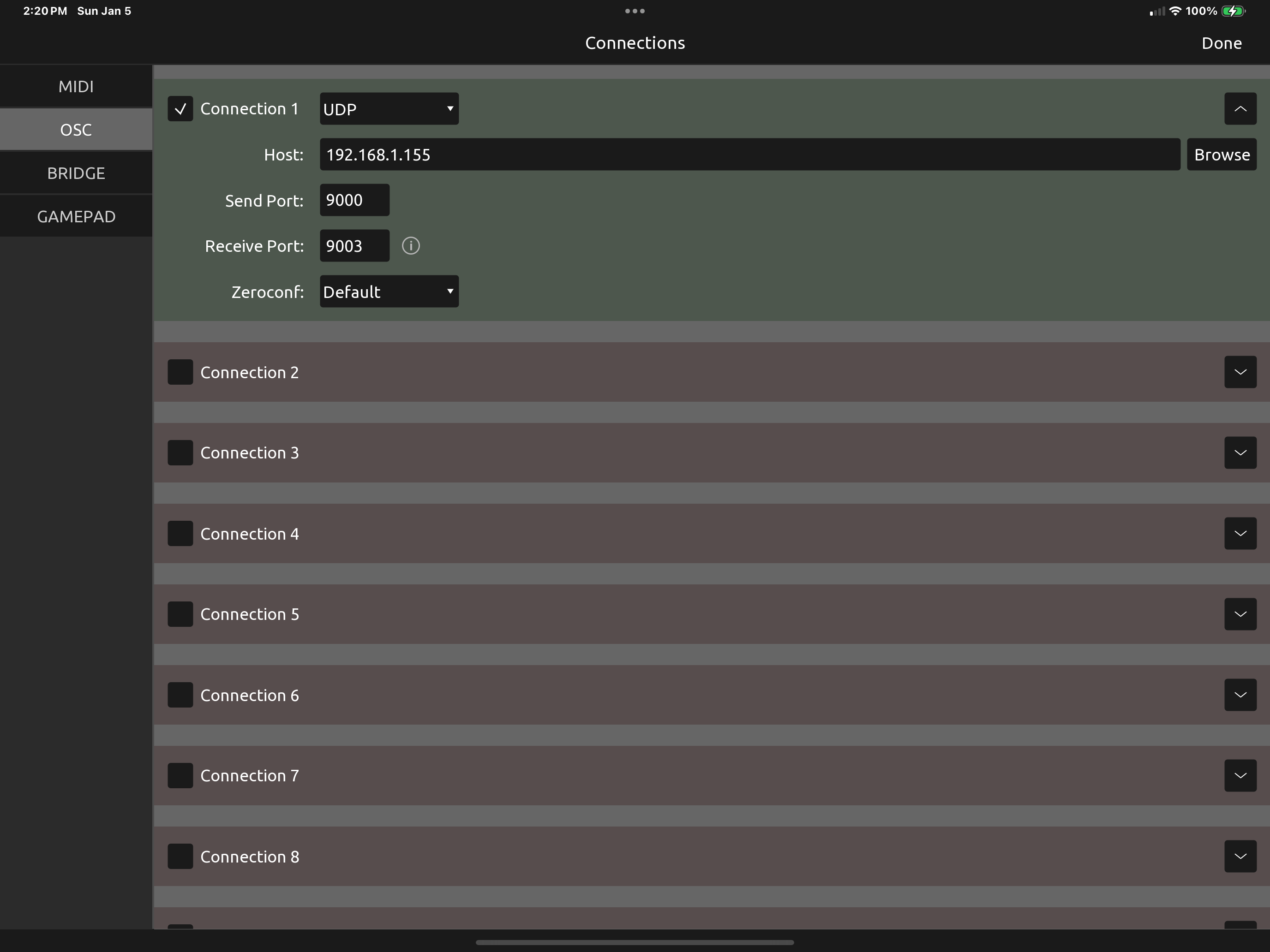
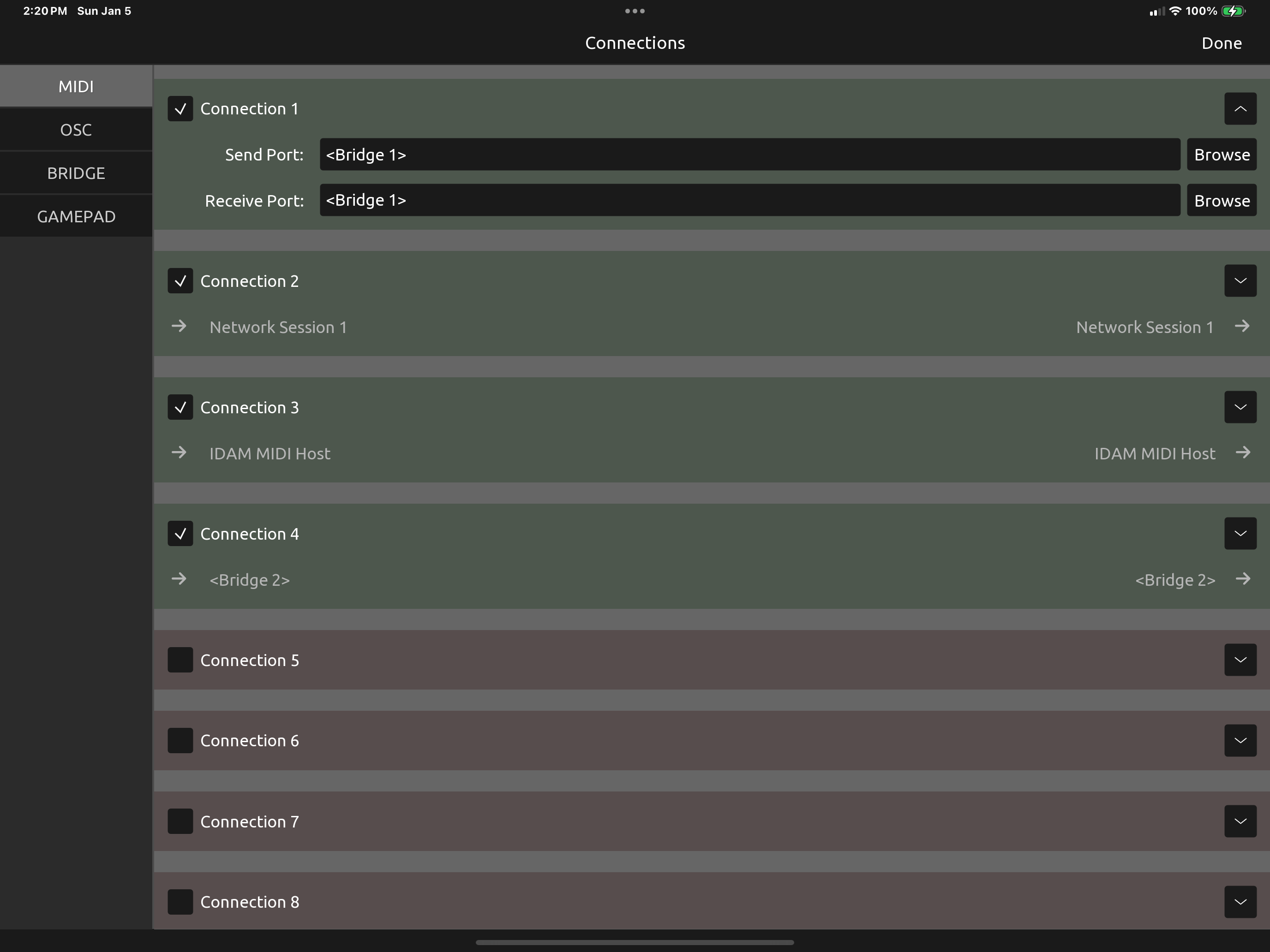
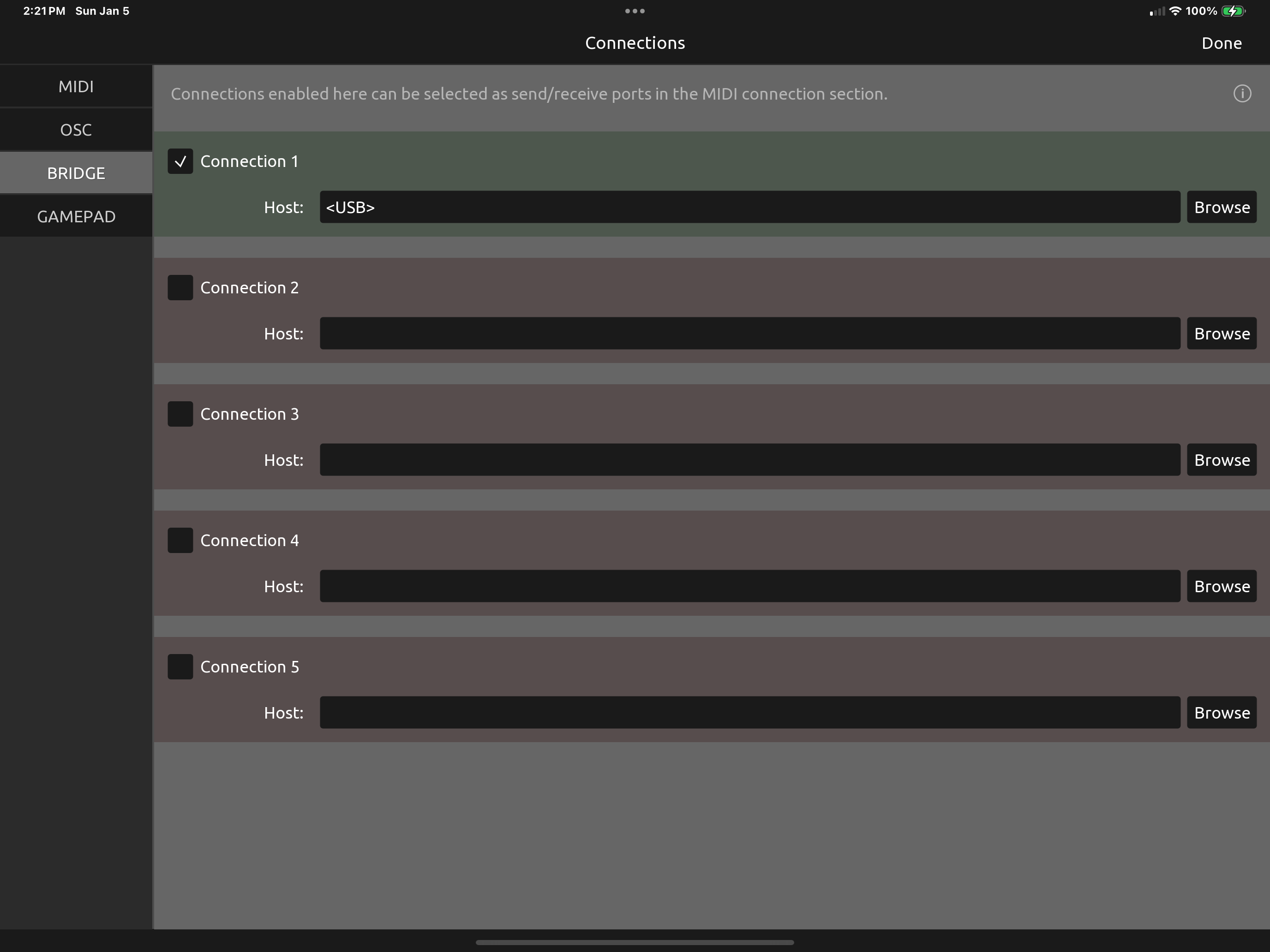
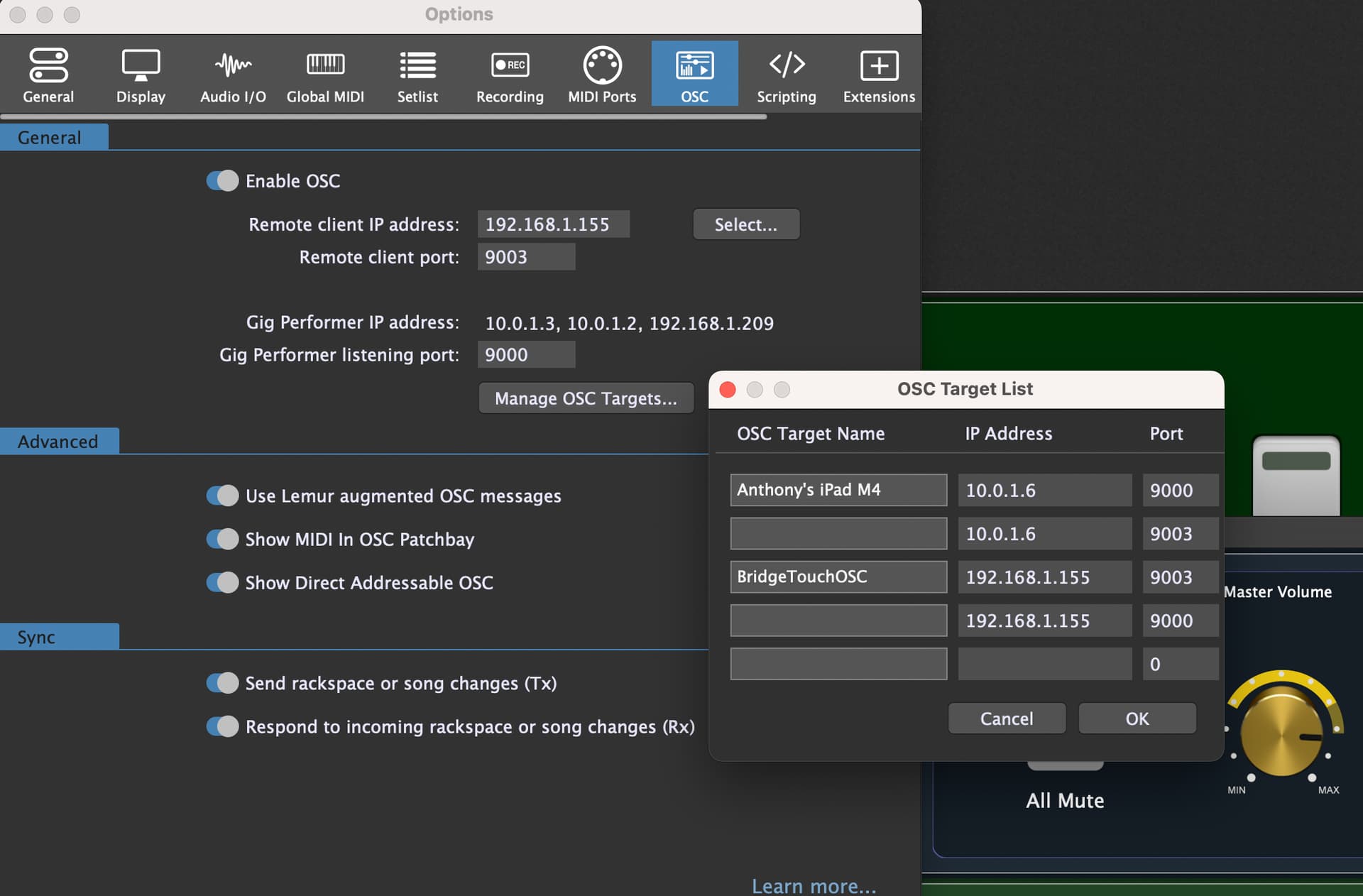
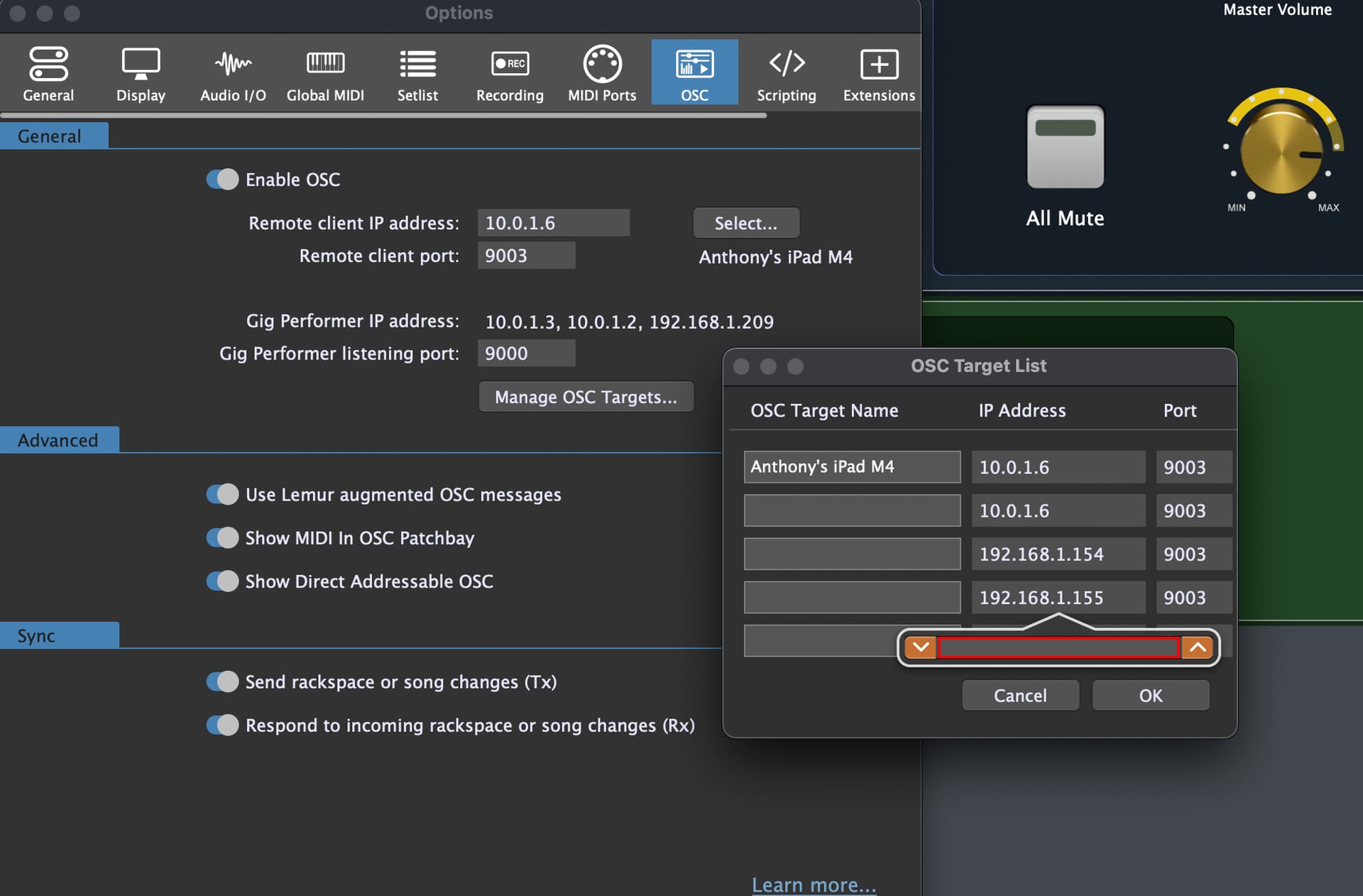
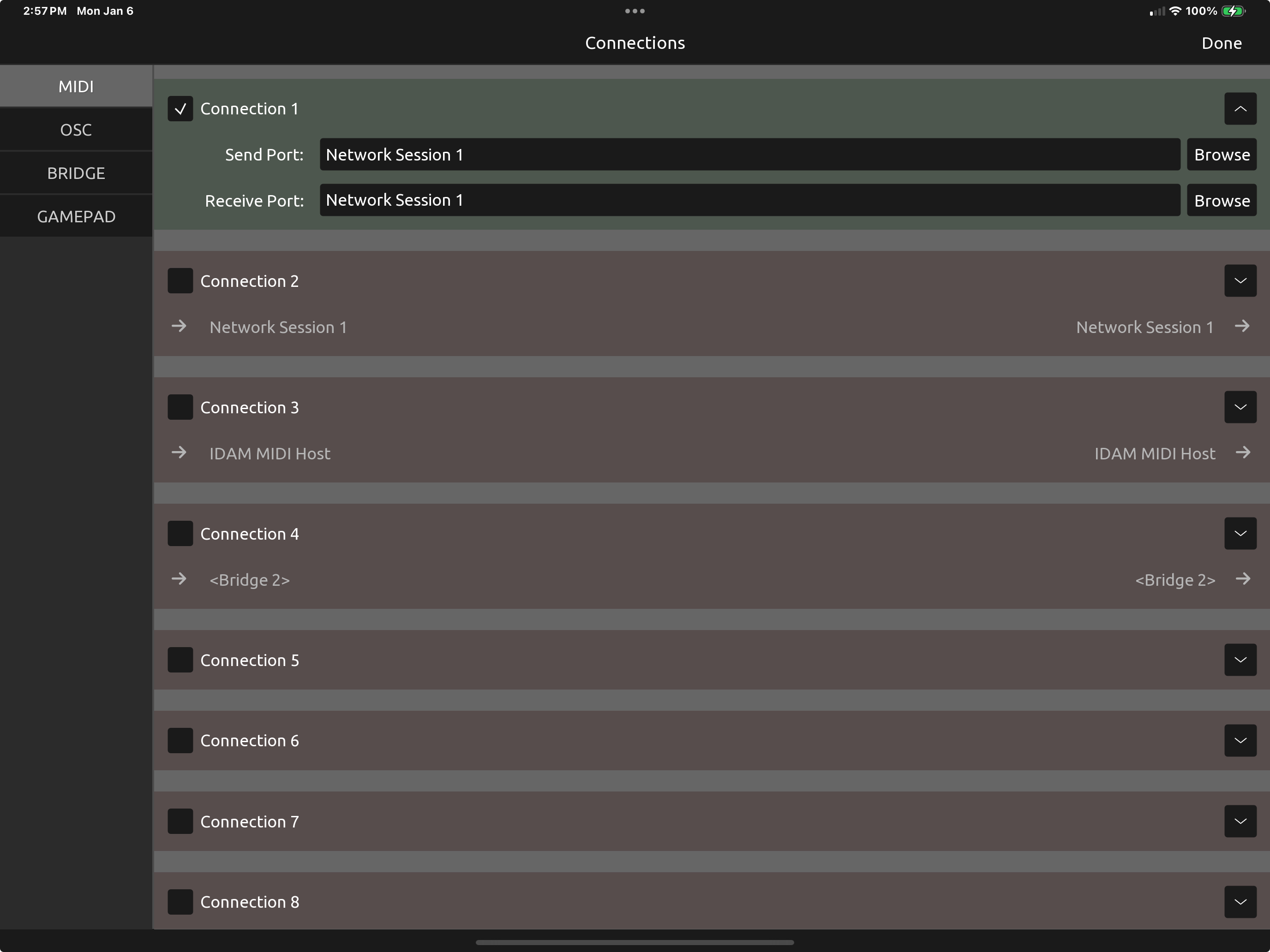
I would love to use TouchOSC. But every time I try, I can’t get my iPad to connect to GigPerformer. Here are some screen shots. I am hoping someone can help me make this connection.
I tried several ways and nothing is working. In TouchOSC there are 4 tabs, MIDI, OSC, BRIDGE and GAMEPAD. Should I be using OSC? If so, should I use UDP, TCP CLIENT or TCP SERVER?
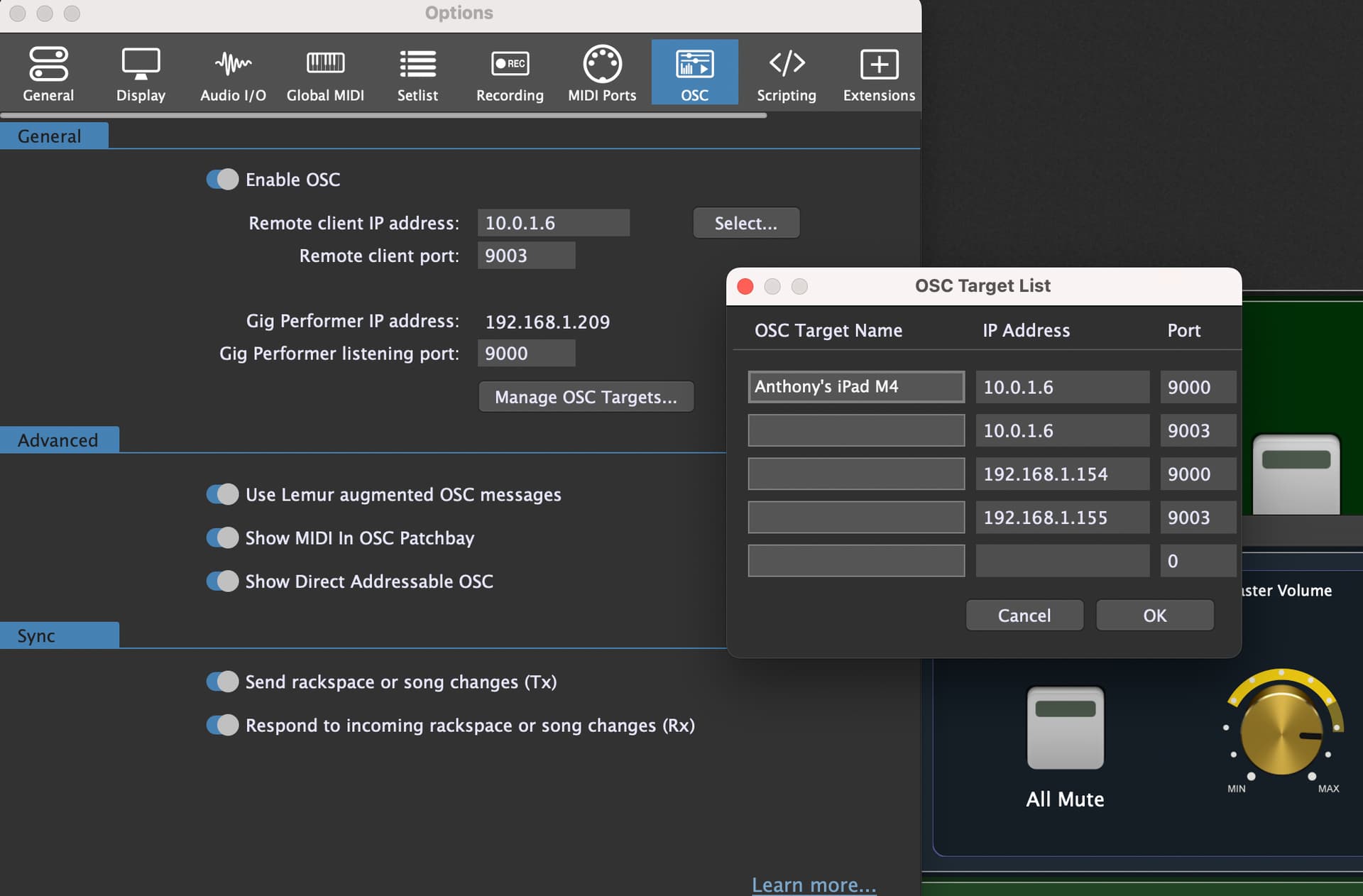
I can’t delete any of the IP Addresses or Ports in GigPerformer. Does this look right?
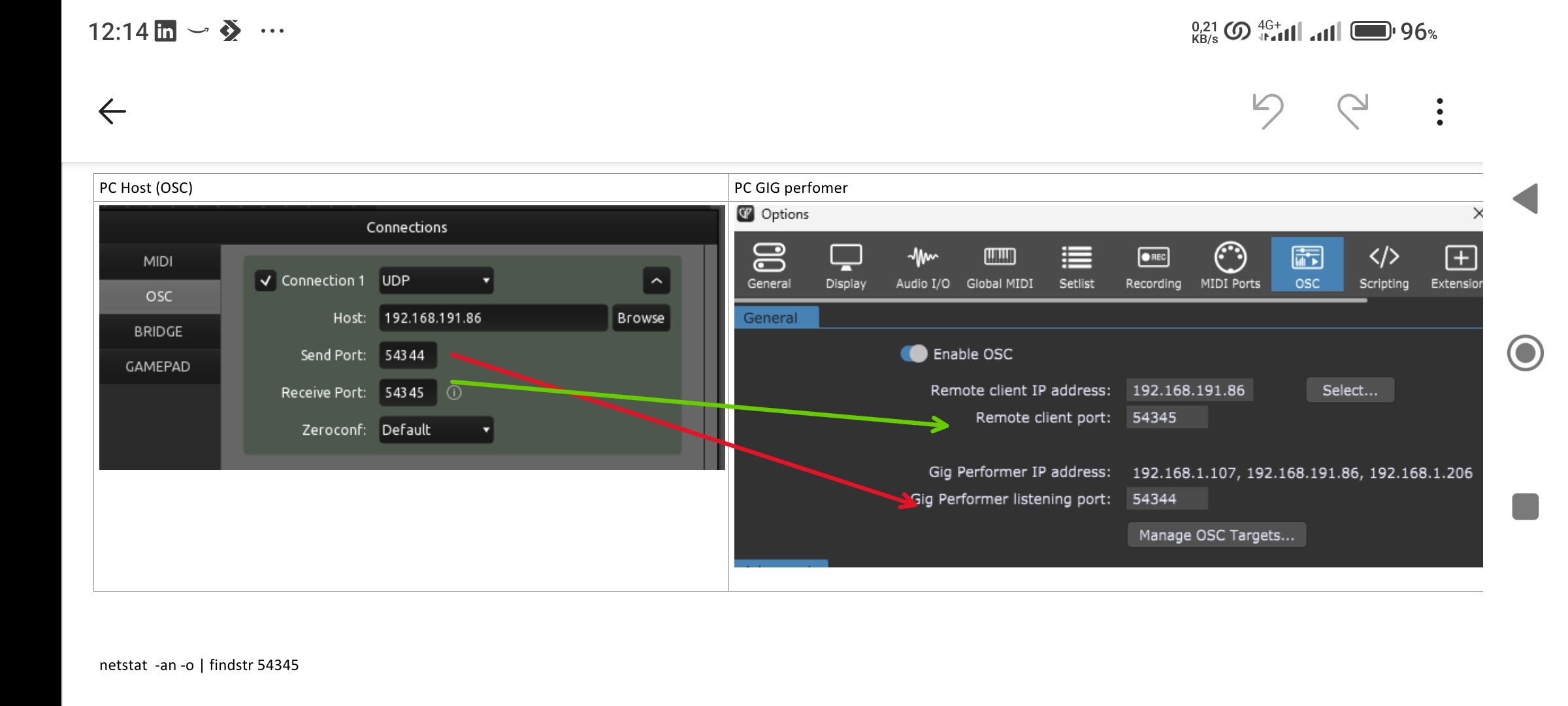
I don’t know if it helps, just to make sure that the send and receive port are connected the right way. A simple question: are you sure that in your operating system the firewall allows communication with the program? I spent a lot of time and in my case that was the problem.
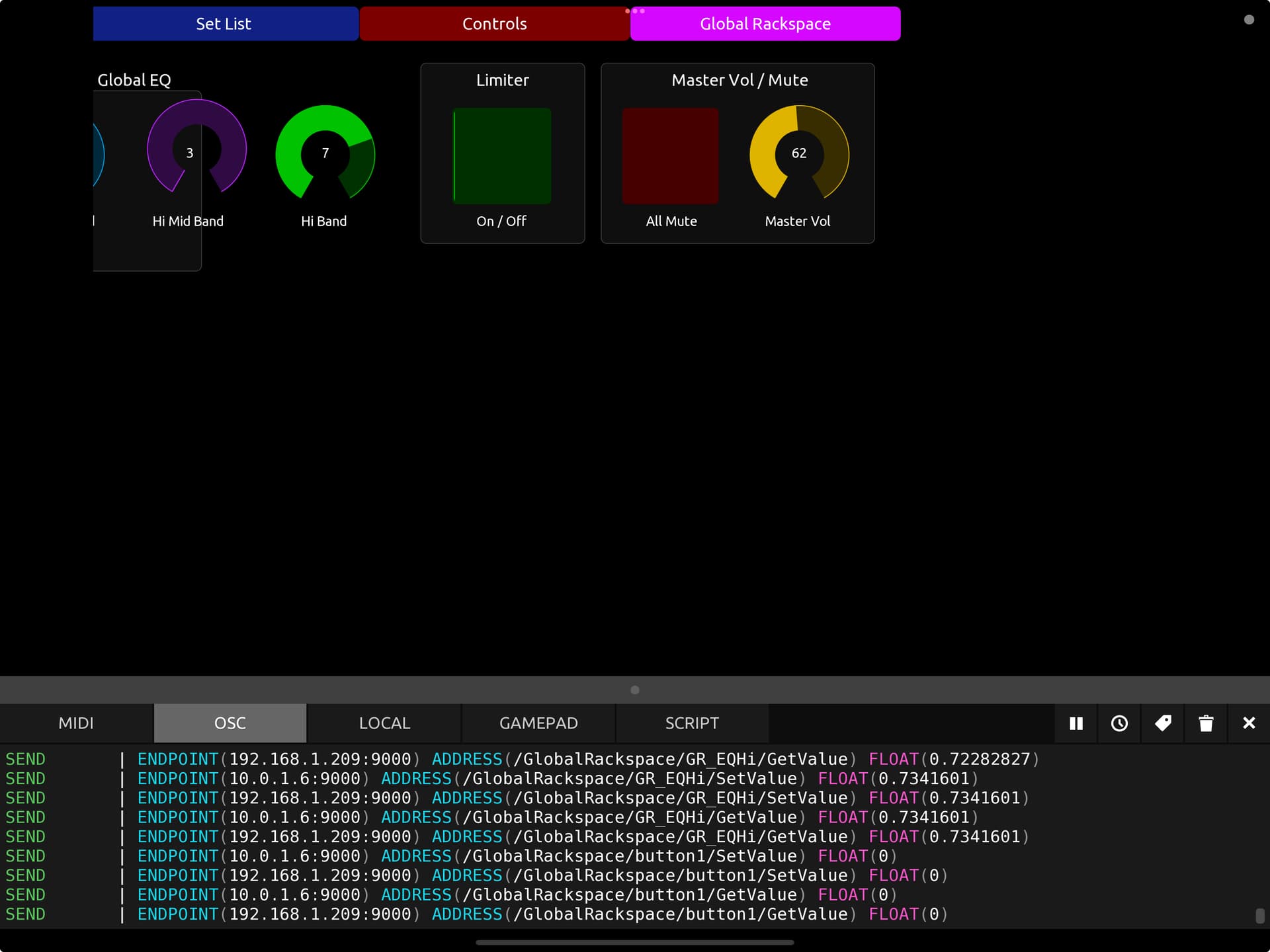
It might also be useful to activate the OSC log window to see if the message uses address and port correctly
Last thing , in setting the client IP address in GiG you can try to use the broadcast address to receive from different clients in the same network. You have to set an address e.g. 10.0.1.255
I have opened the OSC log. The photos shows what is happening. I tried to allow access in the security setting to TouchOSC. Still nothing. I changed the .154 and .155 to .209.
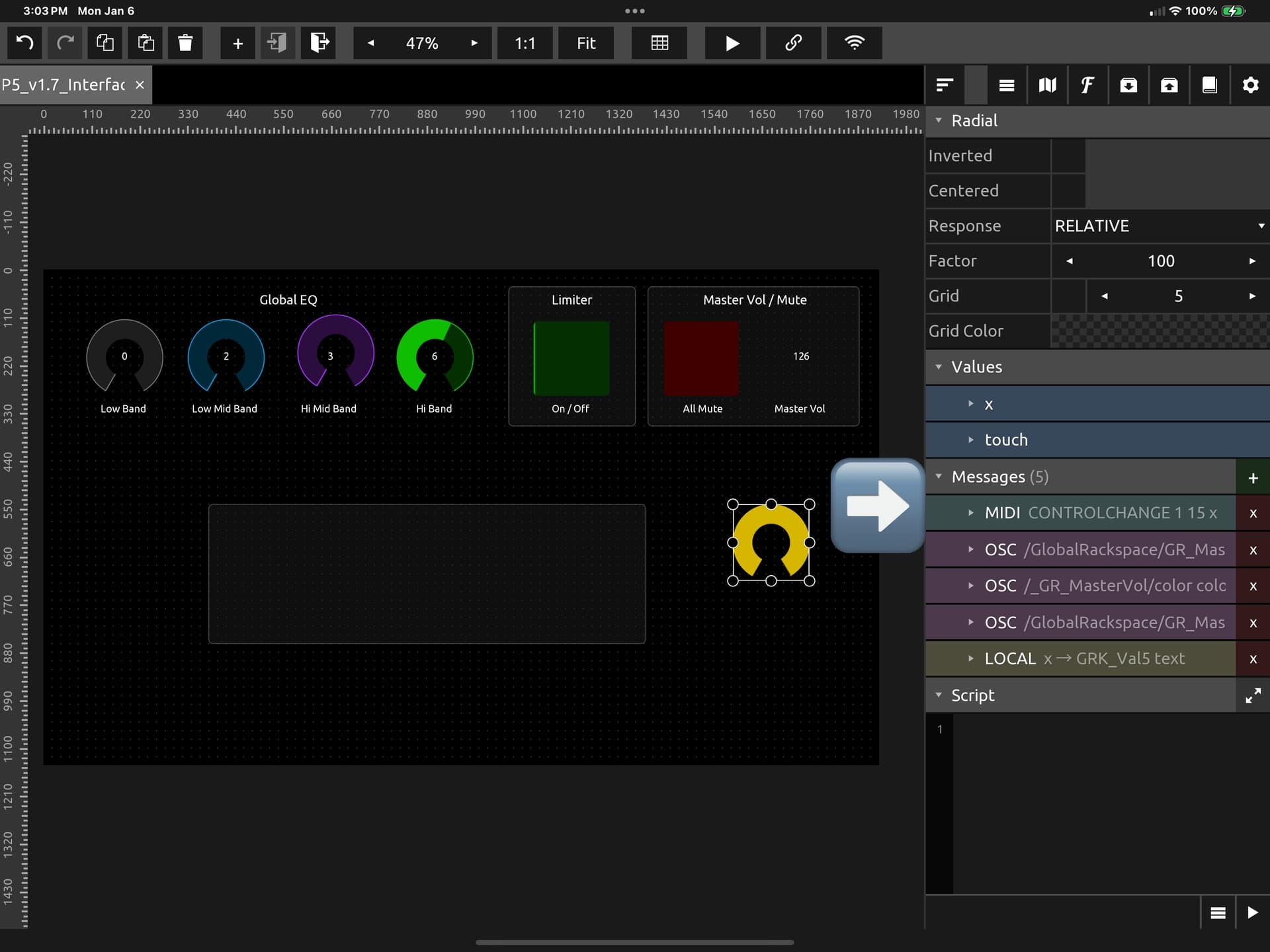
When I add a MIDI Connection in TouchOSC and add MIDI to an item that has a OSC assignment, in the Messages, it works. But this means I would have to assign MIDI values to each item in TouchOSC. I don’t think this is the best approach. Thoughts?
It is very strange… . You can also use only OSC messages.
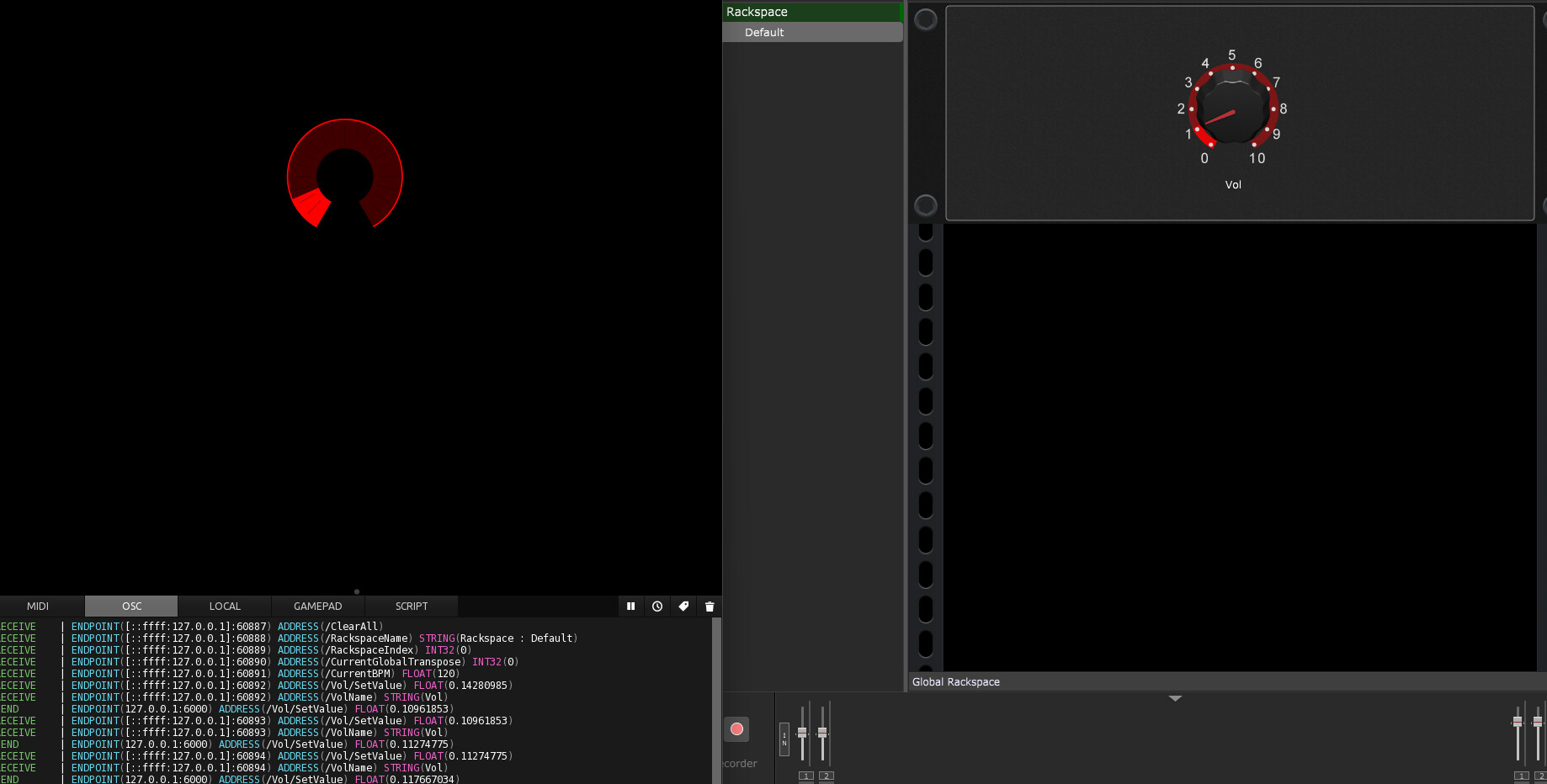
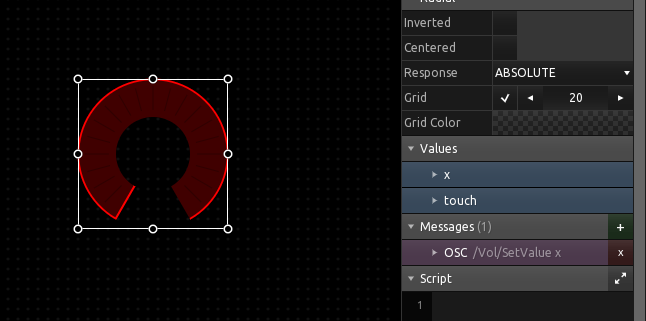
The attachment contains a simple one-element design that works only with an OSC message.
I used the loopback address because both programs are in the same host
One more thing, when the application is for TouchOSC, the ‘Use Lemur…’ option must be disabled, otherwise some runtime errors may occur (some messages have a different structure).
If the log window is not active, the application stops the runtime and you don’t know why it doesn’t work
Thank you for this test file and the information. I have got this to work in one direction, meaning, when I move the knob on TouchOSC the knob in GP moves. However, if I move the knob in GP, the knob in TouchOSC does not react. Is it possible to have the knob in TouchOSC respond to the movements in GP?