Focusrite Scarlett 4i4 v3 sound problems - SOLVED!

My audio interface is the Scarlett 4i4 V3. I use an ASUS ExpertBook B1502CV with 32 MB of RAM. Windows 11 (latest version), Gig Performer (latest version).

Now it keeps happening that suddenly, while working with GP, the sound becomes totally distorted. If I briefly unplug and replug the Scarlett, it sometimes works—but unfortunately, sometimes it doesn’t, and I have to restart the system. I’ve increased the buffer size to 304, even though that shouldn’t be necessary for this setup. I use Native Instruments Komplete 11 and several Arturia plugins. However, the plugins don’t seem to be the cause of this strange effect.

Is there any idea how I can find out why this is happening?

I have a big gig next Sunday and I really want to be sure this won’t happen on stage. Luckily, it usually occurs when shifting songs around, etc.

I just had the situation twice where the problem occurred immediately after saving. "Of course, it could also just be a coincidence.

1 Like

Are you using a USB hub? Powered or unpowered?

Have you tried a different (high speed) USB cable?

Checked the USB connection?

And for which frequency?

When did this start to happen?

What changed in your system just before it started to happen ?

Did you check your system with a DPC Latency tool ? ( Resplendence Software - LatencyMon: suitability checker for real-time audio and other tasks )

Ok, presumably this wasn’t always happening so what changed on your system from the time that it worked until when it didn’t?

No Changes, it happens up from the beginning.

The frequenz is 48000 and it happens up from the beginning.

Up to now i didnt check it with a DPC Latency tool.

No USB Hub for the Scarlett, but one for the Keys.

I tried different cabels, but its everytime the same.

I have checked the usb connection.

I guess you don’t have a different audio interface to check whether the problem goes away?

That sounds very much like a device driver issue (wordclock drift, etc)

Are you in a position to try a different audio interface, like a MOTU M4 (quite inexpensive).

Is it possible something is going to sleep?

You’re correct that plugins are not causing this issue

I have an scarlet 2i2 V2, too

1st: Follow what DHJ says before me

2nd: Try swapping out audio interfaces and also updating drivers to latest version (maybe try rolling back to earlier version).

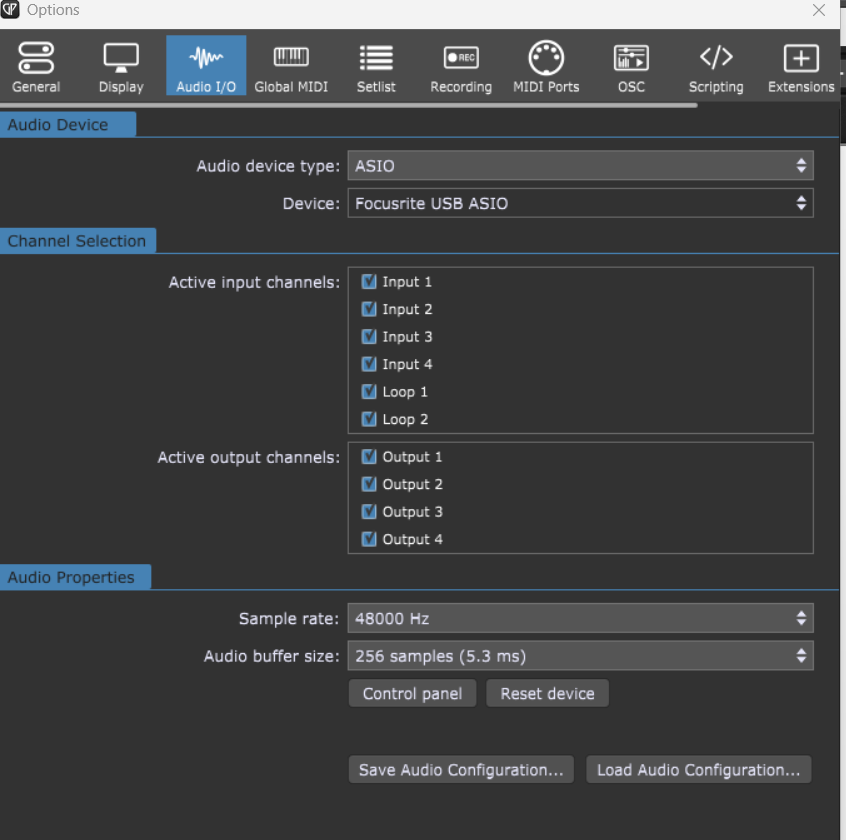
Maybe screenshot your audio interface settings.

Another user thought they were using their Personus audio interface, but it was actually set up to use Windows audio.

Thats not my problem :wink:

I am using laptops with vst plugins since 2011, that is my 4th laptop. I formaly used Forte 4 and had never such problems (but this was with the scarlett 2i2) Perhaps I have a hardware issue with the 4i4…

1 Like

Can you try with a different audio interface? Or your integrated sound card chip?

This sounds like you’re using one of Windows audio drivers instead of the Focusrite ASIO driver. Buffer sizes with ASIO are divisible by 16. Typical sizes are: 32, 64, 96, 128, 256, 512, 1024 and 2048 samples. If you’re not using the ASIO driver, try it and let us know.

I configured it before to 256. Same issues…. But choose the 256 again. Yes, it is surely the asio Focusrite driver.

1 Like

Is Gig Performer the only running software which uses your Audio Interface?

1 Like

I use the windows media player

Good question. I don’t know if Focusrite’s ASIO driver is multi-client or not. I just installed it on my new Surface Pro 11 but am still in the process of installing apps, so I haven’t tested that yet. I’m so used to the seamless multi-client support of my RME ASIO driver on my main machine, that I didn’t think to ask.

@ChristophHoch Do you have Windows configured to use your Scarlett for system sounds and audio? If so, try setting Windows to use the internal speakers on your laptop and see if that resolves the problem.

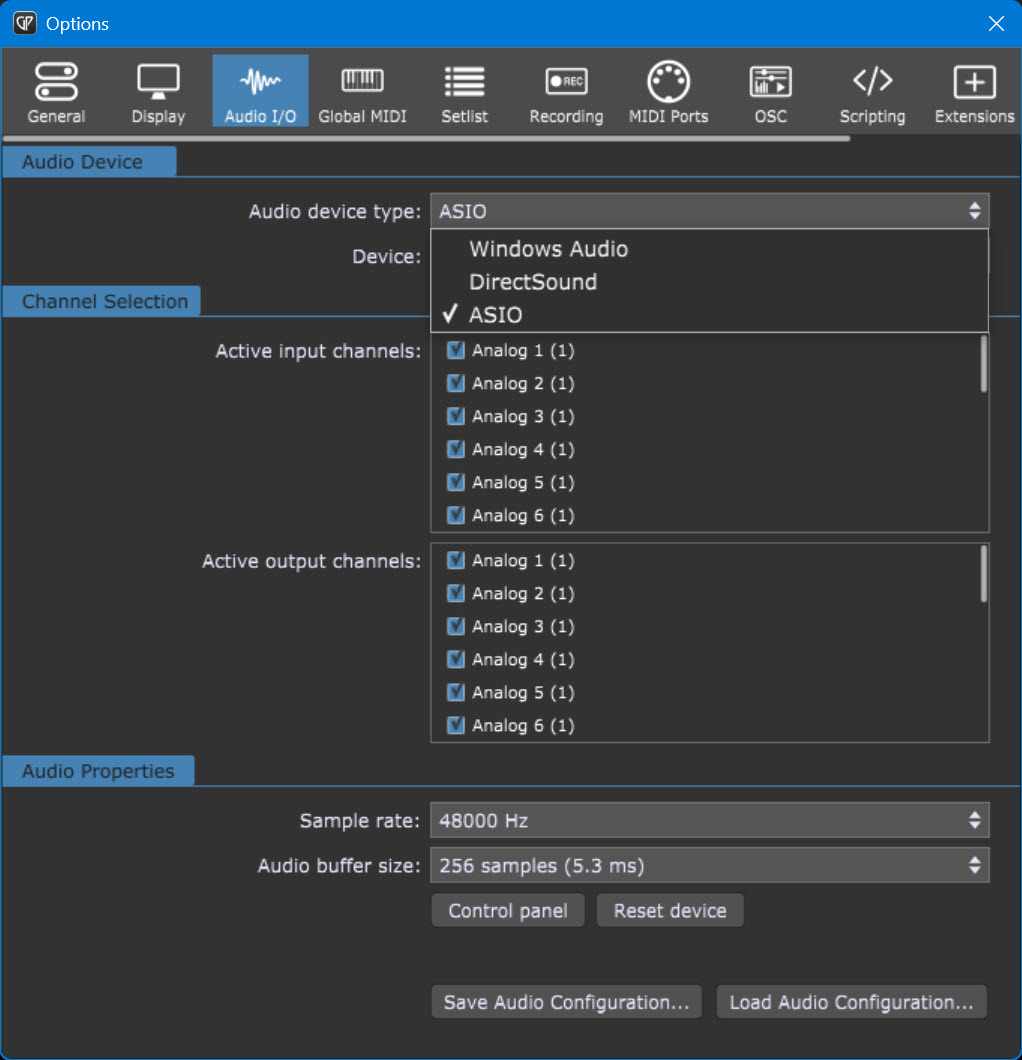
I always disable all systemsounds. The only disturb :slight_smile: