Hi,
I’m referring to this thread because it seems to be the closest to my issue.
I want to switch to Song Part 2 using a MIDI note — I’ve set this up via a widget.
When my volume pedal reaches a value of 127, it switches to Song Part 3, which works fine.
However, GP keeps switching back to Song Part 2 whenever I accidentally hit the note that triggers it.
So my question is:
Is there a way — without using a script — to make the widget triggered by that note fire only once?
In other words, after the widget has been triggered by the note, the note (or the widget) should lose its function until I manually reset it.
If you have a midi message mapped to a widget, then it is locked for this purpose. You can’t modify its behaviour.
The note includes the channel number, so if you can easily change the midi channel of your controller, then you use this to switch between “playing” channel and “control” channel (just a thought).
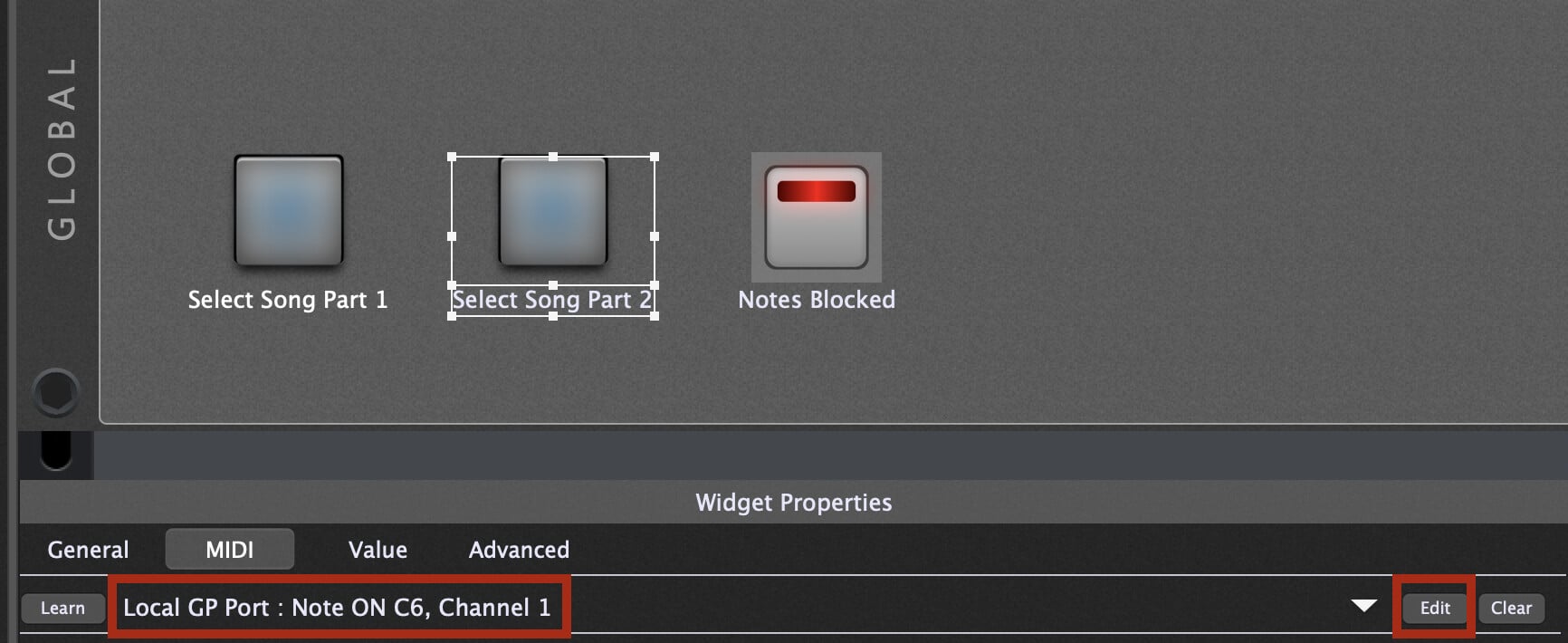
In the Global panel, I have widgets mapped to System Actions to select the song part. I used the ‘Edit’ button for the midi mapping and selected the GP Local Port
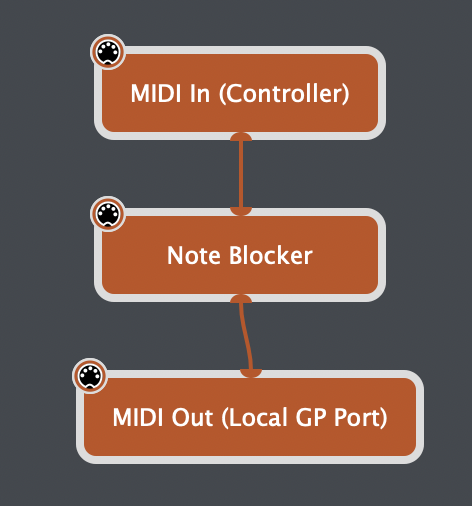
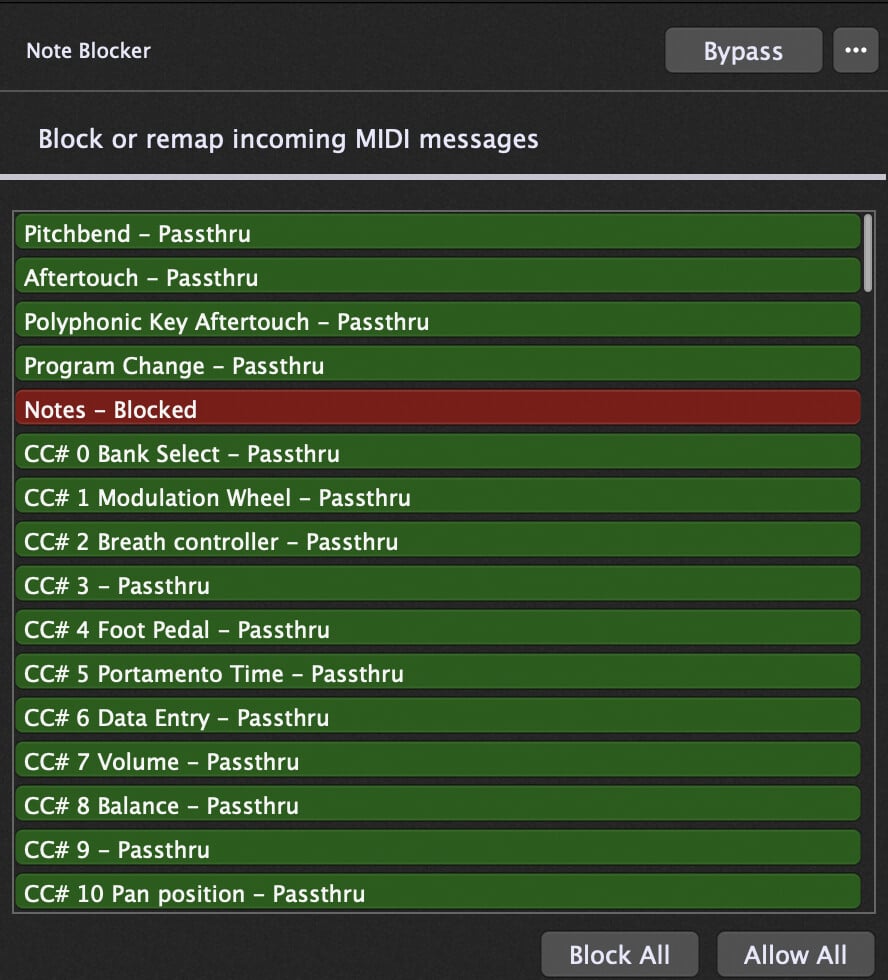
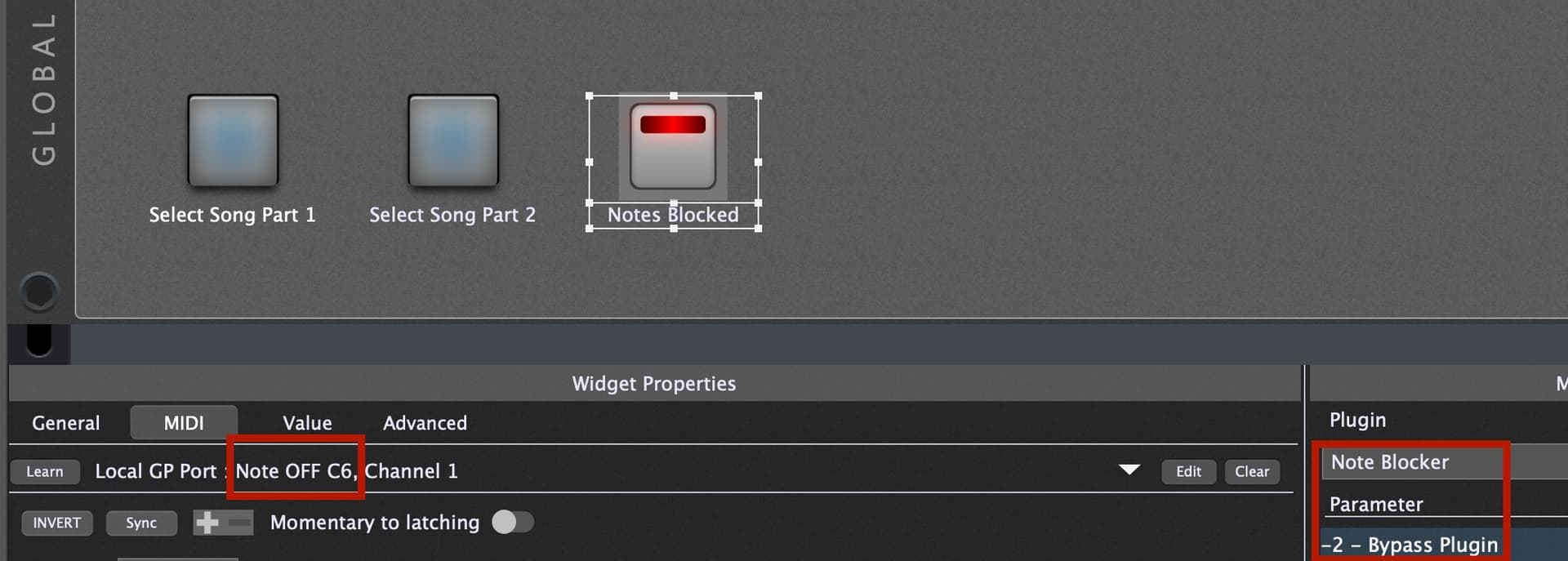
The ‘Notes Blocked’ widget is mapped to the bypass of the MIDI Filter (which is blocking all notes). I have the scaling reversed so that the widget is lit when the filter is active.
This is MIDI learned to the Note Off of the same note you are using to select the song part
The result of this is that the first time you press the note to switch song parts, it will activate the filter when you release the note, and any subsequent notes will be blocked until you manually press the Note Blocked widget to bypass the filter.
Wow, that’s incredible — it works! Thank you so much for your explanation. I never would have figured that out on my own. I didn’t place the blocks in the Global Rackspace, because when I switch to another song, the filter doesn’t reset unless I manually press the Note Blocker button. Since I only need this feature in a few songs, it’s fine for me to keep it in the regular Rackspace.
I still don’t fully understand why everything has to go through the Local GP Port. I also tried to map the controller directly, but that didn’t work — that’s why I went with the Local GP Port instead.
A big thank you!
In the existing implementaton, widgets can only be controlled from external MIDI devices (ports). So if you want to control a widget from the MIDI File player or some other message generated inside Gig Performer, you have to make such messages seem like they’re coming from “outside”. The GP Port is what lets you do that. If you send a message into that MIDI Out (Local GP Port), it will arrive in through a special “external” port called MIDI In (Local GP Port) and so can be learned like any other message coming from the outside. (You can think about it as something you might do with Logic Pro in the Environment window )
I’ve now moved four types of controllers to the Local GP Port — two volume faders, one song change triggered by a MIDI note, and one song change via volume control.
Was that just extra work for nothing, or is it fine to keep the setup like this?

 )
)