With my preferred plugins, BlueARP and Hypercyclic, I can’t modify the MIDI notes as I want. I’ve now tried Kameleono. Here too, the AU version doesn’t accept MIDI data. The VST version isn’t supported by GP. I’m still searching, but I’m starting to think I’m on the wrong track using an arpeggiator plugin just because I want to change note length and timing live.
What is the issue?
GP has supported both VST and VST3 from the early days. I personally still use VSTs when possible on my Macs and only use VST3 when VST is not available.
The only products in the world that require AU plug-ins are applications developed by Apple. Pretty much every other DAW out there supports both VST and VST3 plug-in formats. Pretty much every plugin developer includes those formats for the Mac.
I have no idea why Apple decided to do their own thing but I avoid AU like the plague. I have not yet found a plugin that I needed (or just wanted) that was only available as an AU
Unfortunately, I only realized this too late thanks to this thread.
If I ever get bored, I’ll swap my instruments for VSTs.
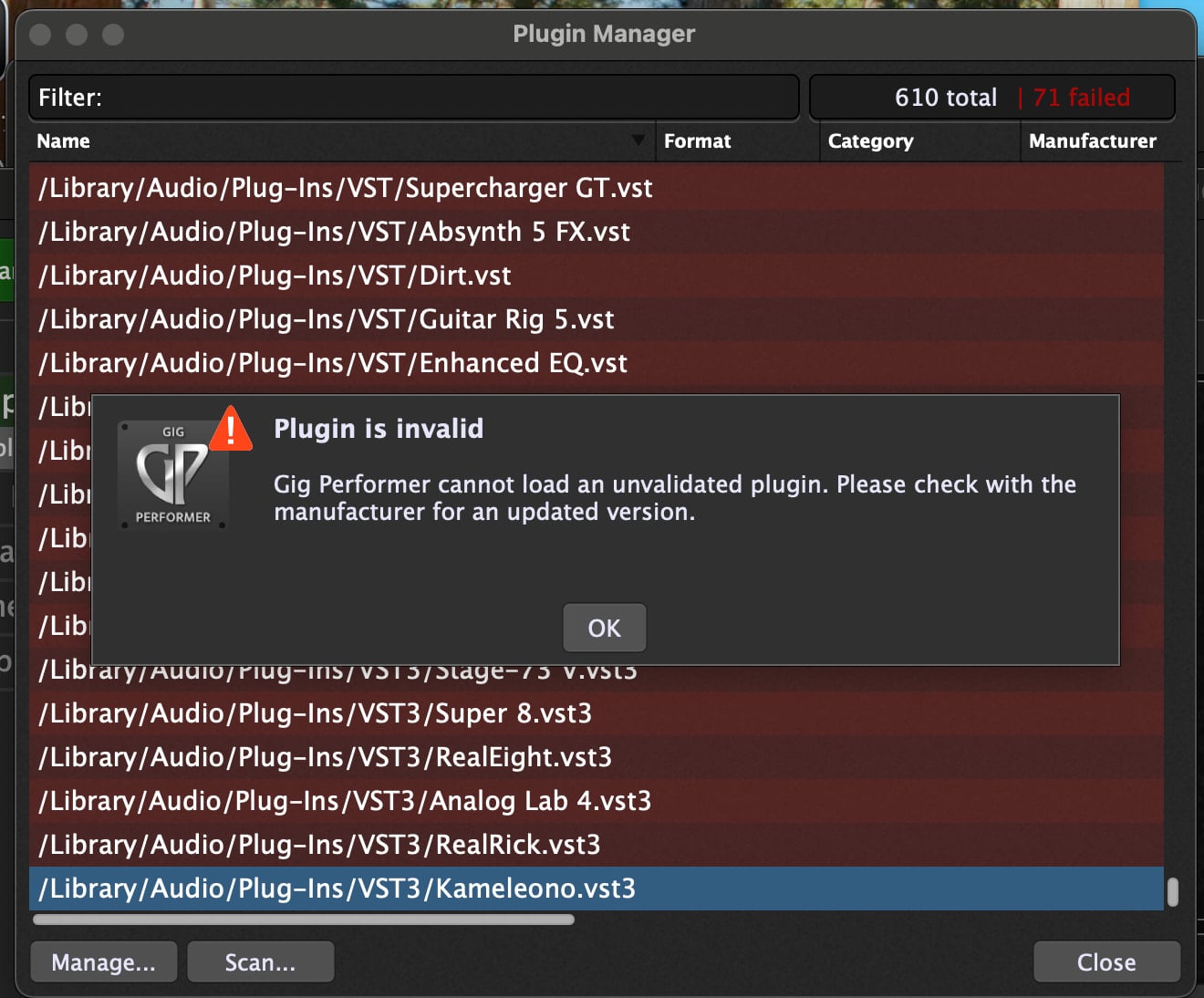
Sorry, I meant unvalidated.
That just means that the specific plugin has a problem - not Gig Performer. What kind of Mac are you using, Intel or Apple Silicon?
Yes, that’s how I would have interpreted it too.
Therefore, I need to continue searching for a plugin that meets my requirements. Or perhaps someone will program a script for me.
MacBook Pro M3 - Sequoia
That is what I guessed - and I will bet that those plugins that did not validate were Intel plugins and not for Apple Silicon, that’s why they didn’t validate. If those plugins are still supported, visit the developers’ sites and get the Apple Silicon versions.
I just saw an earlier post of yours about this.
I’m switching my setup now. Moving away from AU to VST. You prefer VST over VST3. Since I’m not very familiar with it, I’d like to know if VST will still be usable in 10 years if I’m still making music that long or if I switch to different computers and operating systems. I don’t want to have to switch back to VST3 in 5 years because VST is discontinued…
So here is the scoop — Steinberg has been trying for years to get developers to stop using VST2 and switch to VST3.
So they basically banned the use of VST2 for new developers, meaning that if you already had a license to use the older version, you could continue to use it but if you are a new developer, you are no longer allowed to use the older VST2 format.
The thing is, VST2 has been around a lot longer than VST3 and so have just tended to be more reliable than the newer format which does a lot of things differently (and breaks some things, for example VST3 stopped supporting Program Change messages by default).
So I will only use VST3 if a VST2 version is no longer available. That said, since I rarely update my touring environment (I’m still running a machine with macOS 10.14), I rarely need to use VST3 versions
I give up.
I’ve now read many comments regarding the VST, VST3 and AU formats. If I had known this at the beginning of my programming activities for GP, the decision would have been easier. I did convert one song to VST. Unfortunately, it’s a tedious task. On top of that, I have many linked widgets. They all need to be reprogrammed. I’ve now reversed my decision and am sticking with the AU format, hoping that I’ll be spared performance losses and crashes due to the AU format. But it took me half a year to migrate all my songs from Logic to GP. My motivation to convert everything again isn’t very high anymore. However, my motivation to go live with it is high.
I have been following this topic, and thought I’d try to find more information about Bluearp AU plugin. Here is what I found:
“Specifications
Compatibility info
Formats: VST plugin 64-bit, AU MIDI-FX 64-bit (for Logic Pro X)“
The above is from the OMG website (the developer). So then I was curious about what the statement “AU MIDI-FX (for Logic Pro X)” means. The info on that is scattered over a number of documentation conversations and alluded to in the Bluearp manual. AU support is limited to the MIDI‑FX type in Logic rather than a general AU instrument/effect in all AU hosts, so my guess is that the AU version just isn’t compatible with GP, and it wasn’t written that way (to be compatible with everything). The developer, Oleg Mikheev a.k.a “Graywolf’, the way he calls himself online for years - it abbreviates as O.M.G. hence the name of his website, seems to be fairly accessible to contact if you are really driven to chase this more. But personally, I think you are better off staying with the AU format for everything that you have unless a specific plugin is not available as an AU, or their version is intended for specific applications (as Bluearp is). The good news is that if you really want to use Bluearp, the reviews I’ve read indicate that the VST3 version works well on MAC OSX as long as you are using version Bluearp 2.5.0 or above. There was an Apple Silicon memory‑management bug in prior versions, but fixed in 2.5.0.
Wow. You’ve really delved into this. I only came across BlueARP because I thought it might be a solution for my live playing. But it wasn’t. Now I’m looking in a different direction (an envelope generator like Xfer’s LFOTool) which might be the answer. With BlueARP, I haven’t been able to find the function that simply plays a note for a certain duration after it’s struck, and also allows it to repeat.
I am a fair dunce with arpeggiators, and have had several experiences that sound like yours especially when trying to figure out triggers for Bluearp. Bluearp looks deceptively simple but can be complex IMO. I use Bluearp for live playing with no problems, it’s quite flexible, but I use little of it’s potential.
It’s unclear to me what you are exactly trying to do. You want one note to play continuously when explicitly triggered by keyboard, pedal, switch or???; for x beats/bars/measures???; repeat in x measures - ???; or until triggered off???; repeat triggered at will when desired??? There are measure limits with arpeggiators and sequencers depending on the device/software, but one shots are also possible with other methods.
First, a very simple example, and I’m sure more use cases will come along: For instance, there are bass lines I play where the note can only have a certain length to sound good, and I can’t manage that with my limited keyboard skills.
The repeat case: Similarly, with a bass line, I play octaves A0 and A1, and the A1 note should be repeated.
So the plugin shouldn’t follow a pattern based on a bar. Instead, it should only repeat when a note is played.
The scripts you see in the video are currently implemented in Logic, and that was easy: Just enter values for note repetition, note length, and velocity.
I see. You are trying to find a workaround for a DAW feature. What you are trying to do isn’t the primary design feature of an arpeggiator or sequencer IMO, but should be possible - I think, maybe???! I’ll try to duplicate what you have in your clip but it might be a few days before I get to it.
I simply have to check all the possibilities to achieve this result. The easiest option is a MIDI FX plugin like the one in Logic. That’s not available in GP, so I need a workaround. Whether it’s a plugin, a script, or some other trick is relatively unimportant to me. It just needs to be easy to use.
I hope there’s a ready-made solution for this, but I don’t want you to invest that much time.
Ok, this is going to be long, compliments of some of my AI search agents and other poking around. I also checked on whether Bluearp can do midi delays or repeats, and the answer is yes but not to the same extent that you get with Logic and other methods because it is a different “logic”. The “logic” observation would also apply to other arpeggiators and sequencers. Personally, I would forget about using an arpeggiator and use a scriptlet. *Note - since I am not a scriptlet guru with GP, I offer the below with the caveat that there could be mistakes in my assumptions!!
So:
What Logic’s Note Repeat is doing is a simple “MIDI delay” with editable rate, gate (note length) and velocity ramp; in Gig Performer you can get that behaviour either with a small scriptlet or with a dedicated MIDI‑delay plugin.
Option 1 – Scriptlet inside Gig Performer (closest to Logic)
Gig Performer scriptlets can transform incoming notes and spit out extra notes later based on BPM, which is exactly what you need.
The basic idea for a Note‑Repeat scriptlet:
-
Parameters:
-
Repetition rate (musical value: 1/4, 1/8, 1/16 etc.)
-
Number of repeats
-
Gate (note length as % of step)
-
Velocity ramp (e.g. from 0.5 to 1.5 relative to the played note)
-
-
Behaviour: for each incoming Note On, schedule N extra Note On/Off events offset in time according to the chosen rate, reduce the note length using the gate value, and scale velocity for each repeat using the ramp.
In wiring view you’d do:
- MIDI In block → Scriptlet (NoteRepeat) → instrument plugin.
Option 2 – MIDI delay / note‑repeat VST
If you really want a VST rather than a scriptlet, what you’re looking for is usually called a “MIDI delay” or “note repeat” MIDI FX:
-
Some drum/sampler environments (e.g. Steinberg’s “Note Repeat” in Groove Agent) explicitly expose rate, note length and velocity for repeated notes.
-
A number of MIDI‑FX‑style plugins implement “MIDI echo” with per‑repeat velocity change and gate; these behave like Logic’s Note Repeater rather than an audio delay (they generate new MIDI notes, so gate and velocity are editable per repeat).
You would insert such a plugin in Gig Performer as:
- MIDI In → MIDI‑delay / Note‑repeat VST → instrument.
However, the ecosystem of pure MIDI‑only “note repeat” VSTs is thin compared with Logic’s built‑in, and GP’s team explicitly showcase scriptlets as the way to implement custom MIDI transforms (like extra notes at time‑offsets) without needing external plugins.
Practical suggestion
Since we are using Gig Performer and want precise entry of repetition rate, gate and velocity like Logic’s panel, the most robust route is:
-
Create a Note‑Repeat scriptlet that exposes those three parameters as numeric controls on the front panel,
-
Place it between MIDI In and your instrument in the wiring.
Can Bluearp do these midi delays or repeats?
BlueARP can generate repeated notes, but it does it as an arpeggiator/step‑sequencer rather than as a “pure MIDI delay” like Logic’s Note Repeater.
What BlueARP can do that’s similar
-
It is a MIDI‑only plugin: it takes MIDI in, outputs transformed MIDI (patterns, repeated notes, etc.).
-
By programming a pattern with several steps on one key, you effectively get repeats at a defined rate, with per‑step gate (note length) and velocity per step.
-
You can shorten or lengthen steps (gate time) to control the effective note length of each repeat.
So if you think of “repeats” as “an arp pattern that keeps retriggering the same note,” BlueARP can absolutely do that, and you can dial in different velocities and gates per step.
Where it differs from Logic’s Note Repeater
-
Logic’s Note Repeater is event‑based: you play one note and it schedules N extra notes at time offsets, with a simple number‑of‑repeats / rate / gate / velocity‑ramp UI.
-
BlueARP is pattern‑based: you define a grid (steps) and how incoming notes map to steps. It will keep playing the pattern while you hold the key, rather than “fire off a fixed burst of repeats” per keypress.
You can get very close by:
-
Making a short pattern (e.g. 3–8 steps) that all play the same “key” with your desired velocities and gate times.
-
Syncing the step rate to the tempo so the step length equals your desired repeat rate (1/8, 1/16 etc.).
But if you want the exact Logic behaviour (press once → fixed number of echoes with a simple numeric count), BlueARP is not designed as a straight MIDI‑delay; it’s more of a programmable arp/sequencer that can approximate that via patterns and key/step settings.
Hope the above helps and leads to a solution for you.