This is an older blog article (from the Gig Performer v3 era), but it is worth sharing. The main concepts in this article remain the same 
Link: Gig Performer is NOT a DAW! - Gig Performer®
–
This is an older blog article (from the Gig Performer v3 era), but it is worth sharing. The main concepts in this article remain the same
Link: Gig Performer is NOT a DAW! - Gig Performer®
–
DAWs are essentially tools for recording, mixing and music production. They typically have multiple tracks, deep editing features, mechanisms for creating arrangements, mastering tools, etc.
And while one would obviously prefer total stability, a crash during a recording session is generally not as critical as a crash when performing in front of 20,000 people in an arena.
The workflow for a DAW is more suited to a recording situation where the focus is on detailed editing of recorded tracks. They’re typically channel strip based and each channel might have a synth followed by a couple of effects and maybe some sends for some global effects like reverb.
You’re generally only recording into one track at a time while the rest are just playing back the content of their tracks and even then, one often resorts to such techniques as freezing tracks (i.e. behind the scenes just playing back a precalculated audio track) to reduce CPU cycles.
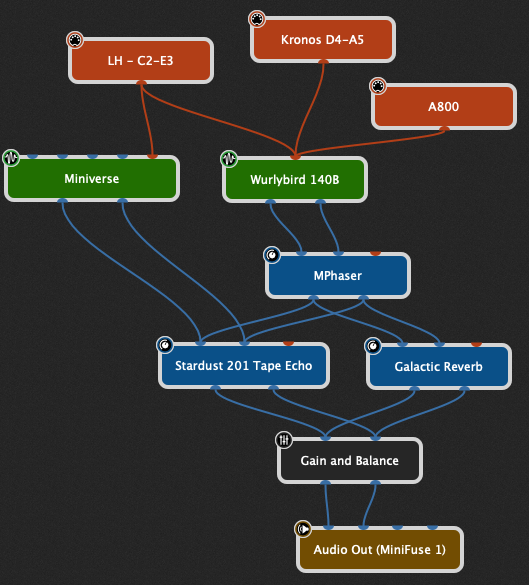
In a live performance situation, not only might you have 50 (say) plugins running at one time, but you will want to be able to switch to a completely different set of plugins instantly, perhaps between two beats of a single bar, without glitching or delays (nope - no bypass clicking!), perhaps while persisting some of the old sounds until you release notes or a sustain pedal.
They’re all being used live, driven from one or more keyboards or from a guitar, depending on the musician. And you need to be able to perform a complete show without any delays or interruptions. The workflow, including the kinds of needed customization is very different.
Now, no doubt, with a sufficiently sophisticated programming environment, one can do some of that with a DAW but it’s going to be far more complicated to achieve the desired results and will certainly take far longer.
And, good luck having configured your DAW to respond to your MIDI controllers and then show up for sound check where you’re handed completely different keyboards and controllers and you’ve got 5 minutes under pressure to get everything working properly!
Related threads for this topic:
–
Also, a video from that period.