Here is a new blog article → Why a graphic interface is superior to the channel strip model

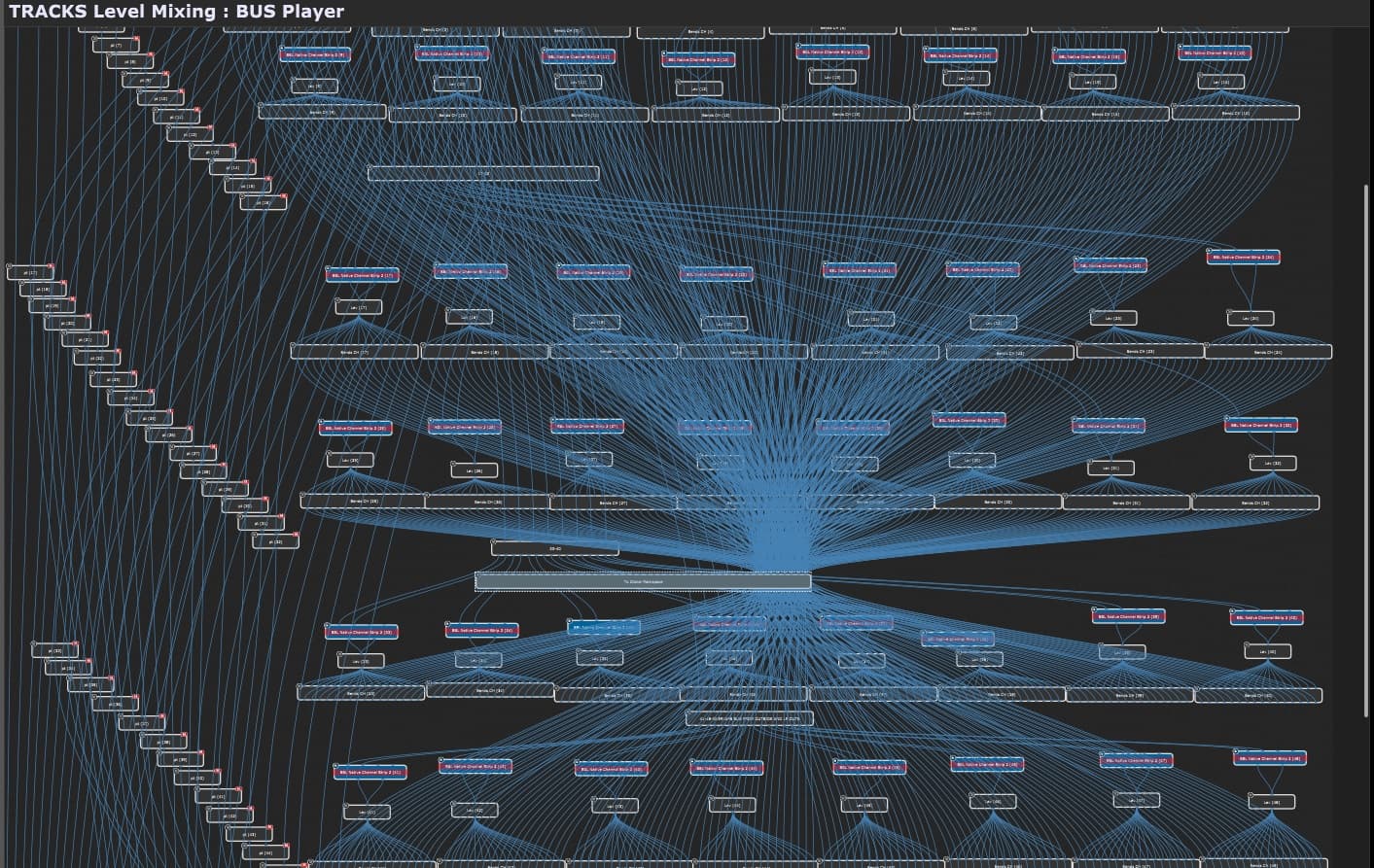
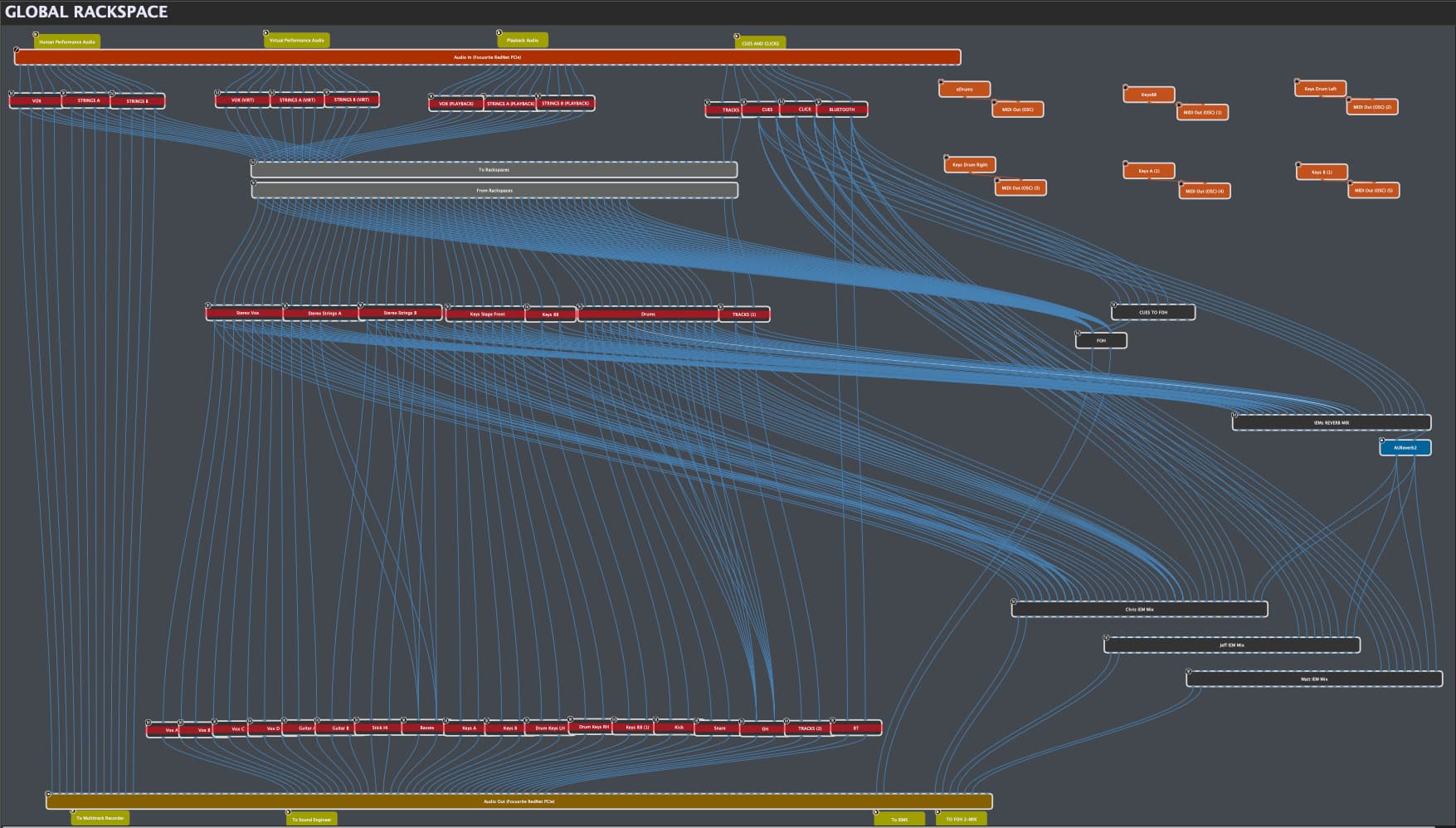
And to not forget, Alistair’s plugin chains!  → see here.
–
Alistair is going extra miles for the best Chapman stick sound quality
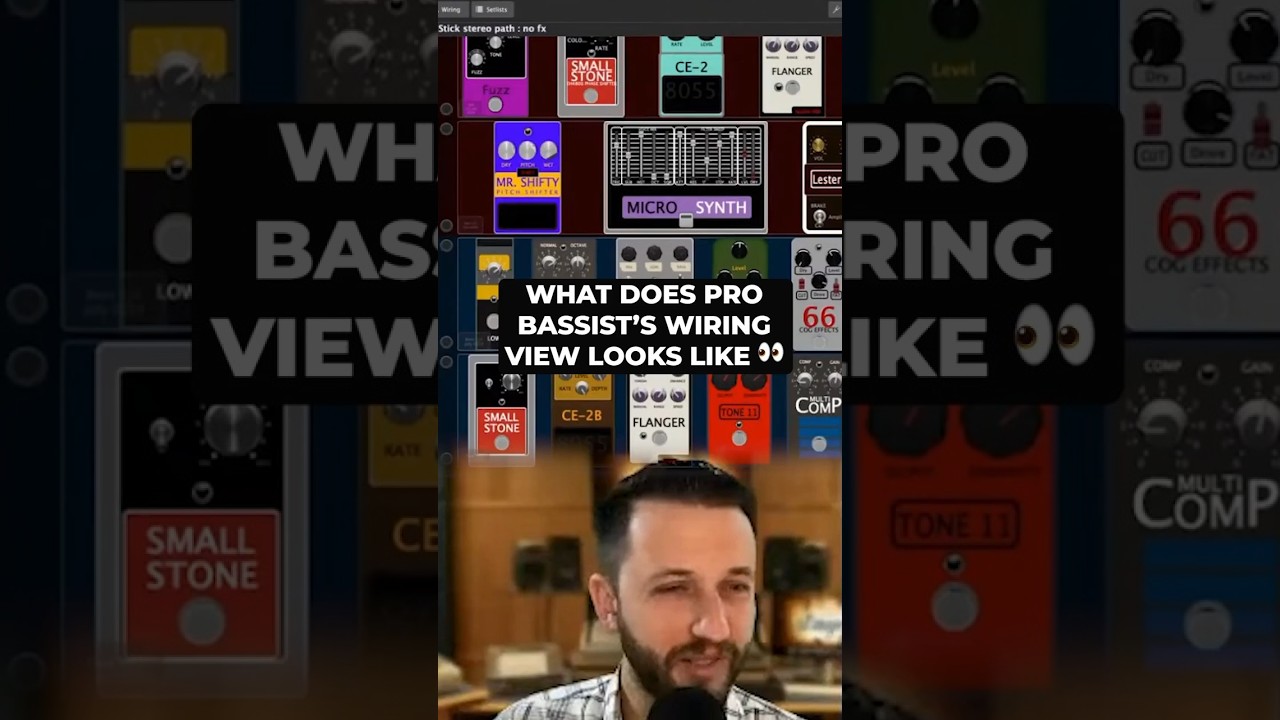
Holy Moly!
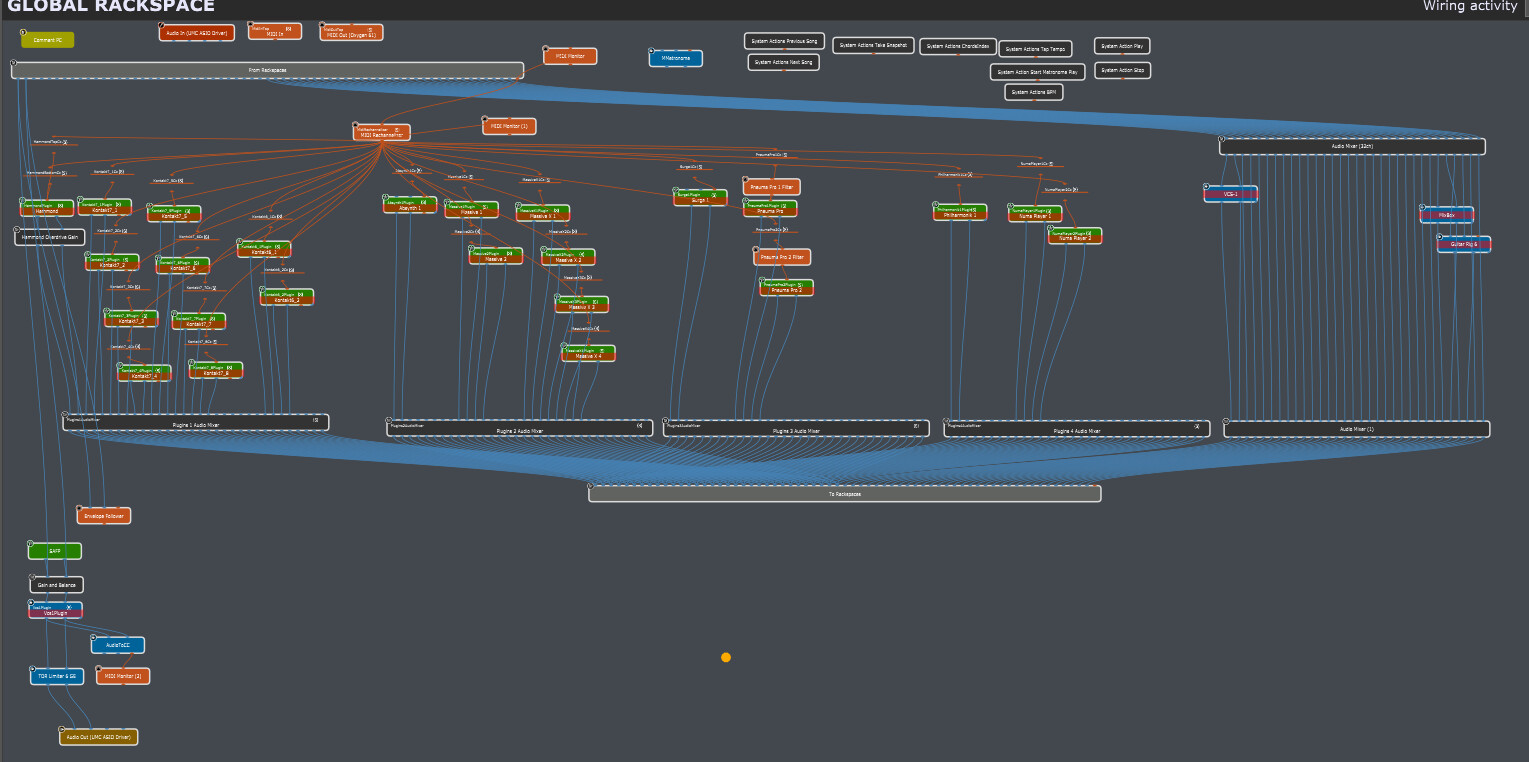
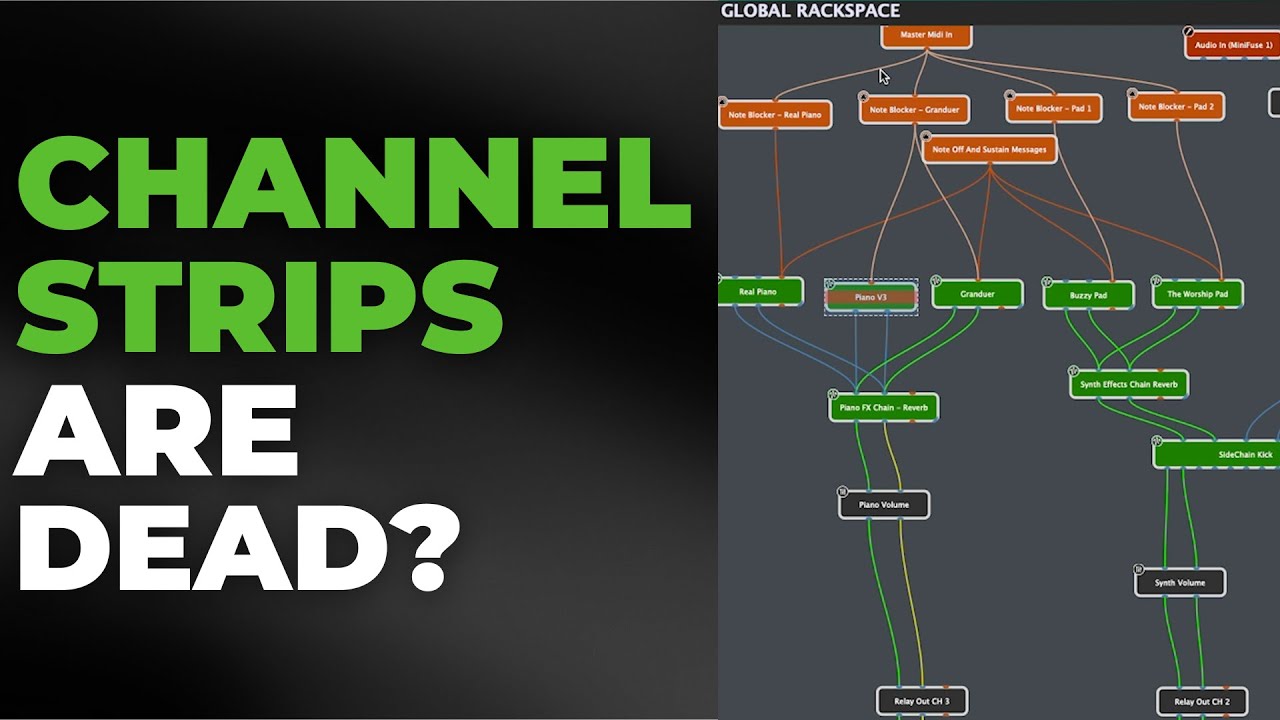
My ‘proof’ that this is not possible in a channel strip model.
Let alone the 1,500 lines of scripting belonging to the wiring diagram.


Apparently Logitech agrees that graphic interfaces are superior. Interesting software they just released, looks like some kind of basic mixing software aimed at the general public.
It’s for streaming from multiple sources.
Got it. Either way looks like we might start seeing this kind of interface in more software because it just makes sense.
No, this concept is not new for general routing of audio. Numerous apps have been doing this for years, some for decades, for audio, graphics and video processing.
Native Instruments Reaktor works this way as does MaxMSP.
The general paradigm is known as dataflow and for those interested in history, the paradigm was first suggested back in 1961, over 60 years ago.
And this is also the way the most advanced AI-based imaging software works (ComfyAI).
–
And a comment:
Totally with you on this one. Signal flow is the works and with Gig Performer you can invent ANY signal flow you can imagine and at a glance, you can see exactly what’s going on. With channel strips you have to follow one signal to the next and verify each step, just in case you’re sending something where you don’t want to… And when you get into multiple layers of sends, channel strips become an odyssey… Whereas in Gig Performer you see everything at a glance.
A comment from Craig Fitzgerald on the Gig Performer YouTube channel (here) :
Gig Performer is so much easier to work within setting up MIDI on multiple VST instruments than my DAW; with multiple MIDI inputs.
Then use GP Relayer into the DAW to record. Using Tripleplay on one of my guitars to a left and right synth, use the Transpose plugin to drop the right hand down an octave through an arpeggiator, through GP Relayer then through my outputs.
Spent an hour trying to do it in my DAW, couldn’t get it right, took 5 minutes to get it setup in Gig Performer.
Here’s a great video showcasing differences between different approaches: Visual vs Channel Strip.
A quote about Gig Performer’s visual paradigm from Mark Wingfield:
–
And the final thing I’ll say about that is just how thoughtfully and deep the thinking and programming is on this piece of software. An example of that are these virtual cables. They not only show you where the signal flow is, but they are also meters.
So, as the signal they show you the signal flow. So, as you play and this your audio goes through it, they light up like a meter in different colors. So, green, orange, red, so if your signal’s good or if it’s too hot just at a glance. And you can see it flowing all the way through your signal chain. it it’s amazing.
And that really helps too if you’ve got a problem. So, you’re building a setup and it’s pretty complicated and you’ve made a mistake somewhere in your wiring and you the sound is not right or it’s not coming through.
You can see, okay, it’s not it’s not coming from here to here because I didn’t make wires. I didn’t connect the wires or maybe there’s a plugin that’s making a weird noise or there’s a hiss or something. Very easy to track it all down with the the way the visual thing works and with this metering.
So, just to finish, I have to really um recommend this piece of software. I think it’s absolutely stunning piece of work. There’s so much thought gone into it.
I have to say the depth of this VST plugin host is outstanding and the thought that’s gone into it, the detail of thought and the care that’s gone into making this so easy to use and so um intuitive in terms of creating signal flows.
You know, I start thinking, wow, I’d love to have a mixer that worked like this. So, you know, my DAW, my mixing DAW is like this because creating signal flows, complex signal flows is so quick and easy when you can just see it here. You don’t have to kind of hold in your head the mixer paradigm of like, okay, I sent this off to that bus goes to that AUX, and that one is coming out of that output and that one’s also sending off to this. It can be really hard to keep that all in your head. With this visual paradigm, it’s all just right in front of you.
Huge congratulations to them for making Gig Performer and the care that they’ve taken over it. Seems like a really good company. Absolutely highly recommended.
–
(source)


(source)
–
The Gig Performer routing is a massive win. It’s total removal of compromise and allows creating guitar rigs that would give even Pete Cornish palpitations!