Hello - Is it possible to use the audio file player GP plugin to play sound effects on command? I have a midi in block set up with a single key (A2) and that is connected via midi out to the GP audio file player. How do i get that one sample to play every time i hit A2?
Perfect, problem solved!! Thank you!
Thanks guys, I was going to ask this same question and luckily I searched and found it was already answered. I’m still slightly confused or curious, I guess, I thought like the OP did that connecting a MIDI block to the audio player would be enough to have it trigger the file. So what then is the purpose/use-case of connecting a MIDI input block to the player?
Hi I’m new to GP4. Is it possible to map MIDI to multiple samples in Audio Player? For example, I would like to press a key and play audio sample 1, and with another key trigger audio sample 2.
Should they be triggered one after the other?
No, they should be triggered ad hoc.
So also overlapping?
It’s to trigger sound effects, for example the opening E and C in Roundabout. I would also like to trigger more than one at a time, with a different key mapping.
Ok, why not use a sampler plugin like Kontakt or decent sampler?
@pianopaul is right: the audio file player is designed to play backing tracks, for example, and to mute and unmute samples, but you won’t be able to trigger them from their beginning, you’ll only be able to play them at the current position of the audio file player’s playback head, which is slaved to the master track (the one containing the longest sample).
The solution is a sampler plugin like Kontakt, but if you’re looking for a lighter plugin, Sitala is just what you’re looking for (version 1 is free).
Thanks for your suggestions. I’ll try out Sitala v1. It looks like it will fit the bill. Thanks again.
I have the same question: why does the player have a MIDI Input if you can’t connect a MIDI IN block to it and start playback from your keyboard?
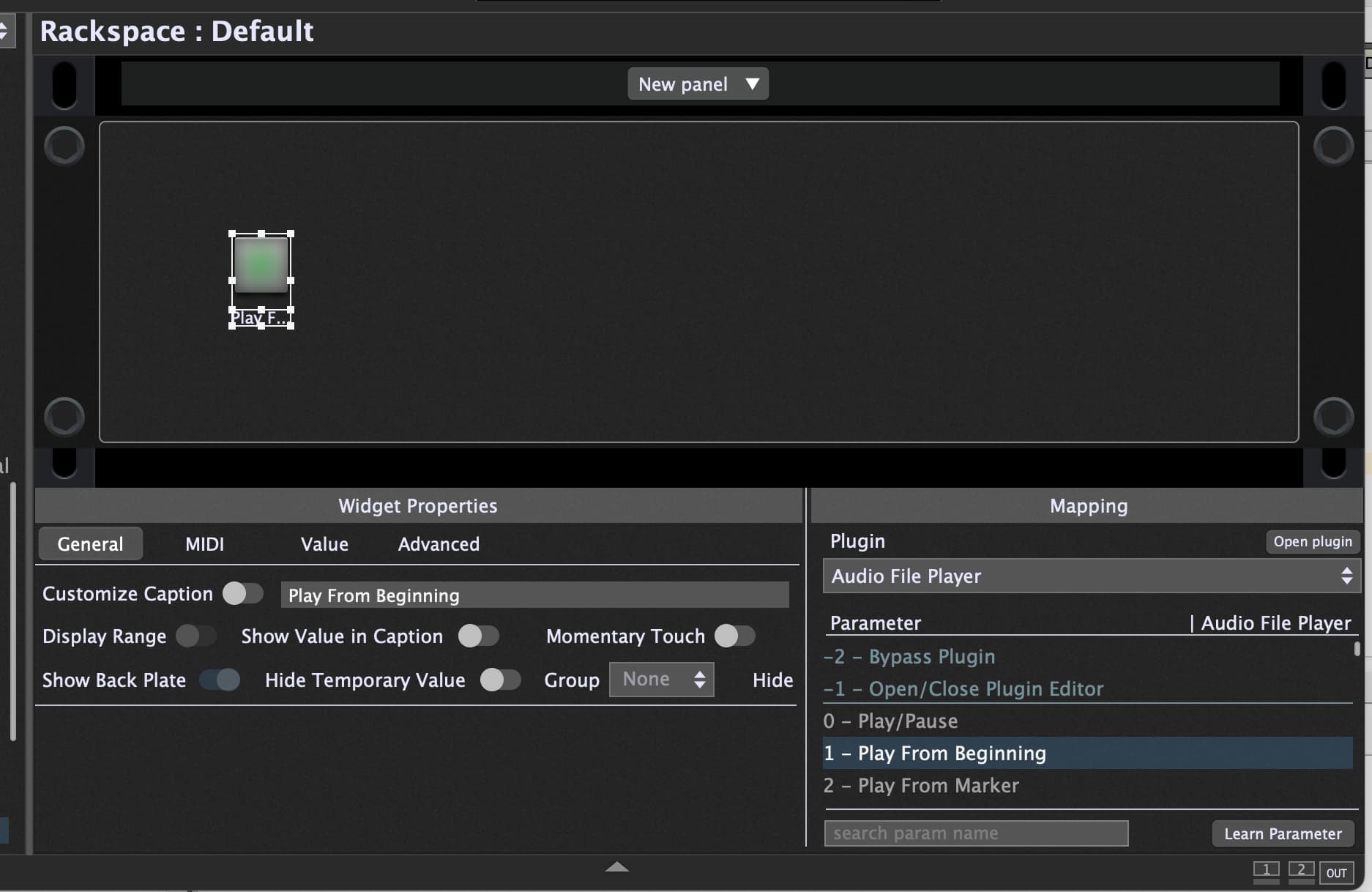
Anyway, I just wanted AFP to play an audio loop (from the beginning) when the C1 key is held, and to stop when the key is released. I got this to work, but it needed two widgets: #1 is mapped to AFP’s “Play from Beginning” and is triggered by C1 Note ON, and #2 is mapped to “Play/Stop”, triggered by C1 Note OFF (which stops the playback that was triggered by the Note ON).
If I wanted the loop to keep playing until C1 is pressed again, all I would have to do is change the “Play/Stop” widget’s trigger to C1 Note ON.
This @schamass gig file includes some looping features (“advanced loop mode”) for the Audio File Player. [Gig] Audioplayer (with advanced functionality)