OK, should I start a new thread with every issue I face or is this OK?
I’ve pretty much got everything setup. The one problem now: AUDIO CLIPPING. No matter if I lower levels to -32db, or solo instruments, updated the Focusrite drivers.
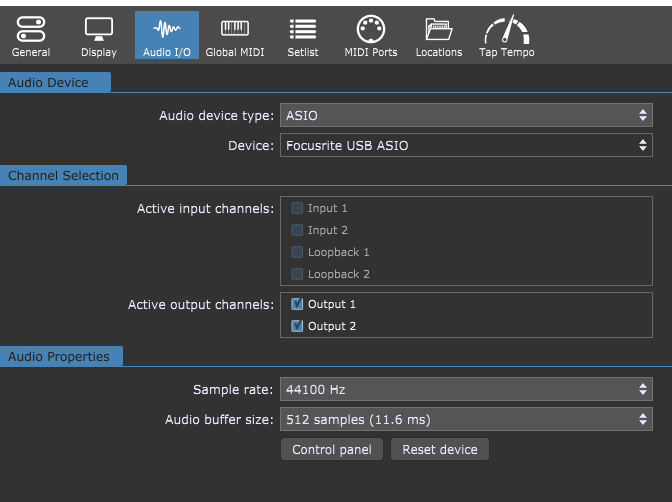
GigPerformer ESSENTIALS on Windows 10 + Focusrite ASIO. All virtual instruments clip/distort badly, even solo. Gain/trim blocks inside GP have no effect on the distortion. DAW is clean at 44.1 kHz. Drivers updated. Loopback disabled. Sample rates aligned. Distortion sounds like hard digital breakup, not level clipping because it clips at any volume.
Anything I missed? It’s not happening in my DAW at all.
Something is wrong with your configuration. GP works entirely in the digital domain.
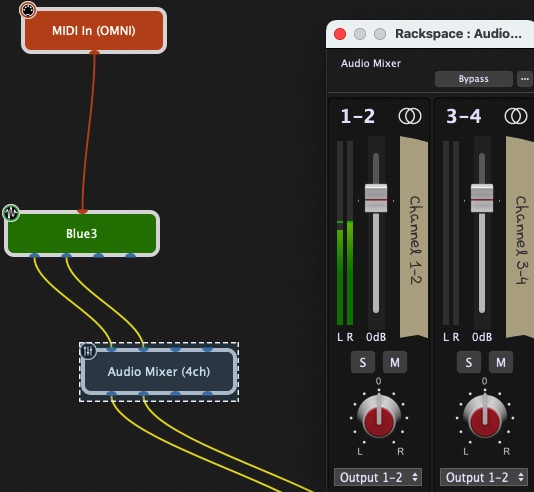
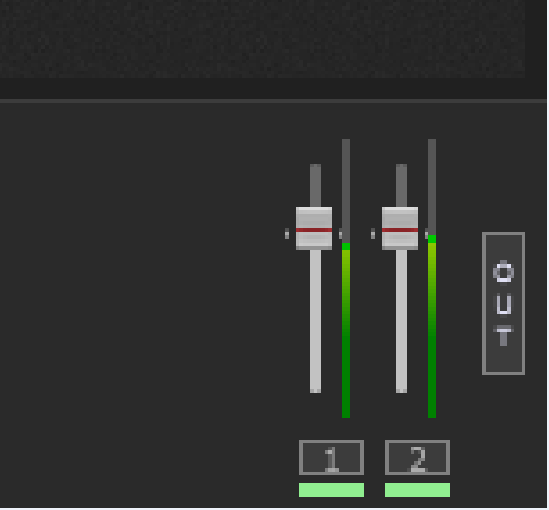
Do this simple experiment. Connect a plugin of your choosing similar to the image here and open the mixer editor. What color (and how far up) are the level meters?
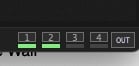
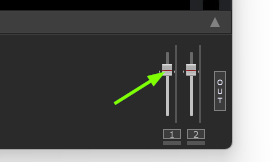
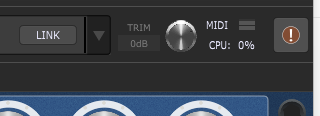
Also, on the bottom right of the main window, there are little meters representing the output from GP (i.e. the digital values being sent to your audio interface). What color are they?
Sorry, I’ll start a new thread next time. Good to know.
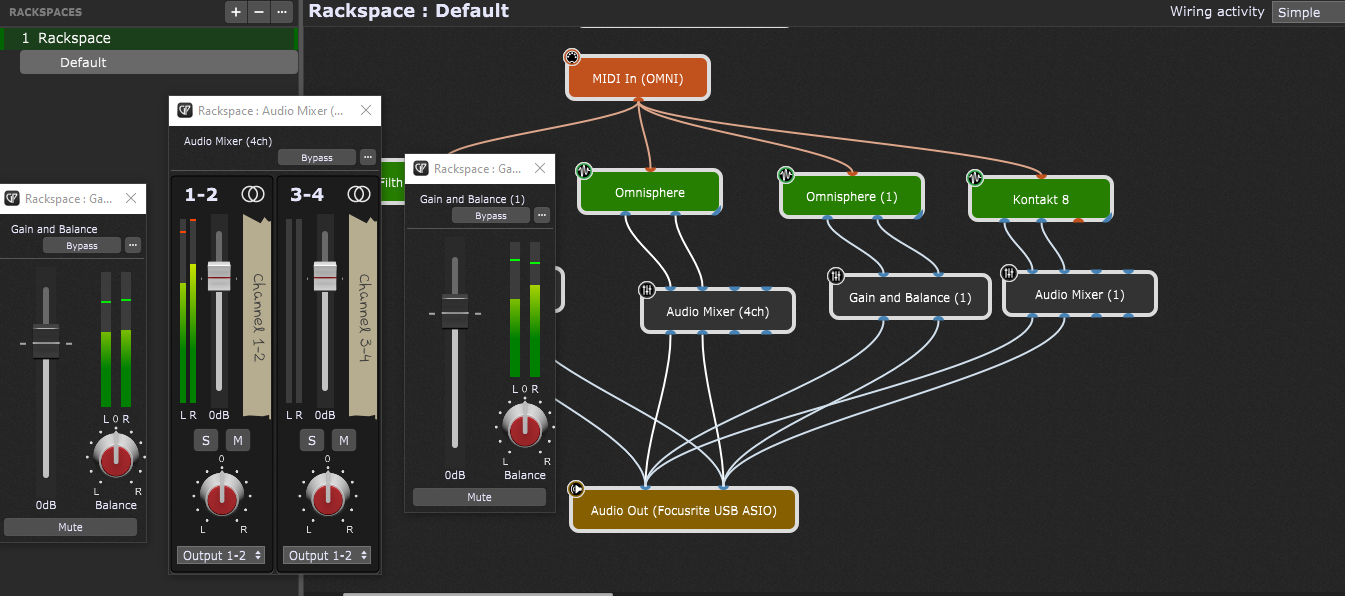
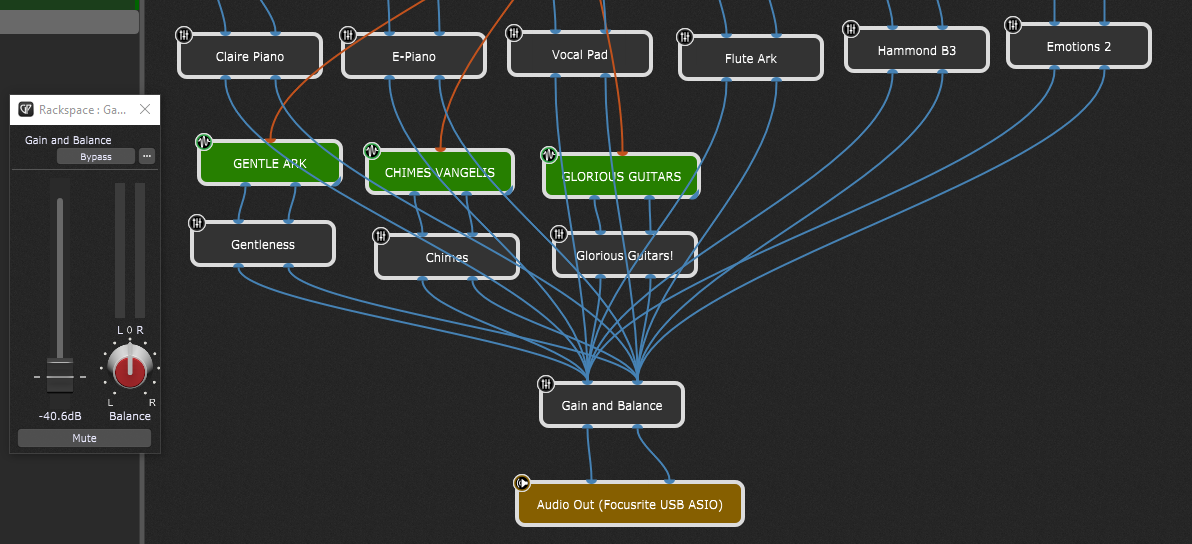
I was not using a Audio Mixer 4ch, but I was using Gain and Balance to route the audio. So I did a test with a blank new project and connected 4 plugins, 2 using Audio Mixer and 2 using Gain and Balance.
I need to know which one I should always use, though. I also modified the Max Visible Audio Channels, because Omnisphere shows 18 and Kontakt 32 I think. But only 2 are used.
Have you ever told us the specs of your system? Could be to weak to handle the load… maybe?
Have you tried to use the plugins that came with gig performer and do they behave the same?
If so, you could set up a small and simple gig file (with those plugins) to share with us, so we had a common base we all can work with (no proprietary plugins which could cause the issue). TIA.
The (humble) laptop has been optimized for music creation, most bloat has been purged out.
As for your question, I did not use the plugins that come with GP ESSENTIALS (this is not the full version). I wanted to test GPE in a real world contect.
My idea is to have a VST host that would not choke , and I could have a set of my most used VSTis for live gigs. I’m loading them in a DAW (Mixcraft) and mostly, if I don’t use the sustain pedal too much.the laptop behaves for the most part except a few undesirable spikes. So all recording we do via an external multitrack recorder, gets crapped. I looked at a few VST hosts and hoped this would be the one for my situation: LAYERING multiple tracks/instruments for better textures (ambient music)..
Maybe I am misunderstanding what GPE is for? But I didn’t think so. But maybe I misunderstand its limitations or how to properly use it.
I posted my specs to another member. It’s working OK (not perfect) with my DAW, so I figured maybe a VST host would use the resources even more judiciously and avoid crashes?
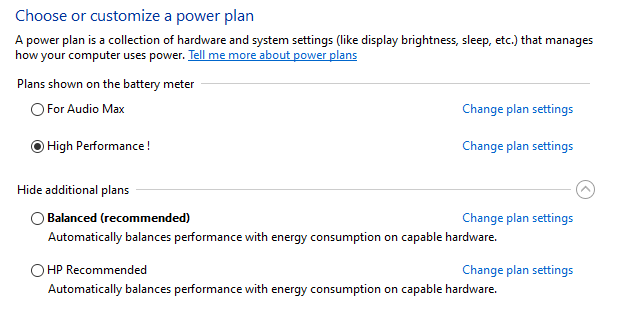
The power scheme should be good enough, although you better apply the ultimate scheme
The block size of [email protected] shouldn’t be a problem, apart from causing too much latency (but first let’s try to solve the clipping problem)
The cpu is rather limited, but I wouldn’t expect that to be a problem with only 2 plugins
What is the cpu usage in GP if you use no plugins? Is the clipping also there if you just connect the input to the output (remove all other plugins!)
Is this system running on batteries or mains? Laptop tend to lower the performance (sometimes dramatically) if running on batteries
You could try this script for setting the ultimate power scheme: unzip it, then you must run it from an administrator powershell prompt and also unblock it first (look up the script in explorer, right click, properties and then in the right bottom corner you can unblock it):
I’m not concerned about your CPU usage, but when looking at your screenshot I can see 4 plugins providing well leveled and unthrottled summing up of their outputs.
Therefore overloading the output and clipping is the result, which is also reflected in the two red output indicators…
If you want to avoid clipping, you have to place an additional gain block before the soundcards output input and lower the level. Try -10dB as a starting point.
Best practice: place a Limiter as the last processing block before the output to the audio interface!
Ok… the specs of your laptop are not actually “state of the art”.
An i5 CPU from 2018 with a base clock frequency of 1.6GHz is not what i personally would try to use for live plugin hosting - even less if it should run plugins like Omnisphere (requires 2.4 GHz or higher processor, according to their homepage).
…maybe you should - just to rule out a cause of possible issues.
GP is running on only 1 CPU core, that’s how it works best (according to the dev’s statements)… aaand if this one core is running on just 1.6GHz… well that’s not so much “horse power” to carry this coach. A DAW is working differently than a live host - that’s why your machine might seem to work “better”.
But maybe we definitely should make sure that tere’s no other culprit in your set up…
That’s something that i noticed as well. Strange. @andrelefebvre
A few things to check:
Please expand the bottom bar to see the “Interface out put levels” in full:
GigPerformer Essentials. I could not find a limiter in its plugins. But I placed a Gain and Balance control between all the instruments and the Audio Out. Yet even at -40db, I can still hear it crapping.
Thanks for the tip to open the audio screen. Interesting tidbit:
When I play the current setup, I hear all crackles and glitch, but here is what the meters look like while this is happening. So it’s not clipping. Something else is happening.
Maybe get a used or refurbished one… there should be many nerds selling their their “old” stuff to purchase the latest models.
Honestly, i don’t think you will be happy with your current machine, if you plan to use it to run the plugins you have.
That’s correct. You have to go for a third party solution. Have a look at KVR, there may be some free alternatives.
I personally use the Tokyo Dawn Labs Limiter which also provides a low latency mode. It’s sometimes on sale under 30 bucks.
But I think that’s the 2nd thing you have to solve, when reading through the last postings: Something else in your config seems to cause GPE / audio more trouble
Yes I’m thinking if it was clipping then it makes sense to have a limiter, but it’s not clipping, it just sounds like it, but in fact it could very well me the electronics inside the computer. I just changed the power options to Ultimate, but that isn’t helping the issue.
I guess I didn’t read the GP requirements for a machine, or it could be another issue. I’m using a recent NVMe I installed but forgot to remove partitions so my HD is split in two. I wonder if the glitch comes from having to draw the libraries from different folder in different areas of the drive? Or simply the WesternDigital is not up to the task.
I’ve been looking at used computers for a coupe of years due to Windows 1o deprecation. I’ll have to keep on looking…
Thank you everyone for trying to help, it’s been encouraging to experience. I’ll report back if I find out what causes this.
Someone suggested Unify, which I also own, although I have a hard time with the GUI (GP rules!) it could be an option. But I’d rather find the key to make this work!
That should not be the actual problem - the real problem are the requirements of the plugins!
GP itself is very low in regards of CPU-load - it just provides the “playground” for the “strong kids” (plugins) you call your own… they need the power, not Gig Performer!





 I’ll report back if I find out what causes this.