Widgets sometimes just stop controlling their chosen parameter

Sigh - where did I say that?

I’m not saying that at all - I’m simply saying that you have an extremely complex configuration and we need to be able to reproduce this reliably in a way that we can identify the problem– we have absolutely no idea why this could be happening - the issue has never been reported before even by others with even more complex layouts than yours.

We are obviously not going to have the same environment, the same controllers, drivers, plugins, etc - so we need as simple as possible a test case to debug.

2 Likes

I just watched your video — definitely bizarre — needs some thought but at this point, I have no idea why this would be failing. And you’re saying that it can be ANY widget randomly?

Seemingly, yes. At least I haven’t been able to detect a pattern

You’re not the only one, @EskilS . I must admit I’ve had this, too, and I’m currently living with a workaround. While I’m on a business trip until October 11, I can describe my setup in words:

  1. In my case all happens in the global rackspace
  2. A subrange parameter of a scriptlet is supposed to control parameters of three plugins
  3. So all four are connected to widgets and the widgets are in a linked widget group
  4. Widgets have different scaling curves

After some time (never during programming, only after something like 4 hours after soundcheck) one of the parameters stops changing while the corresponding widget still moves as normal.

  • MacOS (remembered since Catalina), no sleep.
  • GP 5.1.0 (remembered since the last GP4 release)
  • In my case it was the Arturia “Filter SEM” but the included gain plugin, too.
  • Unassigning and reassigning the widget doesn’t help
  • Restarting GP does help

My workaround is creating three subrange scriptlet parameters all doing the same movement, each linked to only one other widget/plugin parameter.

This is getting stranger by the minute.

So just restarting makes it work again?

  1. As I understand @EskilS, the widget in the video is neither in an option group, nor scaled, nor driven by a script, nor linked to scriptlet parameters or Global Rackspace widgets. Correct?

  2. When you restart GP, do you load the exact same, unchanged gig file that initially worked, and does the error appear immediately on the same widget? Correct?

  3. What happens if you restart not only GP but the entire computer?

  4. How many instances of the Helix plugin are you using, and which format in each case (VST, VST3, AU)?

@Florian

When did you notice this the very first time?
What was the version of Gig Performer at that time?
What was your macOS version?

I can’t remember that anyone reported this.

May I suggest this:

  • When you are about to leave the computer for a long period of time, first make sure it doesn’t go to sleep. Then run the Activity Monitor and take note of the RAM size.
  • In the moment the glitch is happening, please run the Activity Monitor again and check the RAM consumption.
1 Like

In my case, yes. In fact, even reloading the gig helps (without quitting GP).
I couldn’t try whether that fault is saved because I had to solve the problem fast.

The first time I remember is before I switched to GP5 so it should have been 4.8.2. I believe I was on Catalina at that time.
Now I was forced to MacOS 15.4.1 with the purchase of the Mac mini M4 which I’m still on. On GP side it’s been 5.0.4 and 5.1.0.

I’ll be happy to try this when I’m back. :+1:

1 Like

Correct

The error is not fixed by restarting GP or reverting to the last saved version (or like you say, it happens again right away)

Nothing - Error persists

In the video rackspace I have three, but it also happens in rackspaces with only one, and also with other plugins. All my plugins are AU (which is a good point - I should see if this happens with VST3 too).

Pretty early on after starting to use GP back in January. It would have been the latest version at the time, and MacOS Tahoe.

I’ll see what I can do :+1:

Ok, a bit of an update here. Not sure if it helps the GP crew narrow anything down, but here goes.

Investigation attempt #1:

So I had another widgetr break down a few days ago. This time it was a mute button on the built-in GP mixer, so I figured I could see if I could adapt the gig file to something testable by the devs and still keep the glitch in there.

So here’s what I did:

First I verified that the glitch behaviour was consistent - that it remained even after saving, shutting down GP and reloading the gig. That was the case.

Then I took these steps:

  1. Deleted all other rackspaces in the gig file. The glitch remained.
  2. Deleted all other rack units in the glitched rackspace. The glitch remained.
  3. Deleted all plugins from the rackspace except the two GP mixer blocks. The glitch remained.
  4. Deleted the global gig script. The glitch remained.
  5. Saved the gig file. The glitch remained.

Now here’s where the method broke:

  1. Opened the gig file on my other computer. The glitch was gone, the widget worked as it should.
  2. Reopened GP on the initial computer. The glitch was gone, the wodget worked as it should.

So at some point during my removing of stuff from the gig file, the widget probably fixed itself, but it needed a reload of the gig file (or a restart of GP) to take effect.

Next time a widget breaks, I will do the same steps, but make sure to restart GP and reload the gig file between each step. That should give me an indication of which step fixes the glitch.

Investigation attempt #2:

I also opened the gig file in a text editor and took a look at the widget in there. There was no discernable difference between the broken widget and the duplicated one that worked as it should, except the widget ID. All values were identical.

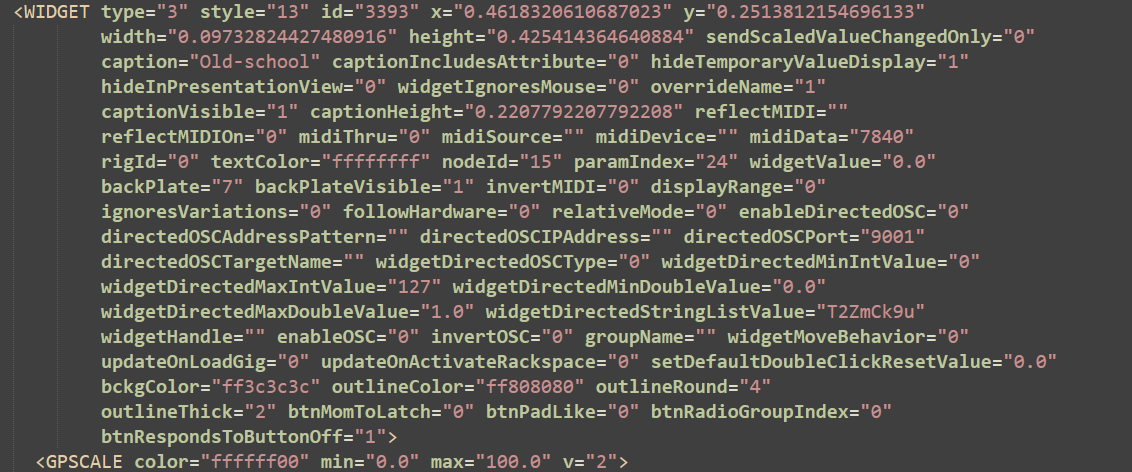
Here’s the broken one, in case that gives any indication at all (I doubt it):

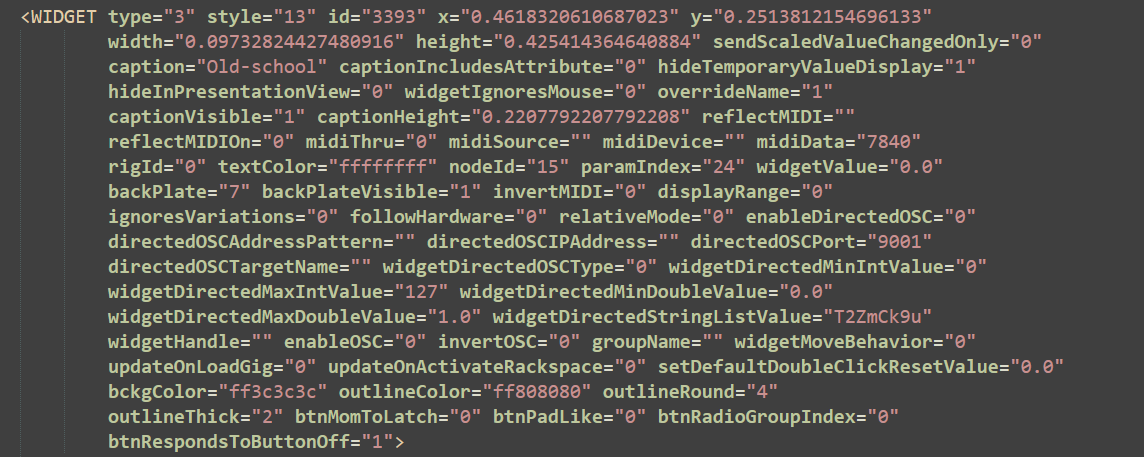
And here’s the duplicated one which works as intended:

The only possible weirdness that I could find in the gig file (which probably isn’t weird at all, just me not knowing the ins and outs of the gig file format) is this: The widget is set up to change its value for different rackspace variations. There are about 7-8 variations, and the widget should be turned on be default in two of them.

So I had a look in the variation setups (which are tagged as PRESET in the XML format, as far as I can tell). For the variations where the widget is off, it looks like this:

image

However, for the two variations where the widget is turned on by default, there are two different variants of the PARAM tag. For one variation, onLoadValue is set to 0, while for the other it’s set to 1:


image

image

I have no idea if this is significant, but I figured it might be worth mentioning since I can’t see a reason why the two variations don’t have the same setup.