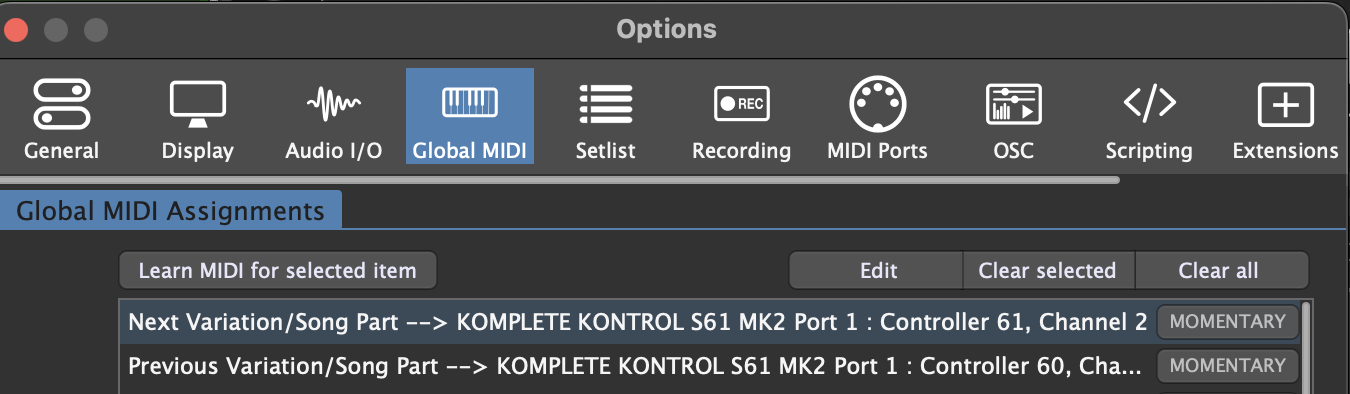
Hello! I am using npudars GP file “Quantise Song Parts Changes” and have it working very well (enables Midifile player to sync with global tempo when changing song parts)
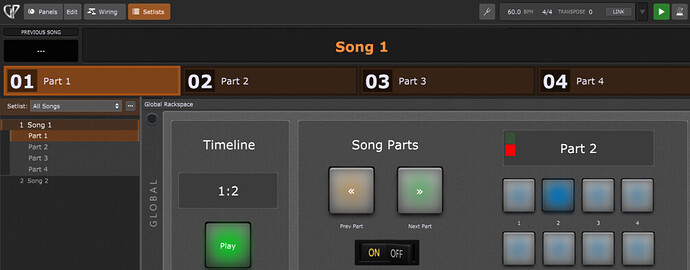
I have set my controller pads to switch to different song parts when in set list mode ans this works very well. These are the widget pads you can see on the right (8 of them). The problem I have is when trying to map the previous and next buttons to my controller pads. These prev/next buttons work fine when clicking on them with the mouse but when mapped to controller pads do not behave as expected. Once mapped, and in setlist mode, a pad press of next will move the song part on but then the button’s light remains on permanently and I can’t advance to the next song part. The same is true in the opposite direction when using the previous pad. I’ve tried lots of combinations in the widget settings of momentary on/off, inverting etc. Can anyone help?
Try changing it to “momentary”
Does page 25 help? (search “momentary”)
But, is see you already tried that? Maybe there is something in the script that needs to change to momentary? (Sorry I know pretty much nothing about scripting).
No, me neither
Can you open the Global Midi Monitor window and show us what midi your controller is sending when you push the buttons or pads you are assigning?
Then can you show us the MIDI tab of the widget editor for those Prev Part and Next Part widgets?
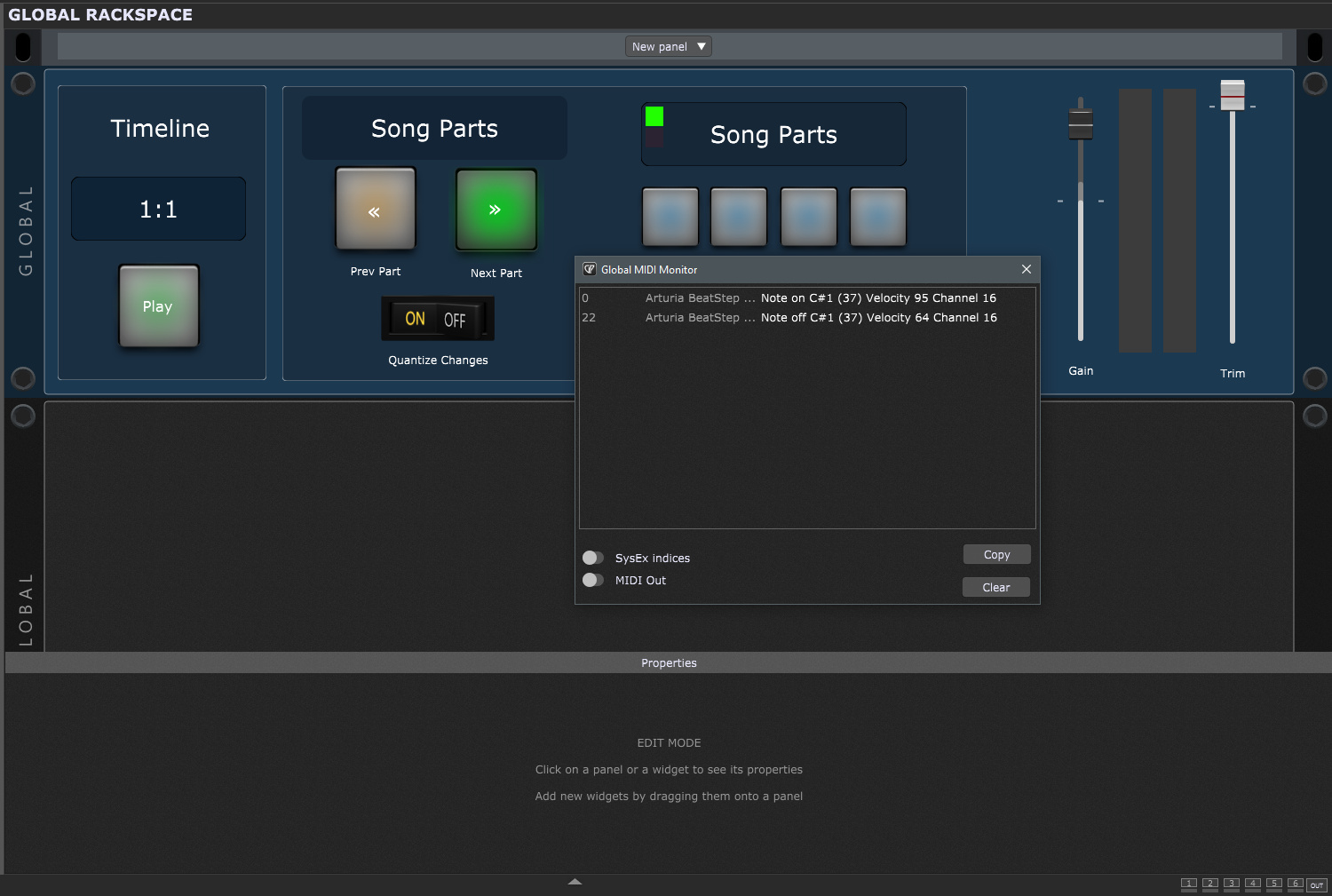
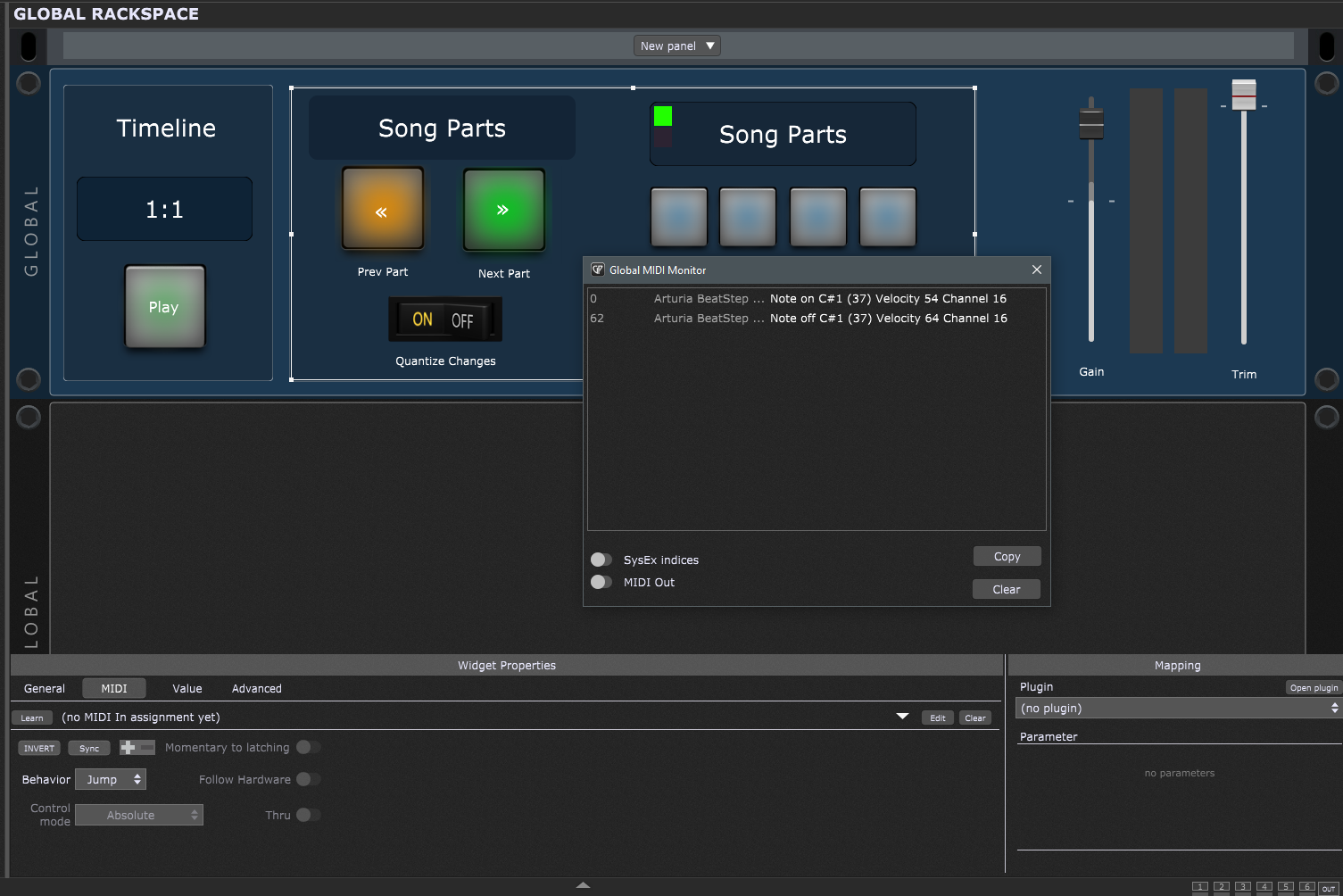
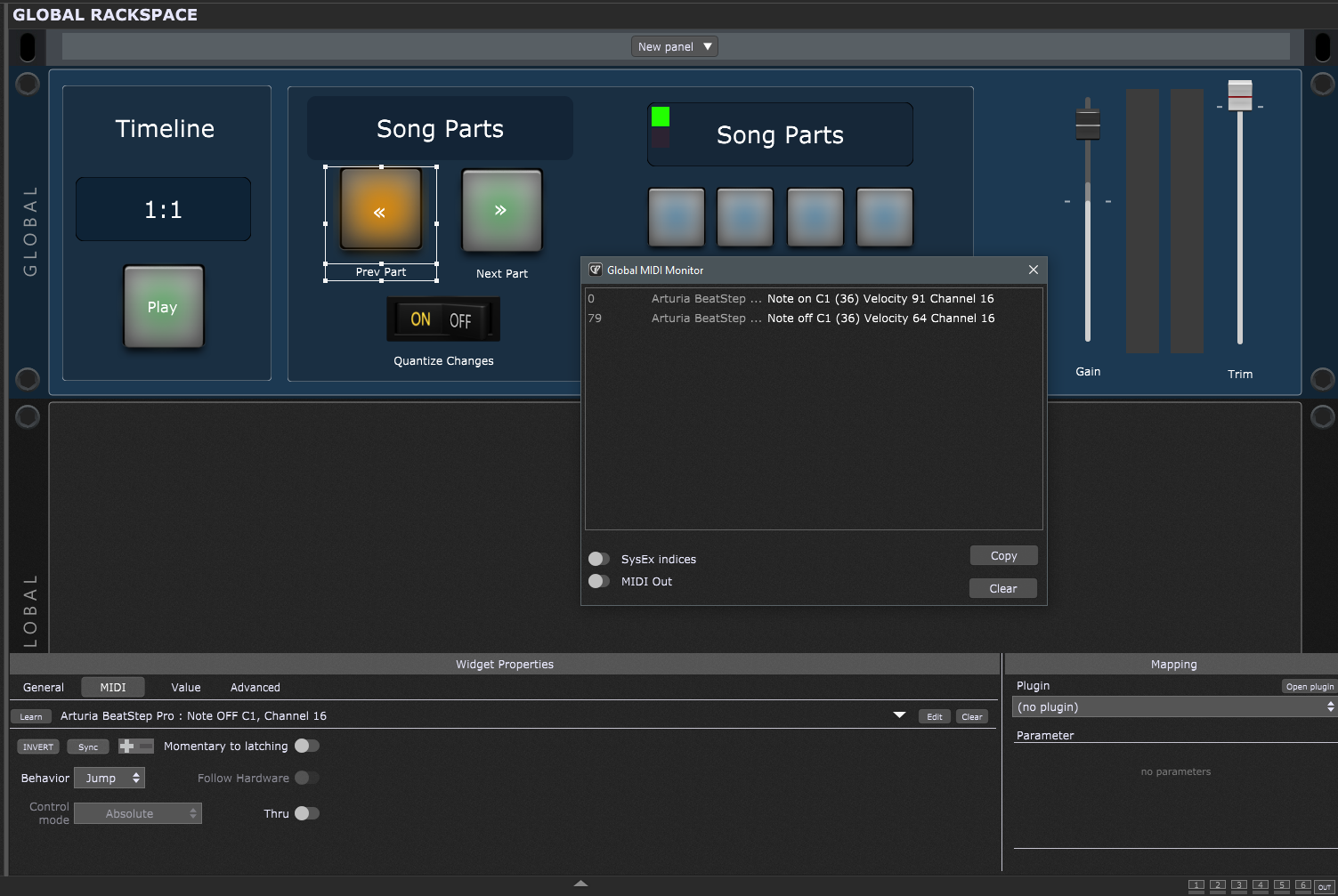
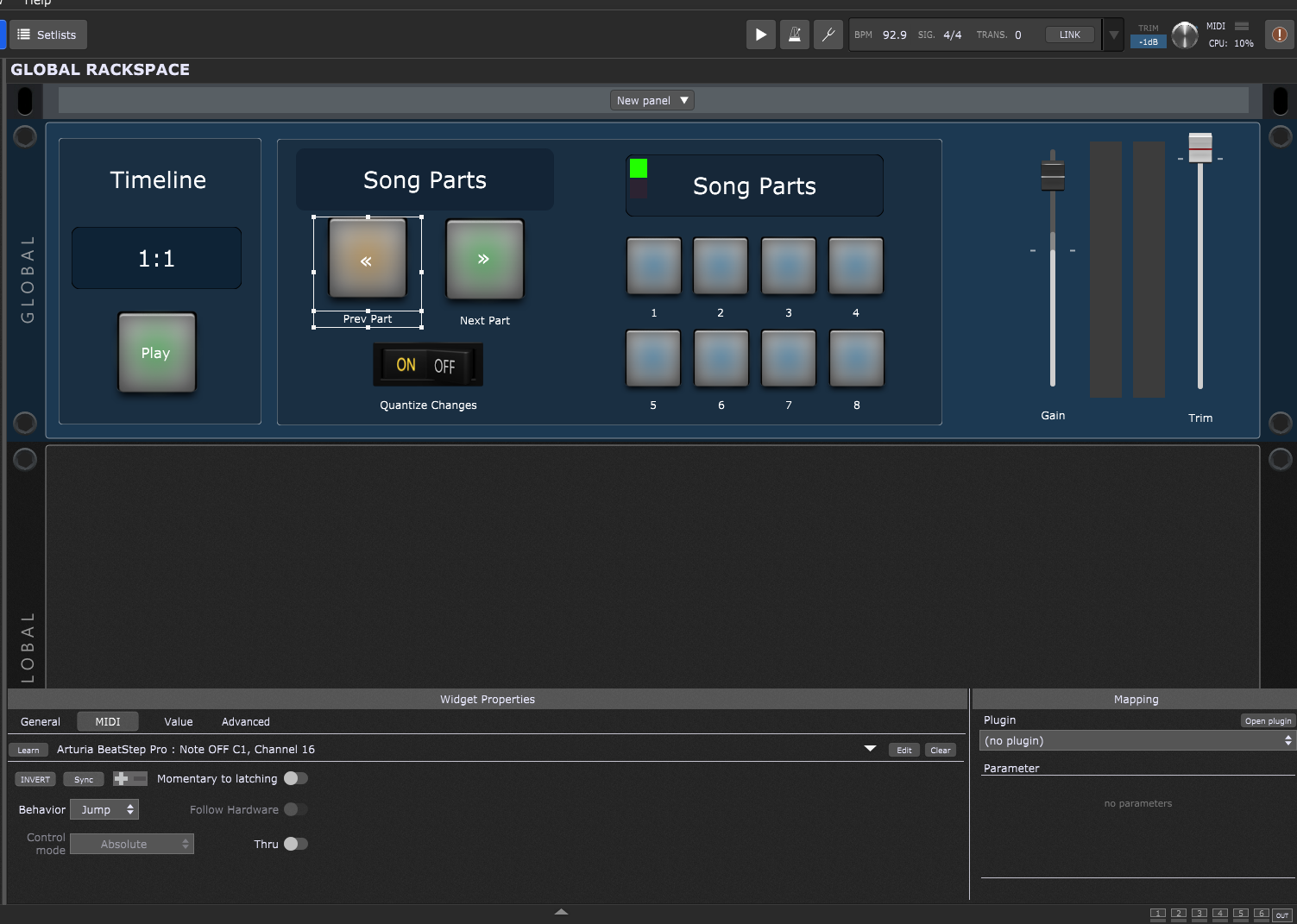
In the screenshot for “Prev Part” I would change it to a “Note On” assignment rather than Note OFF and I think you’ll want to turn on the “Momentary to Latching” option.
If that works, you’ll want to do the same for the Next Part.
I haven’t really looked at the script, but my guess is this is what should work.
Yes, this seems to work although to move forward or backward through the song parts takes two taps of my controller pads. I can live with that but is there a way of setting it so it only takes one tap? Many thanks for your help.
You could try turning the Momentary to Latching back off and see if that helps. I’m not familiar with the script so I’m just guessing at what it’s doing.
I would expect a single tap of your button turns it on, then GP waits until the next beat or measure to change song parts. At that point I would expect the script to turn the widget off, which would return it to the state that it’s waiting for the next beat or measure to advance again.
I think that’s originally a script from @rank13 so maybe he has some insight to add.
You shouldn’t have Momentary to Latching applied, as these pads are intended to be momentary.