I came across this today and thought it would be of interest to users here - RME explains why their own USB systems work so much better.
Sound On Sound explains this month, why USB by RME is superior to other USB implementations.
Bottom line: other manufacturers use a standard unoptimized XMOS USB chip. This solution is easy to implement, much cheaper, does not require specialized engineering and works with standard drivers. Voila, here comes a $200 interface.
RME on the other hand is going the other possible way, by recreating the USB protocol in an own chip, which fully exploits the limits of the standard (RME Pro Audio XCore). Channel count, latency, clocking, sync, fixes stability issues and more.
Additionally the code can be updated at any time, as the chip is fully re-programmable (FPGA). So even 15 years old RME interfaces still get updates, to work with the latest USB hardware - fast, reliable, usable!
On top of it: To achieve record low latencies with USB, it needs a special highly optimized driver. Only RME is doing both. RME interfaces are using a fully customized USB implementation, to the utter limits of the standard with a special driver technology, which delivers the same stability and speed on Mac OS and Windows. Ever tried to close your Macbook, while playing music and open it later? The music just continues to play, without a single buffer lost.
The article explains also, why USB2 and USB3 are not different, regarding stability or audio latency (except the channel count) and why Thunderbolt is not necessarily better, faster or more stable.
Conclusion: RME USB interfaces might be more expensive, but are faster, more stable, need less time for bug fixing, get all the driver updates and features in time and thus can be used 10 years or more with a high resale value … and of course sound great.
Hi dhj, I believe that all of this is true. However, I do just want to provide a note of caution. I recently bought a Fireface UCX II to run as part of a live rig with a new MacBook Air M4. I have not been able to upload their Totalmix Software despite going through all the many hoops suggested on their website. They have been responsive to their credit, but Apple’s updates and security seem to be making RME’s life (and therefor mine!) a bit difficult at the moment. The RME interface itself works fine with Gig Performer, but tons of the routing functionality is in the TotalMix software which I haven’t been able to get to work properly. Please note, I am a guitar player and keyboard player, not a software engineer, so I’m sure there are others here who might have more time, patience and skill in getting to the bottom of the issue. The warning is really for others like myself who are already on a sharp technological learning curve without having what should be ‘plug and play’ devices plugging alright, but not playing nice.
Totalmix is the software version of a professional mixing console that integrates hardware inputs, software inputs (these are the outputs visible in Gig Performer), and hardware outputs. It is indeed very comprehensive. In addition, Totalmix does not perform any processing; the audio interface hardware does that. If the computer crashes, the audio interface continues to play the band’s music without interruption (if you use it to mix a band).
But for those who don’t want to take the time to learn how to use a mixing console of this type, RME has added a DAW mode, in which all the advanced features are hidden. You can try this mode until you have the time or desire to fully learn how to use TotalMix.
I wasn’t aware of this feature. I’ll give it a try to see if it makes the headphones output (7 & 8) on my Fireface UCX II visible to Windows.
EDIT: Nope. Back to the full TotalMix. I’ll have to do some investigative work. I want to be able to select the Headphones as Windows audio output destination.
RME TotalMix (or TotalMix FX) is included in the standard driver/software package for RME interfaces, so you do not normally download it separately. Caveat - I use a PC/Windows, but to the best of my knowledge and research is also true for MAC.
When you download and install the latest RME driver for your specific interface (USB, PCIe, etc.), the installer also copies the TotalMix/TotalMix FX application to your system.
After installing the driver and connecting the interface, the TotalMix FX mixer window normally opens automatically the first time, without any separate install step.
RME sometimes offers beta or specific update builds of TotalMix FX as separate downloads (e.g., on their forums), but these are optional and mainly for testing newer versions.
For normal use, you only need the main driver package from the RME downloads page for your interface and OS; that gives you drivers, TotalMix/TotalMix FX, and the settings app in one go.
It is worth mentioning, as @David-san has, that TotalMix is exceptionally powerful and versatile. It has a huge learning curve. It is also worth noting that the Fireface UCX II is usually configured as a standalone device out of the box in my experience, and can take some effort to set up with a computer unless you have done it before. This includes configuring the WDM devices (e.g. the Windows Driver Model, Microsoft’s general audio driver framework) for audio on a PC, which can become complicated. If you can find a friend using the same device you have to help you, it can be a tremendous time and effort saver.
RME Fireface audio interfaces are USB Core Audio Compliant and work on Mac or iPad without any driver. So, you don’t absolutely need to install the RME driver package including TotalMix Fx. But it is of course much better to do it.
I think you may not understand how the RME system and TotalMix work with regard to windows audio.
If you’re looking at the TotalMix “mixing consol” what gets output to your physical interface outputs is all on the bottom row. Windows will never have direct access to output to those.
In the interface settings (that you access by clicking on the little fire icon down in the icon tray, not through TotalMix) you can set the number of “outputs” that Windows sees for the RME. You don’t get to choose which ones it sees. The ones it sees go from left to right on the center row of the TotalMix mixer.
To choose which outputs on the RME carry that you select the channel you’re interested in on the bottom row (e.g., your headphone output), then you raise up the fader in that middle row that windows is playing on.
Every output port on an RME interface has its own completely independent mix. You access that mix by selecting the appropriate fader on the bottom row, then adjust how much of each input signal (the top row of faders) and computer signal (middle row of mixers) it is carrying.
That’s an understatement. I appreciate your comments. I changed the default WDM Devices setting from 3 to 4, and now Analog Outputs 7 & 8 (headphones) show up as a Windows output device. Thanks!
Apple keeps changing their security blocks with each new OS version. RME has made a guide to help with the various steps required, and you can find the link to this page below on the driver download page.
I really appreciate you reaching out to them dhj. That kind of thoughtfulness in this community was one of the things that attracted me to Gig Performer. I am going to try to speak to their UK rep again on Monday. I’ve actually meticulously followed the steps on their website using both my MacBook Air M4 (for my live rig) and my Mac mini M2 (for my studio) and I have had no joy getting TotalMix to work on either. I haven’t completely given up, but again, the reason for my original post was just a heads up to newbies to Gig Performer that the RME interface isn’t without its potential issues. For example, even just trying to get phantom power to my studio microphone through the UCX II is not straightforward without access to TotalMix. Given that I’m going through a relatively steep learning curve for Gig Performer, having a hassle with my interface was just one additional bit of aggro that I didn’t really need. I’m hoping RME can help me sort it out, and I’ll provide an update on my progress. Thanks again for following up - it really is appreciated. I’m looking forward to picking your brains about Gig Performer itself in the very near future.
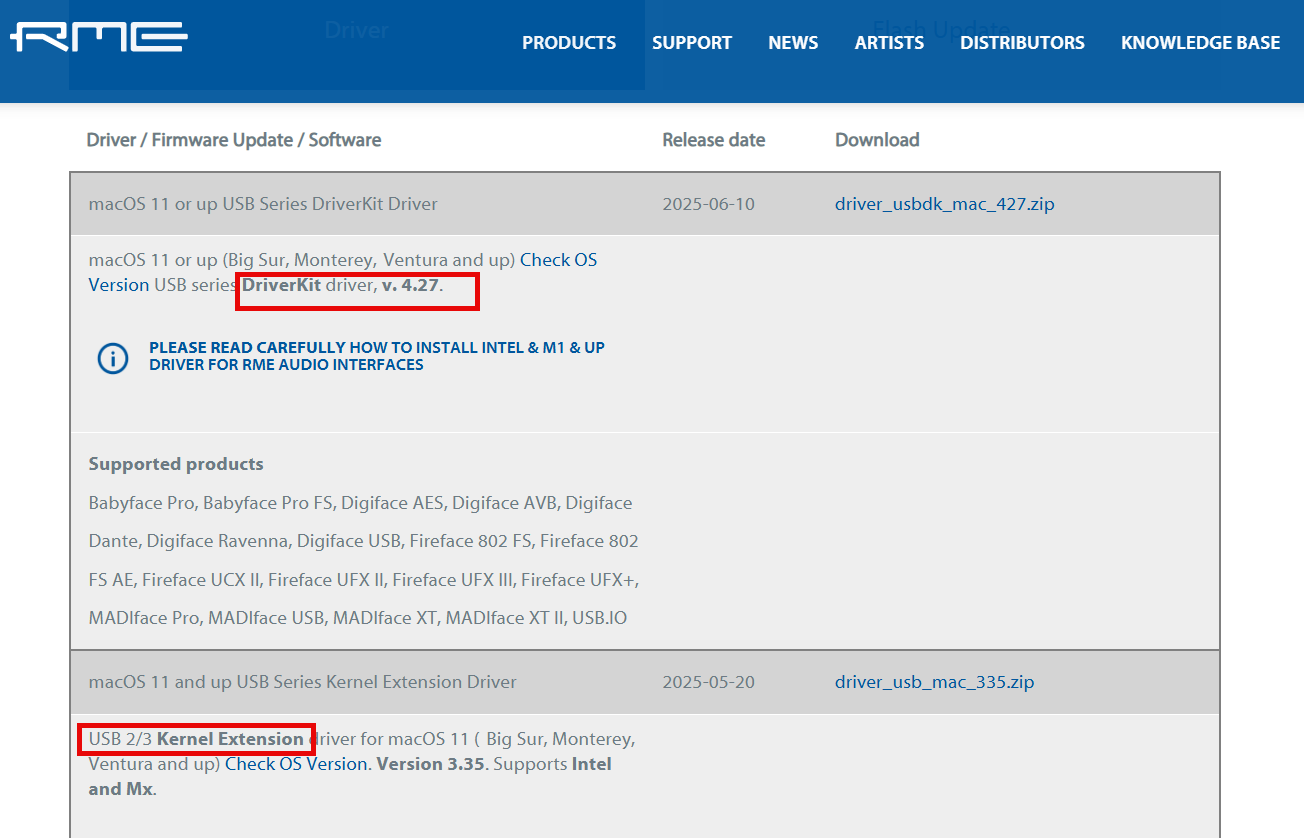
Apparently the user has a choice to install the new “driverkit” version for Macs or the older kernel driver “ktext” version. The link for RME page that offers the two versions is HERE. RME also published a video explaining the differences between these. The link for that is HERE. If you use the new driver kit version you shouldn’t have to jump through the hoops of overriding Apple’s security obstacles if I understand properly what the installations are like. Reading through several forum discussions and RME’s own comments, apparently there is no discernable hit on latency. Kudo’s to RME.
Edit: worth noting that TotalMix itself is just a user‑space application, but its installation and first launch are tightly coupled to the driver you choose, so the same security hurdles indirectly affect it. On modern Mac Os’s, the RME driver installer copies TotalMix FX and the Settings app into /Applications, and they launch only when an RME interface and its driver are correctly loaded. There is no completely separate “TotalMix installer” for normal setups; if the driver is blocked or not yet approved, TotalMix either will not open or will open without a functional device.
That makes sense to me. I just got an RME Digiface DANTE for my studio and I also found I had those same options. I downloaded and installed the driver kit and after a reboot (not sure why), it worked perfectly. There was also a fireface settings app and TotalMix app which ran fine and showed me 64 channels as expected.
From my perspective these apps looked identical to similar apps I have on my live performance machine which is an old MacBook Pro from 2018 running 10.14, connected to an RME UFX audio interface.
Quick update - with good news….(and possibly worth posting somewhere on the for RME (Syntax Audio) and they were amazing. It turns out that it wasn’t a driver issue, but rather that my UCX II unit shipped with CC Mode on. So even though all drivers were loaded correctly, the unit wouldn’t work without going into the Hardware/Diagnosis submenu in the Setup/Rev menu and changing CC Mode from On to Off. Once that was done, everything worked perfectly and TotalMix popped up on screen.
So, if anyone else has trouble with getting the driver on their Fireface UCX II to work properly after doing everything, this could be the fix: On the unit itself 1) Press - Setup/Rev, 2) Press Value scroll knob to get to the Hardware/Diagnosis submenu, 3) Check CC Mode and if it is On, turn it to OFF, 4) breathe an enormous sigh of relief and grab a cup of coffee or make yourself a cocktail to celebrate.
Once again, thanks so much for your help and support in trying to figure this out. I am excited again about my RME and I have to say, hats off to them for their support.
I never heard of CC mode for an RME audio interface. Any idea why it was switched on by default? It seems weird that RME would do that given that the interface wouldn’t work properly in that mode?
I wish there were a small RME interface with a DI in and 4 analog outs. I now own five RME Digiface USB’s and they would be great for my Gig Performer rig, but they require converters which add some massive footprint on my pedalboard. Next closest is the Babyface ProFS, but again, pretty big footprint…has me looking at one of the Audient Evos with their nowhere near as good, likely TheSycon drivers