I have Gig Performer on two partitions on the same PC. When I boot up the version on partition 2, the Rig Manager does not work properly. Where do I find the RM files on partition 1 so that I can copy them to partition 2?
You export the rig, and the default location is \Documents\Gig Performer\Rigs
Very cool indeed. I’ll give it a shot and see what happens.
Cheers:)
I unhid folders but there wasn’t anything in the rig location.
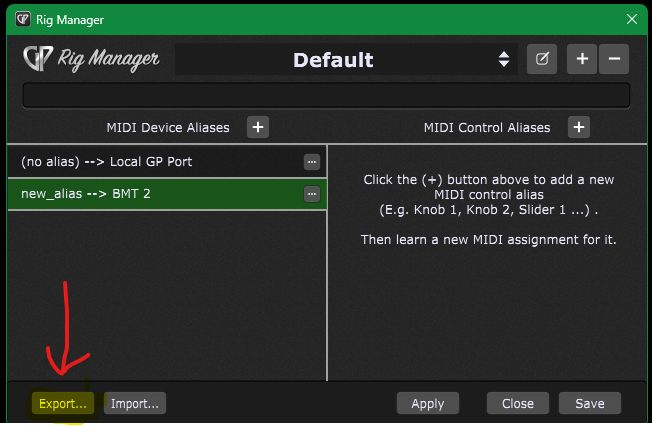
I did export it. Then I went to the second partition and found the rig folder which was also empty. I dropped the file into the empty rig folder and rebooted. It worked! Brilliant! Many thanks for the tip.
Why didn’t you just import it?
2 Likes
Not sure. I’ve never used the process before.
To my understanding the Rigs are stored basically in the main Gig Performer.settings (or Gig Performer.INSTANCE) - to share/reuse them (between instances, different computers) you can import/export as described above…