ok, its me being blind, but I can’t see the name of the current gig file I have open. I know it’s displayed somewhere, just can’t see it.

And on Windows:
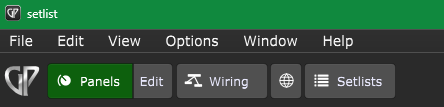
I.e, it’s on the title bar
Thanks for the replies.
That is exactly where i would imagine it to be, and sure i have seen it there, but when i was looking last night it wasn’t showing.
I’ll have another look when i get home.
Maybe yiu had your window partially off the screen
1 Like
Then you did not load a gig file 
What is a gig file then?
My understanding is it’s the file that holds all the rackspaces and songs etc. in my case about 64MB in size.
I have 3 and wasn’t sure which was loaded, that’s why i needed to look. Normally i use just one but remembered i had older backups so wanted to see what was in them.
Possibly, but i can’t say for sure. I normally have it sitting in the middle of my screen so i can get access to files on the desktop.
Forgot to say, I’m on Mac Sonoma, just to make thing’s clear.
A gig file is sort of a project file. You could have one large gig that has every rackspace/song you ever created. Or you could have smaller gig files (for each band you are in, for each gig, etc.). (You can have multiple gig files, if you want).
1 Like
Yeah, that’s what i thought. I have 45 rackspaces, and 45 songs. All kept in one file.
That’s a gig file as far as i know. Not sure why pianopaul made that comment.
It was a joke, seems a bad one
Must be the translation.
When you just start gig performer and do not load a gig file, then the name of the gig file is not shown in the title bar …
1 Like
Ah, so when I double click on the GP icon and load the program, and it loads up the last used gig file I dont get the name or any indication what file its using?
I have to actually click on the gig file to launch the program?
Thats an odd behaviour IMO, but one I’ll just accept.
Well I just assumed i was using the wrong terminology, which it seems is correct as I assumed loading the program from the icon was also loading a gig file.
If you have it set in the Options to load the last used gig file, then that gig file will load and the name of the gig is shown in the title bar. If you dont have that option enabled, then GP will load with a blank gig file. Even when a blank gig file is loaded, it still has the name ‘Untitled’ in the title bar—its never blank.
If you are using Fullscreen mode, then there is no title bar and as such you wont see the name of the gig.
Oh I see. On the Mac there is a know issue where, if GP was not already open, opening it by double-clicking on a gig file doesn’t work
Thanks, but that’s not the issue I had.
With GP closed, I would normally double click on the GP icon and GP will open and load the last gig file. Last night I noticed I couldn’t see the tittle of the gig file.
Based on what Pianopaul said, I then tried double clicking on the gig file itself, again, with GP closed. This opens GP with the gig file loaded and I could see the title where it’s supposed to be.
Since doing that, I can now go back to the first method and it’s working as it should again. Must have been a glitch.