Hello, I am using the latest version of Gig Performer on both Mac and Windows
I am trying to create a sort of performance view, so I know what happens when I step on each pedal of my MIDI pedalboard. My bottom Row will be Rackspace Variations
I assumed I could make a widget and have it call the correct variation with the System Actions plugin. While that does switch properly, the Widget button (in this case “Pad Button” or “LED Button” does not stay lit, sort of defeating the purpose of the graphical indicator for me.
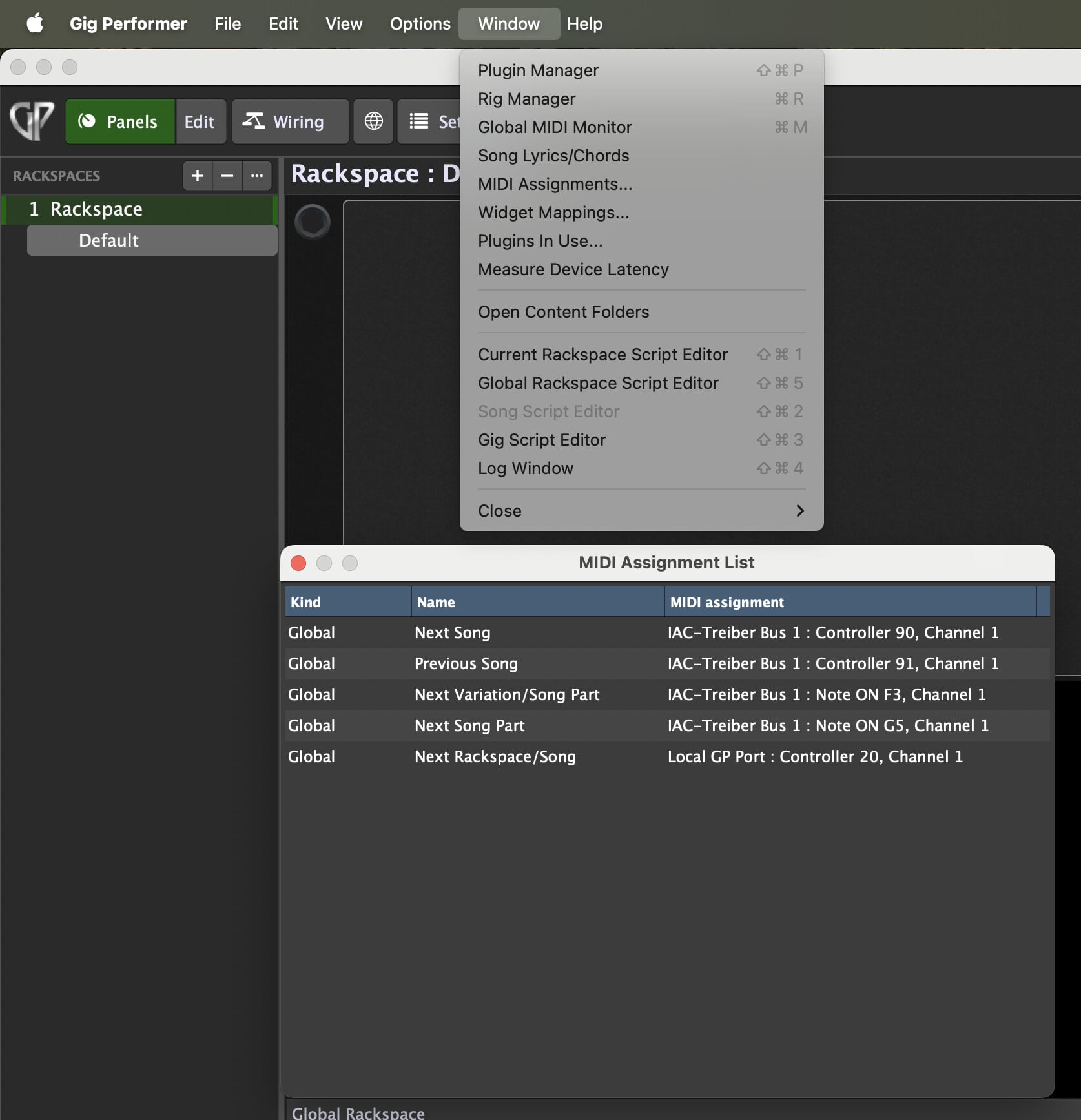
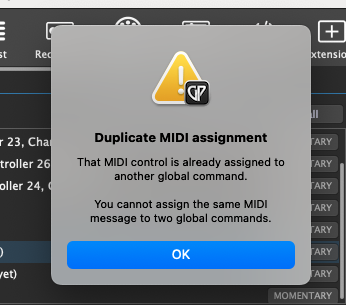
I was told this will not work with the System Actions plugin, so I tried by assigning this in Global MIDI but it said the MIDI value I wanted was already assigned and couldn’t be assigned twice globally. When I look in the Global MIDI options, I did “clear all” but it still says that MIDI value is assigned. Where can I see (and/or change) these MIDI values? I cannot see where it assigned
And, how should I switch rackspace variations yet keep the button lit until changed to a different variation?
Thank you! Still the PC Value in question is also not showing there. I’m getting the warning that it is already in use, yet it isn’t showing in there or in Options/Global MIDI
Can you please post a screenshot of the screens you are using and the message coming up?
By the way: you should not use PC messages for global MIDI mappings.
Did you use PC messages for Variations?
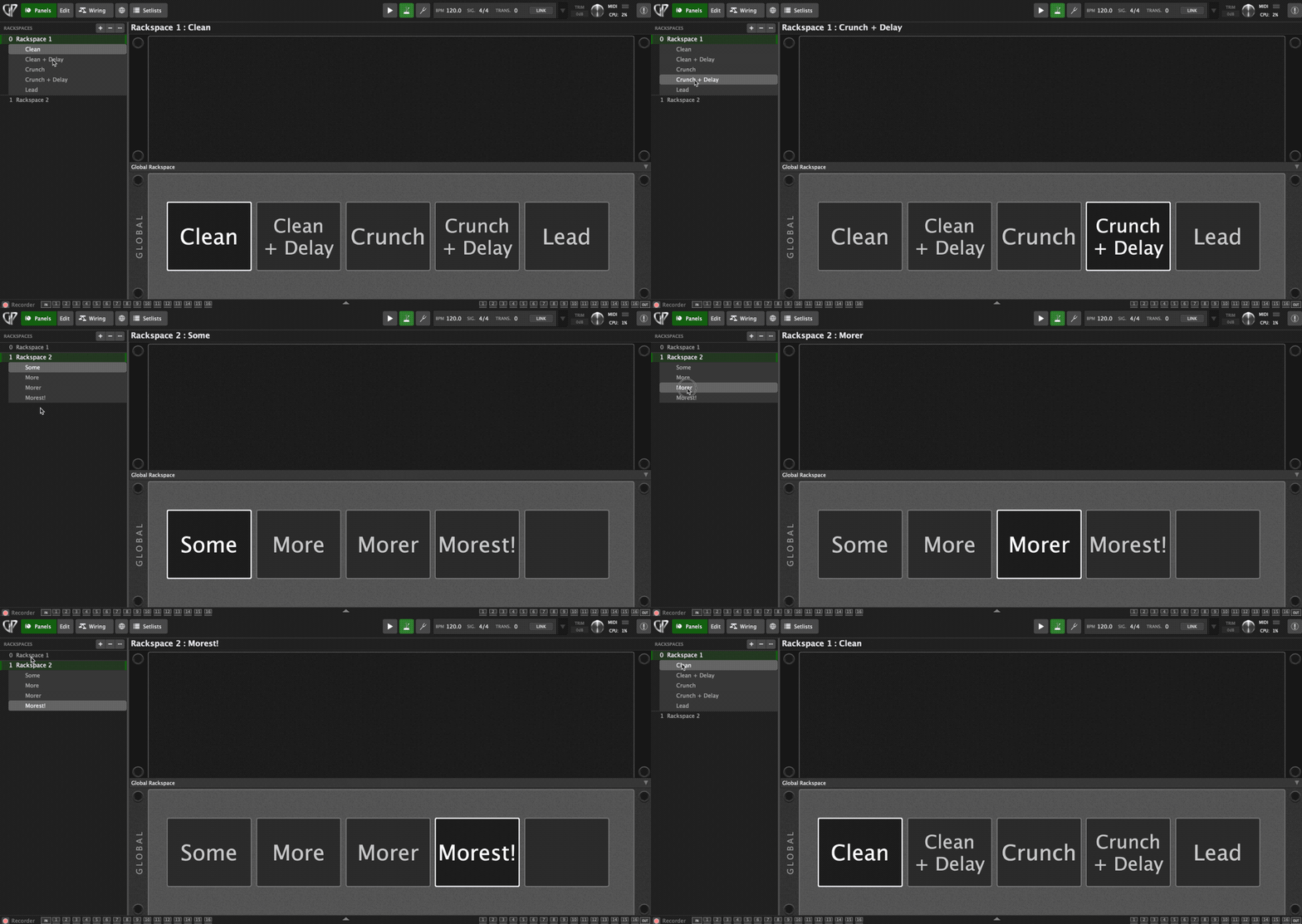
Assuming you get your MIDI assignments sorted, this is an example of using GP Script to provide a nice display of the variation names and which is selected. I thought it might be useful for you.
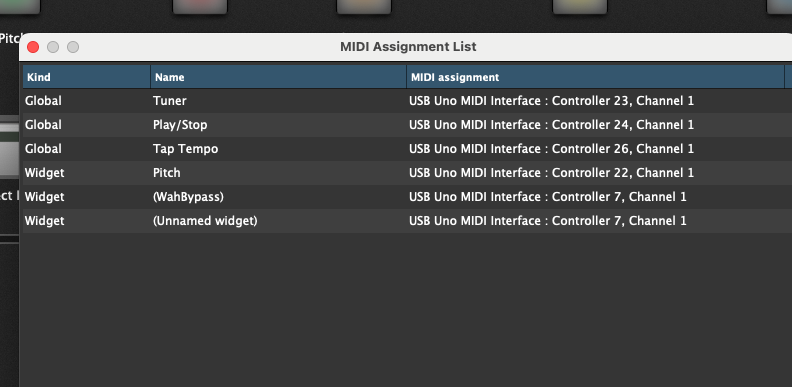
In this case Global/Variation direct access, but more importantly I think is I would just like to be able to figure out what is already assigned, here is the other window, and neither shows anything assigned to PC 1