Disable usage data, data tracking, reporting and telemetry
.
Various usage tracking options can significantly increase the CPU usage of your computer.
A few Gig Performer users have reported a problem where, after loading a gig file, the cooling fans turn on, their computer gets hot and the Activity Monitor/Task Manager indicate that Gig Performer is using a huge amount of CPU cycles.
As best practice, turn these features off.
–
Examples are these Native Instruments plugins:
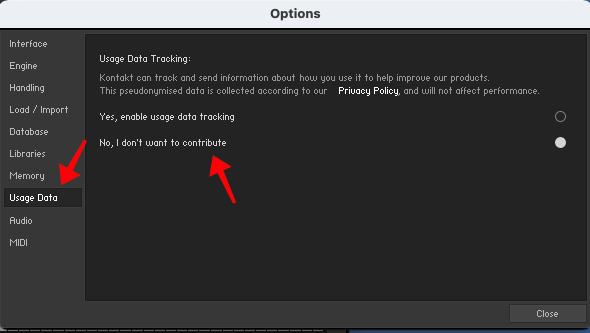
Kontakt
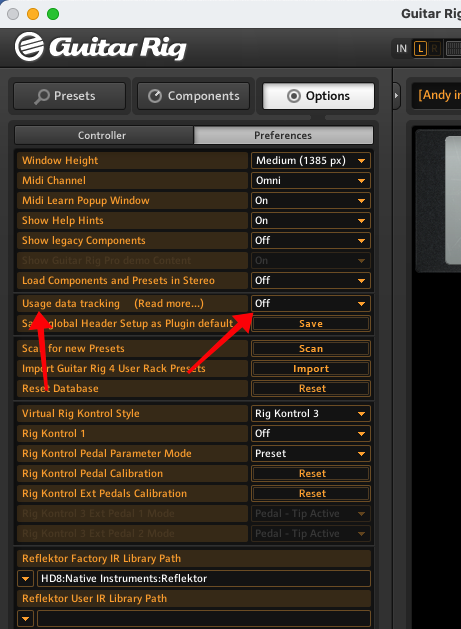
Guitar Rig
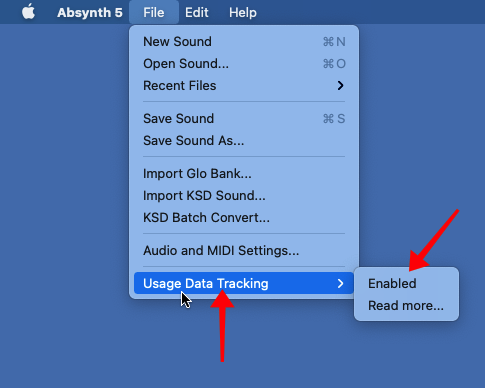
Absynth
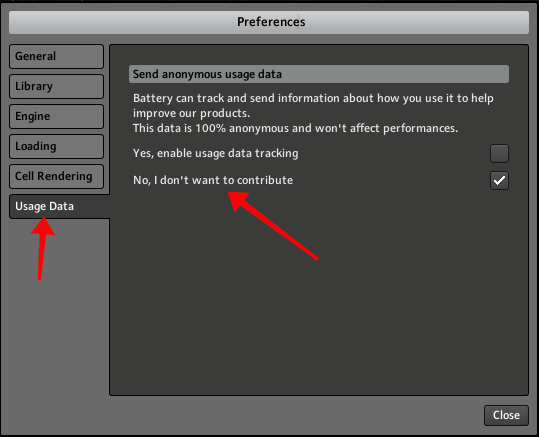
Battery
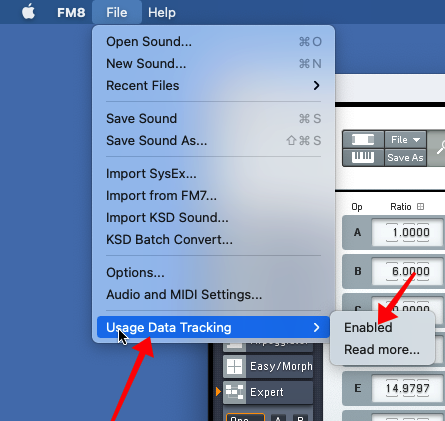
FM8
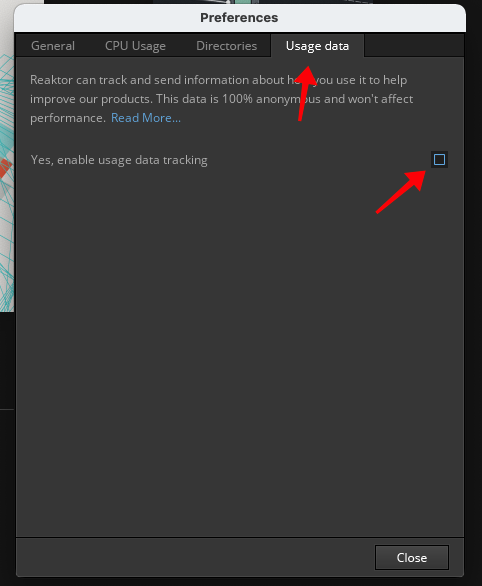
Reaktor
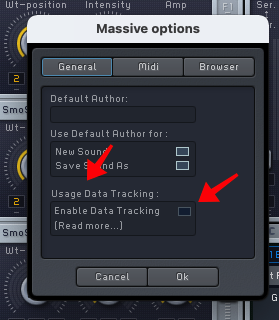
Massive
(source)