Is it safe to update my Mac mini M4 to Tahoe?
Anybody running Tahoe can please tell me if everything runs fine?
Is it safe to update my Mac mini M4 to Tahoe?
Anybody running Tahoe can please tell me if everything runs fine?
The process should be different.
A) Benefits
→ Is there anything new in regards to audio that Tahoe delivers?
B) Compatibility
→ Are all your audio and MIDI devices, third-party software, plugins, license managers, etc. compatible with Tahoe?
Gig Performer works on Tahoe (I run it on Tahoe), but GP is just a small variable in the overall equation.
While we can say that GP itself works fine, we are not in a position to tell you whether all your plugins will work.
Frankly, if I could, I would immediately revert to an older version, even on my development machine – Tahoe sucks of gratuitous updates rather than stuff that would actually benefit you.
You can find a lot of criticism and concern about Tahoe and the direction in which Apple is going.
Based on reports from late 2025 and early 2026, macOS 26 Tahoe has faced significant criticism, with
many users and reviewers describing it as a “bad decision” or a “mess” due to UI, performance, and stability issues, leading to widespread debate about whether Apple is failing in its software quality control
Been using it since Christmas. no issues so far with my various VST’s indie GP that I didnt have before I updated.
I like the interface and have no issues with how it works or where things are etc.
I’ve been running Tahoe 26.2 since it was released on my Apple M4 Max MacBook Pro with 128 GB a few weeks ago. All of my plugins work and I haven’t suffered any anomalies to date. I drive GP5 with two Korg Kronos X-88 keyboards and over 140 backspaces. I use the latest CalDigit TS5 Thunderbolt dock with the OWC Thunderbolt 5 Dock to increase my system’s port availability. My UA Apollo X4 works great as well as my Stream Deck 32 AND FCB1010 FOOT CONTROLLER . So far - flawless! But hey… There’s always tomorrow:) Good Luck!
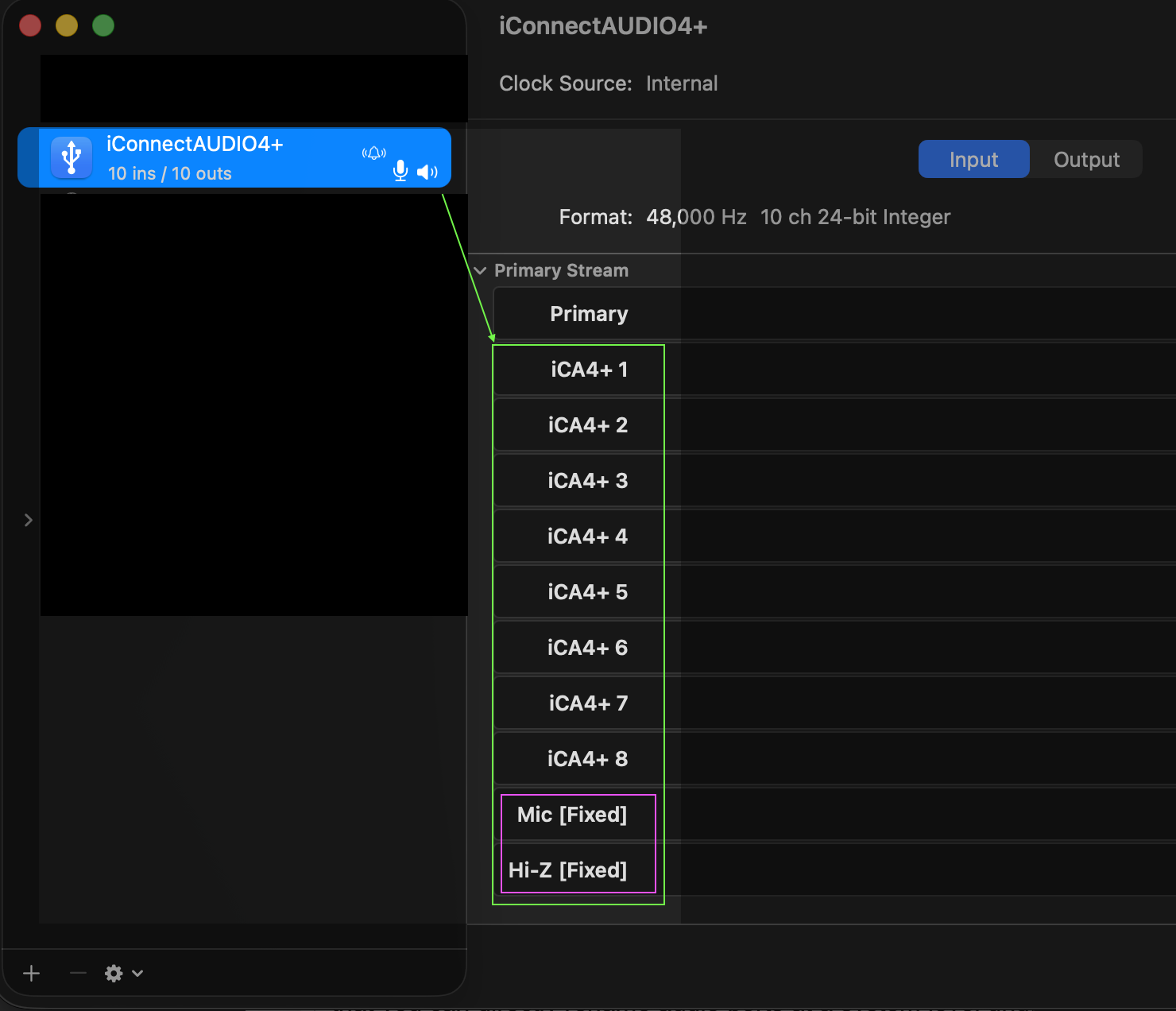
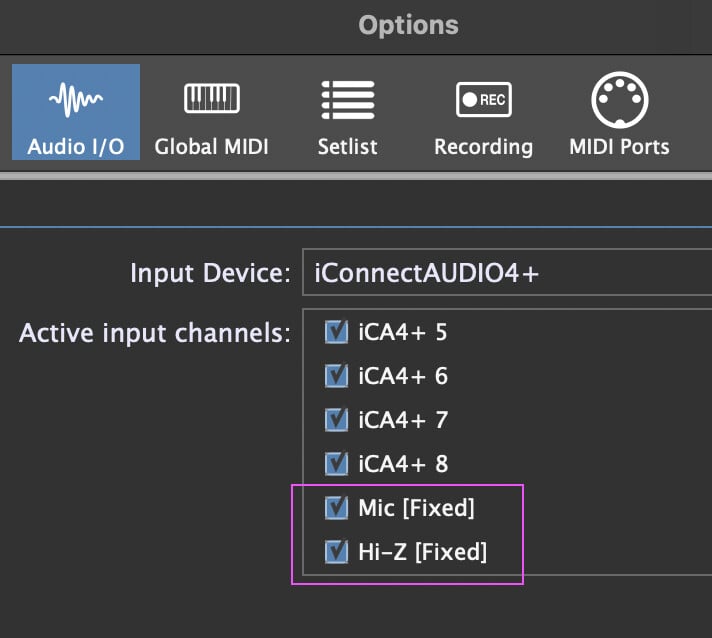
I stumbled upon one audio feature that I haven’t seen anybody mention at all. Under macOS 26 (Tahoe) in the Audio MIDI Settings, you can directly rename audio ports at a system level for individual audio devices, not just for aggregate devices, as was previously the case. It helps certain audio apps to automatically label your ports. See examples below:
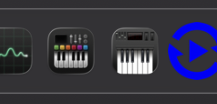
Also, the Audio MIDI Settings icon has been updated. Trivial to some, perhaps, but that small visual difference means the app “MidiTest” (to the right of the aforementioned application) is now visually differentiated. Formerly, these icons were virtually identical and there are many such keyboard-themed icons for various MIDI utilities.
Not saying OP should go to Tahoe – there are good reasons not to update!
Which ones would those be? I only use my M3 for GP and have only been on GP for six months. I’m not performing live with it yet because I’m still migrating all my songs to GP. If I update to version 26, I can still fix anything that doesn’t work afterward.
You may be fine….cant say….I would ask a different question-what benefit will you get from upgrading your OS? While my own development machines get upgraded often (because we have to be aware of changes), my life performance machines are still Intel laptops from 2018 running OS 10.14 and I have found absolutely no reason to upgrade those machines, the OS, or even the plugins.
I know that real developers always stick with what works. I figure if I switch now, I’ll have the most up-to-date system, which I probably won’t upgrade again until I consider changing computers. I can calmly address any problems that arise now, since I’m not using this computer for live performance yet.
As a casual user, I won’t notice any real benefit anyway. Whether a window opens faster, or, as Vaultnaemsae pointed out, whether custom labels are possible, probably won’t matter to me.
Or maybe it’s just a psychological issue: We always want the latest thing.
“Jäger und Sammler”