Hi, I know how to change the icons in the finder to make launching of different GP instances more easy.
However, I would like to distinguish the running instances more easily in the dock.
Currently all instances use the same app icon, regardless of what I have set in the finder.
During my research an AI suggested to duplicate the app bundle. After adjusting the start scripts to launch the instances with the corresponding app, it does seem to work fine.
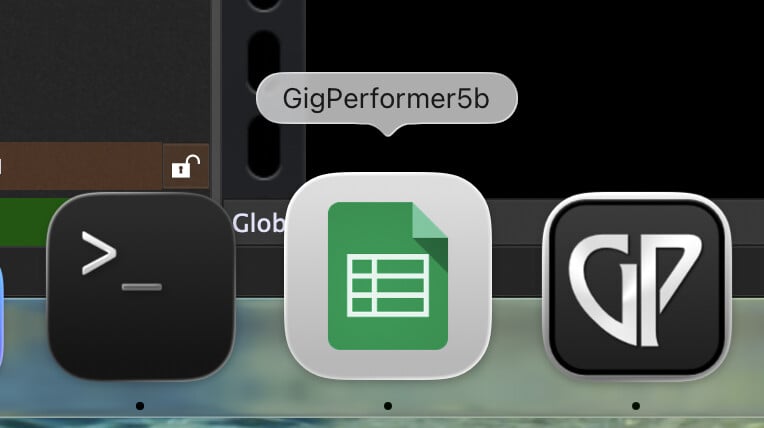
Look at the screenshot where I use the Google Sheets icon for the second instance/app that I called “GigPerformer5b” (just a test).
What I would like to learn is whether this is a good idea from a programming/OS view where I don’t have sufficient knowledge. Thanks for your opinions! 
Hi Florian, I go a different way, maybe that’s also interesting for you?
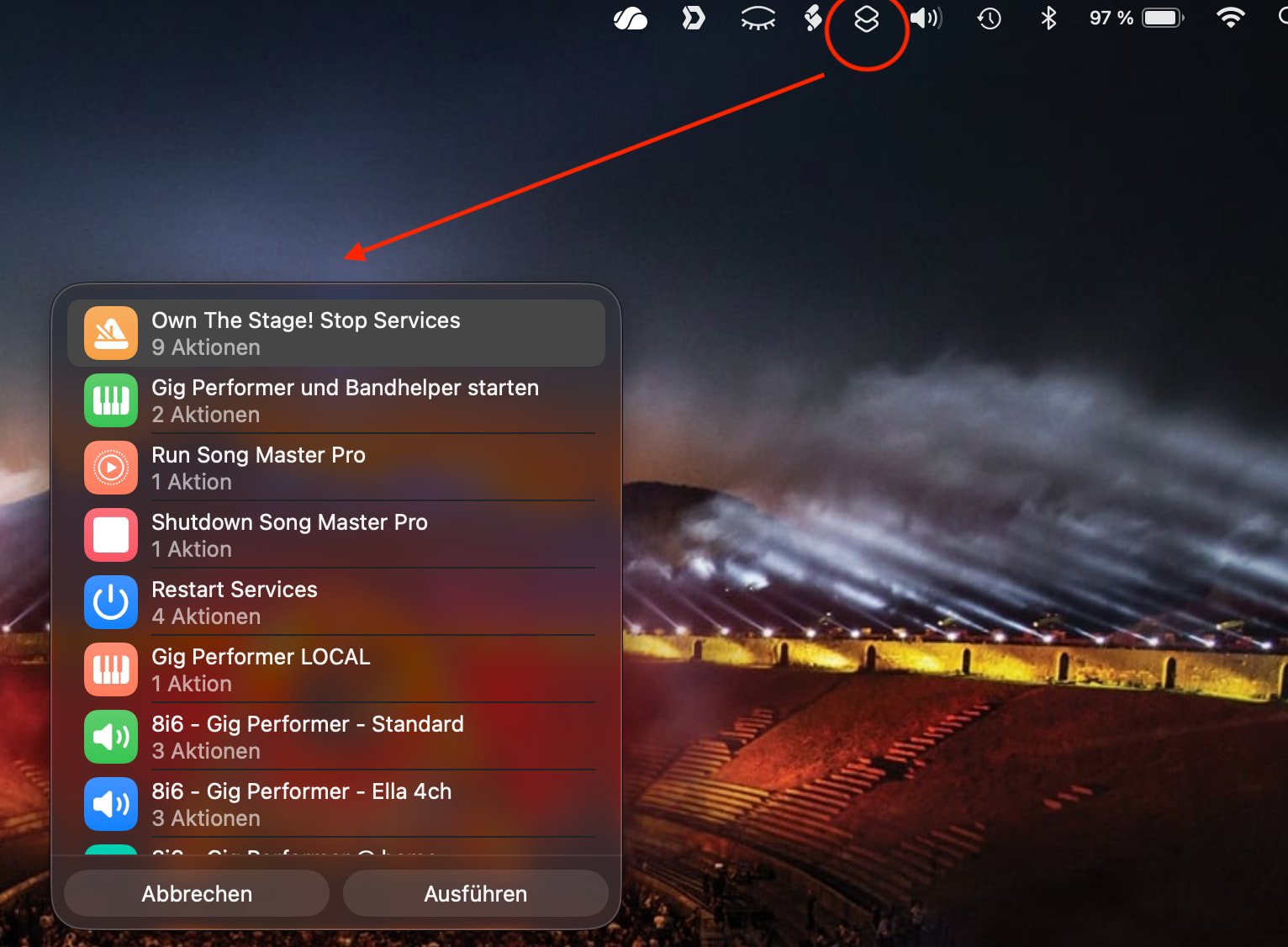
I use Kurzbefehle / Shortcuts. You can enable a Menu in the Main MacOS Menu and select your action.
Unfortunatly this has slightly changed in macOS Tahoe. However some screenshots for you
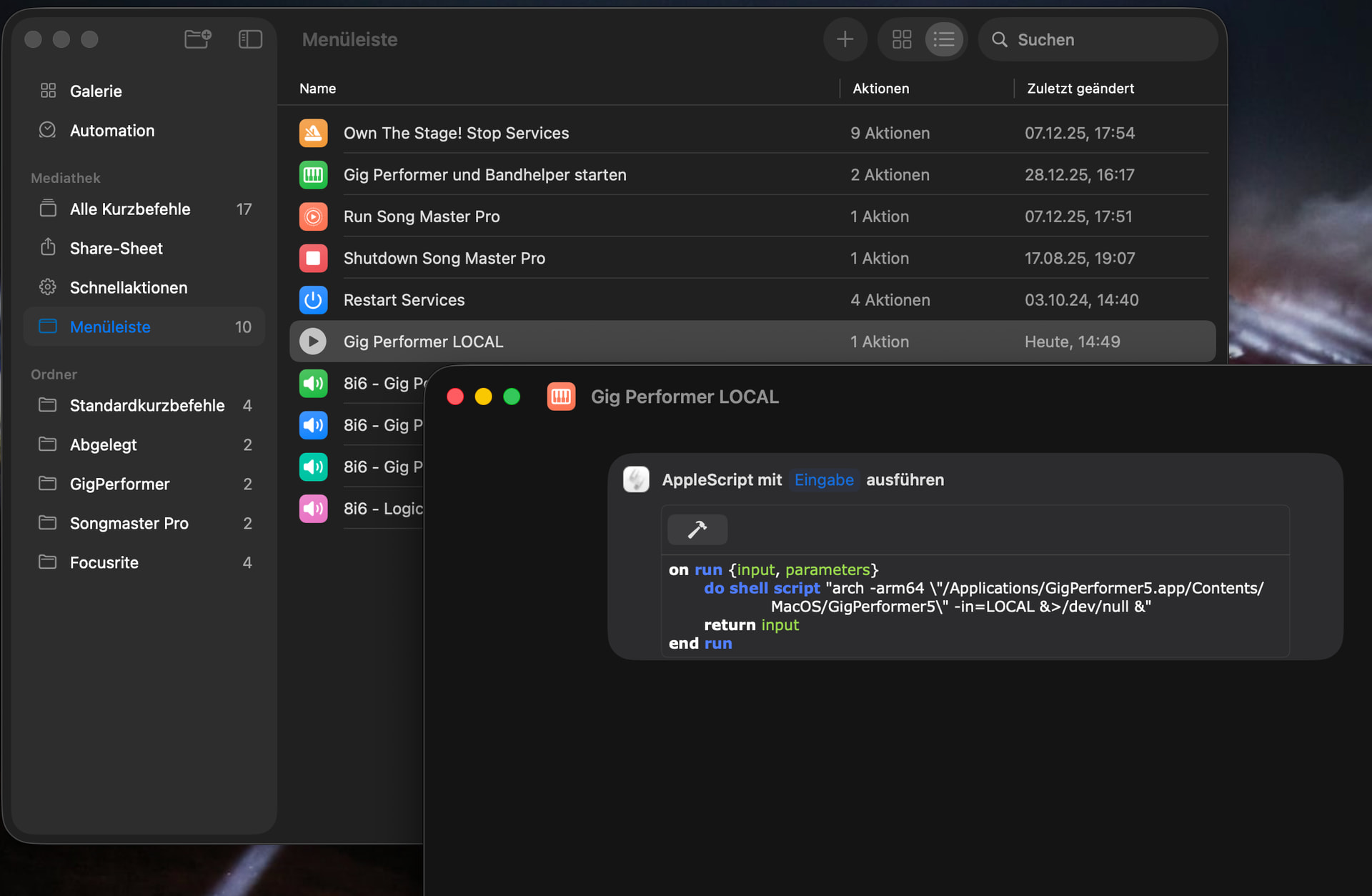
You can have multiple copies for different instances - in my example this is LOCAL
Maybe this is an option for you?
Edir: as you can see I collect different kind of actions here - closing applications, configuring my audio interface etc. It’s very flexible. On my office iMac I use it for downloading pics of my camera (with renaming, sorting etc.) - but that’s a different story 
1 Like
Hi Alexander, thanks for this suggestion. That really seems like a good way to collect different tasks in one place!  I actually have Gig Performer trigger a shortcut, too: to turn off low power mode on my MacBook in case I forgot to.
However, what I’m looking for is actually a little different:
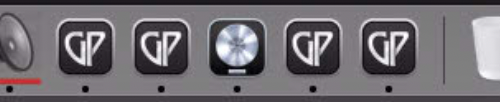
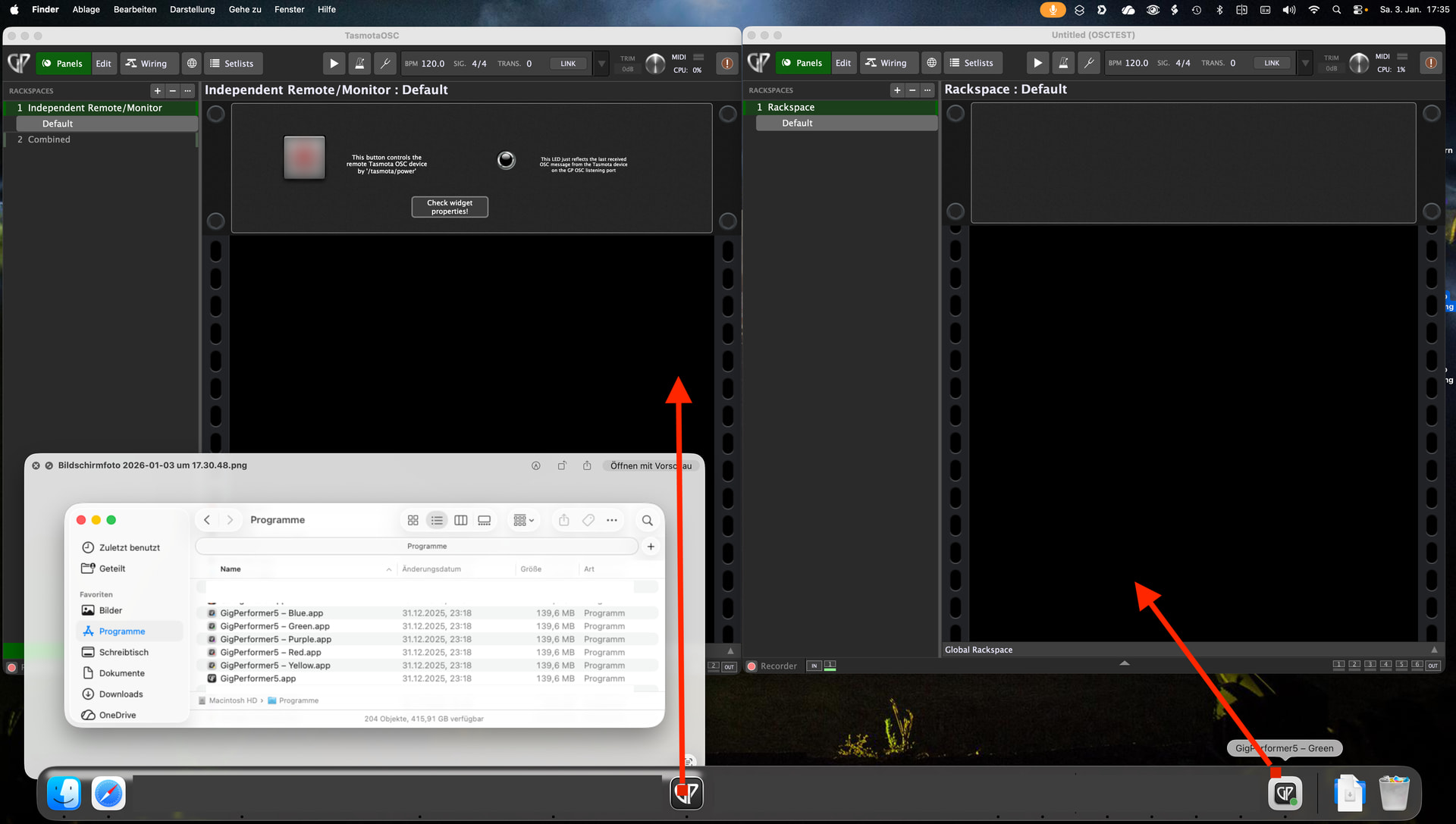
I would like the app icons in the dock of the running GP instances to be distinguishable. I bet they also look alike on your machine like on mine:
They even all show “GigPerformer5” on mouseover…
Hi Florian, I understand what you’re trying to achieve, and I’ve had a little chat with my new best buddy, ChatGPT.
I’ve found a solution - but I’m not particularly impressed with it—mainly because it creates copies, or rather, inherited apps. I don’t know to what extent this is compliant with the license, but it’s possible! The developers should really address this!
Perhaps this would be better suited for a feature request: an additional startup parameter for the command line, “-icon TYPE”?
For me, it looks like this with automatically generated icons:
Edit: Furthermore, I have no idea what side effects this might have. The only thing I’ve seen so far is that I have to grant all permissions again (audio, documents, shortcuts, etc.) when starting each new color variant.
Therefore, I’m not sharing the script for it here!
Edit: I just placed a feature request - this was also on my long term list of missing things…
1 Like
Cool, thanks a lot for this!
The first part looks identical to what I did - duplicating and renaming the app bundle.
But the second part seems promising as I had to manually copy and paste the desired icons. Creating the icons automatically sounds very interesting!