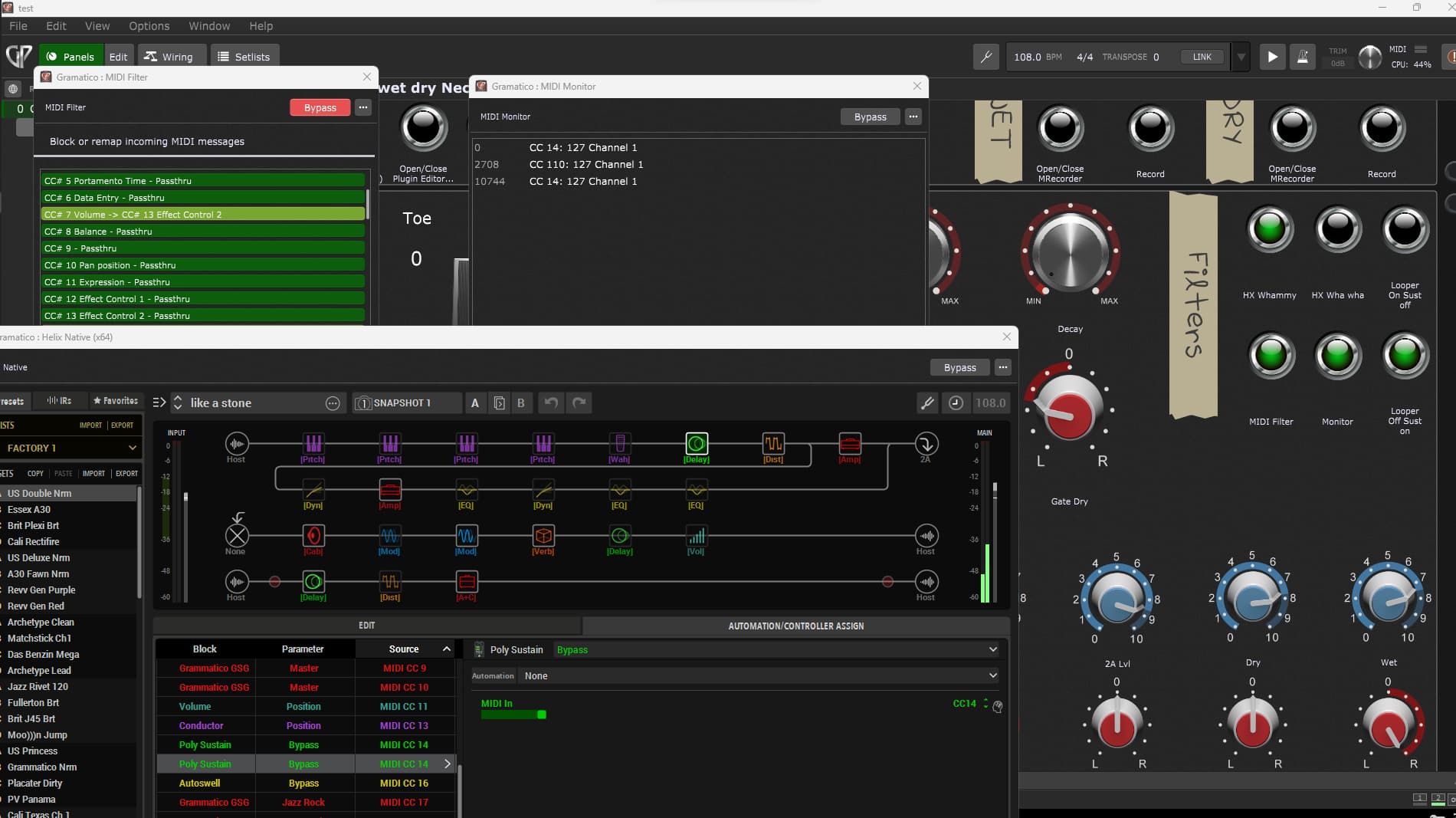
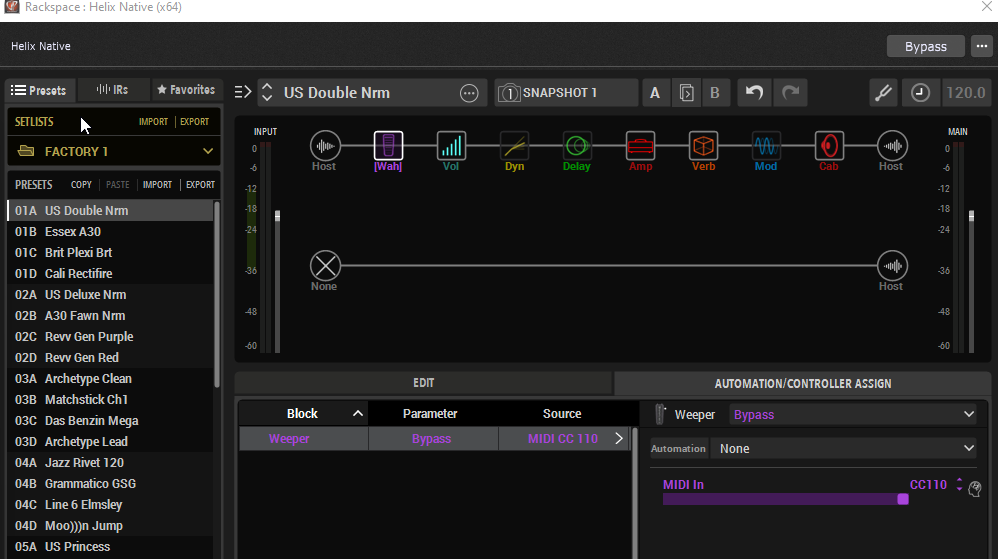
I have an fbv mkII controller which originally send mido CC14 message. Because i dont have manu physical buttons i use some as multipurpose depending the patch.
With midi filter, i have re routed it to send midi cc 110 on another plugin (msuperlooper for start/stop recording) it works on the looper as intended but on helix native, after selecting in the plugin option the midi cc14 for bypass the effect i want, it can just turn the effect on but not off.
Something is not set it up correctly but i dont know what.
Quit juggling around with direct midi messages and use widgets and host automation instead.
Live can be quite easy in GP, if you decide not to work “against the system”.
Why are you depending on MIDI messages beyond just sending them in to GP? Just associate your incoming MIDI message with a button widget and map the button widget via host automation to the On/Off of helix native effect (or maybe even just to the bypass parameter)
Actually i might have 2 reason. Running out of of automation options (in this case, switches), and in this specific case, i have 2 sustainer(freezing) pedals to allow to sustain a note, but the signal is wet dry wet, so i need to controll them with the same parameter, it will not be possible with a single automation parameter as far as i can tell but with midi cc, after using the same cc value, it works. Please find the attachment. I am using vst2 of helix native.
Thanks Test.rackspace (2.5 MB)
I just installed the trial of Helix Native to get in impression how this software works, and it’s a pity, but it only offers 16 “switches” and 16 “knobs” for automation - means you have only 16 on/off parameters and 16 continuous parameters available to get where you want.
If you used up this ridiculously small number of automation parameters, you’re at the end of the automation road… but there is a strange way how they implemented CC# which are shown in GP’s parameter list.
So you can also use those “CC#-paramters” as they were regular automation parameters (maybe they actually are and just have been given funny names - i don’t know).
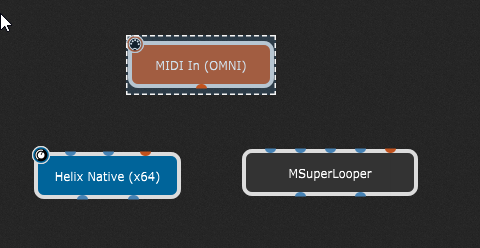
Anyway there is no need for using direct midi messages or having midi connections between the plugins.
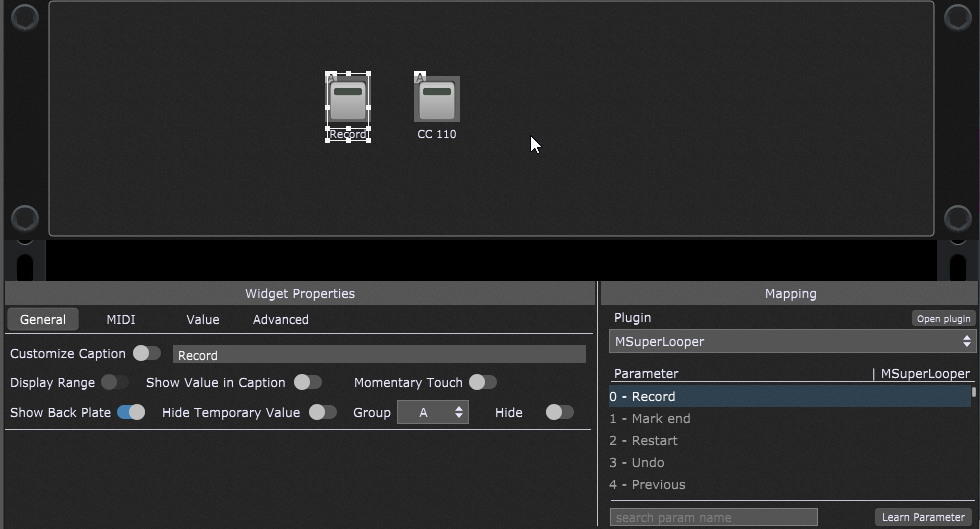
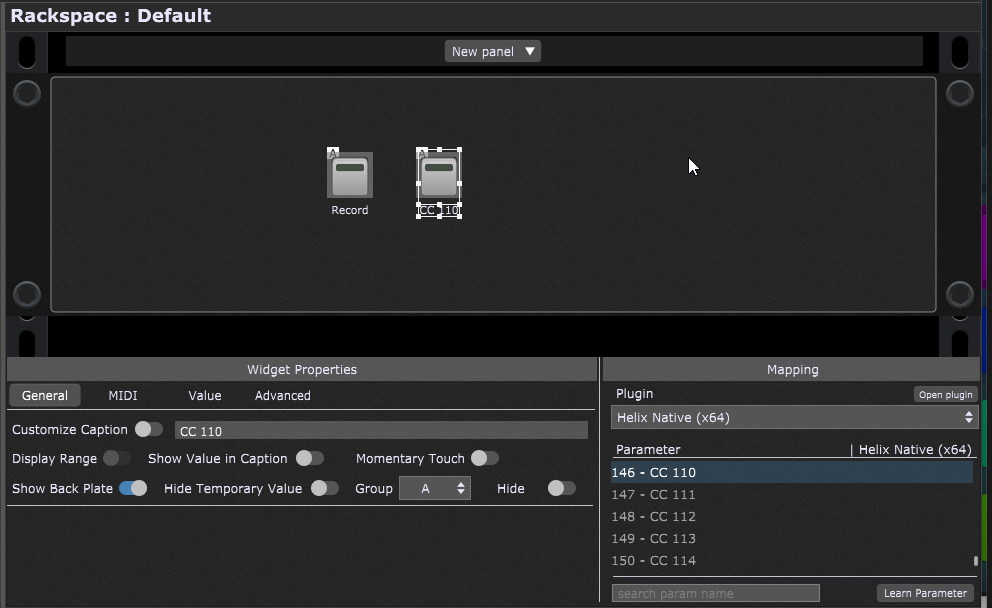
In the small rackspace in the attached file i used two widgets, connected the one with the Superlooper “Record” parameter and the other with the CC#110 parameter of Helix Native (where i had to assign that CC# to the respective parameter) which will toggle the wah-efect of that patch on/off.
Both widgets are in a group (A) so they react the same way together.
You can now MIDI-learn one of them to the CC#14 which comes from your controller, and again you won’t need any additional midi-connection in the wiring view! GP will receive the message internally and use it to toggle the widget (not the parameter!) - the parameter will then be controlled by the widget (not the midi)!
So if one of the button widgets is switched to “ON” (no matter if this happens with a mouseclick or via incoming MIDI from your controller) then the Superlooper will be swicthed to “Record” and the Wah will be bypassed.
Hope this helps a bit… no midi needed.gig (160.6 KB)
BTW if you search the forum for “Helix Native” you will also find a lot of stuff!
Thank you so much for the time taken for the creation of that solution, still probably i was not completely clear.
Your solution activates the recording of looper while activates the wah shown in the file.
My goal is, using the midi filter, i will translate cc14 coming from a physical button to cc 110 to activate and stop the recording (pressing 1 and 2nd time)
When the midi filter is bypassed (as seen on my file) it will go to helix to activate/inactivate the pedal effect. The last part is the one that is not working as it only activates the effect.
I am not mapping the physical button to any widget. I am leting midi filter to receive, translate and send the desired message to the plugins.
Anyway i did not know about the grouping option, so it was good to hear about it.
Any other idea why is my setup not working?
On the buttons called “sustain wet” and “sustain dry” i have tried both options, using midi in omni and also native for cc14 but the result is the same. It just work to activate
Yes, that’s very confusing to give these host automation parameters a MIDI message name. Beginner in the magic field of MIDI and host automation are already struggling to understand the basic concepts and this kind of confusing naming doesn’t help. So these CC# in the parameter list are not MIDI CC# messages, but host automation parameters stupidly named.