After my recent thread about stuttering ive started to use Predictive loading.
I thought this was the solution to keeping the memory usage lower on my M1 MBP, but maybe I don’t understand what’s happening.
I have 57 rack spaces. If I load them all on startup, the Mac Activity monitor says GP is using 30GB of ram. I have 16GB internal.
So I figured id load a set at a time. So Predictive loading is loading only 15 Backspaces. AM shows GP as using 10GB. Much better, but after a while of clicking around various backspaces, I noticed the amount of RAM is going up. If I go back to the original 15 that got loaded on start up, AM is now showing at least double the amount of RAM being used, and getting back to having the occasional stutter when jumping between Rackspaces. The more I click around the Rackspaces the higher its gets. I can get it back to almost 30GB if i keep on jumping around
Its not a problem (I hope) for live playing, I will arrange the Racspaces in the order of the songs so everything should run smoothly, but while im tweaking etc at home I can certainly get RAM usage well over 20GB.
Did I miss understand Predictive loading and its only useful for starting GP quickly?. I assumed it would keep the RAM usage down all the time. I appreciate it can jump up a bit but it’s going up and up.
When you use predictive loading, the assumption is that you will be moving forward linearly — if you skip and select a rackspace or song that’s further out than the range you defined, there will absolutely be delays (and temporary RAM increase) as an entirely new bunch of stuff needs to be loaded before old items are removed. GP calculates how many plugins (and instances of a specific plugin) will actually be need based on looking at your range. Over time, the RAM will go down again but it doesn’t happen immediately.
Don’t do that! Predictive loading is a mechanism to support lower amounts of RAM as means of supporting machines where not a lot of RAM was installed but there is a tradeoff which is that you are not jumping around.
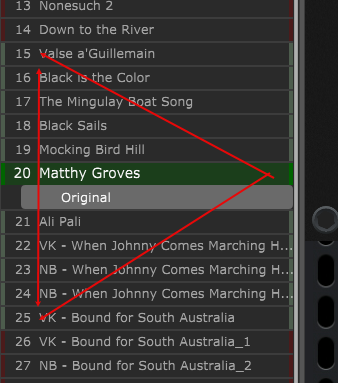
Highly recommend you experiment with predictive loading to determine what works best for you. Keep in mind that it looks forward and backwards by an equal number of songs that you set in the General Options, so 10 before and 10 after in my example, but 11 total because of the song you are playing. When you step forward or backwards, a new song is loaded by the prediction program and the one at the opposite end of the list is unloaded. Depending on your particular style and fact you always go only one up or down the list, you could possibly do fine with a predictive loading of 2 (one before and one after) or other low number if you experiment. I have included a screen shot of how many predictive songs are loaded with an entry of 10.
The next thing you should be aware of is that some sample libraries are huge. The NI Sessions Horn Pro library is 30gb as an example, but you may only need 8mb for what you play. You can manage how much of a library is loaded with some programs, so I’m including a link on a discussion on this topic HERE.
The moral of the story is if you get to know the features of your equipment and software, it could be possible to get your computer to work with what you have. At some point upgrading your computer would pay big dividends too.
Thanks for the replies.
To be clear, im aware of how it works as far as loading Rackspaces within GP. I understand about the delay’s as i jump about, and when im gigging im working from a set list so this wont happen…
What im concerned about is the memory only going up and not down. As i said in my first post, this Gig file starts off at around 10GB, woth 15 Rackspaces loaded, but the more i switch to other Rackspaces (not necessarily jumping around) the memory used goes up.
It’s sitting at 18.5GB at the moment and has been like this for 3 hours (ive been away from my Mac since posting), It’s like something isn’t being off loaded and its building up.
Im sure its not an issue that will impact my performance, im just not sure its how things are supposed to be.
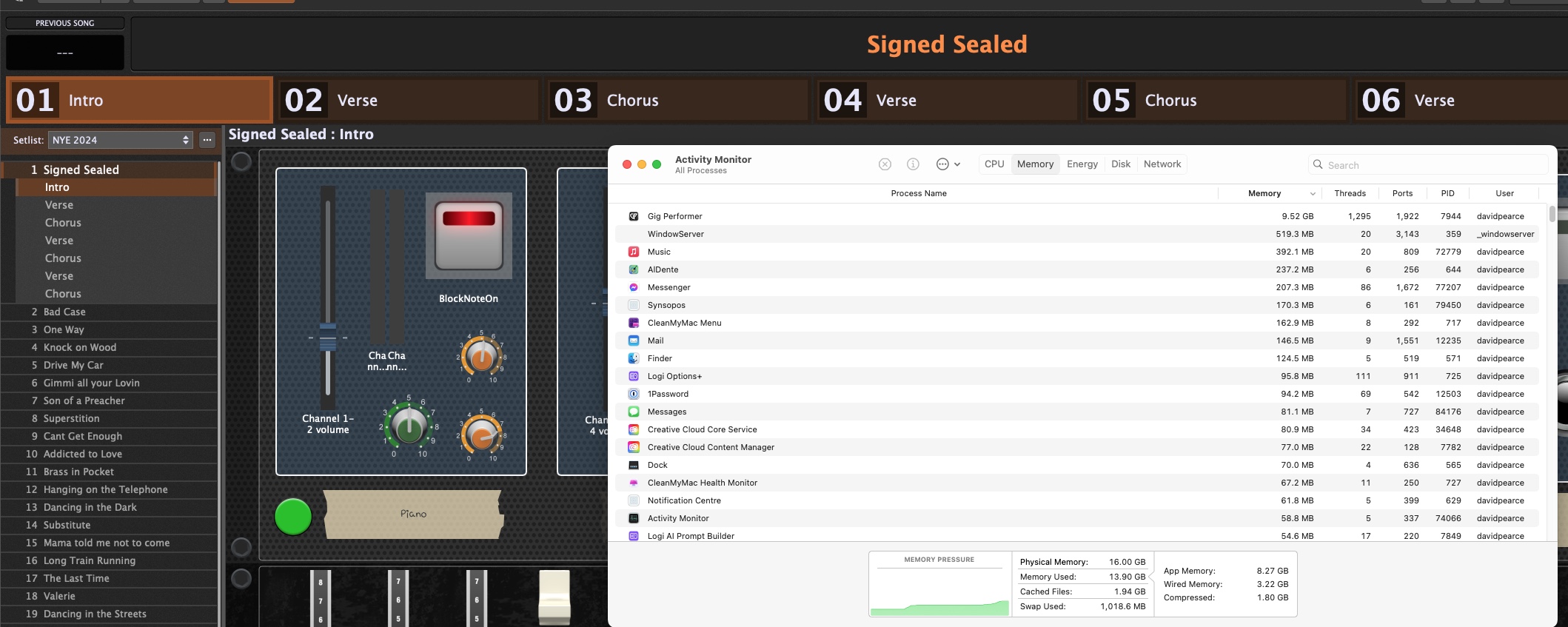
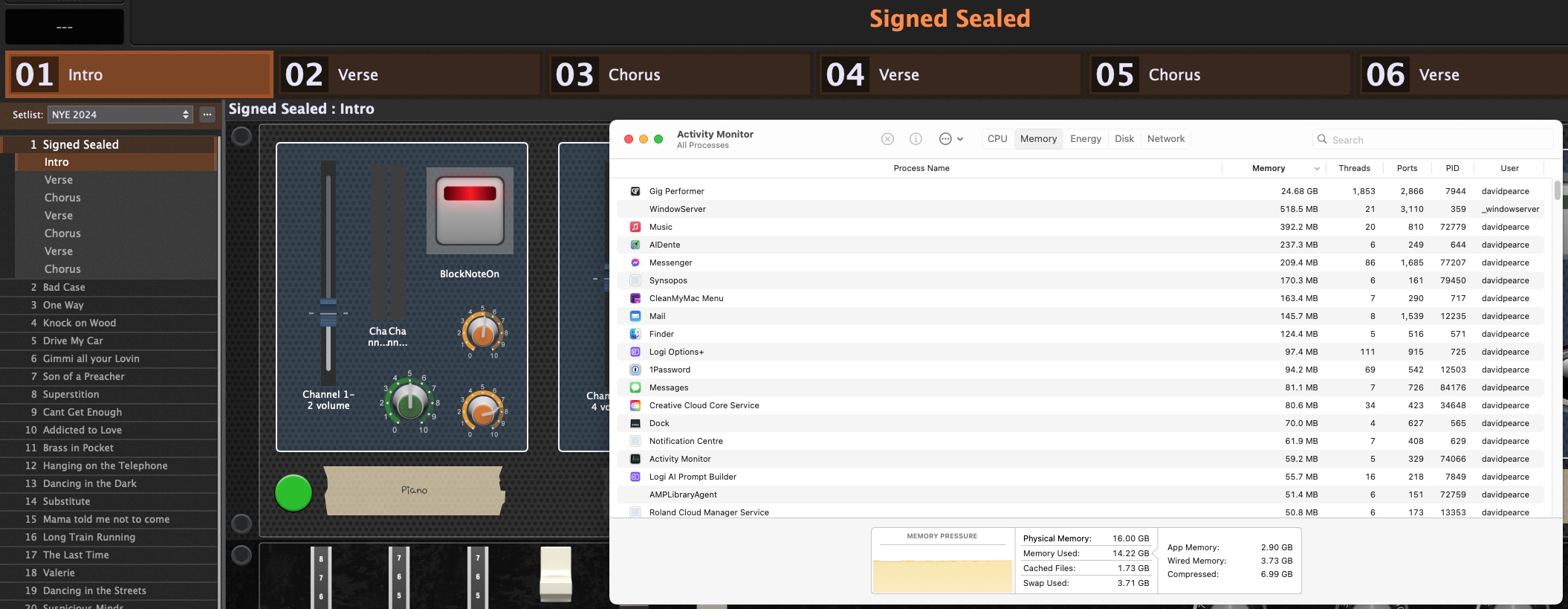
I then went back to the start (without restarting GP) and memory instantly jumped to 16GB. I went through each song again, and ended up at around 19GB.
I repeated this a 3rd time (still not restarted GP) and ended up with the 2nd screen shot. At no time did the number go down, and it’s still sitting at this figure now.
Ok, i tried that, heres what i got.
Opened GP (7GB). I stepped through each one, including the parts this time, last time i was just clicking on the songs themselves. I got to the end and AM was showing around 18GB. I then stepped back in the same way, and by the end i was back to the first song with 24GB in AM.
So no different to jumping around.
Am i right that to maximise what Predictive loading is doing i should keep the Rackspaces in the same order as the Songs, to stop it jumping around?
Im sure none of this si a big deal, we dont tend to go back to a song once played live, im just trying to figure our what my limitations are as far as clean starts to songs.
Normally it is not important that the rackspaces are in the same order as in SetList Mode used.
When you build a SetList with rackspaces and you load that gig with predictive load you will see that the rackspaces are green which are referenced in the Songs.
This is what im trying to understand. I can see the effect of Predictive loading in the Rackspace view, the green and red bars, but what happens if Song one uses Rackspaces spread all over the place, and then the next song a similar thing? GP wont be able to just load contiguous rackspaces.
Or are you saying that GP ignores the position of the Rackspaces and preloads just what it needs based on the song order?
To me, and im probably missing something, having the rackspaces all over the place means GP is jumping around, which David said not to do.
Ok, thanks, and i can see whats getting loaded, but having the rackspaces spread out seems to increase the memory GP is using very fast.
It’s all good info, i just have to watch what i do and not expect the memory to go down, so at gigs I’ll make sure to not jump around too much. Its unavoidable at sound check and if we do songs on the fly, but i cant see it being a real problem, until maybe much later in the night, and its only the first few notes of some songs that ill have issues with.
We should probably revisit the code around this mechanism - it has been there a long time - there might be some optimizations we missed the first time around
Thanks David. As I’ve said, it’s not a big issue as far as playing goes, and happy with side effects when creating Rackspaces, i just wanted to know what i should be expecting.
Coming back to this, although the original issue has now gone as ive upgraded my Mac, im still not sure im using PL correctly.
I have 60 Rackspaces, arranged in alphabetical order. I have a set list that GP starts with, containing 45 songs, not in alphabetical order. Im trying got vcut down on loading time so im using PL set to around 27-ish.
What Im getting is GP loading faster as expected, but once its loaded and the Set/Song list is displayed it’s then loading the relevant Rackspaces for this setlist. This normally means I can’t get anything out of it for about anther 15-30 seconds or so if I try and play from the start of the list.
Am I better off re arranging the Rackspaces to mirror the current setlist, so the relevant rackspaces are loaded by default?
I have since got a new Mac with 24GB, so predict loading isn’t as important as it was before,
Well GP shows as using 30GB when fully loaded up, so im trying to play safe. I have loaded them all a few times (mostly at home when messing about) and i don’t have the issues i had when i started this thread.
Maybe i need to lower the amount of rackspaces that get loaded to speed up the time before i can play?
It’s not a big deal, and there are work arounds of course, i was just wondering if im missing something. I guess could also make sure save the gig file with the first song selected in the Rackspaces.
Would be nice if the predictive loading could be based an a song list order.
I din’t use predictive loading but…I have in my Startup settings to open in the Setlists view. Also, when saving the gigfile the final time before shutting down, I set it to my first song.