Based on some of the positive response to the newer Touch OSC capabilities, I’m attempting to work with it and codevyper’s GP5 TouchOSC Interface file. I’m using an iPad to run Touch OSC and it and my laptop are both connected to the same WiFi network. Whether I try manipulating a widget from the laptop or the iPad, there seems to be no connection. If I add Protokol to the equation, it sees everything that Touch OSC is sending from the iPad, but nothing gets to the laptop, even using a different listening port and forwarding the proper port number from Protokol to the laptop. I’ve also tried setting the port number to a different value in Touch OSC and GP, in case something might’ve been hogging the port. Same results. Here’s the strangest part to me. If I quit Touch OSC, launch Lemur and a GP gig file that uses Lemur, OSC works perfectly. Admittedly, I’m not well versed yet in the newer version of Touch OSC. Do I also need to download the desktop version to troubleshoot the issue?
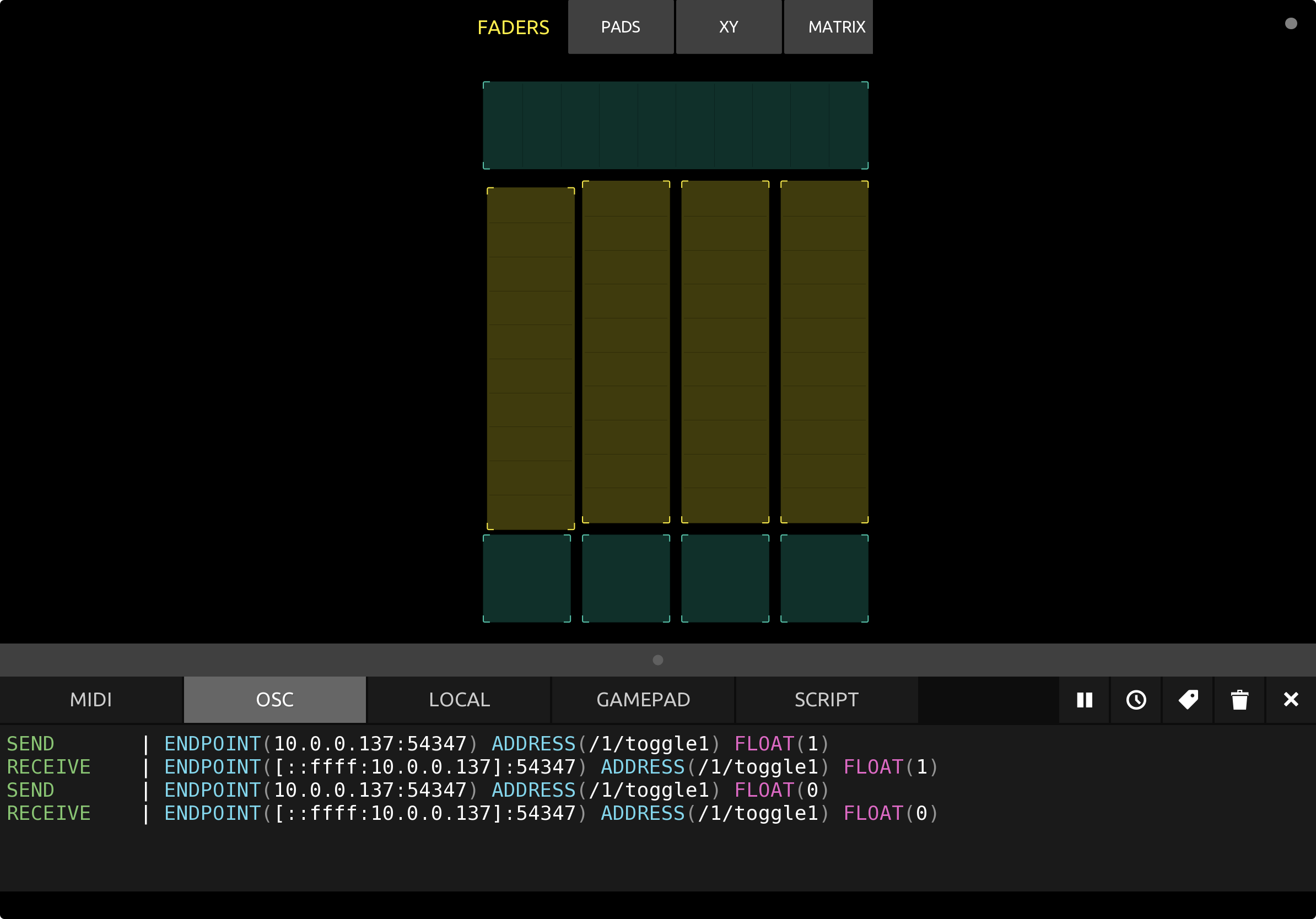
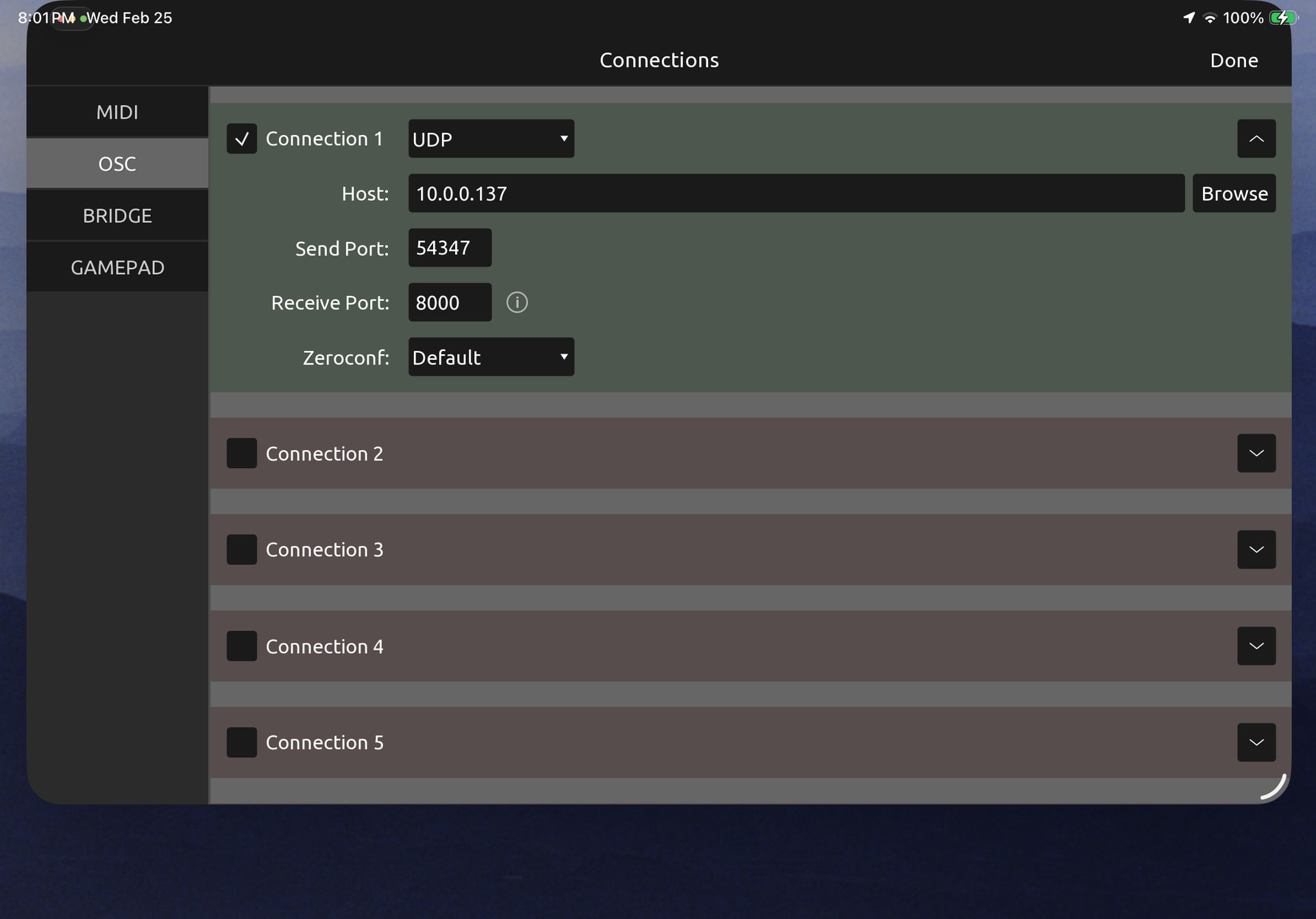
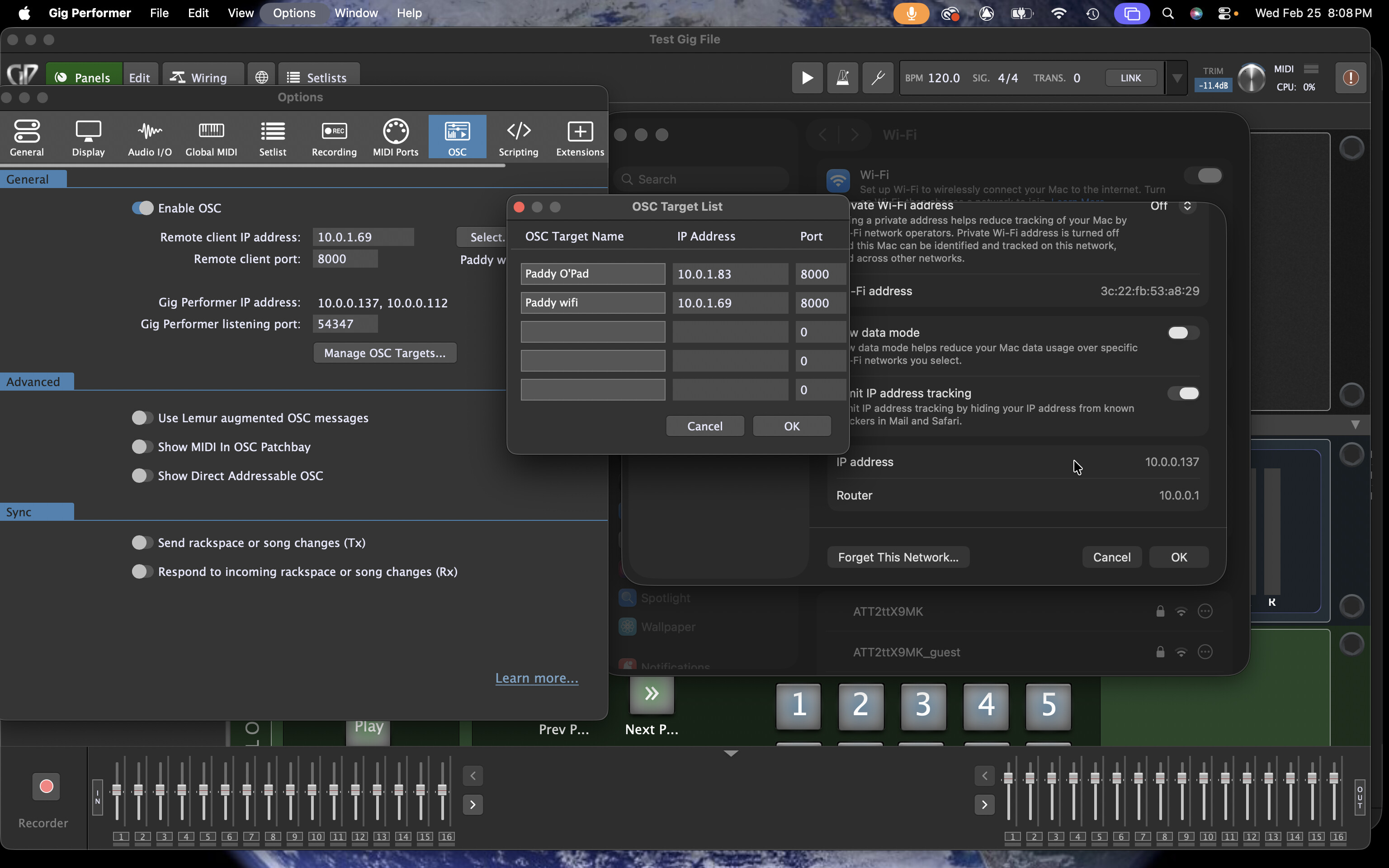
After some time away and gearing up for a series of shows using OSC with Lemur, I’ve returned to attempting Touch OSC. I’ve run into the exact same issue listed above. Touch OSC on the iPad communicates with Protokol on the laptop, but not Gig Performer. Switching to Lemur, all works normally. While testing, I disable Protokol and enable GP’s OSC to avoid port conflicts. Attaching screenshots in hope that more acute minds can help diagnose the issue. They show my setups in Touch OSC and Gig Performer and logs in Touch OSC and Protokol.