I am running Gig Performer 4 on Windows 10, Focusrite 8i6 with Arturia Keylab 61 MKii. I have a TEC breath controller going to a USB hub that also has the Keylab, a Casio PX5S, and my Focusrite going into. I open up the TEC control panel before loading Gig Performer to make sure it’s properly connected to the PC. Then I load Gig Performer. For some reason, Gig Performer does not always see the TEC as a midi controller, and the only fix is to completely reboot and try again. Any suggestions? I have tried using a separate usb hub input for the TEC but it doesn’t fix the issue. I have sent an email to TEC support to see if there is a driver update but have received no response. When it works, it works great.
Are you on Windows?
You know that with USB the ports are not always the same.
Therefore the Rig Manager is developer, so at the beginning you can assign the correct port to a MIDI Device alias.
How looks your MIDI ports window?
Hmmm, ok, I will check out Rig Manager, thanks.
Well, GP sees all available MIDI ports, if they are advertised by the OS, GP will see them. But, as mentioned @pianopaul, their names can change under Windows. So, you could start to check if the GP global MIDI monitor sees something when you are acting on the controller.
I should note that this is the Breath and Bite version controller that transmits data with head movement, mouth bite, and breath all at once. The midi monitor does not see any activity when the breath controller isn’t working, even though it lists it as a viable midi controller in the drop down list AND the TEC software control panel (outside GP) shows all CC being received properly. When it IS working in GP, I see all the data in the midi monitor and all Gig rackspaces perform perfectly. Was hoping possibly someone in this forum using this controller had the same issue and solved it. I have not “optimized “ the laptop for Gig Performer yet per the guide, so I’m going to do that and see if it helps. Thanks.
I plug mine only into pc usb port.
And don’t need the tec program loaded up.
Mine is a
Tec breath and bite controller 2
I use mine, in an amazon 10-port hub, and it always recognizes it without problems, I’m on a mac
So I let Gig Performer boot up into an empty gig file and check global monitor, the breath controller shows up perfectly each time. Then I load the gig file that I use for performance. No snags, it’s working perfectly. Maybe I just tried to load too much on startup? Anyway, it seems to be working fine, now.
Very unlikely
Did you check if your controller is not assigned to any global control? (See MIDI Assignment List window)
Yes, everything is what it should be, just using my Keylab 61 for Panic, next and previous rack space. I always check the Global Monitor now before loading my performance gig, and the TEC is consistently working fine. I am still going to optimize the PC, which I should have done from the start.
Not sure if it was mentioned in the Ultimate Guide, but since you may be disabling your internal sound cards, camera’s etc. Pay close attention to what you change… (write it down or take pix) what ever works for you. Since I use my laptop for certain internet things, I run into trouble when it expects the internal sound and such. It would be best if it is a dedicated to your music PC, so you would not have to deal with such things. There is usually a way to work around things, but it can be a pain in the butt. GP4 worked much better for me when I made changes, but it would be nice to have a nice little macro to change your bios settings on the fly (so to speak) Always a work in progress! CHeers
To bring this topic up again
Just saw the latest Tiny Desk Concert with Chaka Khan on YT
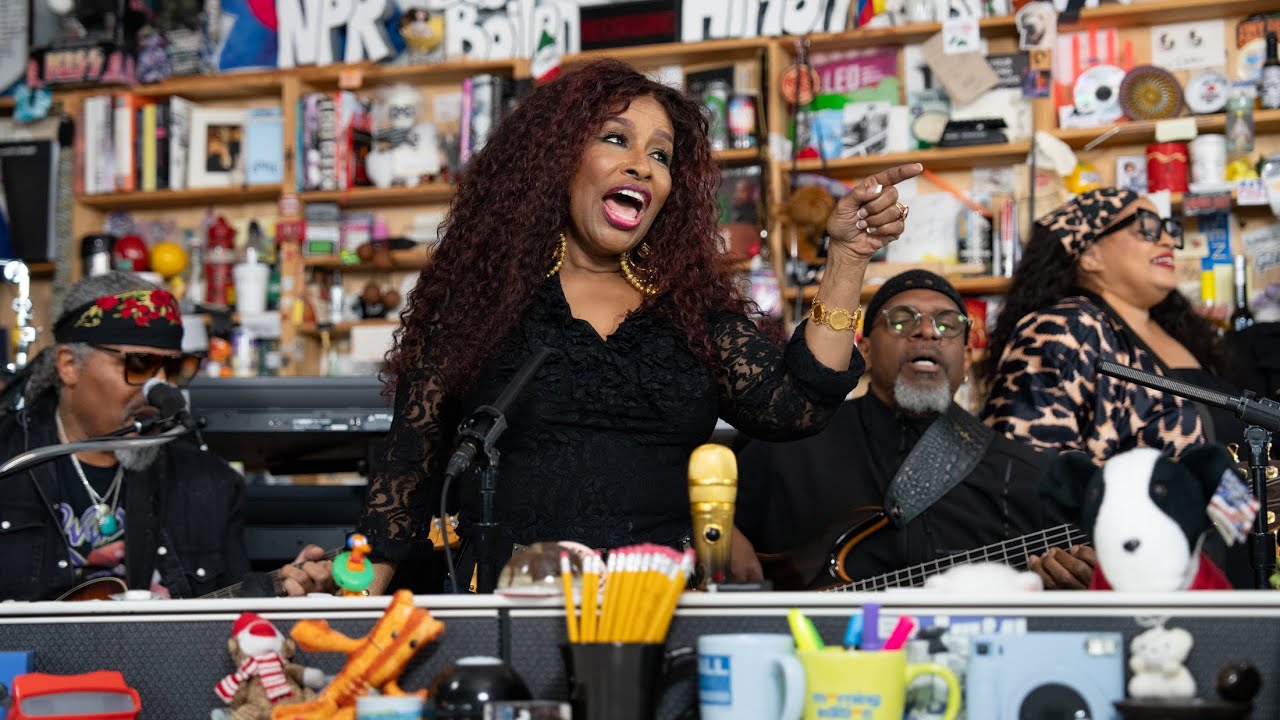
They keyboard player is using a Tecontrol Breath controller .
Any experiences/examples in the GP community?
Hi,
I also have the TEC breath/bite controller that I use with my Kronos. (Blows audience away, with how realistic the sax sounds are).
What VSTs and patches are you using on GP to make realistic sax/woodwind sounds?
SWAM plugins
thank you!
I just went on their website. A little too pricey. I’ll will need to find alternative.
But in terms of flexibility and controls unbeatable.
As I’m on a tight budget, I use this plugin, which is more than enough for my needs:
All the instruments here:
If price is no concern, hire a professional sax/oboe/clarinet musician 