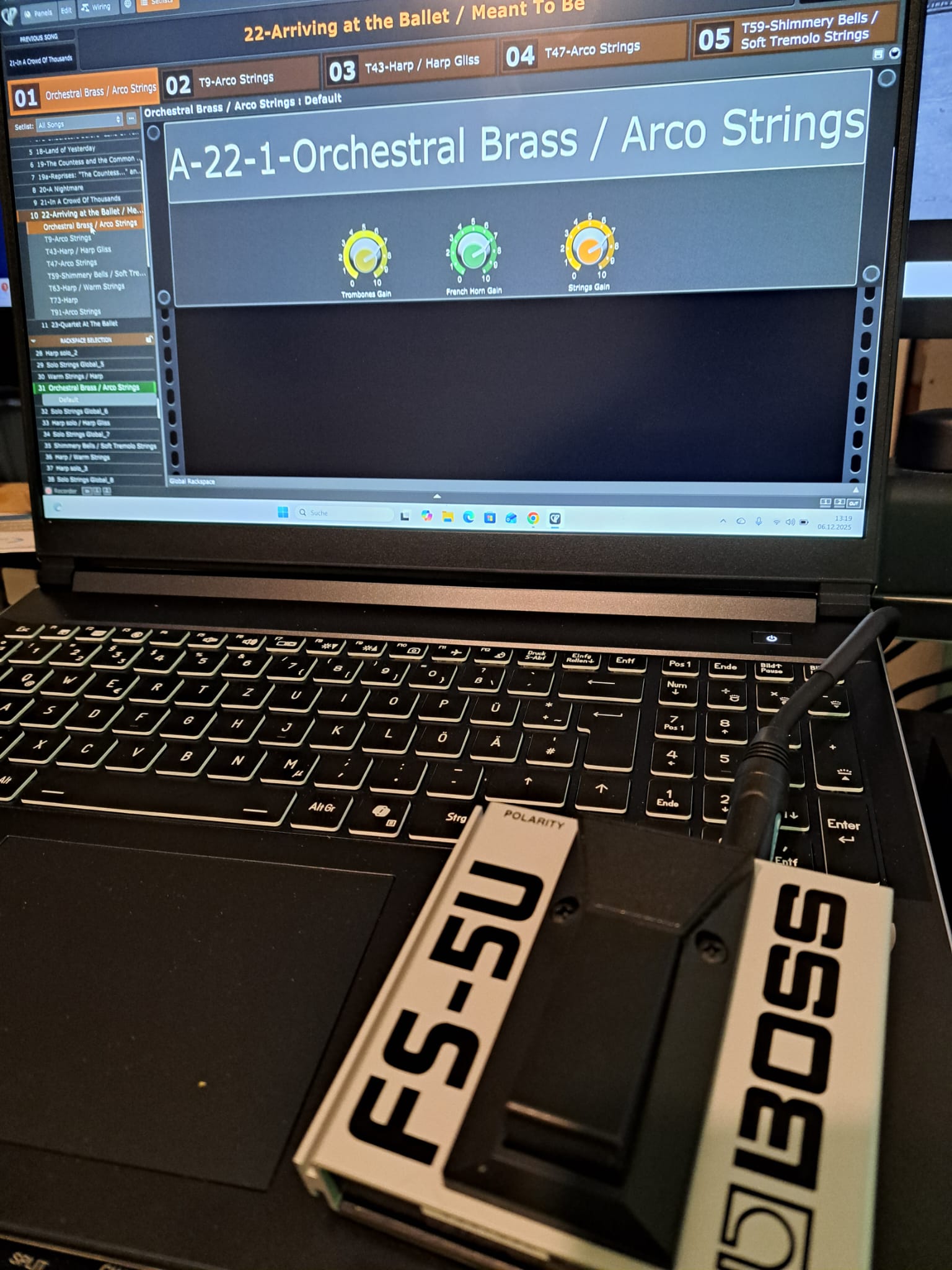
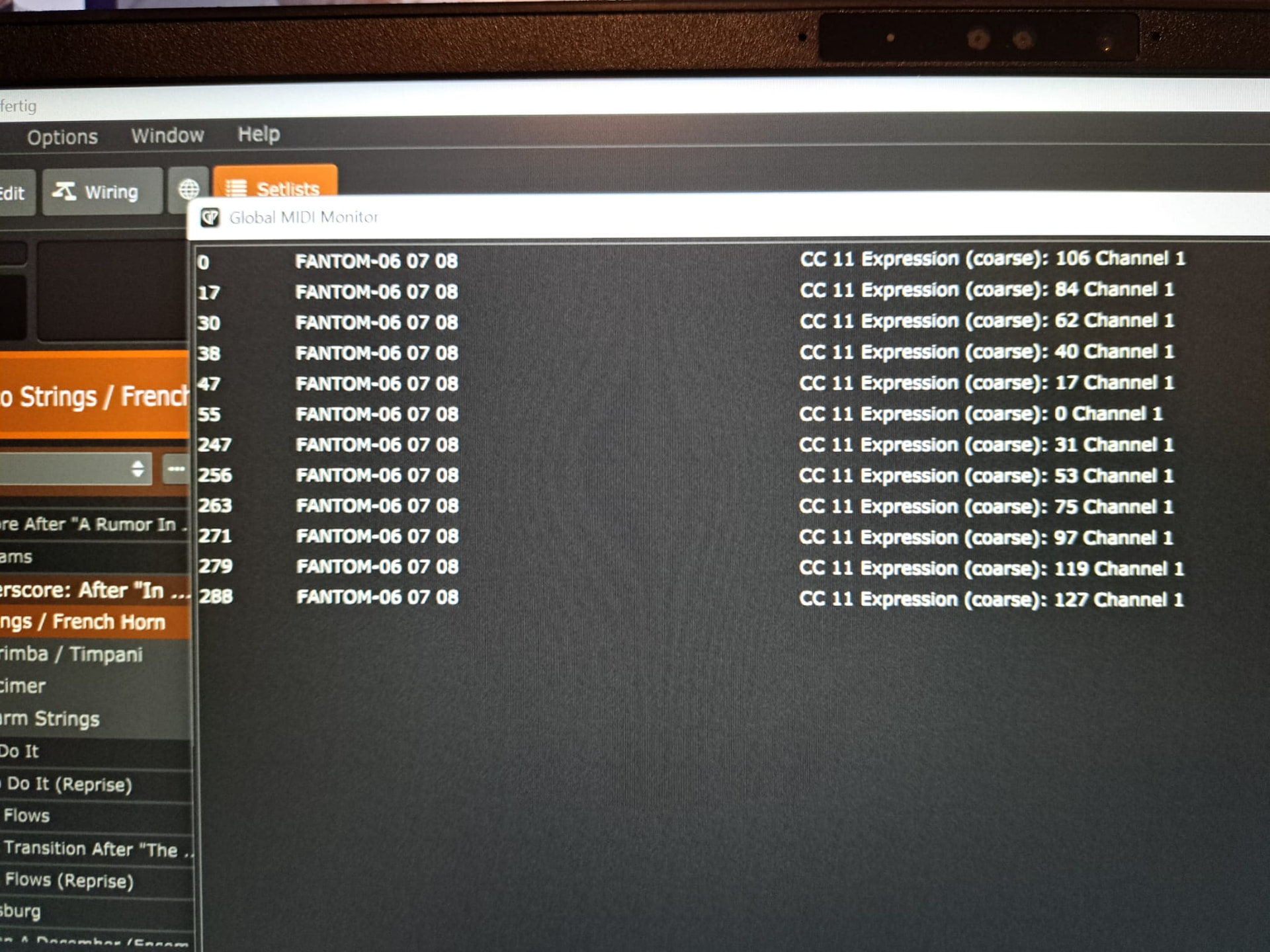
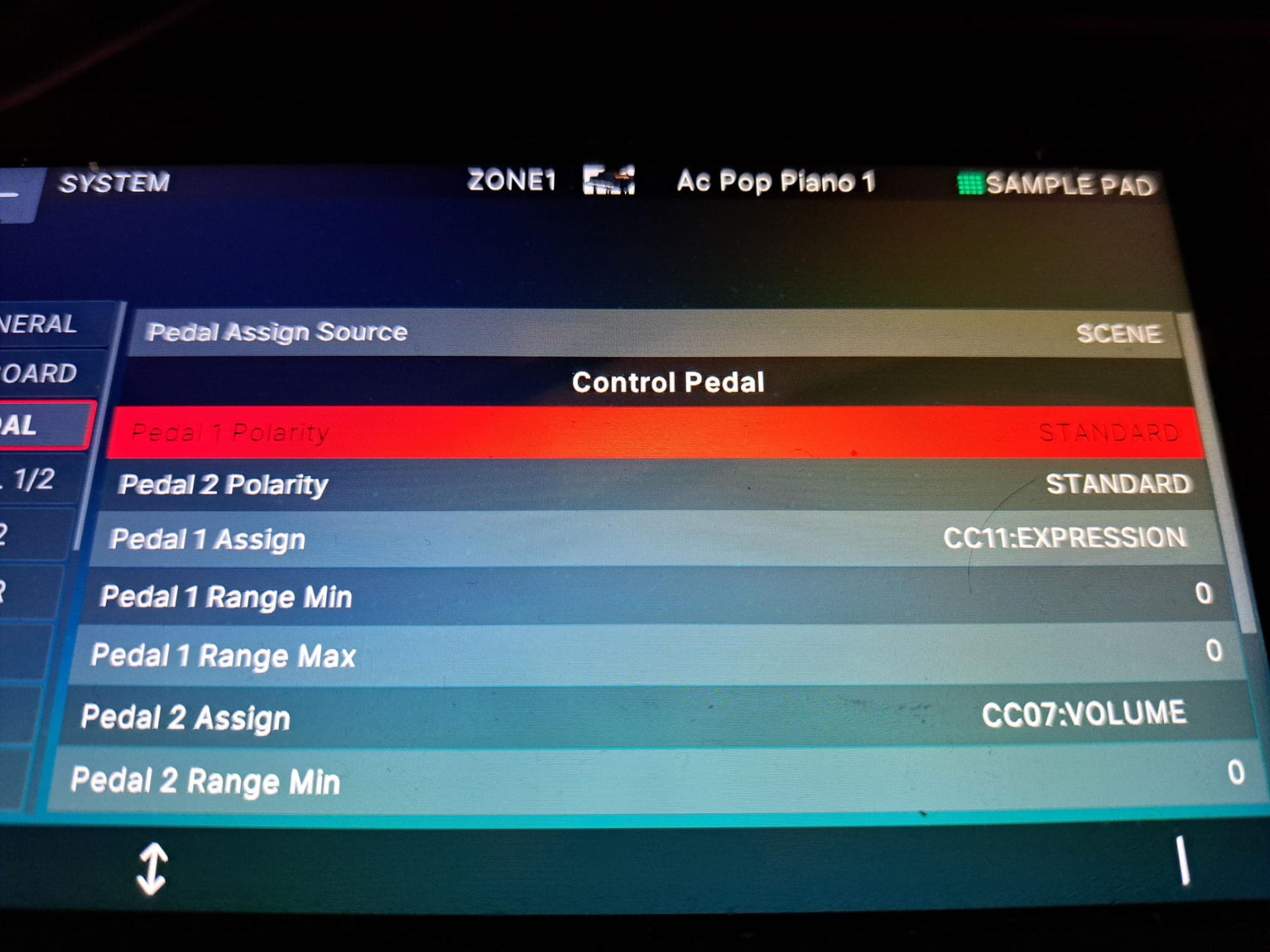
Here is the desired screenshot and a video. He writes several entries as if the FS-5U were a pedal that I slowly press down and not a “switch” that is simply supposed to switch on :-/
So you’re using a continuous controller rather than a button. That means you’re sending out multiple MIDI messages. You should use a button that just sends a CC number out and 127 when you press it and 0 when you release it.
But I’m open to other suggestions for a pedal to switch between scenes. Ideally, it would be a single pedal so that I don’t accidentally press the wrong one.
To be honest, I prefer to have just one pedal or switch to change song parts, as it’s completely dark in the orchestra pit and I don’t want to hit anything “wrong” I’ll order the other pedal with the “switch” function.
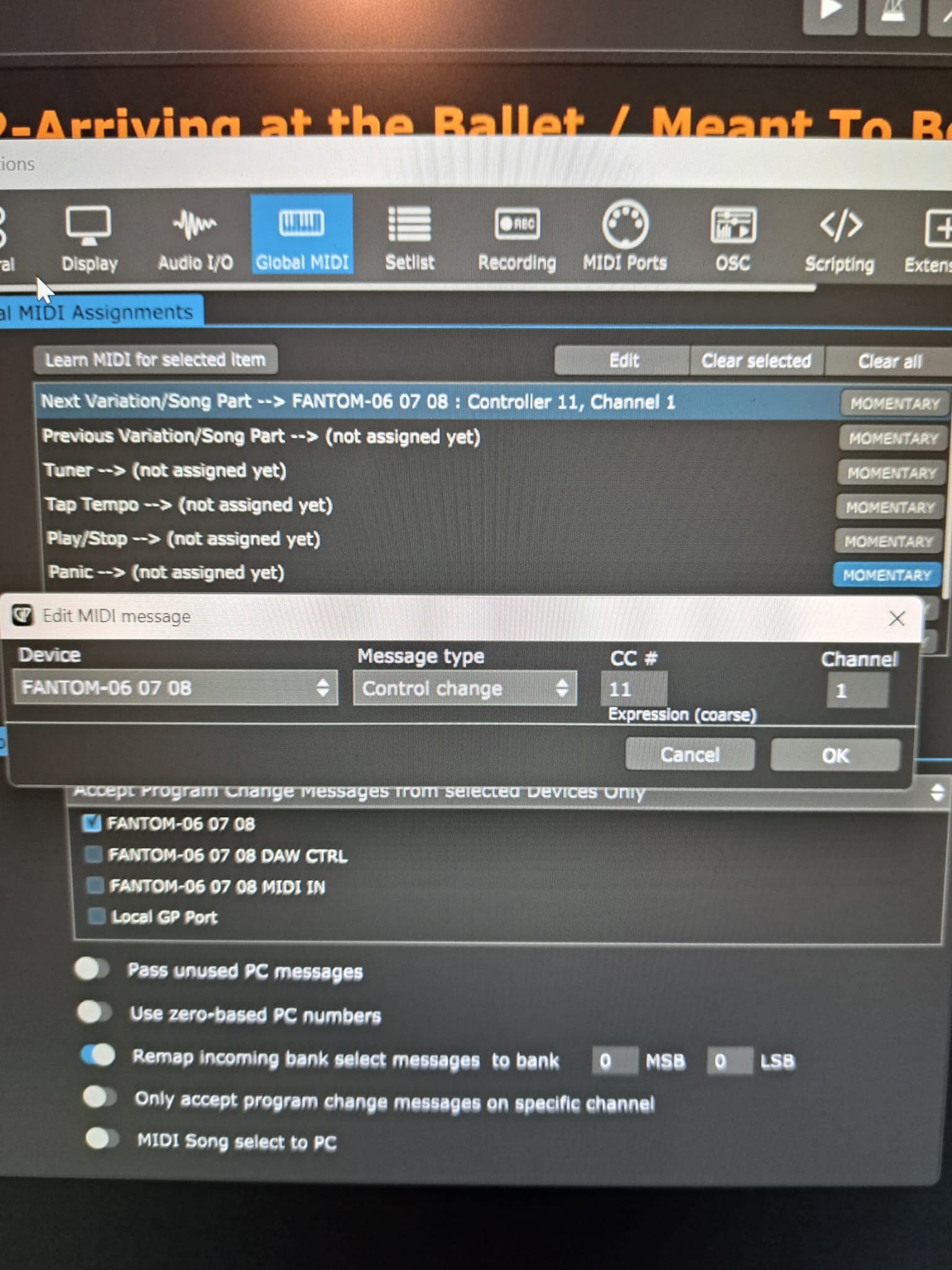
Understood. Your pedal should send a CC number with value 127 when you press it and 0 when you release it. Make sure you enable “Momentary” after you map the pedal to “Next” so that the part only changes when it sees 127
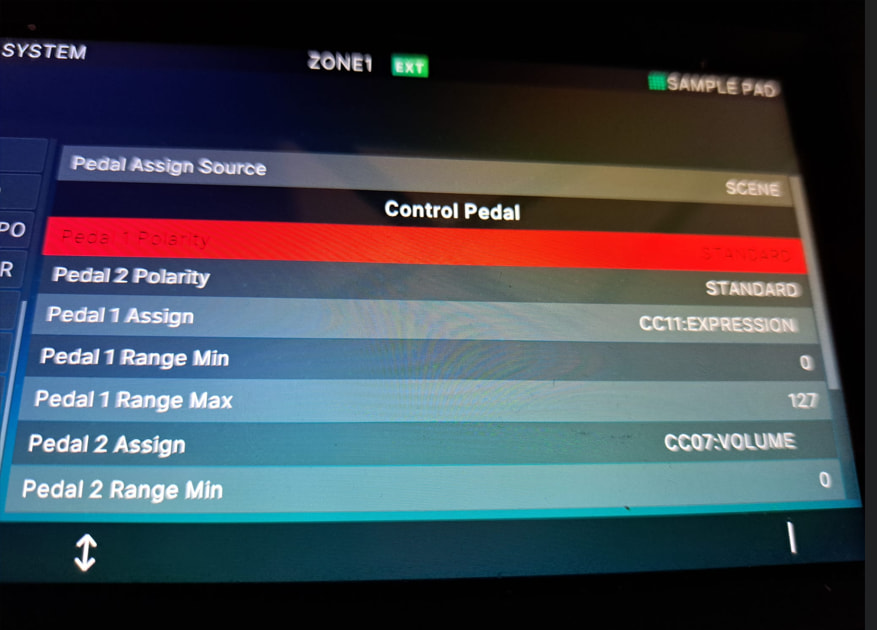
From what I see that is not the issue one is a latching switch the other is a momentary switch, neither of which should be sending the data you show in the midi monitor. You need to configure your pedal input on the Fantom. Instead of Expression you want to send just a single CC
I use those pedals to switch through rack spaces. One thing I noticed is you do not have the “momentary button” selected on the mapping screen. I think it registers two clicks and will scroll past the space you want, if it is not selected. I have it circled on my attached image of your photo.
Okay, now it’s getting embarrassing. I had read that, but my brain didn’t retain it. Sorry, and thank you very much for your always excellent and prompt support
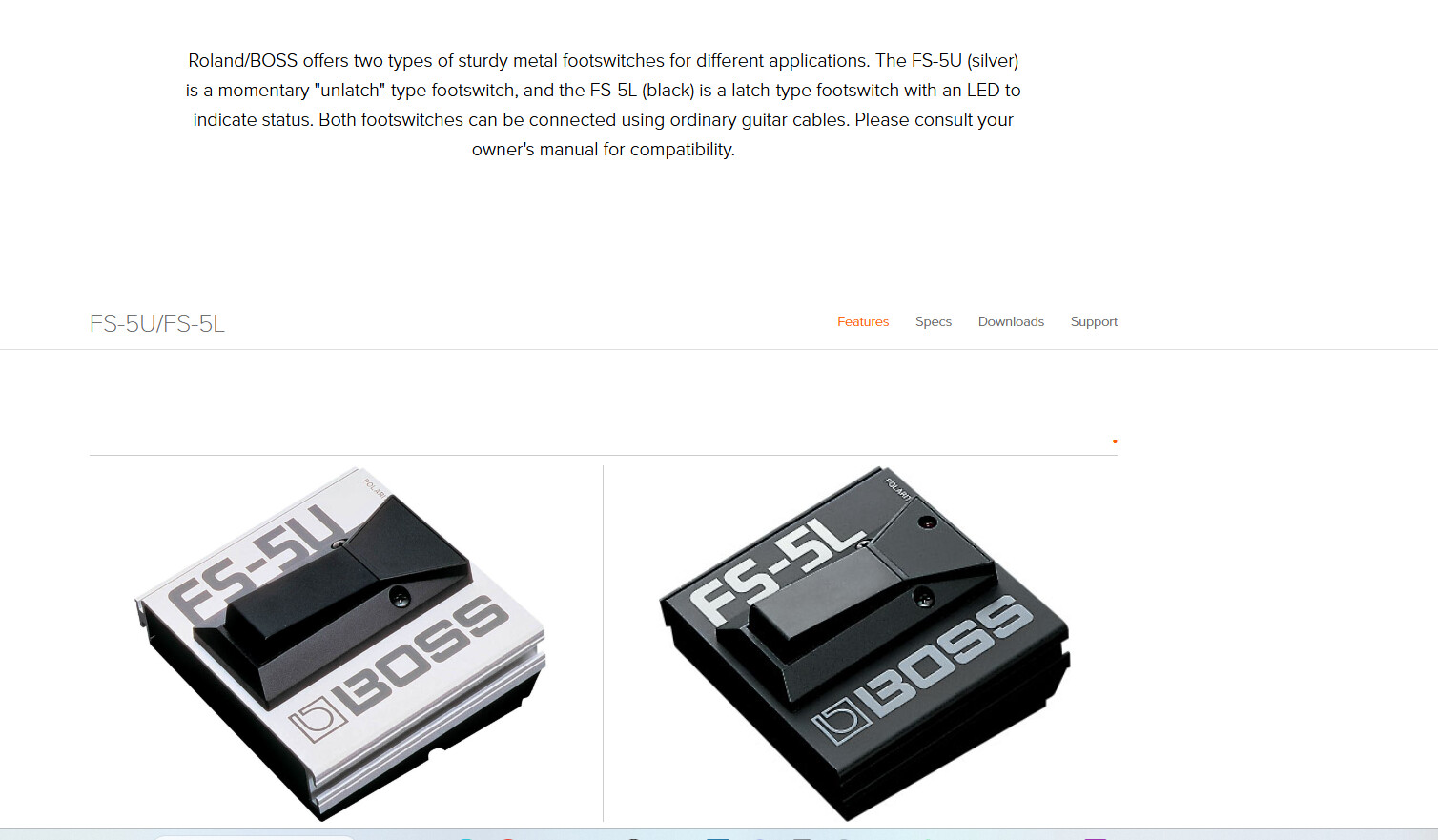
 I’ll order the other pedal with the “switch” function.