Can I suggest an alternative?
Export all your rackspaces from your gig file.
Then, create a new gig file and drag rackspaces in, one at a time, then do some rackspace switching and see if/when you get the problem
Can I suggest an alternative?
Export all your rackspaces from your gig file.
Then, create a new gig file and drag rackspaces in, one at a time, then do some rackspace switching and see if/when you get the problem
Can i export songs rather than rackspaces?
I’m happy to do the latter (in fact i have all the rackspaces exported already as a precaution) but don’t fancy having to recreate the songs. Next gig is Thursday so time is going to be a bit tight. Might wait until after the gig to do this.
I don’t have a clue, but if it started after you started using Korg Triton, that is suspicious. It really does not use any samples? That would surprise me. It is possible it full loads every sound in when it is in the gig file? (Just guessing here).
I’m not 100% sure it wasn’t doing it before i installed Triton. I can’t imagine that would have an impact.
Damn. I have just remembered i recently loaded the free version of Labs for a song that needs Christmas bells. That definitely is loading a sample. I’ll take that out first. It’s only used in an intro and i had totally forgotten about it.
Thanks. That what i thought. If i go that route it will be faster.
I’ll do it with a backup file of course.
Yes but…
…not asking you to do that - the goal here is simply to see if you continue to have the problem as you add more rackspaces and just switch from one to another
Ok, ive been at this for a few hours.
Ive re built a new gig file. I exported all the rackspaces i have, and imported them to the new one a few at a time. I got to over 50 without an issue. I added the remaining 7 and the issue appeared. I took out the last 7 one by one. A few times i thought i had found the culprits, but it kept changing.
I realised that after 54 rackspaces the issue appeared. It didnt matter what Rackspaces they were, any more than 53 and im getting this issue. I even just duplicated a new simple one plugin rackspace and still got the issue on others.
I created a new gig file and started again, and this time imported the Rackspaces in reverse order, just to make sure i was using different ones. Same result as soon as i got to 54. To be clear its not the last few thats having the issues, its almost any of them. I kept testing it no a few at the top of the list.
The work around for me seems to be to use predictive loading. I turned this on and loaded my original gig file and this did seem to fix the issue i have been having.
This does tend to con inside with the fact that the band have started doing a few more songs, so the number of rackspaces increased recently.
I appreciate im probably the only one that has this issue, but ive proven it to myself that this is what is happening.
Until i can find out why this is the case I’ll just use Predictive loading.
How much ram do you have?
Have a close look at the Memory tab in the Mac’s Activity Monitor app.
This confirms my suspicion - you are running out of RAM and the operating system has to swap pages between RAM and your drive and that is why you’re having a problem.
Predictive loading is not a work around. It is a carefully designed feature to allow users who do not have enough RAM to hold an entire gigfile and the fact that it works pretty much confirms that you don’t have enough RAM for your entire gigfile.
You’re not — many users have insufficient RAM to hold all their plugins and are able to benefit from predictive loading.
I understand now. It never dawned on me that i had just pushed it over the limit. I appreciate 16GB of unified memory isnt a huge amount, but i never thought the last few songs would push it over the limit.
By workaround i mean change how i work, My band sometimes doent use set lists so i need to have everything availible. I have used Predictive loading before, so will keep it on. It’s not been a problem so far.
Once Christmas is out of the way i can off load those songs so i can get back to normal.
On a related note, is there
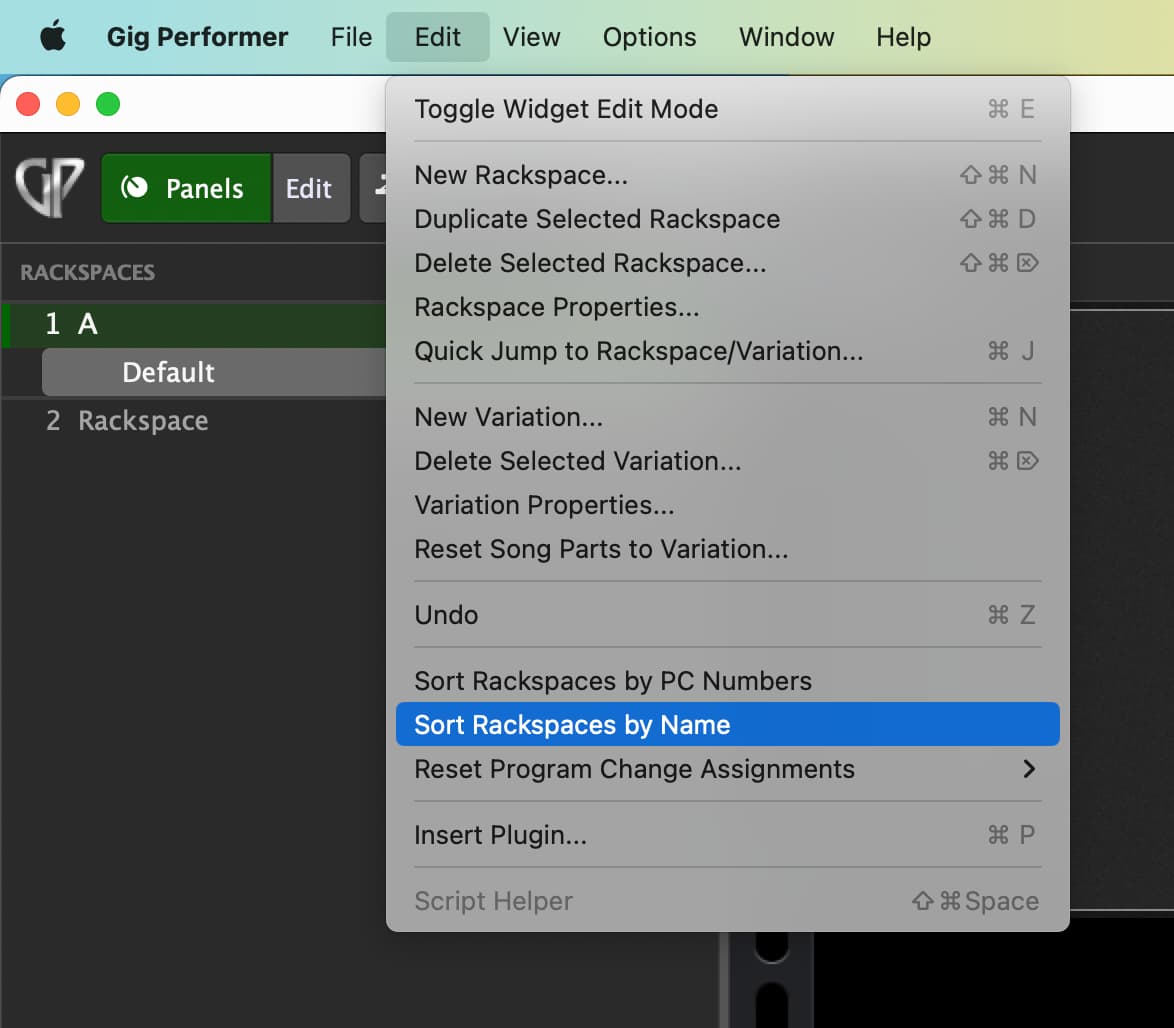
A. A way to automatically order the rackspaces in alphabetical order
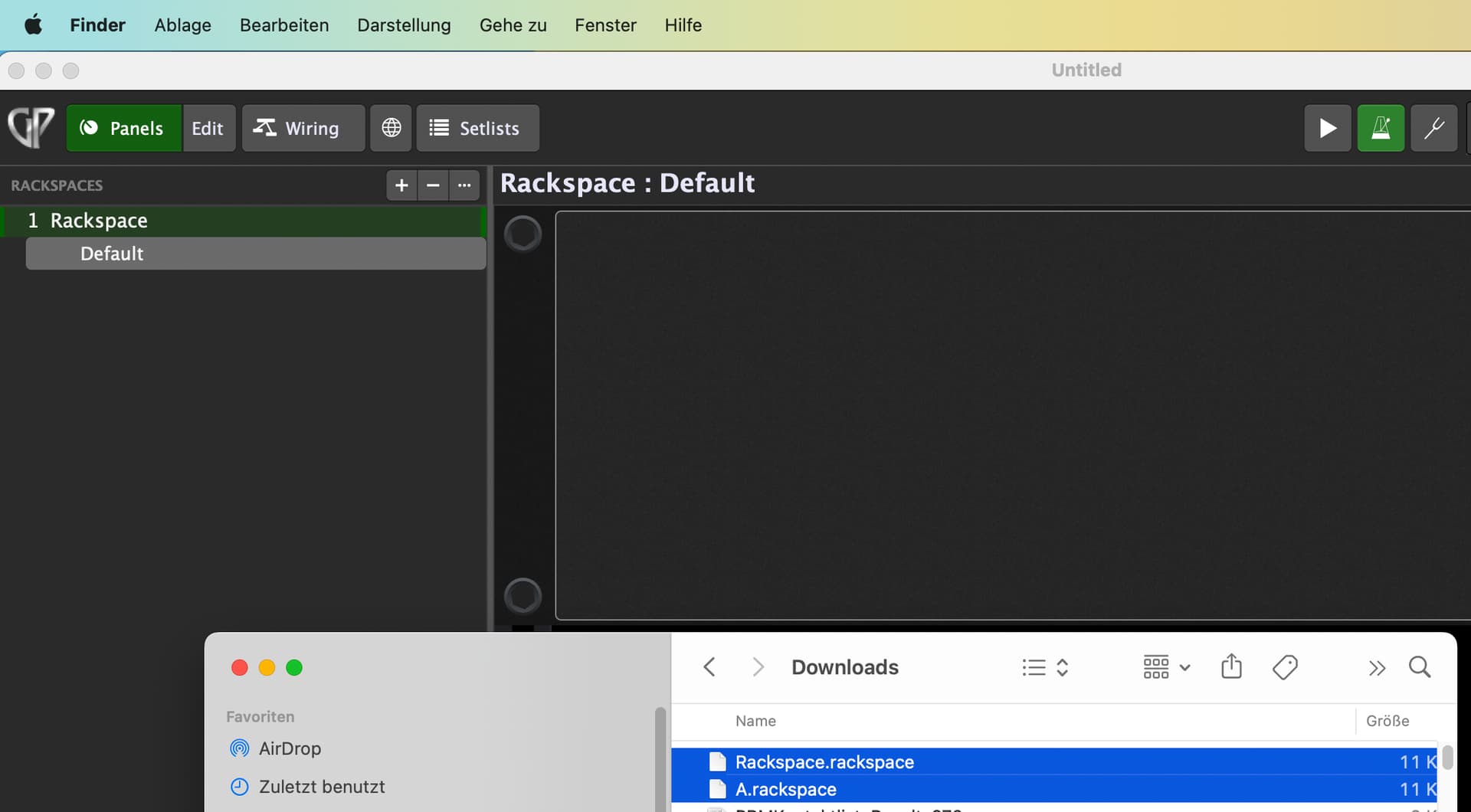
B. To import multiple rackspaces in one go?
Thanks for all the help and advice.
Drag and drop that selected entries to Gig Performer.
Thanks @pianopaul . I not sure how I missed these. I spent ages last night importing them one at a time. I did think I might be able to drag and drop but never tried it.
I must admit most of my GP time has been spent creating rackspaces and songs so ive not really explored all the other things it can do. Always amazed to find things I should have looked for before starting.