Hi. My studiologic keyboard when used with GP has started to do something very weird. I’m just playing the keyboard on its own through GP with no pedal or controller input other than playing the keyboard, and it will suddenly jump to a completely random program on the SL display, and the display sometimes shows complete gobbledegook. When this happens I lose sound and the notes just ring on. The only way I can reset it is to reboot the keyboard. Now - if I plug it into my studio pc with Cubase, without changing any of the settings on the keyboard at all it works perfectly. I have already tried different midi cables and also bypassing the powered hub I use. Up until yesterday it was working perfectly, and as far as I know I hadn’t changed anything. I am using Modartt Pianoteq as my piano sound when this happens, but it does it with other patches as well.
I am at a total loss as to what it might be, but because it works with Cubase, I don’t think it’s the keyboard. Is there any setting that’s crucial in GP with this keyboard? It seems like some sort of MIDI overload, but I can’t understand why. Thanks
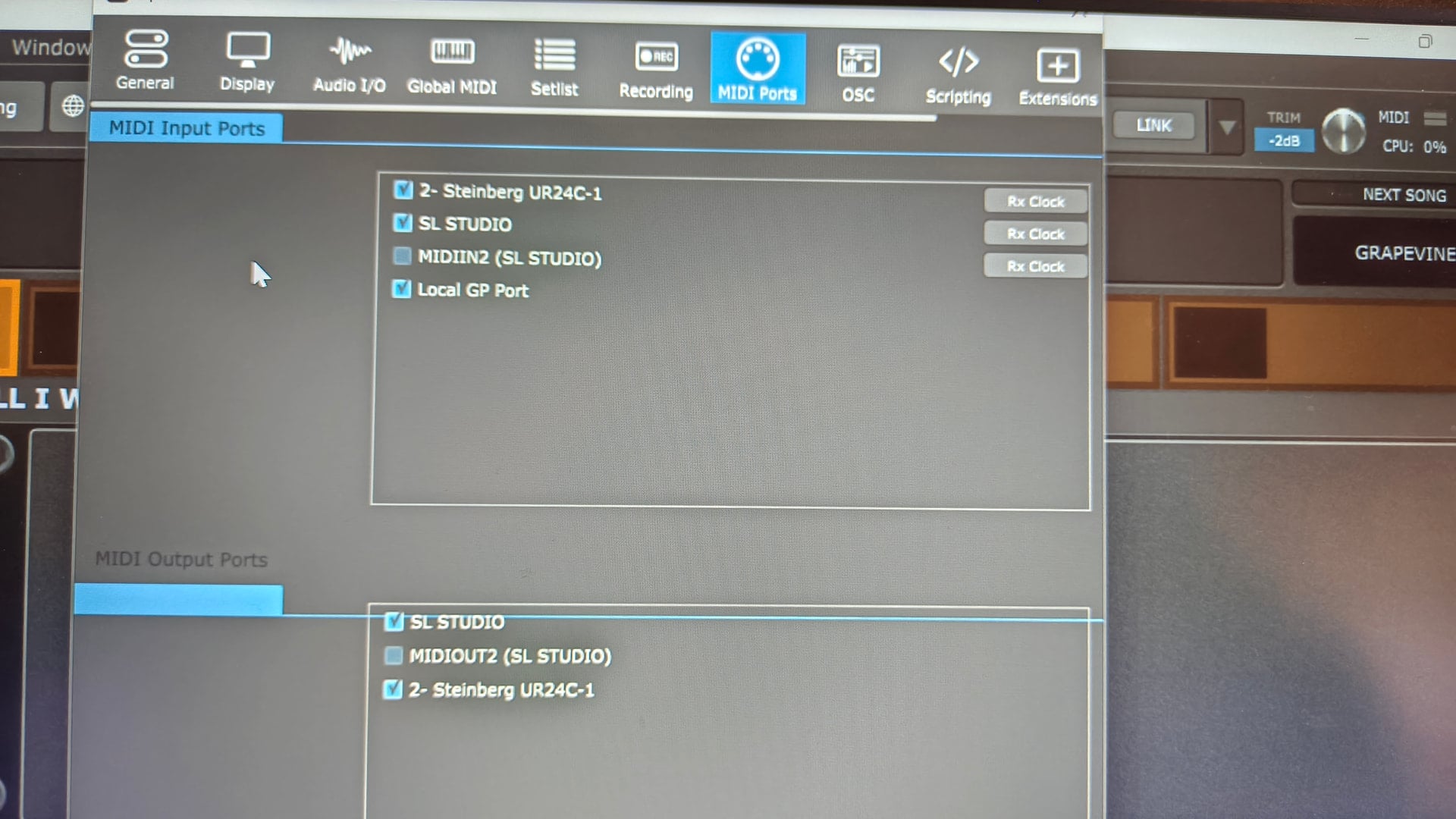
If you’re not trying to control anything on the SL through GigPerformer the easiest solution is probably to just un-check the midi output to the SL in your midi ports.
Hard to say what is happening without a repeatable “here is how I make it break” diagnosis.
That is not necessarily true. Obviously I don’t know what’s specifically wrong in your case but in principle a keyboard could be sending messages to which GP responds but Cubase does not.
Most DAWs, for example, won’t do anything on receipt of a program change other than possible record it into a track but GP will of course respond to PC changes by switching rackspaces, etc.
If it is really the case that nothing changed but the display on your SL is suddenly jumping around and particularly if it is displaying “gobbldygook” then that suggests a hardware issue.
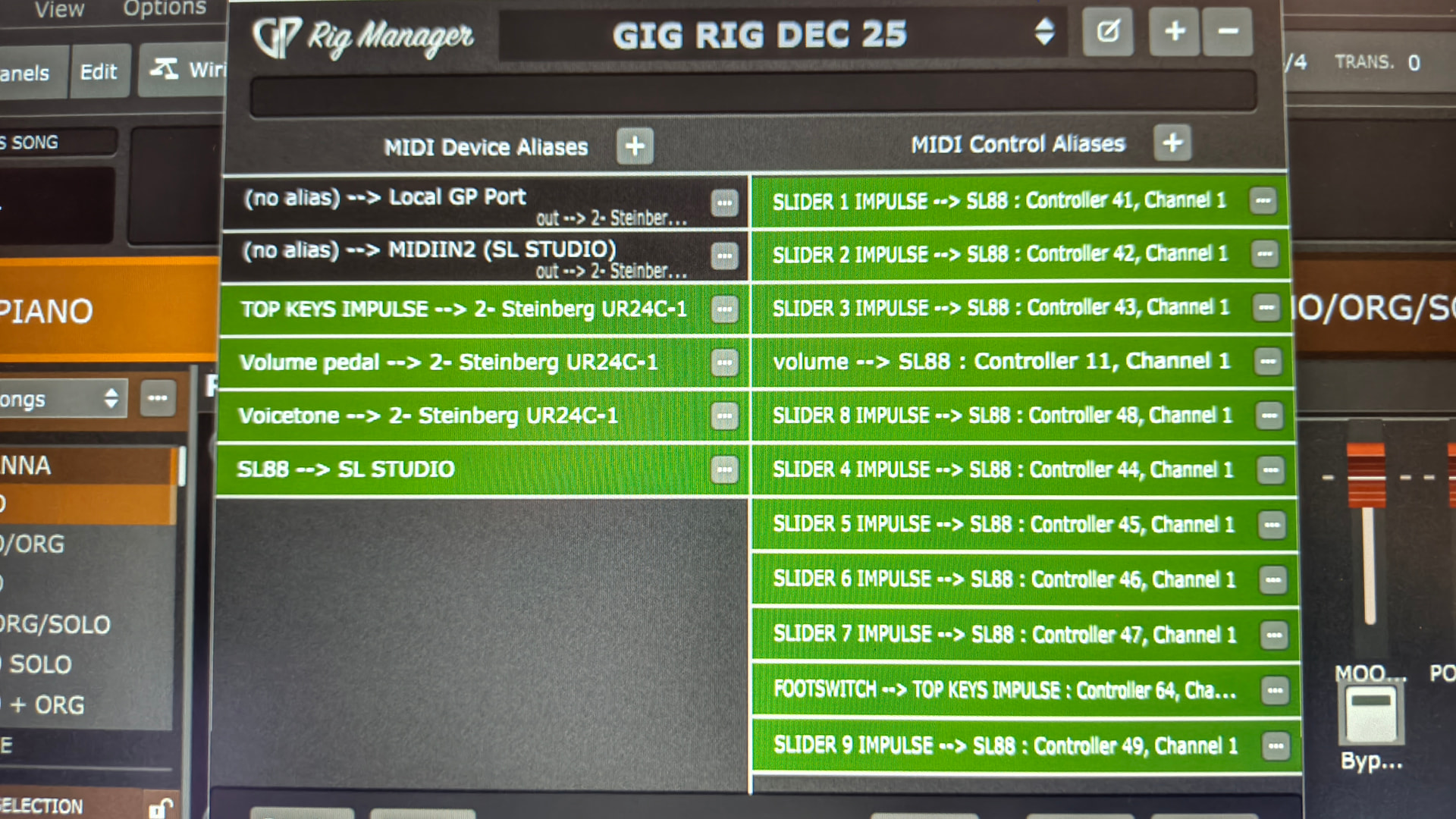
But maybe you inadvertently changed something that is causing GP to send lots of messages to the SL which it can’t handle.