Hello,
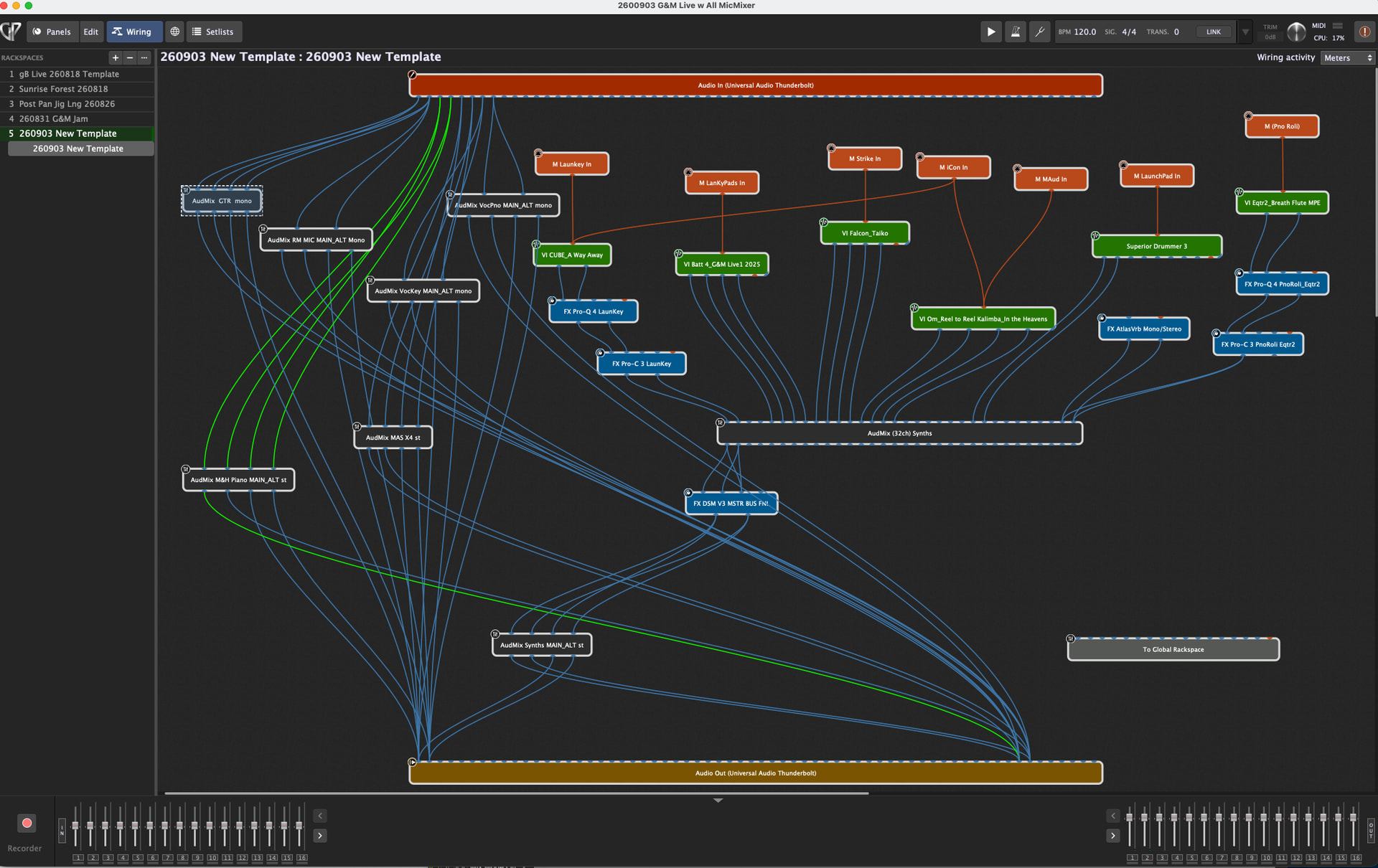
I am trying to streamline my live multi controller keyboards setup playing VST3 Instruments, external audio coming in from a UA x4 rig and mono and stereo microphone inputs into my UA x8p. I want to use this template as a starting place for all new songs so I can just replace the VI’s or presets for each new song and change effects as needed.
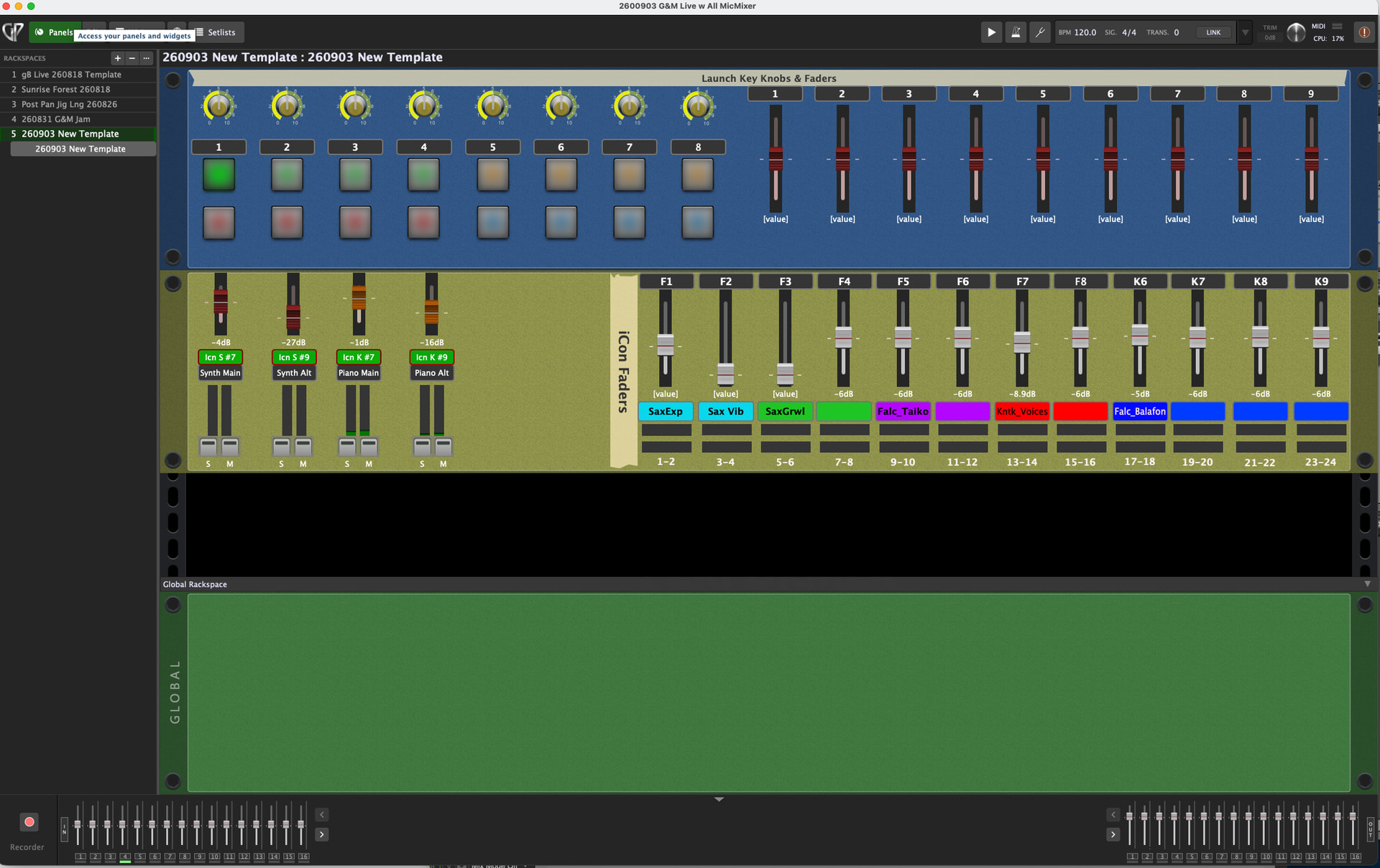
In my live room I have main speakers in front and Alt speakers in the back. The alt fill speakers have to be much lower than the mains so I have to send each input to 2 separate stereo outputs on my UA x8p. I tried a 16 channel GP mixer for the mics but the channel numbers got very confusing since 3 mics are mono and one is stereo and even turning a channel to mono, the channel numbers stay in the stereo number scheme. I am using a 4 channel GP mixer for each mono mic and routing channel 1-2 to the mains and 3-4 to the alt speakers. This makes it much easier to understand.
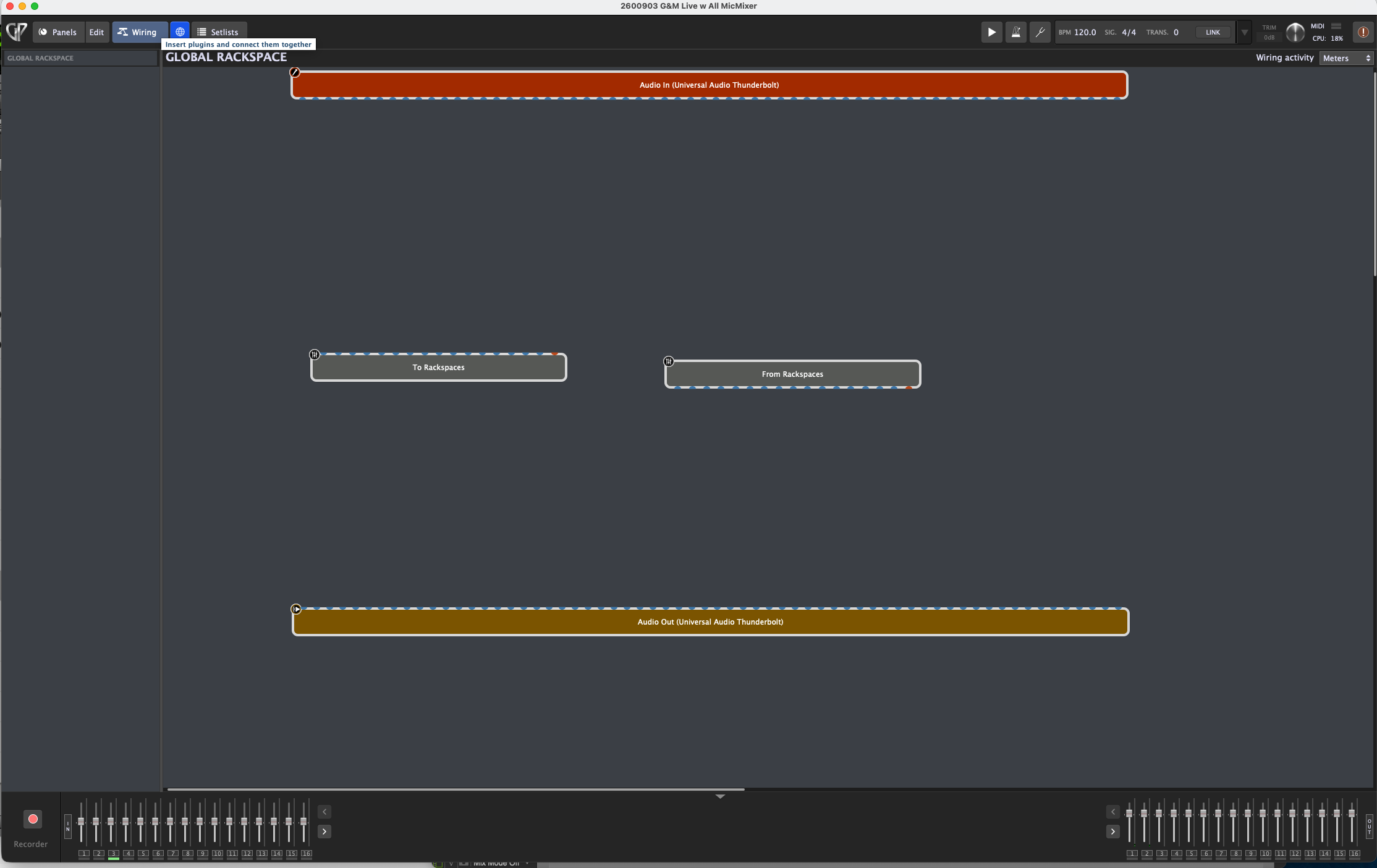
I built my wiring in the main Rackspace but now I realize when I play at another venue I may need to do a tweak on the mics eq so I think I need to copy and paste the mic wiring to the global Rackspace so the eq and processing works on all songs. I’m not sure how to do this. If I have to use the to and from global Rackspace processing am I going to run into the same numbering problem, everything being a stereo pair? With all of the effects processing I would use I probably need at least 24 channels on the to and from Global Rackspace. It seems rather daunting to me at this point.
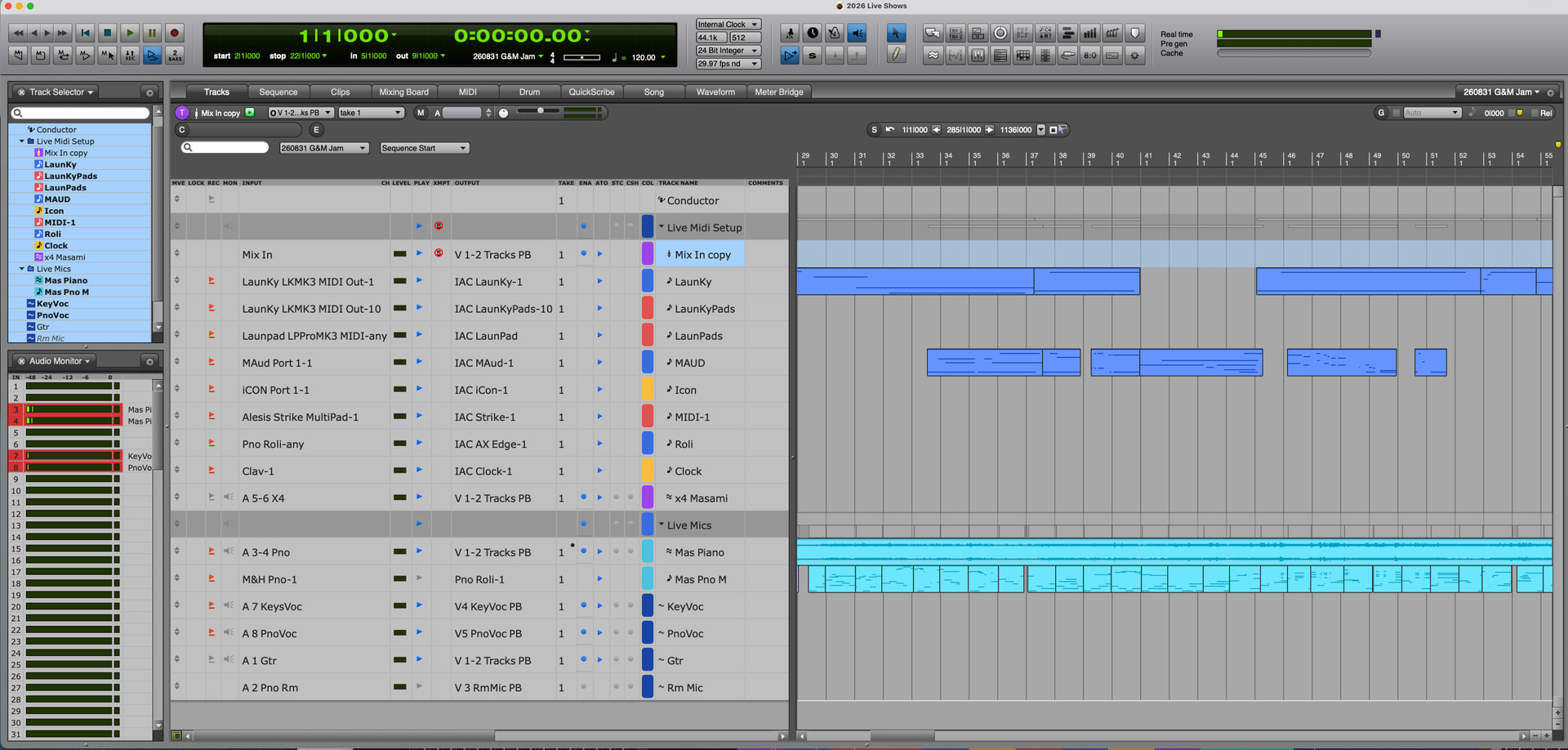
I am using Digital Performer as the recording DAW for daily writing and quick editing sending all my controllers midi through the IAC bus so all sounds are being played from GP.
My music is cinematic with different effects on almost every VI and mic within each composition. I am trying to recreate my studio mixes to play live in a big concert coming up. I use a wide variety of reverbs, delays, choruses and a ton of different effects so I can’t use just one or two effects in the global Rackspace.
I need help knowing how to distribute everything to be simple and bullet proof.
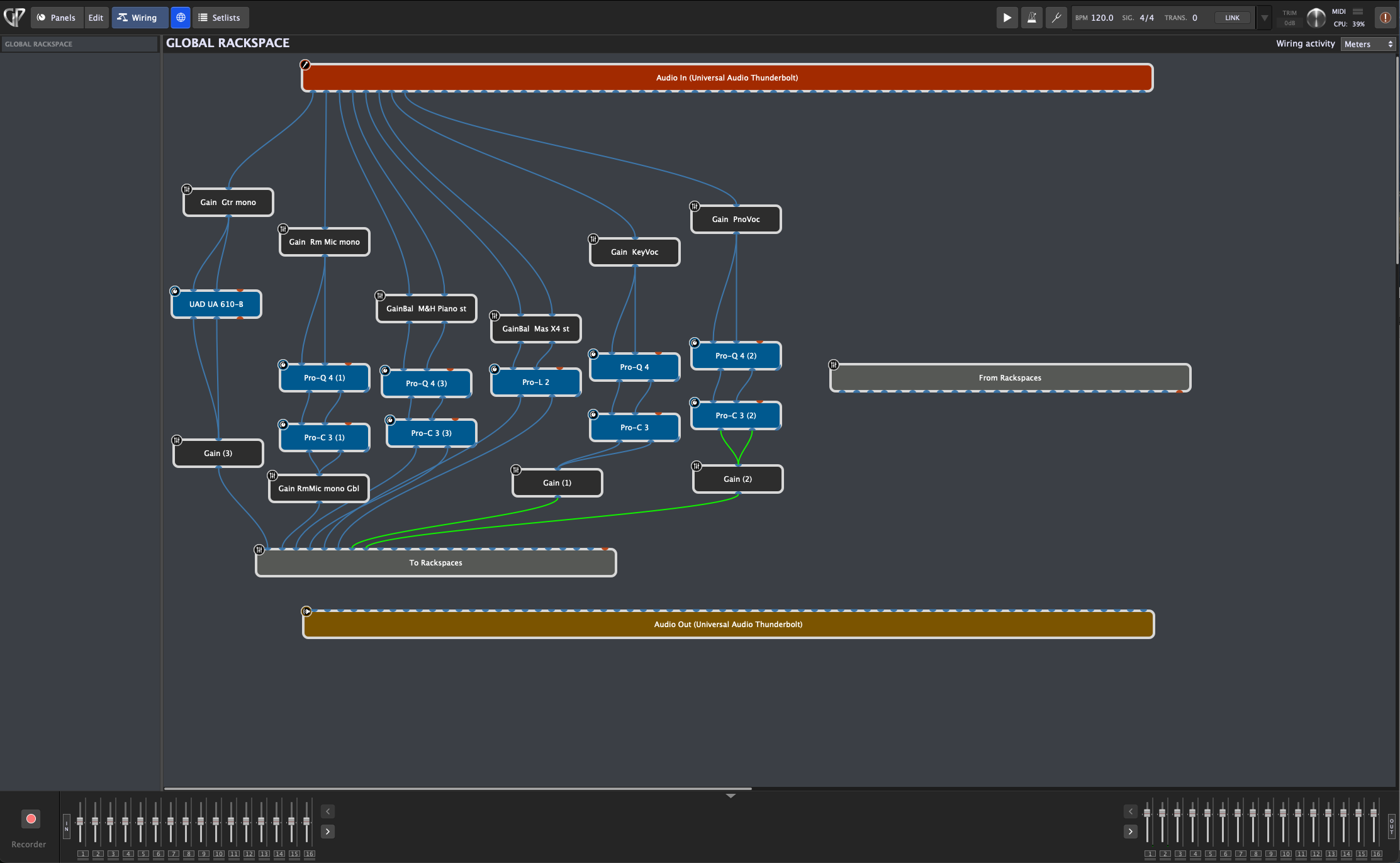
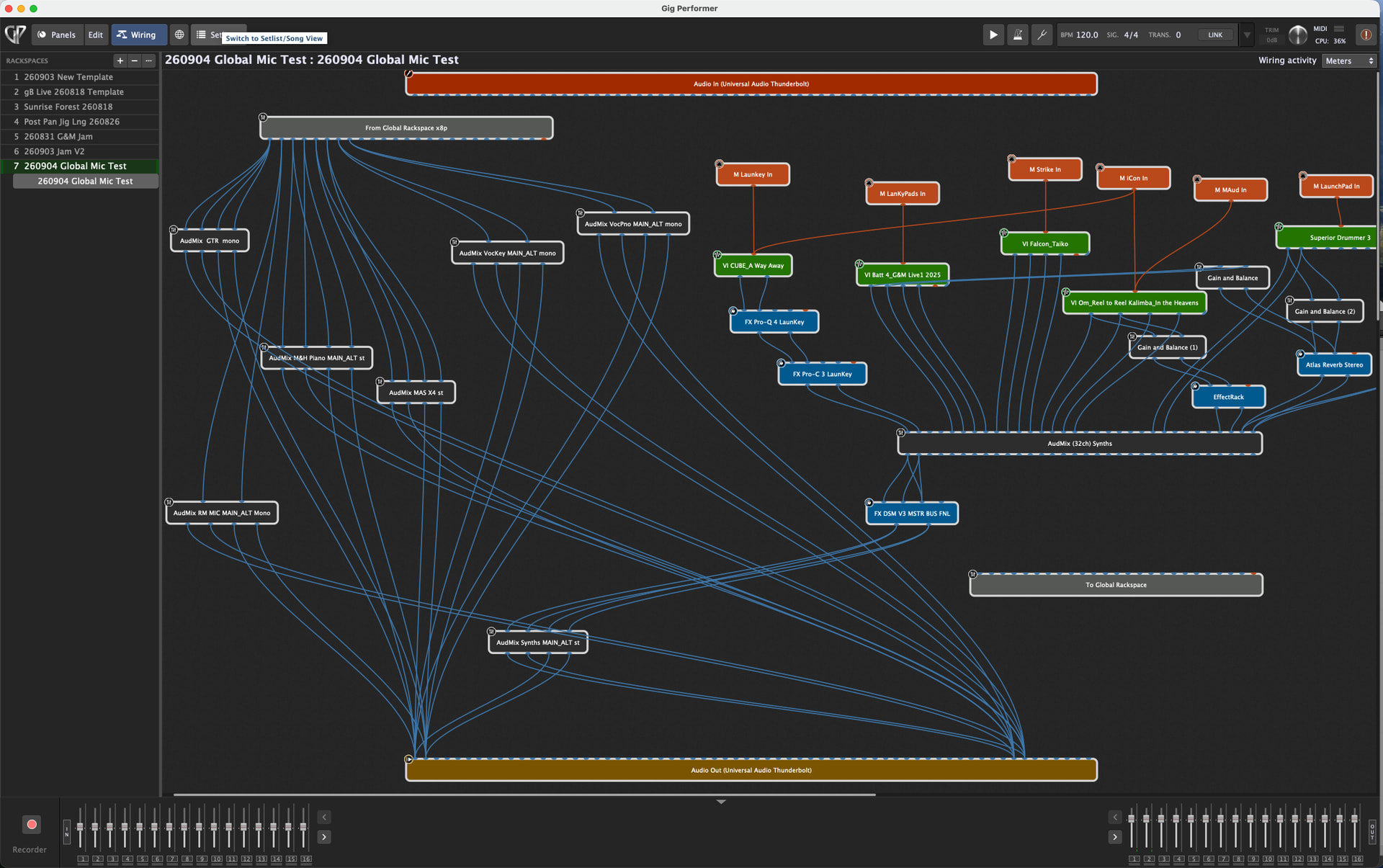
Below are some screen shots of my template. If anyone has any suggestions on how to streamline my setup I would appreciate any help getting me straightened out.
Thanks.
Gregosophy
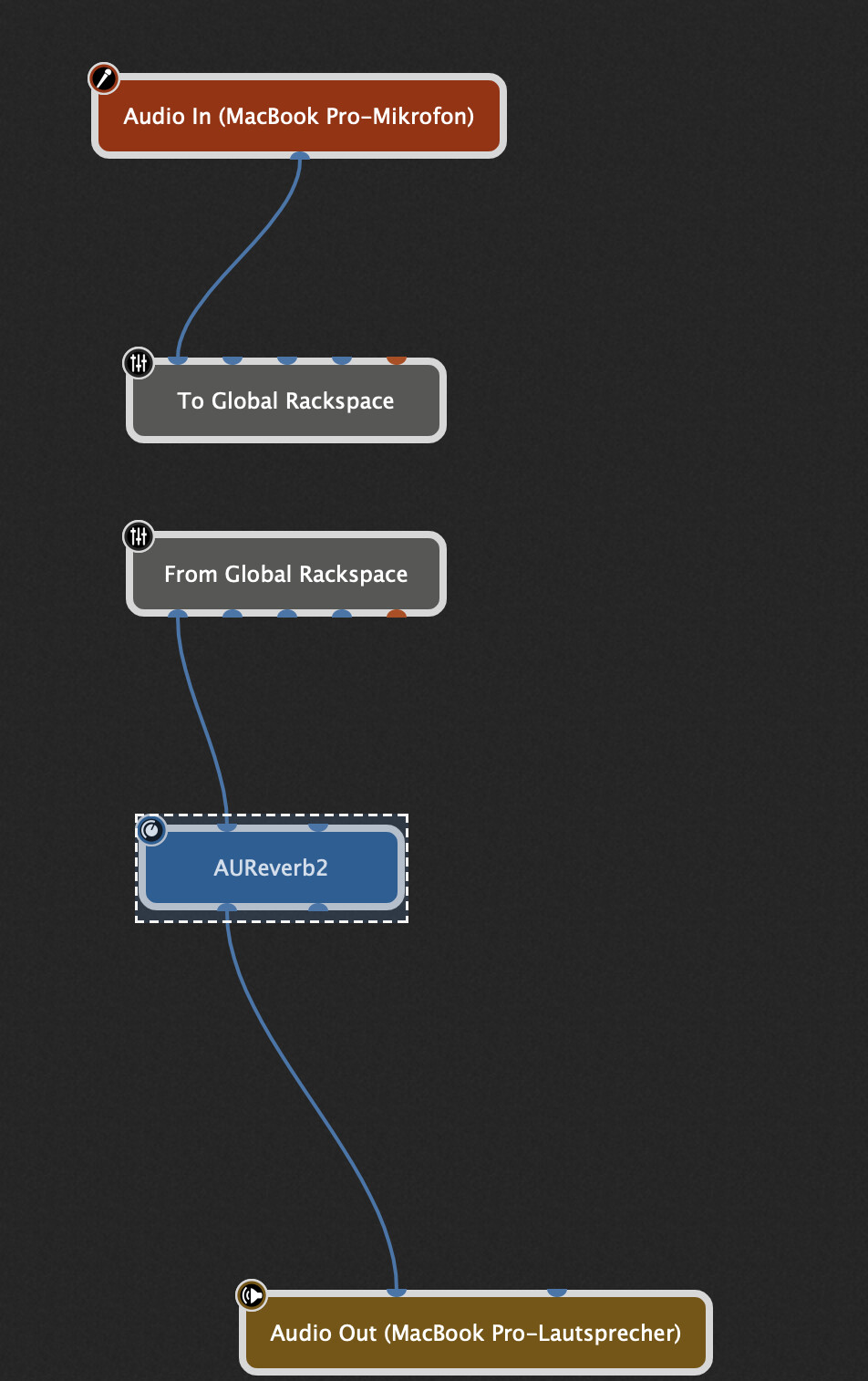
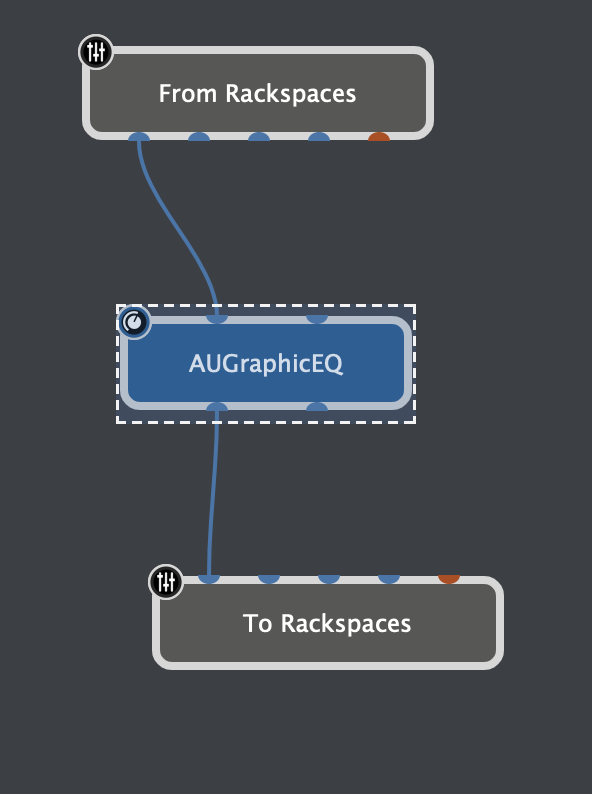
You can route signals to the global rackspace and from the global rackspace back to the local rackspace.
There is no stereo or mono concept in doing this, just channels.
So this way you could send your MIC signals to the global rackspace and in the global rackspace do you EQ and send back to the local rackspace.
Here an example gig
LocGlob.gig (17.4 KB)
Global Rackspace
Local Rackspace
Thank you!
My wiring in the main Rackspace is very cluttered on the left side because of the 3 mono mics, one stereo mic and the stereo x4 audio inputs all needing two sets of faders which is why the 4 channel GP mixer. I am sending 4 connections for each mono mic to remain stereo in my main and alt speakers.
Would I still have to send 2 sets of left and right connection to the “To Global Rackspace” and bring back 4 connections from the Global Rackspace back into the 4 channel GP mixers for each mono mic?
When I hover over the “To Global Rackspace” inputs or outputs the pop up connections still indicate stereo pairs. Can the connections have the names of where and to the connections come from? For example if I am grabbing a mic from channel 7 can it show me the name VocKeys that is how I named them in my x8p interface?
Would it be easier to create the same connections in the Global Rackspace with an eq and compressor on each mic and just connect to the effects that will be constantly changing in the main Rackspace?
In my front panel I only have the synth and piano main and alt outputs in the panel. I need to add 2 sets of four more mics and I am running out of space on my main Rackspace. Maybe it would be better to have all the speaker volume, solo, mute and meter widgets be in the Global Rackspace to declutter the main Rackspace so I can add reverbs and effects there. Maybe I add a single Rackspace for effect widgets. This is tough to get my setup standardized fro all new songs.
Thanks!
I need to add more fader strip widgets for volume and mute controls and don’t want to go any further since I have already redone my setup many times and don’t want to keep making major time consuming revisions. I know when I am done it will be great!
*** Hopefully possibly this can be a helpful organizational tip for people assigning widgets making assigning quicker.
I always rename put a M and one space then the controller name for every midi input label (M Launkey In) (M MAud In).
I rename every Virtual Instrument with a VI then the instrument and then the patch then the sound (VI Om_Reel to Reel Kalimba_In the Heavens) (VI Falcon_Taiko) I abbreviate everything I can to keep the name footprint down, so if anything happens in the future to the plugin and it stops working at least I know what sounds I used.
Every audio mixer I use starts with AudMix and what it is used for (AudMix (32ch) Synths) (AudMix VocKey MAIN_ALT mono) (AudMix Perc)
For Balance and gain widgets (GainBal Om Rev send) (GainBal Arturia Dly send) (GainBal Mstr Bus Fnl)
When I go to assign widgets in the main panel in edit mode I don’t have to search through a big list of events. Everything is in alphabetical order so all the midi is in a row, all the VI’s are in a row and all the mixers and Gain Balance widgets are in a row. So much easier to find what I want to assign.
If it is in the Global Rackspace I indicate that with a Gbl at the end of the description.
Let me know if anyone likes this shortcut.
I forgot the effects always starts with FX (FX Pro-Q 4 LaunKey) (FX Pro-C 3 PnoRoli Eqtr2)
I flipped my mic inputs to the Global Rackspace and came back into the main panel via To Global Rackspace and then to the mixers and outputs and now I have a slight latency even though I lowered my audio buffer to 128 rather that 512 which is where I had it. With my original setup I had no latency with the mics so I assume going through the To and From Global Rackspace induces latency. Am I doing this wrong?